
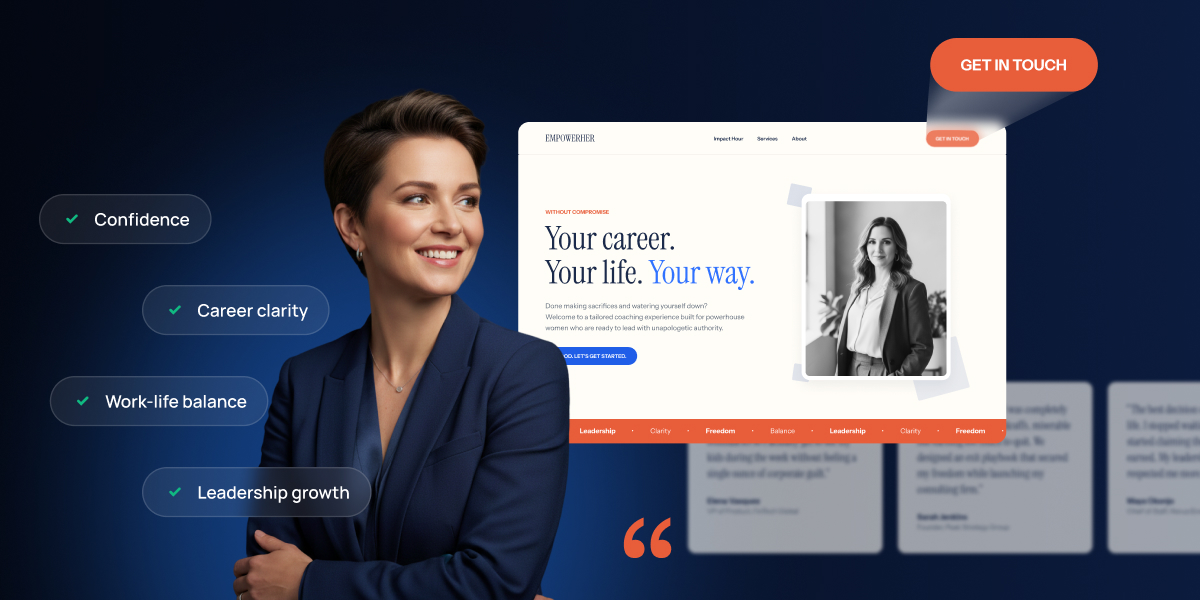
Your business coach website has one job: turn those strangers into booked calls, buyers, or subscribers before they close the tab. Not just by looking professional, though that helps, but by moving those potential clients through a sequence: build credibility, make booking painless, sell to the ones who are ready, and capture the rest.
Key takeaways:
- A business coach website works best in a specific order: trust first, then booking, then selling, then email capture.
- Credibility comes from four things working together: a clear homepage headline, a credentials-first about page, testimonials spread across several pages, and mobile-friendly design.
- A Calendly-style booking widget embedded on your services page cuts out the email back-and-forth that kills momentum right after a visitor decides to trust you.
- Setting up a coaching package as a service lets a visitor pay a deposit or buy outright instead of just inquiring.
- Selling digital downloads, worksheets, templates, planning guides, adds a second revenue stream on top of your existing ecommerce setup.
- On most coaching business website funnels, the majority of traffic doesn’t book or buy on the first visit. That’s what the email capture step is for.
What your business coach website needs to do
A business coach website needs to do four things, in order: build credibility so visitors trust you, make it easy to book a call, sell packages and digital products to visitors who are ready now, and capture the email of everyone who isn’t.
That order is the whole strategy. Skip credibility and a visitor who lands on your booking page has no reason to trust you enough to grab a slot. Skip an easy booking flow and a visitor who does trust you gets stuck in an email thread instead of on your calendar. And skip email capture entirely, and every visitor who wasn’t ready to book or buy today, which is most of them, leaves with no way for you to reach them again. A lot of business coaching website advice never gets past the first step: it covers design inspiration, screenshots of pretty homepages, and stops there. Not this time!
You’re a small business owner, and not running a software company, so none of this needs custom development. A website builder built for non-technical users gets pages live in an afternoon. Whether you specialize in life coaching, executive coaching, health coaching, or otherwise, the sequence below is something you can build yourself, in order, over a weekend.
Step 1: Build credibility so visitors trust you before they act
This is the foundation step for any coach website design. Because everything else on your site depends on a visitor believing you’re legitimate before they book a call or hand over a card number.
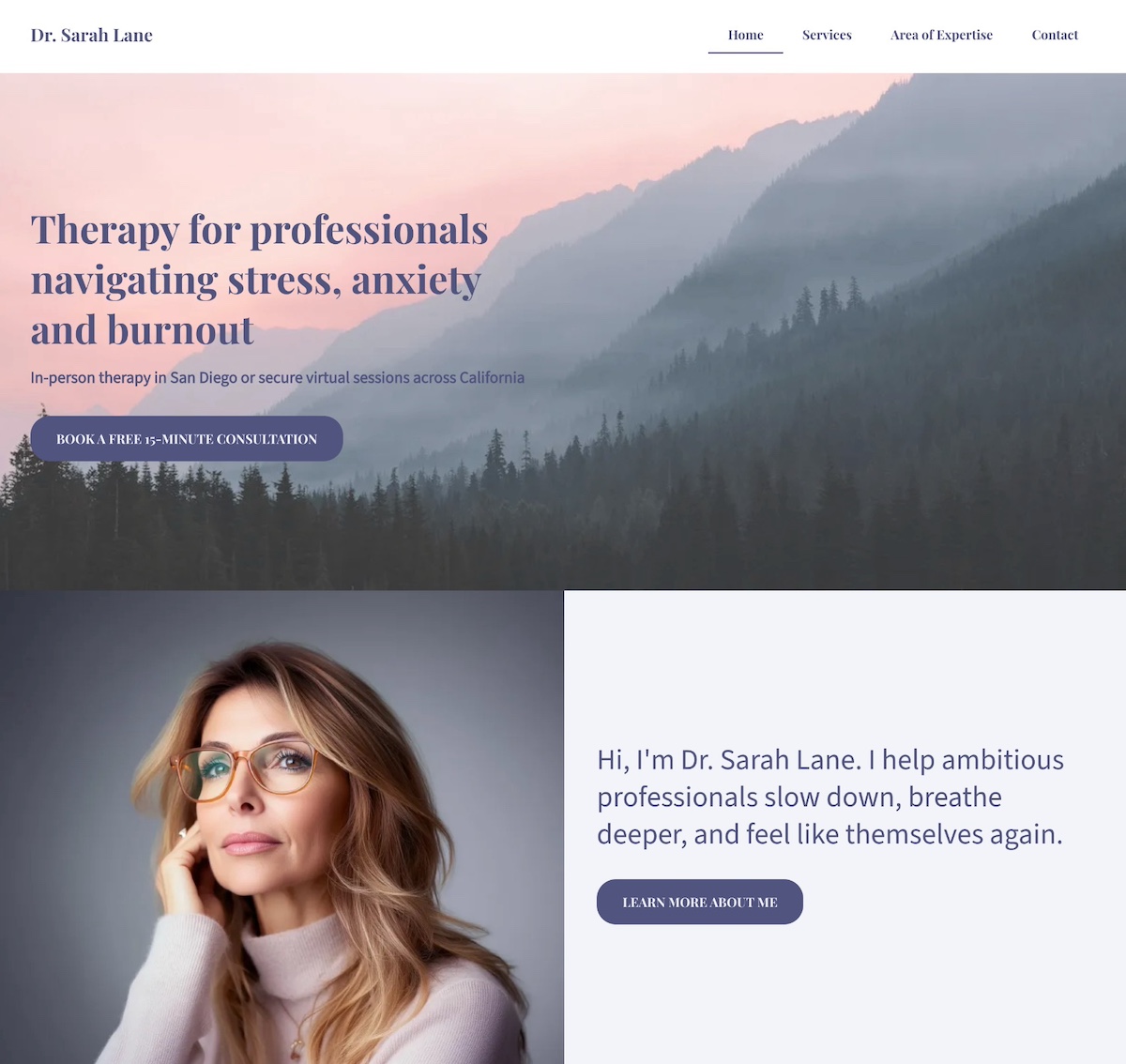
A homepage that states who you help and what outcome you deliver
Your homepage has about three seconds to answer one question: who do you help, and what result do you get them? Answer it with a headline that follows a simple formula, who you help + the outcome you deliver, placed above the fold next to one primary call-to-action button such as “Book a free consult” or “See if we’re a fit.”
For a health coach, that might read: “I help remote workers build sustainable movement habits without adding to their to-do list.” For an executive coach: “I help mid-level managers get promoted to director in under a year.” Swap in your own specialty and outcome, but keep both halves, a headline that names only the audience (“Coaching for busy professionals”) or only the outcome (“Reach your full potential”) does neither job well.
That single CTA matters more than it sounds like it should. A homepage with five buttons competing for attention, or a hero video and scrolling logo carousel sitting above the offer, buries the one thing (your call to action!) you actually want a visitor to do before they even reach your credentials. Get the homepage essentials right and the rest of the page has room to do its job.
An about page that establishes your credentials fast
A stranger is deciding whether to pay you to change how they run their business. That’s a bigger trust ask than most sites face. Lead with your credentials, certifications, years coaching, client results, in the first two sentences. Save the personal story for explaining why you coach, and not for padding the page.
Include a professional photo, or an unposed photo of you actually coaching, on a call, at a whiteboard. These transmit authenticity, and, you guessed it, trust.
Testimonials placed where visitors decide, not stuck on one isolated page
A dedicated testimonials page is where testimonials sadly go to die. That’s because visitors decide whether to trust you on the homepage, the services page, and the booking page, and not on a separate tab nobody clicks. So pull three to five of your strongest client results and place a version of them on each of those three pages instead of building one long quote wall elsewhere.
Keep in mind that specifics carry more weight than praise. So “Raised my coaching rates 40% in two months” says more than “amazing to work with.” And if you don’t have results yet, one detailed before-and-after case study will get the job done better than a collection of lackluster quotes.
Professional photography, clear layout, and mobile-friendly design
Stock photos work against the one thing a coaching website needs to build: the sense that a real, specific person is on the other end. To avoid this conundrum, plan to:
- Budget for one photography session, or lean entirely on unposed working photos instead of generic “business handshake” stock imagery.
- Keep one primary action per page, with clear visual hierarchy and no competing offers.
- Pay attention to mobile web design. Most coaching website traffic now arrives from a phone, and a booking widget that needs pinch-zooming to tap loses the visitor before they book.
Step 2: Make it easy to book a call once they trust you
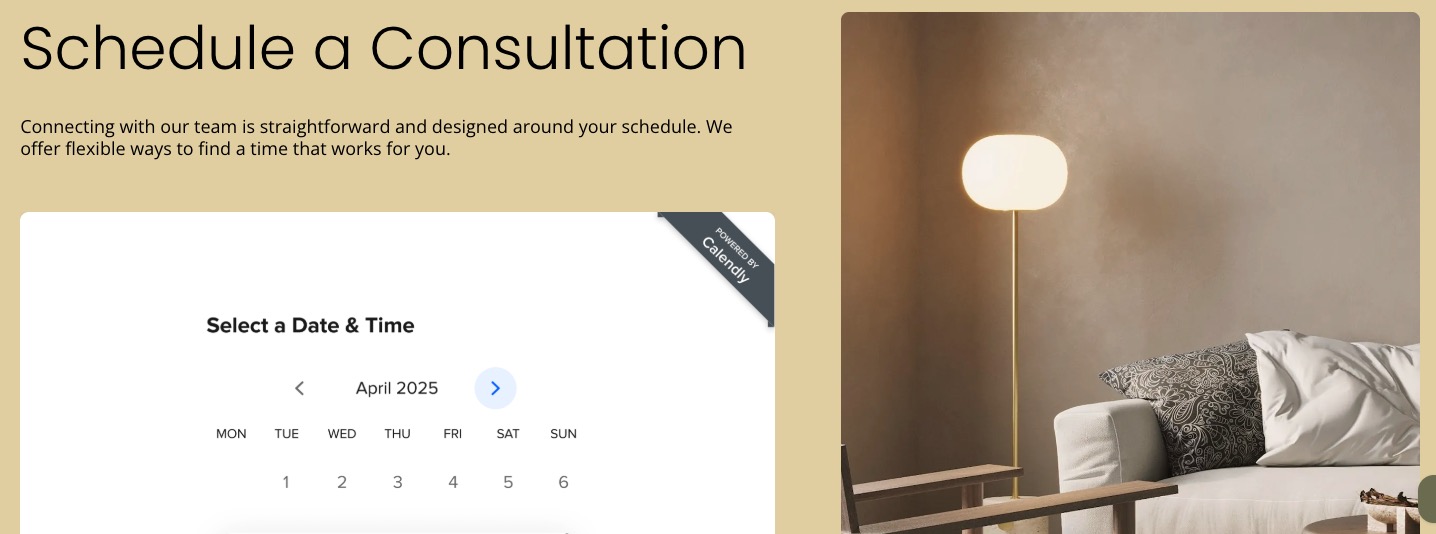
Once a visitor trusts you, booking is the next friction point. A Calendly-style scheduling widget embedded directly on your services or contact page lets a visitor pick a time and confirm a consult in under a minute, no email thread required.
Embed the widget, don’t link out to it
A scheduling widget that opens on the same page keeps the visitor inside your site’s design and momentum. A link that sends them to an external scheduling site is one more place they can get distracted, close the tab, or simply forget to come back. You’ll need a Calendly account with at least one event set up first, then it’s a matter of dropping the event link into a Calendly section on the page.
Match the tool to how many booking types you actually need
When it comes to Calendly, as of August 2026, its free plan caps you at one active event type. That’s enough for most solo or professional coaches who offer one kind of consult call. If you run multiple call types, discovery calls, strategy sessions, VIP days, you’ll need Calendly’s paid plan.
Keep the booking page down to one job
A booking page can include more than just the widget, but it needs to stay focused. Testimonials, pricing tables, and a newsletter signup competing for attention on the same page all pull a visitor away from the one thing you want them to do: book the call. The same landing page principles that keep a page focused on one conversion goal apply here.
Step 3: Sell coaching packages and digital products to visitors who are ready now
Not every visitor needs a call first. A referral who’s already read your case studies, or a returning client who worked with you last year and wants a shorter follow-up package, both know what they want. Neither should have to book a consult just to hand you money.
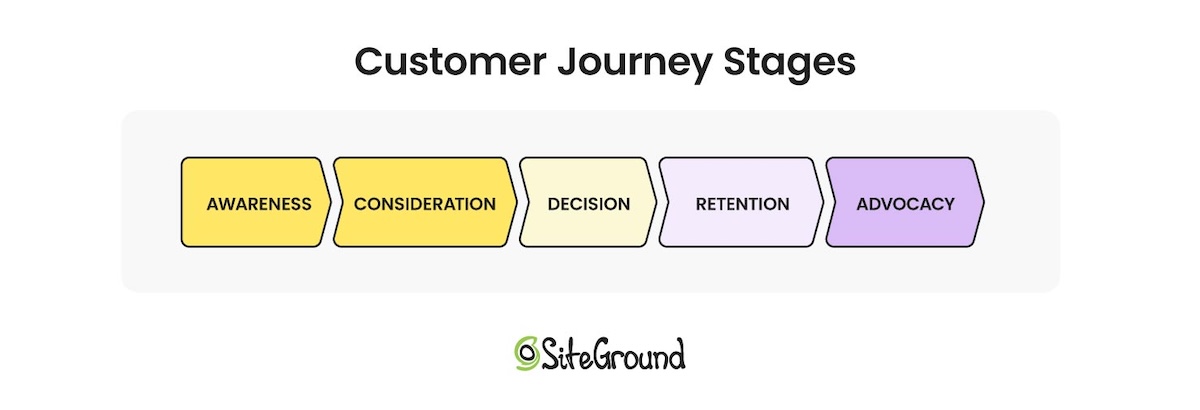
Mapping out where these visitors are in the customer journey (like a potential buyer building awareness, or a long-time client who keeps coming back for more) makes the case for why you might want to offer different types of products, both service and digital.
Selling coaching packages as a virtual product
Set up each coaching package (say, a three-session intensive, a six-month program, a single strategy session) as a service with real pricing attached.
- Get payment processing set up correctly first. Packages, deposits, and split payments all need to route through one checkout instead of three different tools.
- A published price lets a ready visitor buy directly. New or returning, they can purchase outright or pay a deposit right on the page instead of starting an email thread.
- “Contact for pricing” isn’t always the wrong call. It can make sense for fully custom or highly bespoke engagements where the price genuinely varies by client. For a standard package, though, it mostly just adds friction between a ready buyer and their card.
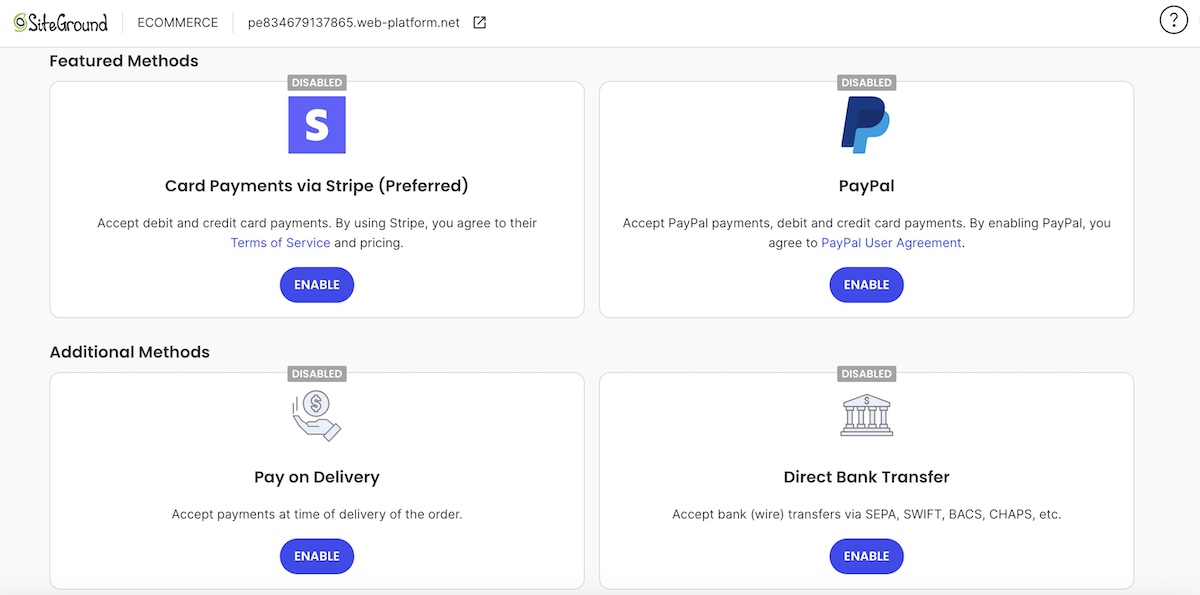
Selling templates, guides, and other digital downloads
Not every ready visitor wants a full coaching package right away. The good news is that the same ecommerce setup that sells the coaching itself can also sell downloadable products such as worksheets, planning templates, or a self-paced mini course, with no extra plugins and no second platform.
- It’s a genuine second revenue stream, not busywork: a $27 planning template gives a visitor who isn’t ready for a $2,000 coaching package something to buy today instead. Plus it builds trust and loyalty toward that future, larger purchase.
- List digital downloads next to your packages, not on a separate page. A visitor weighing a $1,500 program against a $27 template is far more likely to buy the template now, and consider the program later, than to leave the site having bought neither.
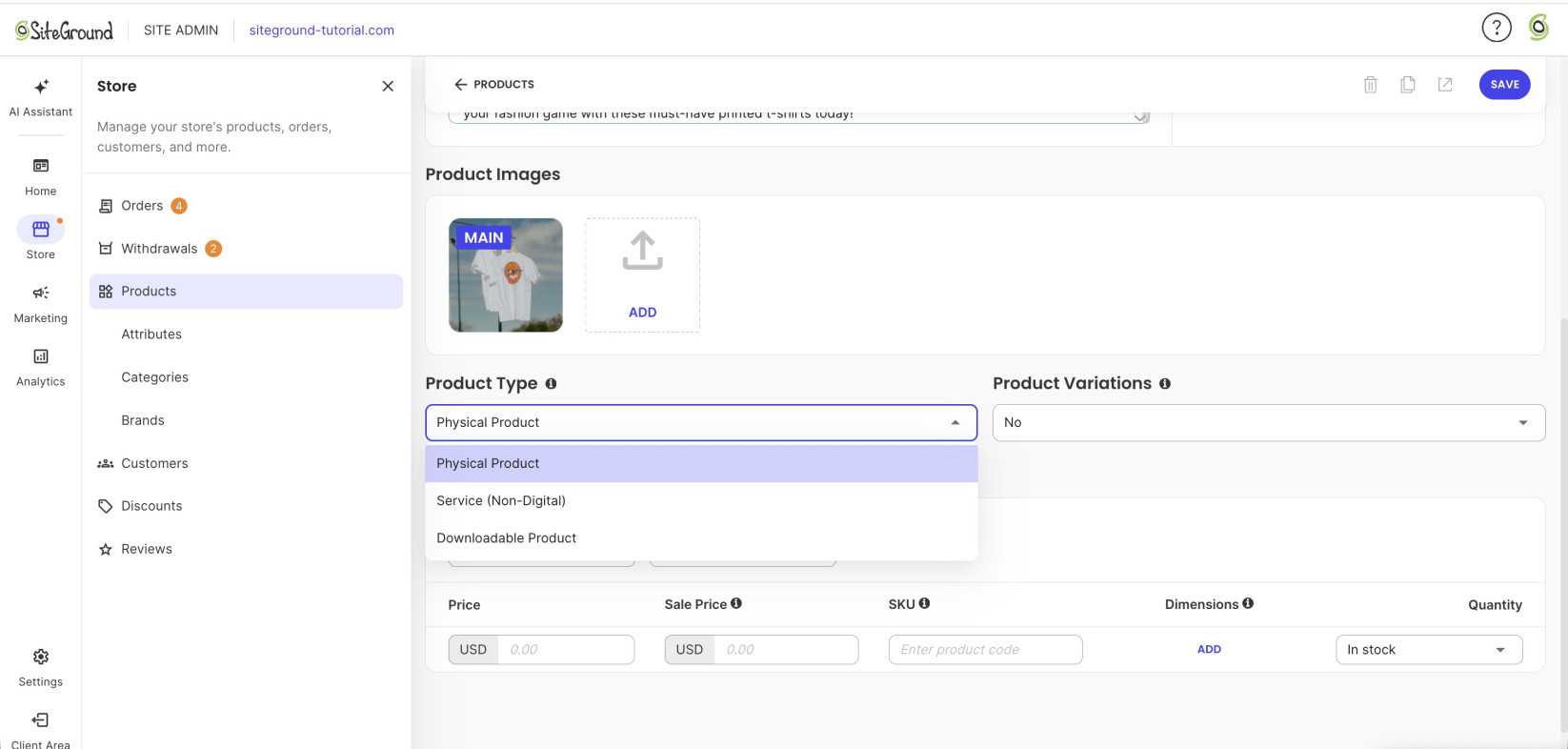
SiteGround Ecommerce covers all of this from one dashboard. Calendly integration handles the booking step, and Stripe, PayPal, and other options cover payment processing. It also supports physical, service, and downloadable product types, so packages and templates live on the same platform without extra plugins. Setup takes an afternoon, the hosting holds up under real traffic, and expert support is there any time you need it.
Start building your business coach website now>>
Step 4: Capture emails from visitors who aren’t ready yet
Most visitors won’t book or buy on the first visit. And without a way to capture their email, that traffic is gone for good.
Give visitors a reason to hand over an email address
A generic “join my newsletter” box rarely converts. Offer a lead magnet instead — a free resource specific enough to be worth an email address, such as a free chapter, a coaching-readiness quiz, or a five-day email challenge. Building an email list that converts starts with getting that offer narrow and specific: “10 questions to ask before hiring a coach” pulls in far more signups than an open-ended newsletter box.
Place the form where visitors actually drop off
- At the bottom of the homepage, for visitors who scrolled the whole page without booking or buying.
- Inside blog or resource content, where visitors are already reading and engaged.
- At the bottom of the services page, right before a visitor who was close to booking decides to leave.
Let the follow-up sequence do the selling
Once you have the email, an automated sequence does the work a single page visit can’t: moving someone from “not ready” to “ready” over several weeks instead of trying to close them in one visit. A short series covers the basics:
- Deliver the lead magnet right away.
- Share a client result or quick win.
- End with a soft nudge toward booking.
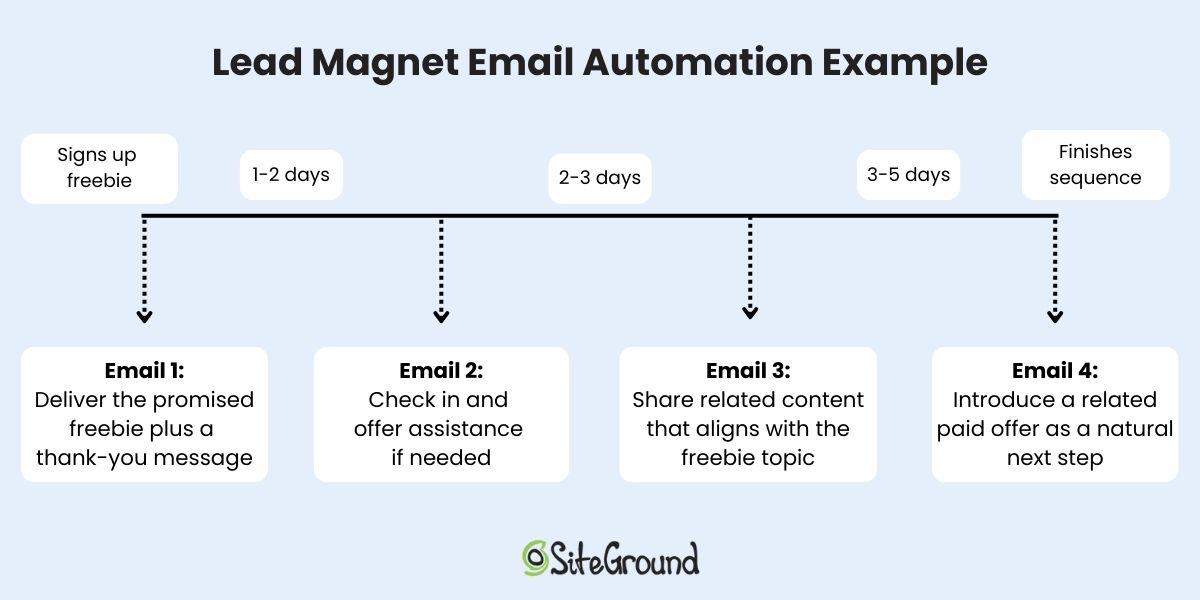
Email automation handles the sending on a schedule once it’s set up, so the nurturing keeps happening without you writing a fresh email every week.
Step 5: Set it up in the right order
If you were hoping for a quick-and-dirty checklist, then here it is. Building things out of order costs you real conversions, not just tidiness.
| Order | Task | What skipping ahead costs you |
| 1 | Core pages (homepage, about, services, testimonials) | Nothing else works until the site looks credible |
| 2 | Booking tool | Add it before credibility is built and you’re booking calls with visitors who haven’t decided to trust you yet, which shows up later as no-shows and mismatched-expectation calls |
| 3 | Ecommerce for packages and products | Turn it on before your core pages are live and you’ve built a store with no credible site sending it traffic |
| 4 | Email capture form | Safety net for everyone who wasn’t ready yet |
Turning on ecommerce means building out your online store: choosing a platform, connecting payment and tax settings, and picking a theme, before you list a single package.
A business coach website that works as hard as you do
Build in that order, credibility, booking, selling, capturing, and your business coach website does what most coach sites never quite pull off: turning a visitor into a client without you handling every email, payment, and follow-up by hand.
SiteGround Ecommerce bundles the site, the booking functionality, virtual product listings, and email marketing tools all in one plan, backed by fast, high-performing hosting and around-the-clock live expert support. Start a free trial and have your first package listed before the coffee gets cold.
[103]
Frequently asked questions
Yes. Set the package up as a virtual or service product, not a physical one, so clients can pay by card or your other configured methods without you invoicing manually for every sale.
Yes, even if most clients come through referrals. A website is where a referred prospect verifies you before booking, and the only place you show up in search for people who don’t already know your name.
Yes. A website builder made for non-technical users, plus ecommerce tools for packages and digital products, covers the full sequence above. No code, no agency.
SiteGround Ecommerce plans run $18 to $36 a month, covering hosting, the website builder, and the virtual product listings for packages and digital downloads. Hiring a freelancer or agency instead runs much higher, often several thousand dollars for a custom build. See the full website cost breakdown for specifics.