

An AI email template generator hands you a fixed layout with placeholder text. An AI email generator writes the real thing on the spot, no placeholders standing in for finished copy. One saves you from designing a layout. The other saves you from staring at a blank subject line field at 4pm on a Friday.
Key takeaways:
- A real email generator writes copy specific to your message; a template generator assembles a layout and fills it with generic filler text.
- SiteGround Email Marketing’s Generate with AI feature drafts a full email for you, copy and design, and you can still edit everything it creates in the no-code builder.
- If your layouts already look right and writing is the slow part, an AI email template generator won’t fix that; you need something that drafts copy.
- Picking the right ai email template generator depends on which part of your workflow, design or writing, is actually the bottleneck.
How AI email generators work
An AI email generator writes and designs a complete email from a short prompt: subject line, preheader, and body, drafted specifically for what you’re sending, not filled in from a template. You describe the message, and the tool does the writing; you still decide what it says.
What a generator actually gives you
- You give it a prompt or brief: audience, goal, tone, sometimes a past campaign or product feed as context.
- An LLM drafts the actual send-ready text: subject line, preview text, body copy, and CTA language, generated for that specific message, not pulled from a filler bank.
- Some tools layer in personalization tokens or brand-voice tuning, trained on your past sends, at this stage.
- Layout is often secondary or absent; many generator tools hand you the copy and expect you to drop it into whatever template you already have.
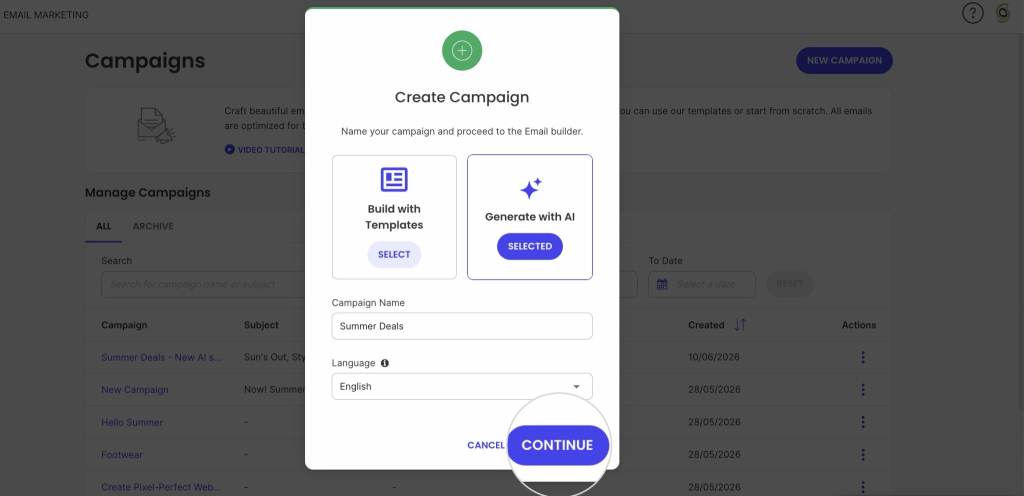
That’s also where SiteGround Email Marketing’s Generate with AI feature has a specific step worth knowing about: describe your business and the email you want, or start from a preset (Promotional, Newsletter, Announcement, Welcome, Event invitation). Then it plays your answers back in a short summary before writing anything, so you can catch a mismatch before you’re looking at a finished draft. Confirm it, and the draft opens straight into the builder you’re already using to edit.
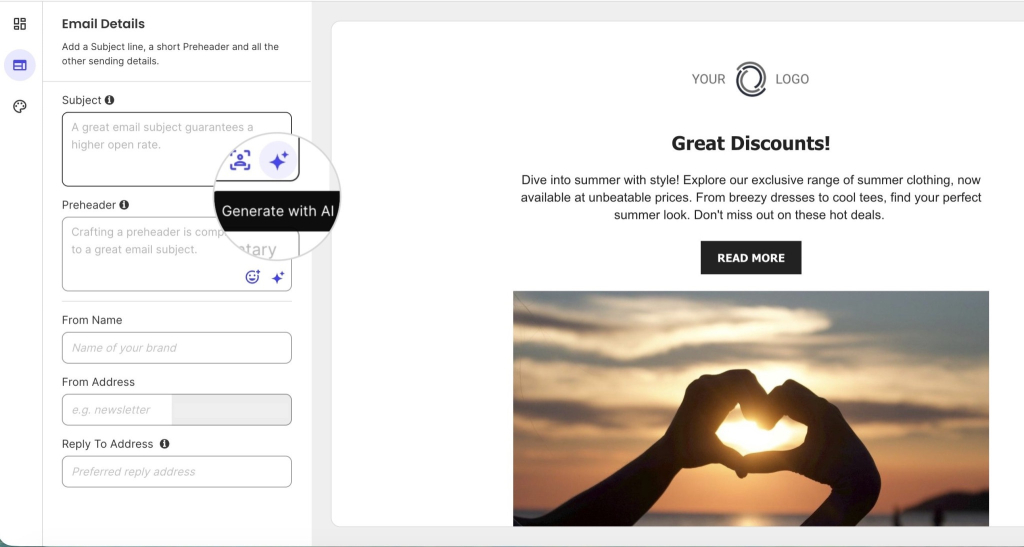
Generation doesn’t have to mean starting from a blank prompt either. Inside a SiteGround Email Marketing template, sparkle icons let you generate a subject line, preheader, image, or block of text on the spot, so a pre-made layout and AI-written copy aren’t mutually exclusive.
Where the human touch still comes in
A finished draft is rarely finished. Brand voice doesn’t come built in, you usually need to feed it sample copy first, and keeping that voice active long-term is often a paid feature.
Personalization works the same way: it needs a real data source behind it, a CRM or your past sends, or the “personalized” line is just a placeholder with a nicer name. That’s exactly why the last pass is yours: a generator hands you a draft, not a finished decision about tone or structure.
None of this replaces email copywriting instinct. A generator hands you a draft, not a finished decision about tone or structure.
How AI email template generators work
Where an AI email generator writes the message, an AI email template generator builds the shell it goes into.
Give it a prompt, an industry, or a brand asset, and it assembles pre-built blocks, header, hero image, footer, into a structure, then fills the gaps with placeholder text you’re expected to replace yourself. The layout is done. The writing isn’t.
What a template generator actually gives you
- You give it a starting point: a prompt, an industry or use-case selection, or an existing brand asset like a logo or color palette.
- It matches that input against a library of pre-built block layouts (header, hero image, product grid, CTA button, footer) and assembles them into a structure.
- It fills placeholder text and image slots with generic filler copy pulled from the matched category, not copy written for your specific message.
- You then edit that filler manually in a drag-and-drop or block-based editor before sending.
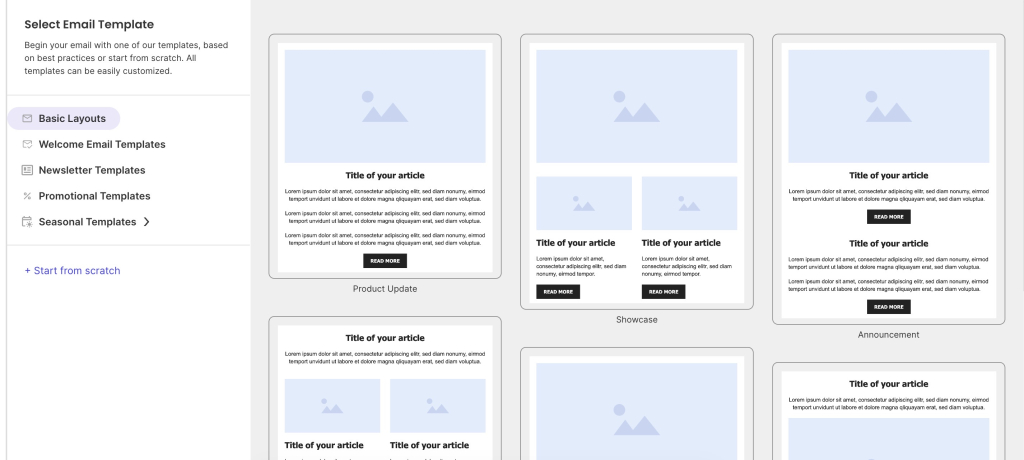
While SiteGround Email Marketing’s templates aren’t AI-assembled, they solve the same starting problem: pick a pre-built layout and skip designing from scratch, then write directly into it with the manual builder.
Where template generators fall short
The layout arrives finished, but the words don’t. If you need five different promotional emails this month, a template generator saves you from rebuilding the structure five times, but you’re still writing five sets of subject lines and body copy from scratch.
That’s the gap an email marketing design process alone doesn’t close. It’s also why “free ai email template generator” and “ai html email template generator” searches usually lead to the same disappointment: a nice-looking shell with nothing written inside it.
AI email template generators vs. AI email generators: which one fits your workflow
| What it does | What it doesn’t | Best for | Example tools | |
| Template generator | Assembles a pre-built layout from blocks | Write your actual message | Recurring formats with a fixed look | Mailmodo, Venngage, Figma plugins |
| Email generator | Drafts subject line, preheader, and body from a prompt | Guarantee a finished layout | New copy for a specific campaign | SiteGround Email Marketing (Generate with AI) |
Ask yourself:
- Do you need the same layout with new content each time, like a weekly newsletter? A template generator is enough.
- Does the copy need to change per recipient or campaign? You need an email generator.
- Does brand voice consistency matter more than speed? Lean template generator; email generator output needs heavier editing.
- Are you already on a platform with templates built in, like SiteGround Email Marketing? Check what it already covers first. Some platforms, SiteGround Email Marketing included, now generate the copy too, so a separate tool may not be necessary at all.
Worth noting how AI is changing marketing more broadly here: the line between these two categories keeps blurring as more platforms build generation directly into their editors, rather than treating it as a separate product.
When to use an AI email template generator
Reach for a template generator if the layout is what’s actually slowing you down: you’re comfortable writing your own copy, but rebuilding a header, hero image, and footer from scratch every send wastes time you don’t have. This is the more common starting point for anyone new to email marketing, since a working layout is the first thing you need before copy matters at all.
When to use an AI email generator
Reach for an email generator if writing is the bottleneck, not design: you know roughly what the email needs to say, but turning that into a finished subject line and body copy is what eats the afternoon. This is also where it’s worth checking your existing platform before adding another AI tool to your stack, since more email platforms now build generation in directly.
The right AI email generator for your next campaign
Whichever bottleneck you’re solving for, layout or copy, SiteGround Email Marketing covers both without asking you to bring in a separate tool.
Use Generate with AI to build a whole campaign from scratch: describe your business, your audience, and the tone you’re going for, or start from a preset and a complete draft, subject line, preheader, and body, opens straight into the builder.
Or start from a template and use the sparkle icons within it to generate a subject line, preheader, image, or block of text as you go, without building the whole thing from a prompt.
[58]
Frequently asked questions about AI email template generators
An email template is a pre-built layout you fill in yourself; an AI email generator writes the subject line, preheader, and body for you based on a prompt.
Yes. Different tools do different jobs: some, such as the template generators covered earlier, hand you a layout and expect you to write the copy yourself. Others are built as full email generators from the start. SiteGround Email Marketing’s Generate with AI feature works this way: it drafts the whole email, subject line, preheader, and body, from a prompt or preset, not just a layout with gaps to fill.
It depends on whether writing or layout is your bottleneck; some platforms, including SiteGround Email Marketing, now include both in one tool, so check before adding a separate one.
Some AI email generators are free: SiteGround Email Marketing’s free plan includes access to Generate with AI, while several standalone template tools also offer free tiers with limited features.