
An AI website builder can look cheap right up until you try to connect your domain or actually publish the site. That’s because AI website builder pricing is rarely just the monthly plan price you see on the pricing page. The real cost can include the builder itself, hosting, domain, SSL, storage, forms, ecommerce features, email, renewals, transaction fees, and upgrades. The safest comparison is a year-one cost check plus a list of features your business actually needs.
This article shows you how to choose the right AI website builder plan for your business, spot the limits that make a cheap plan expensive later, and understand how all-in-one AI website builders such as Coderick AI combine building, hosting, security, and publishing in one platform instead of leaving you assembling separate services.
Key takeaways:
- Compare the cost of a working AI-built website, not the price of access to the builder. Hosting, a domain, email, forms, payments, and renewals can change the result.
- Choose a plan by the job the website must do (generate inquiries, take bookings, or sell) not by the lowest price on the page.
- Translate technical limits into business limits. A cap on form submissions, products, team members, or monthly AI credits can become a cap on leads, sales, and updates.
- Calculate both year one and year two. Introductory discounts make the first bill look attractive; renewals reveal the recurring cost.
- Use a free plan or trial to test your real workflow, including editing, mobile viewing, form delivery, publishing, and the plan required for your must-have features.
- With an all-in-one platform such as Coderick AI, paid plans combine the builder with premium hosting and publishing support, reducing separate setup steps and bills.
What does AI website builder pricing actually include?
An AI website builder pricing page usually leads with the easiest number to advertise: the builder subscription. Your business, however, needs a live website that customers can visit, trust, and use. The practical question is therefore not “What does the builder cost?” but “What will it cost to get the result I need and keep it running?”
The AI builder subscription
This is the fee for creating, editing, and maintaining the website inside the AI builder. The important detail is not simply whether the plan says “AI included,” but how the AI is metered. Some services limit generations, edits, pages, projects, or monthly credits. A plan can be generous enough to create a first draft but restrictive once you start refining copy, adding pages, updating sections, or maintaining the site. If you’re comparing platforms, use the website-builder checklist.
Hosting
Hosting is the service that keeps your website available on the internet. It’s the online home where the site’s pages, images, and files live. Every website needs hosting, whether it appears as a separate bill or is included in the AI website builder plan.
When hosting is separate, you may need another account, another renewal date, and a connection between the builder and the host. When it is included, publishing is usually simpler because the tool that creates the site already knows where the site will run.
Domain name
A domain name is the address customers type, such as yourbusiness.com. A temporary builder address is fine while you test, but most businesses eventually need their own domain for credibility, branded email, and easier marketing.
Check three separate things:
- whether a domain is included,
- whether that offer applies only to the first year,
- and what the renewal price will be.
“Free domain” often describes the first invoice rather than the long-term cost.
SSL certificate and HTTPS
SSL is the security technology that encrypts information moving between a visitor and your website. When it is working, the address starts with https:// and the browser shows a padlock or other security indicator. This matters even on a simple brochure site because contact forms, logins, and customer details should not travel across an unsecured connection.
Most modern platforms include SSL, but don’t rely on “secure hosting” as a vague promise. Confirm that HTTPS is enabled automatically for your own domain and that renewal is handled without a separate certificate purchase.
Business email
A professional inbox uses your domain (for example, hello@yourbusiness.com) instead of a personal address. It may be included, sold separately, or priced per mailbox. That last detail is important when several people need addresses such as sales@, bookings@, and accounts@.
Also check what “email included” means. A forwarding address that sends mail elsewhere is not the same as a full inbox you can send from, search, and access on your phone.
Business features
Forms, appointment booking, payments, ecommerce, customer accounts, and marketing integrations are often the real reason a business needs a website. These features are also where plans diverge. A low-cost tier may let you design the page but require an upgrade before visitors can complete the action the page was built for.
Work backwards from your revenue path. If customers must submit a quote request, reserve a time, or pay online, test and price that complete journey, not just the page that introduces it.
Support
Support becomes part of the price when your website affects inquiries or sales. Compare the channel, hours, and scope: documentation only, an AI assistant, live chat, email tickets, or hands-on help. A cheaper plan can cost more in practice when a small publishing problem takes an afternoon to solve.
Pro tip: Count accounts as well as money. A builder, host, domain registrar, email provider, booking tool, and payment add-on can create six logins, six renewal dates, and six places to troubleshoot. Fewer moving parts have a real operational value for a small team.
| Cost item | Plain-English meaning | Questions to ask |
| AI builder | The tool used to create and edit the site | Are generations, edits, pages, projects, or credits limited? |
| Hosting | The online service that keeps the site available | Is it included? Who handles publishing, speed, backups, and security? |
| Domain | Your website address | Is the first year free? What does it renew at? Can you use an existing domain? |
| SSL/HTTPS | The encrypted connection that secures the site | Is it automatic for a custom domain, and does it renew automatically? |
| Business email | An inbox using your domain | Is it a full mailbox? How many inboxes are included? |
| Forms/booking | Tools that collect leads or appointments | Which plan unlocks them? Are submissions or bookings capped? |
| Ecommerce | Products, cart, checkout, and order tools | Are there product, sales, or platform transaction limits? |
| Support | Help when setup or publishing goes wrong | Is human support included, and when is it available? |
How much does an AI website builder cost in year one?
Year one is the best time to compare AI website builder costs because it forces all required items onto the same page. It also prevents a common comparison mistake: putting an all-in-one plan next to a builder-only plan and treating the two headline prices as equivalent.
A simple example: Plan A costs $12 a month, but needs a $20 domain, $72 of business email, and a $120 booking add-on. Its first-year total is $356. Plan B costs $24 a month and includes those items, for a $288 total. These figures are illustrative, but the comparison method is the point: the lower monthly price was not the lower business cost.
Monthly subscription
Multiply the price by the number of months you will actually pay. If the page shows a low “per month” figure beside annual billing, check whether the full year is charged upfront. A monthly equivalent is not the same as a month-to-month commitment.
Monthly vs annual billing
Annual billing often reduces the monthly equivalent, but the saving is payment for commitment. Before prepaying, check the refund window, what happens if you cancel, whether unused credit carries over, and whether the plan can be downgraded at renewal.
For a new business idea, a slightly higher month-to-month price can be sensible while you prove demand. For an established business replacing an existing site, annual billing may be easier to justify once the trial has confirmed the platform fits.
Domain registration and renewal
Record the first-year domain charge and the standard renewal separately. If you already own a domain, check whether connecting it is included in the plan you are considering. Some entry tiers only allow a platform-branded web address.
Email and add-ons
Add every mailbox and every extension the live website requires. Don’t count optional ideas you may never use, but do count the tools your daily workflow depends on. For example, a salon should include booking and reminders; a consultant should include a reliable inquiry form; a retailer should include product and checkout features.
Ecommerce or booking costs
A selling plan can carry three separate costs: the website plan, the payment processor’s fee, and sometimes an additional platform transaction fee. A booking system may also charge for reminders, staff calendars, locations, or the number of appointments. Compare the cost at your expected volume, not only at launch.
Renewal pricing after discounts
The first-year total tells you whether you can launch. The year-two total tells you whether the setup is sustainable. Record the regular plan price, domain renewal, mailbox renewals, and any promotional add-ons that revert to full price.
Year-one cost formula: Plan + domain + email + required features + payment/transaction costs + setup or migration costs

Which AI website builder plans do small businesses usually need?
Most pricing pages present a ladder: free, starter, business, store, and growth. The names are marketing labels. The useful way to choose an AI website builder plan is to identify the first tier that supports the customer action that makes the website valuable to your business.
Free plan
A free AI website builder plan is best used as a test environment. It can show whether you understand the editor and whether the AI produces a useful starting point. It’s rarely the final home for a business because free tiers commonly use platform branding, a temporary address, lower usage limits, or restricted publishing.
Starter site plan
A starter plan can suit a simple information site: a homepage, services, about, and contact details. The deciding question is whether it supports your own domain and a working form. A “brochure site” still needs a clear way for a potential customer to take the next step.
Business website plan
This is often the practical level for lead generation. Look for custom domains, forms, basic search settings, analytics, enough storage for real images, and a manageable way to update the site. If email, form routing, or additional pages are extra, add those costs before comparing.
Booking or service-business plan
Choose this level when your calendar is part of the sale. Test the full process from a customer choosing a time to you receiving the booking. Check staff calendars, locations, cancellation rules, reminders, deposits, and monthly appointment limits. A booking widget that only looks good in a demo is not enough.
Online store plan
A store needs product management, stock or availability, a cart, checkout, order notifications, taxes or shipping rules where relevant, and a clear refund process. The cheapest ecommerce tier may be suitable for a few products, but product caps and extra transaction fees matter quickly as sales grow.
Advanced or growth plan
A growth plan becomes relevant when the business needs more projects, storage, traffic capacity, team access, languages, advanced reporting, or integrations. Don’t buy it for vague “future growth.” Buy it when a specific limit on the lower plan would interrupt work or revenue.
| Plan type | Usually fits | Must-have proof before buying | Typical upgrade trigger |
| Free | Testing the builder | You can create and edit the kind of site you need | Custom domain, publishing, branding removal |
| Starter | Simple information site | Custom domain, HTTPS, mobile layout, working contact path | More pages, forms, storage, or analytics |
| Business | Lead-generation site | Forms reach the right inbox and are not heavily capped | Booking, more submissions, team access |
| Booking | Appointment-led business | Calendar, reminders, deposits, and cancellation flow work | More staff, locations, or monthly bookings |
| Store | Selling products or services | Products, checkout, payment, notifications, and policies work | Product count, sales volume, transaction fees |
| Growth | Larger or multiple sites | The extra capacity solves a known operational need | More projects, storage, credits, or users |
What hidden AI website builder fees should you check?
Most hidden AI website builder fees are not literally secret. They are simply separated from the headline price, described in a footnote, or triggered only after the site becomes useful. The best defense is to look for the event that creates each charge: renewal, adding a mailbox, receiving a payment, exceeding a limit, or leaving the platform.
Renewal price after the first term
Introductory rates can apply for a long first term and then renew at a higher standard rate. Record the renewal date and recurring price when you buy. A low first bill should be treated as a discount, not as the permanent cost of the website.
Domain renewal and domain privacy
The domain may be renewed separately from the website plan. Domain privacy, which prevents your personal contact details from being displayed in public registration records where applicable, may be included or charged separately. Check both items for every domain you manage.
Email inboxes
Email is commonly priced per user or mailbox. A single included address can be enough for a sole trader, but a small team may need several. Decide whether shared addresses can forward to one inbox or whether each person requires a full account.
Payment processing and transaction fees
Payment processors charge for handling card or online payments. Some website platforms add their own transaction fee on top. Even a small extra percentage becomes significant at higher sales volume, so calculate the fee using your expected monthly revenue rather than judging it in isolation.
Apps, plugins, and add-ons
A plan may depend on third-party extensions for bookings, reviews, pop-ups, multilingual content, or advanced forms. Check whether those tools have their own subscriptions and whether the integration is maintained by the builder or by an outside developer. An add-on that stops being updated creates a reliability cost as well as a financial one.
Storage, bandwidth, page, and AI-credit caps
Storage is the space used by your images and files. Bandwidth is the amount of data sent to visitors when they load the site. Page caps limit how much you can publish, while AI credits (the units some builders use to meter how much you can generate or edit) can limit how often you generate or revise content and functionality. These limits are not automatically bad; they become expensive when normal use pushes you into the next tier.
Premium support
Priority queues, phone help, migration assistance, or hands-on setup may sit behind a higher plan. Think about the cost of downtime and your confidence with troubleshooting. A business that takes orders all day has a different support requirement from a portfolio updated twice a year.
Migration, export, and switching costs
The cost of leaving is easy to ignore when joining. Check whether you can export your text, images, products, customer records, form submissions, and domain. Some sites cannot be moved as a complete design, which means switching platforms involves rebuilding. That future labor is part of the long-term price.
Pro tip: Save a PDF or screenshot of the pricing page and included features on the day you subscribe. Pricing and plan names change. A simple record makes renewal decisions and support conversations much easier a year later.
Which limits trigger upgrades later?
Cheap AI website builder plans become expensive when its limits are attached to the part of your website that is succeeding. The useful exercise is to translate every cap into a business event you understand. “100 form submissions” means roughly three per day; “five team seats” means the sixth colleague changes the plan; “10GB storage” means something different for a text-led consultant than for a photographer.
Here are the limits that most often force an upgrade, and what each one really means for your business:
- Traffic and bandwidth. More visitors cause the site to transfer more data. Ask what happens at the limit: a warning, slower service, an overage charge, or an automatic upgrade.
- Pages. A page cap can become restrictive when you add individual services, locations, case studies, or campaign landing pages.
- Storage. High-resolution photos, videos, downloadable files, and product images use space quickly. Image optimization can delay an upgrade without hurting quality.
- Form submissions. A monthly cap can turn into lost inquiries if the form stops accepting entries or older submissions become inaccessible.
- Bookings. Check monthly appointment limits, staff calendars, locations, reminder messages, and whether cancelled appointments still count.
- Products and orders. Stores may cap listed products, variants, orders, or sales value. Make sure the tier fits seasonal peaks, not only an average month.
- Team seats. The person who writes copy, the person who handles orders, and an outside freelancer may each need access. Role and permission controls matter as much as seat count.
- AI credits or generations. Building consumes credits, but so does maintaining the site. It’s a different metering logic than token-based coding tools, such as Claude Code. Reserve capacity for later edits, new pages, and campaign updates.
- Advanced SEO or analytics. Basic page titles may be included while redirects, structured data, deeper reporting, or integrations require a higher level.
- Custom domain and branding. Using your own address and removing platform branding are classic reasons a free plan becomes paid.
Reality check: Do not forecast only average usage. A holiday campaign, press mention, busy booking season, or successful social post can create a short spike. Check how the platform handles peaks before a good month becomes an emergency upgrade.
How does included hosting change AI website builder cost?
Included hosting changes both AI website builder cost and the amount of technical coordination required. A builder-only product gives you a design or code output and leaves you to arrange where it runs. An all-in-one product includes the environment needed to publish and keep it online.
Builder-only pricing versus all-in-one pricing
A builder-only plan can be attractive when you already have hosting and know how deployment works. For a complete beginner, however, separate services create extra decisions: choosing a host, connecting accounts, configuring the domain, enabling HTTPS, and working out which provider is responsible when publishing fails.
An all-in-one AI website builder plan can appear more expensive beside a design-only tool because it includes more of the finished result. Compare like with like: either add hosting and publishing costs to the builder-only plan or remove them from the all-in-one total before judging value.
Why hosting matters for total cost
Hosting affects whether the website is available, how quickly pages load, how backups and security are handled, and how easily the site can grow. Those might sound like abstract technical details, but a slow or unavailable site loses trust, inquiries, and sales.
Domain, SSL, and publishing setup
Connecting a domain tells the internet where your website lives. SSL then secures that connection so visitors reach the site over HTTPS. With separate services, you may have to copy settings between the domain provider, builder, and host. With an integrated platform, much of that work can be handled inside one account.
How Coderick AI handles building and hosting
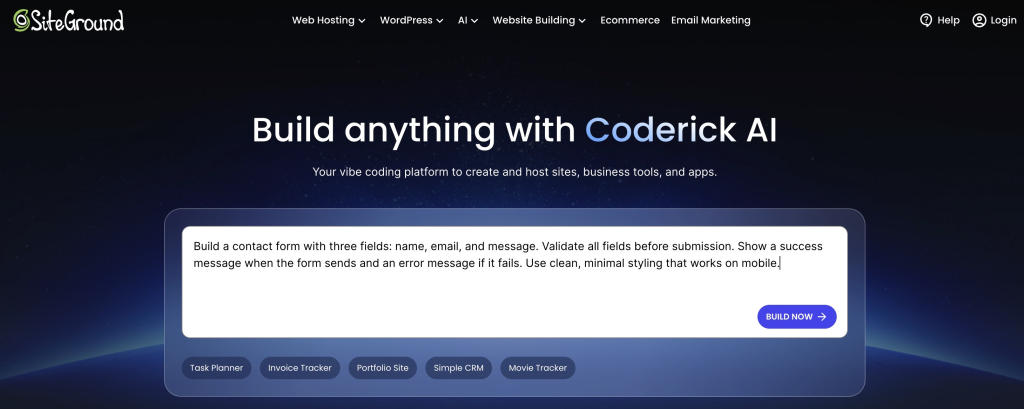
Because most AI builders stop at building and leave hosting, domains, and security for you to piece together afterward (which is why such AI design tools alone are not enough), Coderick AI is designed as an end-to-end build-and-publish platform. You describe the project, refine it in plain language or via visual editing (which is basically what vibe coding is), and publish it on SiteGround’s battle-tested infrastructure from the same environment. Paid Coderick AI plans include SiteGround hosting and custom-domain support, with security and the publishing workflow integrated rather than left as a separate deployment project.
For a small business owner, the practical benefit is that there are fewer hand-offs between the moment the website looks ready and the moment customers can actually use it.
Time is part of the price: If separate setup takes five hours of your own time (or requires paid help), add that to the comparison. The cheapest software is not the cheapest route when it turns the owner into an unpaid systems integrator.
A year-one AI website builder cost worksheet
Use one copy of this AI website builder cost worksheet for every platform you are considering. Enter zero only after confirming that an item is included, not because it is absent from the headline price. The year-two column is deliberately included so introductory discounts do not control the decision.
| Cost item | What to enter | Year 1 | Year 2 |
| Website builder plan | Full amount charged, not only the monthly equivalent | $ | $ |
| Hosting | Separate hosting plan or $0 when included | $ | $ |
| Domain name | Registration, connection, and renewal | $ | $ |
| SSL/HTTPS | Certificate or setup fee, usually $0 when included | $ | $ |
| Business email | Number of paid mailboxes × annual price | $ | $ |
| Forms/booking | Required plan upgrade or add-on | $ | $ |
| Ecommerce | Store plan, apps, and expected platform fees | $ | $ |
| Payment processing | Estimated fees based on expected sales | $ | $ |
| Templates/apps | Only the paid additions you truly need | $ | $ |
| Migration/setup | Your time, freelancer help, or provider service | $ | $ |
| Support | Premium support or maintenance help | $ | $ |
| Contingency | A small buffer for realistic changes | $ | $ |
| TOTAL | Add every line above | $ | $ |
Decision rule: When two totals are close, prefer the option with fewer critical add-ons and a clearer upgrade path. Predictability is valuable when the website is part of day-to-day operations.
What should a free trial prove before you pay?
An AI website builder trial is not a design competition. Its job is to remove uncertainty about the website you actually intend to run. Use real business details, test the feature that creates value, and follow the publishing path far enough to expose any plan upgrade or technical hand-off. For what a real first session looks like, use the 60-minute build walkthrough.
Can you build the site type you need?
Create a small but realistic version: a service business with a quote form, a studio with bookings, or a store with a few real products. A generic demo can hide the exact limitation that matters to you.
Can you edit content without fighting the tool?
Change the headline, replace an image, reorder a section, add a page, and update the main button. Building happens once; editing happens for the life of the site. The best platform is one you will actually keep current.
Can you add forms, booking, or store features?
Add the one feature the business depends on and complete it from a customer’s point of view. Submit the form and confirm where it arrives. Make a test booking and check the confirmation. Place a test order and inspect the notification. Note the plan required for each step.
Can you preview and use the mobile layout?
Preview is useful, but also open the test site on a real phone. Check text size, button spacing, forms, menus, images, booking, and checkout. A site can look tidy on a desktop preview and still be awkward to use with a thumb.
Can you understand publishing, domain, and HTTPS steps?
Find the publish button, the temporary address, the custom-domain instructions, and the point where HTTPS becomes active. You don’t need to memorize the technology. You do need confidence that the path is clear and that support can explain it in ordinary language.
Can you estimate the real paid plan you will need?
Before the trial ends, write down the lowest plan that supports every must-have feature, the annual amount charged, the renewal rate, and the main usage limits. If you cannot identify the real plan after testing, the pricing model is not yet clear enough to buy.
Pro tip: Don’t spend the trial polishing colors and stock photos. A plain site with a working inquiry, booking, or checkout flow tells you far more than a beautiful homepage that cannot run the business.
How to compare AI website builder pricing without getting burned
Use this sequence to compare AI website builder pricing across providers. It keeps the business requirement in front of the pricing language and makes unlike plans easier to compare.
- Define the website’s main job. Choose leads, bookings, sales, or another measurable outcome.
- List the must-have features. Separate launch requirements from ideas that can wait.
- Find the first plan that supports them. Ignore the cheapest tier if it cannot complete the customer journey.
- Add the missing services. Include hosting, domain, HTTPS, email, forms, booking, payments, apps, and support.
- Translate every limit. Convert credits, submissions, products, seats, storage, and traffic into ordinary monthly use.
- Calculate year one and year two. Separate promotional pricing from the recurring total.
- Test the real workflow. Build, edit, submit, book, buy, preview on mobile, and inspect publishing.
- Check the exit route. Confirm domain ownership and what content or data can be exported.
- Choose for total value and predictability. The right plan supports the website you need without surprise upgrades or unnecessary complexity.
Ready to build?
[96]
FAQs
AI website builder pricing usually includes access to the builder, but the complete package varies by platform and plan. Check hosting, a custom domain, HTTPS/SSL, business email, storage, forms, booking, ecommerce, support, AI usage, and publishing. The plan price is only comparable after every required item is counted.
The cost of an AI website builder depends on the site’s job, billing term, included hosting, and required features. A simple information site normally needs less than a booking site or online store. Calculate the full first year and the standard renewal year rather than relying on an advertised monthly equivalent.
Common extra costs include renewal increases, domain renewal, email mailboxes, paid apps, booking tools, ecommerce upgrades, payment processing, platform transaction fees, extra storage, higher AI usage, premium support, and migration or rebuilding costs if you leave.
They can be free for testing, but they often limit publishing, custom domains, branding removal, pages, storage, forms, ecommerce, or support. A free plan is useful when it helps you prove the editor fits; it is rarely the final plan for a customer-facing business website.
Choose the lowest plan that supports the website’s main customer action. A lead-generation site needs a custom domain and reliable forms. A service business may need booking and reminders. A store needs products, checkout, payments, and order management. The plan label matters less than the complete workflow.
SSL is the technology that encrypts information between a visitor and your website. HTTPS is the secure version of the web address that shows the protection is active. Most modern platforms include it, but confirm that it works automatically with your custom domain.
Every website needs hosting to stay online. If it is not included, you need a separate service and may have to connect, configure, and troubleshoot it. All-in-one platforms, such as Coderick AI, include hosting and publishing, so their headline price covers more of the finished website.
Coderick AI is an end-to-end platform, and SiteGround hosting is included in paid plans. You can build, refine, and publish in the same environment instead of setting up a separate hosting account. Check the current plan page for the latest allowances and terms.
Annual billing often lowers the monthly equivalent, but it requires a larger upfront commitment. Compare the full amount charged, refund terms, renewal price, included features, and your confidence in the platform after testing.
Build a small version of the real site, edit key content, test the main form, booking, or checkout flow, open it on a phone, follow the publishing and domain steps, and record which paid plan unlocks every required feature.