
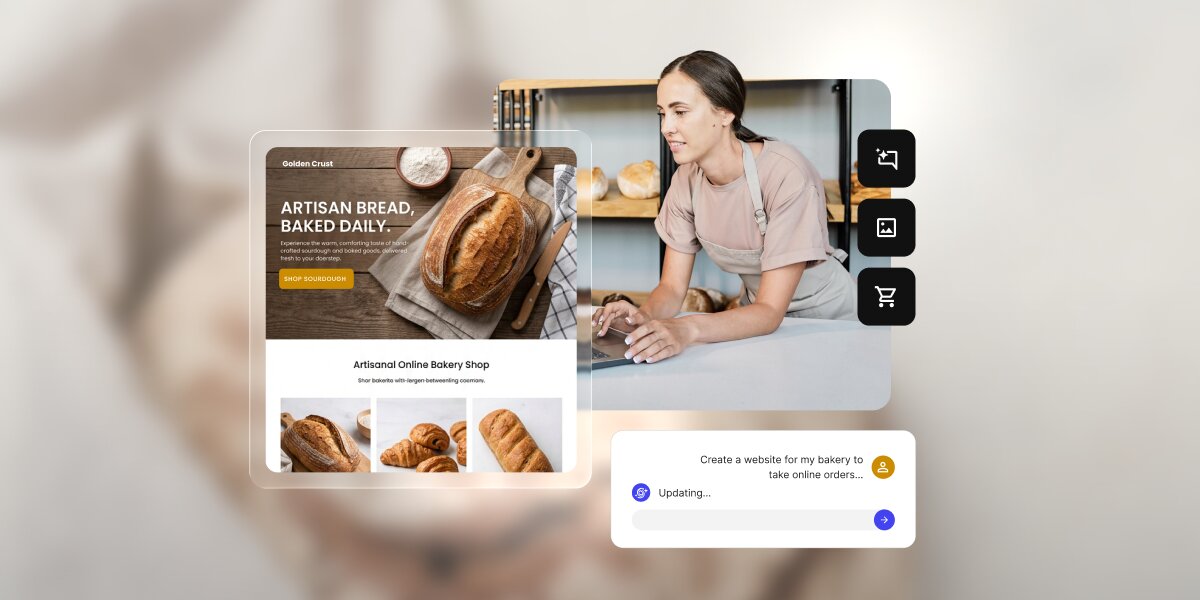
What if we told you you only need 60 minutes of setup to build a website with AI? You just have to start with one clear business goal, describe your offer, audience, pages, and the action you want visitors to take, and let the AI create a first draft. Then you review the structure, edit the copy, add your real details, test the forms and mobile layout, and publish once everything is accurate.
This guide walks you through the whole process, from picking your goal to running a final pre-launch check, and shows how all-in-one tools like Coderick AI take you all the way from a prompt to a good-looking, working business website in an hour.
Key takeaways:
- Pick one goal first. The fastest way to build a website with AI is to decide what it should do: get leads, take bookings, or sell.
- A strong first AI website prompt does the heavy lifting. Give the AI your business type, audience, offer, pages, tone, and main call to action (CTA), the main thing you want visitors to do.
- A useful first version is simple. It needs a clear homepage, easy navigation, accurate details, and one working next step, not every section imaginable.
- All-in-one solutions like Coderick AI take you from words to a working website. Describe the site, refine the draft in plain language, and publish it on SiteGround hosting when it is ready.
- Review before you publish. Check the forms, mobile layout, contact details, page titles, policies, and the main CTA first.
What should your website do first: lead, book, or sell?
Before you write your first prompt, decide the one job your website has to do. It sounds almost too basic to matter, but this single choice shapes everything that follows: your layout, your wording, which pages you build, and where the buttons go.
Most small business websites exist to do one of three things: get leads, take bookings, or sell products. Picking one now shapes every choice that follows, and gives the AI a clear target to build toward.
Lead: get quote requests or contact form submissions
If you want your customers to get in touch so you can quote, advise, or close the deal, the site’s job is make the visitors message you. Everything should nudge the people toward a short contact or quote form: a clear headline, a visible button on every screen, and customer testimonials to make reaching out feel safe. This is the right goal for service businesses (like plumbers, consultants, lawyers, or agencies), where the sale happens in a conversation rather than on the page.
Book: let visitors schedule an appointment
If your income depends on a full calendar, the site’s job is to remove every excuse not to book. That means scheduling is the star of the show: easy to find and quick to complete. Businesses like salons, clinics, trainers, and studios live and die by this.
Sell: show products or take orders
If you sell products, the site has to make each product look worth buying and make buying feel easy. Good photos and engaging product descriptions are as important as a simple, obvious path to order.
Why one goal makes the AI output better
AI builds toward the goal you give it. Ask it for “a website” and it has no choice but to guess, so it hands you something generic that could belong to anyone. Ask it for “a site that gets quote requests from local homeowners” and suddenly every decision has a north star: the homepage leads with your service, the buttons say “Request a quote,” and the layout puts the form where people will see it. Your goal isn’t just a planning step for you, it’s the most useful single instruction you can give the AI.
What should you prepare before you build a website with AI?
The gap between an AI-built website draft that’s almost right and one that’s frustratingly generic usually comes down to a few minutes of prep. The AI can invent a plausible business out of thin air, but it can’t invent yours, so the more real detail you give it, the less placeholder filler you’ll have to undo later. You don’t need polished sentences, just the honest facts about your business gathered in one place. Here are the seven worth having ready.
Your business description
That’s literally one or two plain sentences on what you do and who you do it for. Resist the urge to dress it up: “I’m a mobile dog groomer serving north Austin” gives the AI far more to work with than “premium pet care solutions,” because concrete words produce concrete pages, while vague words produce vague ones.
Your audience
Name the people the site is for, because the same business speaks very differently to different customers. A bakery selling wedding cakes to couples planning a wedding reads nothing like one selling after-school treats to busy parents. Tell the AI who’s on the other end and it can aim the tone, the examples, and even the imagery at them.
Your offer or services
List the three to six things you actually sell or do, in the words your customers would use. This usually becomes your services or products section, and keeping it short is a feature, not a limit: a focused list is easier for a visitor to scan and easier for you to keep accurate as your business changes.
Your location or service area
State where you operate: a city, a travel radius, or “online only.” This shapes your contact details, tells local customers you actually serve them, and for a lot of small businesses, it’s sometimes the reason someone picks you over a big multinational corporation.
Your main CTA
Decide the single action you most want a visitor to take, like “Request a quote,” “Book now,” “Shop the collection,” and let everything else defer to it. A common early mistake is offering five things to do at once, which leads to none of them getting done. One clear next step almost always beats a menu of options.
Your brand details
Gather the bits that make the site unmistakably yours: your business name, a logo if you have one, and a rough sense of style: is your vibe clean and modern, warm and friendly, or bold and colorful? You don’t need a brand guide. Even three plain adjectives are enough to stop the AI defaulting to a generic look.
Your photos, reviews, and proof
Try to round up real photos, genuine customer reviews, and anything that proves you deliver. This is the single biggest upgrade you can make to an AI draft, because the placeholder images and invented quotes it ships with are exactly what make a site feel fake. Swapping in the real thing is what turns an AI-generated template into your business website.
How do you write AI website prompts that work?
Writing the first AI website prompt is where your prep pays off. You’re not after clever phrasing, you’re handing the AI the same facts you’d give a freelancer on a first call, in a sensible order. Cover these six things and it has nearly everything it needs to get close on the first try, which means less to fix afterward.
Start with the website type
Open with what you’re building and for which business, because the first thing you say frames everything after it. For example, a prompt like “Build a website for a family-run bakery” already tells the AI the industry, the likely pages, and the tone, before you’ve specified any of them.
Name the audience
Add who it’s for: “for local customers looking for custom cakes and everyday bread.” This points the AI at the right register (in this case, friendly and local rather than corporate) and helps it choose examples and images that actually fit your customers.
List the pages you need
Spell out the pages so the AI builds the structure you want instead of the one it assumes: “Include a homepage, menu, about, and contact page.” Naming them keeps things lean, since leaving it open often gets you extra pages you then have to delete.
State the main action
Name the one thing you want visitors to do, and the AI will design toward it: “Make the main action placing a custom cake order through a form.” This tells it where to put the emphasis and what every button is ultimately for.
Add tone and style notes
The AI can build almost any look, but it can’t read your mind, so a few words on feel go a long way, for example: “Use a warm, friendly design with soft colors and large photos.” It’s far easier to steer the first draft than to redecorate later, so spend the words up front.
Include must-have details
Finish with the specifics that simply have to be right: your location, hours, phone number, and any real selling point. “We’re in Portland, open Tuesday to Sunday, and everything is baked fresh daily.” Handing these over now means fewer placeholders to hunt down before launch.
A reusable prompt template
Build a website for [business type] that helps [audience] [main goal].
Include [pages], Use a [tone/style] design, and make the main call to action [CTA].
The site should highlight [services/products/proof] and make it easy to [contact/book/buy].
Filled in for that bakery, it might read:
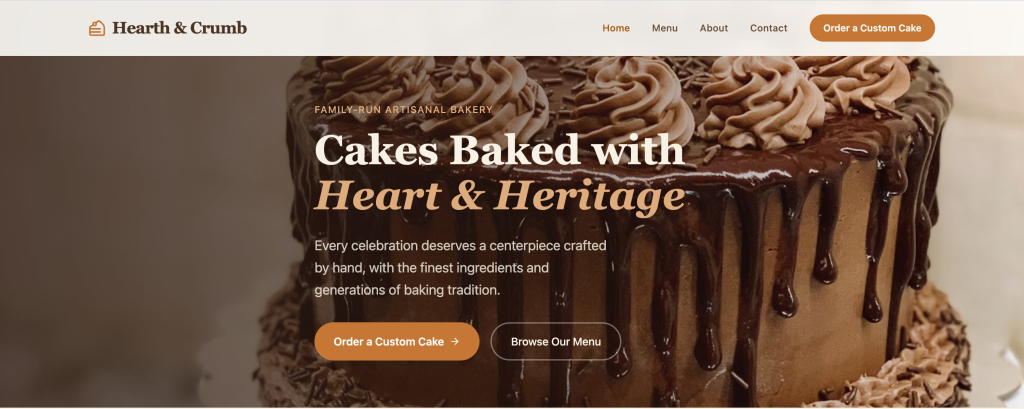
“Build a website for an artisanal, family-run bakery that helps local neighbors and event hosts order custom cakes for special occasions. Include a high-converting Homepage, Menu, About page, and a Contact page. Use appetizing images of cakes, and make the main call to action “Order a Custom Cake”. The site should highlight our custom cakes and make it easy to place an order.”
Notice how little of that is clever writing. It’s almost entirely your prep, arranged in order. Here’s what SiteGround’s Coderick AI makes with this basic first prompt:
What pages should your AI-generated business website include?
Most AI-generated business websites need far fewer pages than you’d think. Building a sprawling site is a common early mistake, and a focused handful of strong pages almost always beats it, because visitors don’t explore, they skim for the one thing they came for.
Start with the essentials below, and add more only when there’s a real reason to.
Homepage
The homepage is the one page nearly everyone sees, so it has to answer three questions in seconds: what you offer, who it’s for, and what to do next. Put your main call to action near the top, above the fold (the part visitors see before they scroll), because plenty of people decide whether to stay or leave without scrolling at all.
Services or products page
This is where interest turns into intent, so make it concrete. Lay out what you sell or do in plain terms, with either clear prices or an obvious way to ask for them. Vagueness here is expensive: a visitor who can’t tell what you offer, or roughly what it costs, usually leaves rather than emailing to find out.
About page
People are wary of buying from a business that could be anyone, and the About page is where you stop being anonymous. A real story, a face, and a genuine reason you do this work build more confidence than any list of features. It’s often the most-visited page after the homepage, precisely because trust is what people are really shopping for.
Contact page
Make getting in touch easy: a simple form, your phone number, email, and where you’re based. If your goal is leads, this is arguably your most important page, so don’t hide behind a form alone. Some people want to call, and every barrier you remove between a curious visitor and you is a customer you keep.
Reviews, portfolio, or proof page
As mentioned, testimonials, past work, and before-and-afters let other people vouch for you, which lands far harder than praising yourself. Even a small number of specific, named reviews can tip a hesitant visitor into acting.
Policies, if needed
If you take money or bookings, a few plain policies (for example, returns, privacy, and cancellations) reassure people at the exact moment they’re deciding to trust you with their details. Only add what applies to you; a page of boilerplate nobody needs just adds clutter.
| Website goal | Core pages | Main CTA |
| Get leads | Home, services, about, contact | Request a quote |
| Book appointments | Home, services, booking, contact | Book now |
| Sell products | Home, products, cart/checkout, policies | Buy now |
How do you generate and edit the first version fast?
The moment the AI hands you a draft, there’s a strong pull to start fixing words. Resist it. The fastest route to a publishable site is to work from the outside in, structure before sentences, because there’s no point polishing copy on a page you might delete. Here’s the order that wastes the least effort.
Review the homepage first
It carries the most weight and sets the tone for everything else, so judge it before anything else. Does the headline say what you do? Is the offer clear? Does the main button point where you want people to go? If the homepage works, the rest of the site gets much easier to fix.
Check navigation before copy
Look at the menu before you read a single paragraph. Are the right pages there, in a sensible order, with nothing missing or doubled up? Getting the skeleton right first means you’re never rewriting text on a page that shouldn’t have existed in the first place.
Fix the headline and CTA
Your headline and main button do more work than everything else on the site combined, so give them the most attention. A headline should say plainly what you do and for whom; a button should say exactly what happens when it’s clicked. “Get your free quote” beats “Submit” every time, because it tells the visitor what they’re getting.
Remove sections you do not need
AI tends to pad, adding generic “Our mission” or “Why choose us” blocks to fill space. Delete anything that doesn’t serve your one goal. A short page that carries people toward the next step beats a long one that makes them scroll past filler to find it.
Rename pages and buttons
Swap clever or vague labels for plain ones. “Services” is clearer than “What we offer,” and “Book now” beats “Learn more” when booking is the point. Clarity almost always converts better than cleverness, because a visitor who has to pause and decode a label often just doesn’t click.
Ask for one change at a time
When you refine, give one instruction, check the result, then give the next. It feels slower but it’s faster overall: you can always see exactly what a change did, and it’s easy to undo a single step when something goes sideways, rather than untangling 10 changes at once.
Check what the AI made up: AI writes confident, professional-sounding text, and to fill the gaps you left, it will happily invent details: a phone number, an opening time, a glowing five-star review, a price. It’s just guessing, but a guessed phone number is just as wrong as a made-up one. Before you publish, treat every specific fact on the site as a placeholder until you’ve checked it against reality. The most damaging website mistakes aren’t broken layouts, they’re wrong contact details and claims you can’t stand behind.
What trust blocks should you add before launch?
A website can look polished and still fail, because looking professional and feeling trustworthy aren’t the same thing. A stranger deciding whether to hand you money, or even just their phone number, is scanning for reasons to believe you’re real and reliable. Trust blocks are those reasons made visible. Add the ones that fit your business, and place them where hesitation happens: near your prices and your buttons.
Reviews and testimonials
We’re mentioning this again because nothing you say about yourself carries the weight of what a customer says about you. A few specific reviews, ideally with real names and details (“booked me in same-day when my boiler died”), beat a page of adjectives, because specifics ring true while generic praise reads as invented.
Before-and-after examples or portfolio
For any business where the result is something you can see (like cleaners, landscapers, designers, or stylists), showing the work is more persuasive than describing it. A before-and-after does in a single glance what a paragraph can’t: it proves you can actually deliver the outcome the visitor is hoping for.
Credentials, licenses, or guarantees
Licenses, certifications, insurance, or a simple guarantee all do the same job: they lower the risk of choosing you. A short line like “fully insured” or “satisfaction guaranteed or your money back” can be the small reassurance that turns a maybe into a yes.
Address, phone number, and service area
A real address, a working phone number, and a service area tell a visitor there’s an actual business behind the site. It sounds basic, but missing or vague contact details are one of the fastest ways to make a site feel like a scam, even when it plainly isn’t.
Privacy, returns, or booking policies
Clear, plain-language policies reassure people at the precise moment they’re deciding to trust you, right before they pay or book. They don’t need to be long or lawyerly, they need to be easy to find and easy to understand, so no one hesitates over what happens if something goes wrong.
Clear pricing or “request a quote” language
Price is the question on nearly every visitor’s mind, so don’t dodge it. Either show your prices or make it obvious and easy to get them. Hiding pricing entirely is one of the most common reasons people leave a small business site: they assume the worst and move on to a competitor who was upfront.
What is the 12-point launch checklist for an AI-built website?
Before you launch an AI-built website, run one final check. This final check can catch the small, easily avoidable things: a typo’d phone number, a form that goes nowhere, that quietly cost real customers. It takes only a few minutes, and it’s the difference between a site that works and one that merely looks like it does.
- Main CTA is visible above the fold (before scrolling).
- Contact form sends to the right inbox.
- Booking or checkout flow works from start to finish.
- Phone number and email are correct.
- Address or service area is accurate.
- Mobile layout is readable on a real phone.
- Buttons are big enough to tap easily.
- Images load and have alt text (short descriptions that aid accessibility and image search).
- Page titles are unique for each page.
- Each page has one clear main heading (H1).
- Policies and any claims are accurate.
- Domain, SSL (the padlock that secures your site), and publishing settings are ready.
How does Coderick AI take you from prompt to published website?
Building with AI is the fun bit. You describe your site, watch the pages appear, tweak the words, and you can be ready in 60 minutes. Then the questions start: Where does this thing actually live? How do people find it? Is it secure? What happens when it’s time to swap the temporary address for your real one?
That’s hosting, a database, security, and a domain, and it’s exactly where most AI website tools hand you the keys and walk off, leaving you to wire it all together with extra logins, extra bills, and a weekend you weren’t planning to spend.
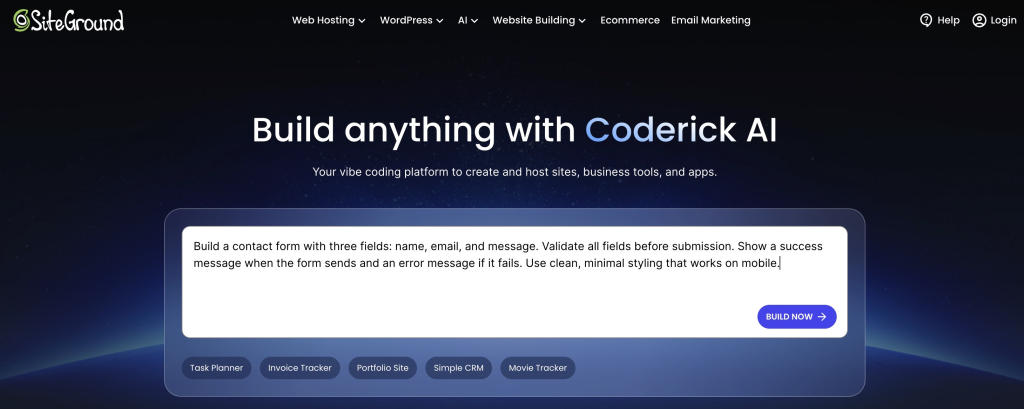
Coderick AI was built to answer all those questions. It’s a full build-and-publish platform rather than just a page generator, so describing, refining, hosting, and publishing all happen in one place. Coderick AI includes premium built-in hosting, database support when your site needs it, the same infrastructure that runs millions of SiteGround sites, and a custom domain on paid plans. You build the site, and it’s already home.
It runs real features, not just static pages
Plenty of AI tools generate good-looking pages that only display information. If your site needs to do something, (take a booking, capture sign-ups, store enquiries), it needs a database behind it, and Coderick AI sets that up for you automatically when your project calls for one. You get a site that works, not just one that looks the part.
Hosting, security, and speed are part of the deal
There’s no separate host to find or configure. Coderick AI includes premium hosting, your pages run on SiteGround’s infrastructure, and the security that protects them is handled from the moment you go live. The tool that builds your site is the one that keeps it running, so nothing gets bolted on afterward.
You publish in one click, then point your domain at it
When the site ready, publishing happens inside Coderick AI with a single click: no export step, no separate deployment workflow. You can launch on a temporary web address while you polish, then connect your own custom domain (your yourbusiness.com) on a paid plan when it’s time for customers to find you.
Ready to build?
[96]
FAQs
Yes. You can build a website with AI withno coding required. You describe your business, audience, pages, and goal in plain language, and the AI builds the first version. Tools like Coderick AI generate the draft, then you review it, edit the details, test the forms and mobile layout, and publish when it’s ready.
Include the business type, target audience, site goal, pages, services or products, brand tone, location, and main call to action. For example, tell Coderick AI whether the site should generate leads, take bookings, or sell products.
A simple business site can reach a useful first draft in minutes, but a publishable version still needs review. Plan time to edit the copy, replace placeholders, check the mobile layout, test the forms, add trust details, and verify your contact information before going live.
Most small business sites need a homepage, a services or products page, an about page, a contact page, and some trust elements such as reviews, portfolio examples, or policies. The exact page map depends on your goal: leads, bookings, or sales.
Yes. Coderick AI can create a website from a plain-language description of what you need. Better results come from giving clear context: what your business does, who the site is for, what pages you need, and what action visitors should take.
Check the main CTA, forms, booking or checkout flow, mobile layout, contact details, images, page titles, policies, and any claims the AI generated. Treat the first version as a strong draft that needs your real business facts before it goes live.
Most modern AI website tools generate layouts that adapt to phones, but you should still test on a real device. Check spacing, readable text, tap targets, images, and forms. Mobile review is a key step before publishing.
Yes. Coderick AI helps you describe a site, generate a draft, refine it, and publish on SiteGround hosting when the website is ready. The fastest path is to start with one goal, use a clear prompt, edit only what matters first, then run a short launch checklist.
Publishing the first draft without review. AI creates structure, copy, and design quickly, but you need to check pricing, contact information, policies, guarantees, testimonials, forms, mobile layout, and the main CTA before sending visitors to the site.