

Seasonal marketing campaigns are among the strongest growth drivers for small businesses, as your customers are already in buying mode. But those that see the biggest returns aren’t just posting one-off promotions on social media. They’re running a coordinated 360° marketing campaign across all their channels, including website, email, social media, and paid ads.
This guide walks you through every step of an effective multi-channel seasonal campaign and shows you how to execute each one with AI. That way, you can accomplish in a day what used to take a full marketing team and weeks of lead time.
Key takeaways:
- Seasonal campaigns tap into buying intent that already exists. You’re reaching customers when they’re actively spending, which means less convincing and more converting.
- A 360° campaign works because customers see your offer multiple times across different channels, building the recognition and trust that single-channel promos can’t match.
- Your website is the foundation. Every email, social post, and ad sends people there, so if there’s no sign of the promotion when they arrive, everything else is wasted.
- A short email sequence outperforms a single blast. A teaser, a launch, a reminder, and a last-chance email build anticipation and urgency.
- Social and paid ads serve different audiences. Social reaches your followers, and ads reach everyone else. Both work best when they match the rest of the campaign.
- SiteGround AI Studio lets you build the entire campaign from one workspace. It gives you access to specialized AI agents, each designed for a specific task like creating social posts, managing your store, or building ads. That way, you can execute every step, from planning to optimization, without switching platforms or juggling subscriptions.
Why do you need 360° seasonal campaigns?
Seasonal marketing campaigns are among the most effective small business marketing tools for driving revenue during peak buying periods. When customers are already shopping for Valentine’s or Black Friday, or refreshing their home for spring, your job shifts from creating demand to capturing it.
The problem is that, due to a lack of time and resources, most small businesses approach seasonal marketing sporadically: maybe an Instagram post, perhaps an email if there’s time. Meanwhile, the businesses that get the strongest returns run 360° campaigns, coordinating their website, email, social media, and paid ads around a single offer with a consistent message and visual identity.
This is a serious production effort. A full 360° campaign typically involves:
- A promotional banner and updated website content
- An email sequence (teaser, launch, reminder, last chance)
- Social media posts adapted for each platform
- Multiple ad variations for Google and Meta
- Updated product pricing, descriptions, and tags (if you run an online store)
That’s thirty-plus individual pieces of content, each with different format requirements, platform conventions, and audience expectations. Marketing agencies charge thousands to produce this. Enterprise brands have dedicated teams for each channel. Most small businesses have a founder with a to-do list and maybe an afternoon.
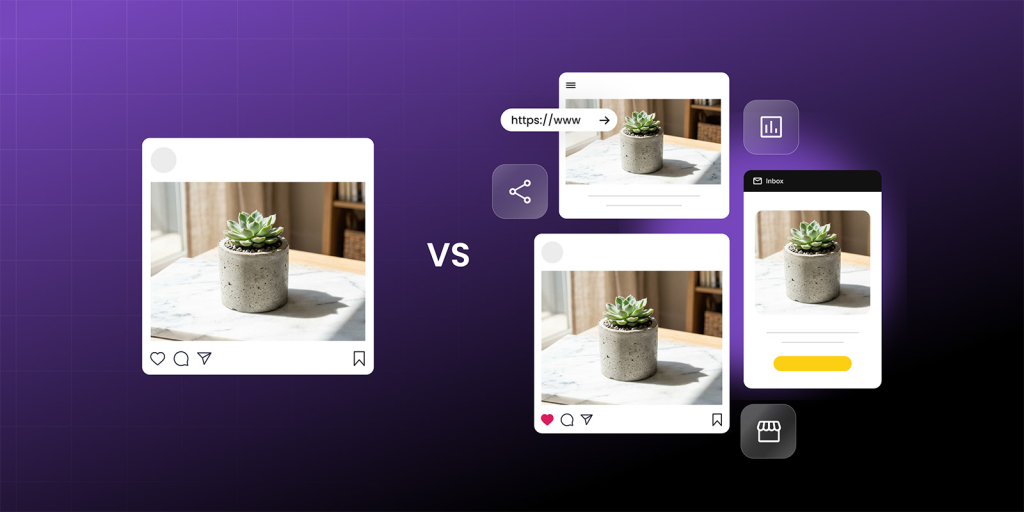
Many are already using AI to help, but often stop at general-purpose AI chatbots. The real shift comes from having purpose-built tools for each specific task in the campaign workflow. That’s the idea behind SiteGround AI Studio, an AI workspace SiteGround built from two decades of working with small business owners and understanding what they actually need. It brings together specialized AI agents, each trained for a specific job in the campaign workflow, in a single workspace.
In the steps below, we’ll walk through the strategy for each part of a 360° seasonal campaign and show you how to execute them with the help of AI agents.
Step 1: Put up a promotional banner on your homepage
Your website is where every other channel sends people during a seasonal marketing campaign. Every email, social post, and ad you create will point back here. If a customer clicks through from your Instagram post or opens your campaign email and lands on a site that looks exactly the same as any other day, with no sign of a promotion, you’ve lost the moment.
The simplest and most effective way to fix this is a homepage promo banner (or hero banner) that makes the seasonal offer obvious right away. It catches every visitor (whether they came from your campaign or found you through search), and it immediately signals that something special is happening.
Here’s what makes a good promotional banner:
- The offer is immediately clear. The discount, the product, and the deadline should all be obvious at a glance. Something like “20% off all dining tables, ends April 15” works better than vague phrases like “Big spring savings!”
- There’s one clear call to action (CTA). “Shop the sale,” “Use code SPRING20,” “See all deals.” One link, one action, taking visitors straight to the discounted products.
- There are urgency signals built in. The end date, a note about limited stock, or a shipping cutoff. Real deadlines help people decide now rather than “later” (which usually means never).
- The visual style matches the rest of the campaign. The same colors, typography, and seasonal feel that people will see in your emails and social posts. When the banner matches the email that brought someone to your site, the experience feels professional and trustworthy.
The best approach is to replace your homepage hero section with the campaign banner rather than adding a small notification bar above it. The hero section is the first thing visitors see before they scroll, and making the promotion the hero of the page means 100% of your visitors are aware of the offer instantly.
It also keeps the page clean and focused: adding a ribbon banner on top of an existing hero creates visual clutter and competing messages, while replacing the hero gives visitors a single, clear directive.
How to execute this with AI Studio
The AI Agent for WordPress (an AI assistant that integrates with your WordPress dashboard, letting you manage your site through plain-language instructions instead of clicking through menus) handles this entire step. Instead of clicking through WordPress menus and dragging blocks around, you describe the homepage promo banner you need in a chat, and the agent builds it on your live site.
The more context you give the agent, the better the output. Include your offer details, your preferred layout, your brand’s visual style, and where you want the CTA to link. The agent builds the banner in one go, including generating and placing images.
Here’s an example of what a prompt to the AI Agent for WordPress might look like:
Update the homepage topmost hero section of my website to promote [X]% discount on [products], valid through [date]. Analyze my website and treat it as the source of truth for brand tone and visual style. Replace the existing hero image, headline, copy, and CTA with engaging sales messaging to promote the discount. Make the CTA prominent, high-contrast, and linked to the relevant product category.
Pro tip: Build the homepage banner before you move on to anything else. This becomes the reference for the entire 360° campaign: every email, social post, and ad you create from here will adapt the same message, look, and CTA.
Step 2: Prepare your online store
If your products still show full prices, have generic descriptions that don’t mention the seasonal campaign, and carry no visual signal that anything special is happening, you’ve broken the customer’s experience at the worst possible moment.
Before you start promoting your campaign to the world, the store needs to look like the campaign is already happening:
- Apply sale pricing across the relevant products, categories, or bundles. If your banner says “20% off all dining tables,” every dining table in your store should reflect that discount when a customer clicks through.
- Update product descriptions to mention the promotion and the end date naturally at the beginning.
- Add promotional tags or badges (“Holiday Special,” “Black Friday Deal,” “Spring Sale”), so customers see the promotion as they browse, not just on the banner.
- Create a curated collection page: a “Gift Guide,” “Spring Picks,” or “Best Deals” selection that gives browsers an easy starting point and showcases your strongest offers in one place.
- Audit your product images. If photos are missing alt text, captions, or proper titles, fix them now. This matters for SEO, for website accessibility, and for the professional feel of your store.
For WooCommerce store owners, this preparation for an ecommerce seasonal campaign is usually the most tedious part: logging into the admin panel, clicking into products one by one, adjusting prices, editing descriptions, adding tags. Multiply that across dozens or hundreds of products and it can easily consume an entire day.
How to execute this with AI Studio
The AI Agent for WordPress connects directly to your WooCommerce store and can execute all of these changes through a simple chat, without clicking through your store’s admin panel:
- Bulk pricing updates: Tell it “reduce all prices in the Spring Collection category by 20%” and it applies the change across your entire catalog in one go. No clicking through individual products.
- Description rewrites: Ask it to update all product descriptions in a category to mention the spring sale and reference the campaign end date. It edits each product while keeping your existing formatting intact.
- Tags and categories: Ask it to add a “Spring Sale” tag to all discounted products, or create a new “Spring Picks” category and assign your featured items to it.
- New product creation: If you’re building seasonal bundles or gift sets, describe what you want and the agent handles setup, pricing, images, and categorization.
- Image metadata at scale: Point the agent at your product images and ask it to generate alt text, captions, and titles across your media library. For a large store, this saves hours of mind-numbing manual work.
- Catalog translation: If you’re expanding the campaign to international customers, the agent can translate your product catalog while preserving your brand tone and technical accuracy.
You can chain multiple actions into a single prompt. The agent works through them sequentially, and you can review the changes before moving on.
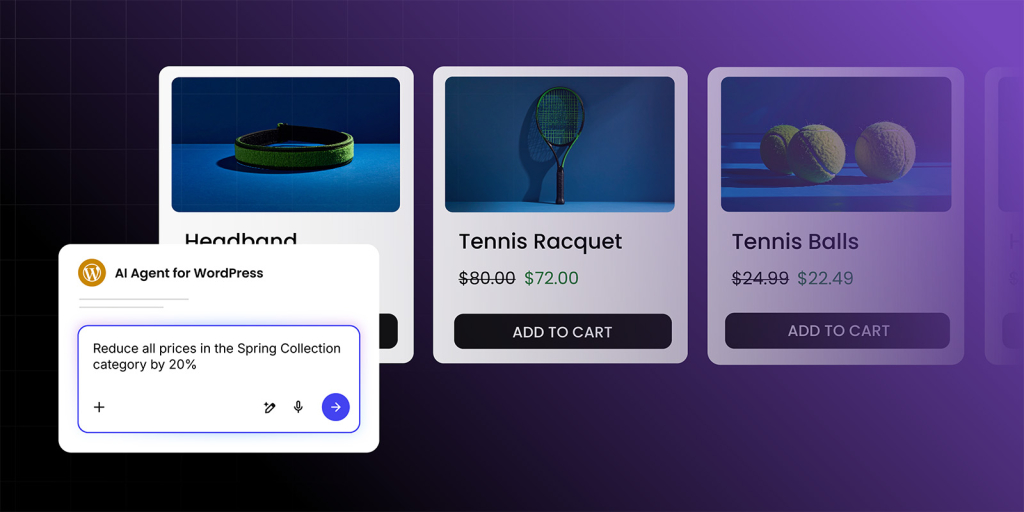
Here’s an example of how you might prompt the agent for store preparation:
Apply a [X]% discount to [discounted products or services] in my store ending on [date]. Update each product’s sale price based on its current regular price and add these products to a new product category named “Sale.” Update each product description to mention the [X]% promotion and the [date] end date naturally at the beginning. Create a new page titled “Shop the Sale” using the WooCommerce “On Sale Products” block so it updates automatically, and link this new page to the CTA on my promotional banner on the homepage. Use my current store structure and brand voice as context. If any details are missing, make the best choice based on my site.
Pro tip: Always prepare your store before writing emails and social posts. Once your products show the correct sale prices, descriptions, and promotional tags, you can reference specific items, prices, and collections in every piece of content you create. Every link from an email or social post will lead to a page that matches what was promised.
Step 3: Build your email sequence
Of all the channels in a seasonal campaign, email marketing remains one of the highest-converting channels for small businesses. The reason is simple: the people on your email list already know you. They’ve bought from you before, or they signed up because they were interested. A well-timed email with a clear, relevant offer converts at rates that social media and paid ads rarely match.
The most common mistake small businesses make with a seasonal email campaign is sending a single email blast announcing the sale and leaving it at that. That approach relies on one message reaching the right person at the right moment (which it rarely does). Instead, build an email marketing sequence that creates a narrative arc across the campaign:
- Teaser (2–3 days before launch): Build anticipation without revealing everything. Something like: “Something big is coming this Friday. You’ll want to check your inbox.” This primes your audience to watch for the next email.
- Launch (day the sale goes live): This is the most important email. Lead with the offer, make the CTA unmissable, and link directly to your store.
- Reminder (midpoint of the campaign): By now, some people opened the launch email but didn’t act. Highlight specific products, share what’s selling fast, or link to your curated collection from Step 2.
- Last chance (final day): Keep it short. The deadline is the message. “This ends tonight” is more powerful than another product roundup.
Every email in the sequence needs four things: an email subject line compelling enough to earn the open, body copy that drives the click, a visual that reinforces the campaign look, and a single CTA.
How to execute this with AI Studio
The Email Marketer (an AI agent that creates complete campaign emails including subject line, body copy, layout, and visuals from a single brief) is built for exactly this kind of work.
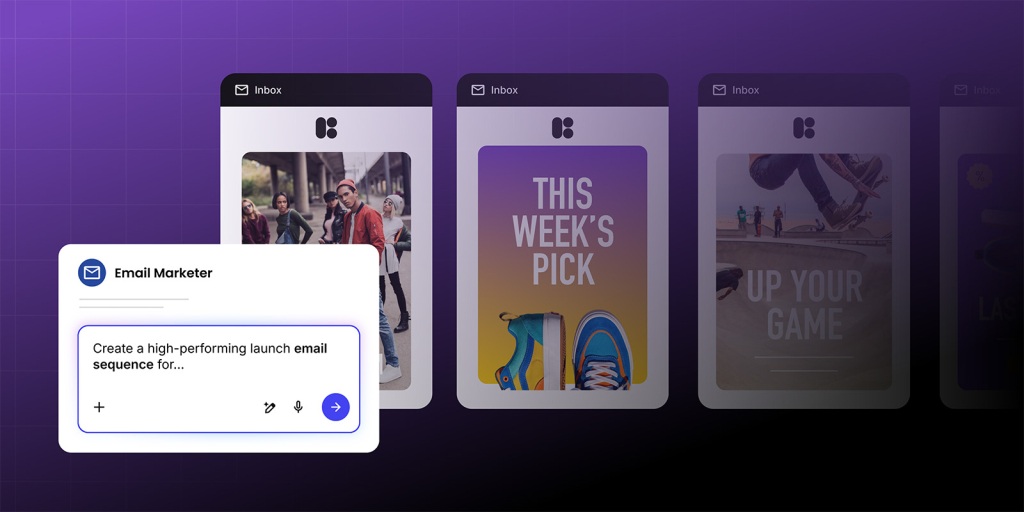
Start by giving the agent enough context about your business and the campaign. Here’s what a prompt for the launch email might look like:
Create a high-performing launch email for a [X]% promotion on [discounted products or services] ending on [date]. Use my website as the source of truth for tone of voice, offer details, and brand style. The email should open with a strong hook, clearly state what’s on offer, highlight why it’s valuable, emphasize the deadline, and include one primary call to action with a catchy CTA copy that links to my website. Keep the language specific, benefit-led, and consistent with the website. If any details are missing, make a reasonable assumption based on the page without over-explaining it in the email itself.
The agent produces a complete email from this: subject line, body copy, images, and HTML layout, all ready to preview. Then you can follow up to create the rest of the sequence:
- Now create a teaser version of this email that hints at the sale without revealing the discount. Build curiosity.
- Create a reminder version of this email that spotlights our top [number] bestselling [product type] and clearly mentions that the sale ends in [number] days.
- Create a last‑chance version of this email. Keep it very short and direct. The deadline is the main message, and the primary goal is to drive urgent clicks to the website before the sale ends.
The Email Marketer doesn’t just write the email, but it can also export the finished result as ready HTML or load it directly into SiteGround Email Marketing with a single click. The email goes from AI draft to your sending tool in the same workflow, ready for action.
Pro tip: Always write the launch email first and treat it as the template for the rest of the sequence. It contains the clearest, most complete version of your offer, and every other email is a variation of it, which is exactly the kind of adaptation AI handles in seconds.
Step 4: Create your social media posts
Email reaches the people who most likely already know you. Social media marketing reaches people who follow you but haven’t bought yet, and when a good campaign post gets shared, it reaches people who’ve never heard of you at all. That makes social media the discovery layer of your campaign: the channel where new customers first encounter your offer.
The key mistake to avoid here is treating all platforms the same. Copying your email text and pasting it as a Facebook post and an Instagram caption doesn’t work, because each platform has its own format, audience expectations, and content conventions:
- Instagram is visual-first. A strong product image or seasonal graphic does most of the work in Instagram marketing, and the caption supports it.
- Facebook allows longer, more conversational posts. It’s where you can tell a story behind the sale, share behind-the-scenes content, or tap into community engagement.
- LinkedIn is best suited for B2B offers or professional services. If your seasonal campaign targets other businesses (holiday corporate gifts, for example), LinkedIn is where those buyers spend time.
Plan social media content for at least three to five posts per platform spread across the campaign window: a teaser, the launch announcement, a midpoint reminder (this is a good place to link to a blog post or gift guide if you have one), a product spotlight, and a final last-chance post.
How to execute this with AI Studio
AI Studio includes the Social Managers for Facebook, Instagram, and LinkedIn. Each agent produces a complete, ready-to-publish post: the copy, the image (sized correctly for the platform), and the hashtags, all from a single prompt. Because each agent has built-in knowledge of its platform’s best practices, the posts are already optimized for the format and conventions that perform best on that specific channel.
Here’s an example of prompting the Social Manager for Instagram:
Create a high-converting social media post to drive clicks to my website: [URL]. The promo is a [X]% discount on [discounted products or services], ending on [date]. Use my website as the source of truth for tone of voice, visual style, and positioning. Write a full caption (strong hook first line highlighting the promo, clear benefit, mention of the end date, and one click-focused CTA) and generate matching visuals. Keep the copy concrete, benefit-led, and urgency-driven. If something is missing, make a reasonable assumption based on my website.
Once the post is ready, the agents can publish directly to your connected pages and profiles, so you can go from brief to live post without leaving the workspace. Run through this workflow for each post in your sequence and you’ve got a full social media calendar for the campaign, created in a single session.
Beyond publishing, the Social Managers also help you track how your campaign is performing. You can ask any of the agents for an engagement report on your recent posts, and manage comments directly through the conversation, instead of logging into each platform separately to monitor reactions.
Pro tip: Create all your social content right after the email sequence. At that point, you already have the messaging, the visuals, and the campaign timeline from the previous steps. The Social Managers are adapting what exists, not starting from scratch, which is one of the core advantages of building every campaign asset from the same workspace and the same core brief.
Step 5: Set up your paid ads
Even a modest budget, well-targeted with the right creative, can meaningfully amplify a seasonal promotion by putting your offer in front of new audiences at the exact moment they’re looking to buy.
The part of paid advertising that consumes the most time isn’t the budget or the targeting settings, but writing the ads themselves. Effective ad campaigns require multiple variations: different headlines, different hooks, different descriptions, all promoting the same offer. The advertising platforms (Google, Meta) are designed to test these variations against each other and optimize toward what performs best. But writing five versions of the same ad is tedious, and it’s the step where most small business owners give up and run a single ad, which dramatically limits performance.
Two important principles before you start spending:
- Don’t lead with ads. Make sure your promotional banner, store, emails, and social posts are live first. Ads work best when they amplify a campaign that’s already running across other channels.
- Keep the creative aligned. Your ads should look and sound like the rest of the campaign. Same branding basics, same offer, same page destination. When someone clicks an ad and arrives at a page that looks completely different from what they just saw, trust evaporates.
How to execute this with AI Studio
AI Studio includes two dedicated advertising agents: the Ads Expert for Meta (which creates ad copy for Facebook and Instagram campaigns) and the Ads Expert for Google (which writes and refines Google Ads copy).
Here’s an example prompt for the Ads Expert for Meta:
Create ads for my [X]% promotion on [discounted products or services] ending on [date]. Generate five variations that highlight the promotion in different ways. Write the ad copy, generate matching visuals. Include a clear call to action linking to my website [URL]. Use the website as context for the tone of voice, visual style, and overall look and feel. Keep the ads clear, compelling, and focused on driving clicks. If any details are missing, make the best choice based on my site.
Each agent follows the ad structure guidelines of its respective platform, so the output is correctly formatted and ready to load into your ad manager. Aim for three to five variations per platform.
Pro tip: Don’t overthink which ad variation will “win.” The whole point of running multiple versions is to let the platform’s algorithm figure that out. Your job is to provide enough creative options for the system to test. That’s exactly what the Ads Experts make fast and easy.
Quick reference: which AI Studio agent for each step
| Marketing campaign step | AI Studio agent(s) |
| Building the promotional banner | AI Agent for WordPress |
| Preparing your online store | AI Agent for WordPress |
| Creating the email sequence | Email Marketer |
| Creating social media posts | Social Managers for Facebook, Instagram, and LinkedIn |
| Setting up paid ads | Ads Expert for Meta + Ads Expert for Google |
Build your entire seasonal campaign in one place
The reason a full 360° campaign is now realistic for one person or a small team isn’t just that AI can generate marketing copy or images. It’s that every step of the process can happen in the same workspace, with each step building naturally on the last. SiteGround AI Studio brings all of these agents together in a single workspace: one interface, one set of tools, one workflow for the entire campaign.
Want to build your full seasonal marketing campaign with AI agents? Try AI Studio Plus free for 14 days. You get 100,000 tokens and access to the Email Marketer, Social Managers, Ads Experts, Image Designer, Copywriter, Reputation Manager, Web Researcher, SEO Expert, and more. The trial is available once per account to all users who don’t currently have the paid AI Studio Plus plan. After the trial, the service auto-renews, but you can cancel anytime.
FAQs
A 360° seasonal campaign is a coordinated promotion that runs across your website, email, social media, paid ads, and post-campaign follow-up, using a single consistent offer and message. The goal is to reinforce the same story at every touchpoint, which improves trust and conversion.
They overlap. Omnichannel marketing is a broader approach to creating connected experiences across channels, while a 360° campaign is the execution plan for a specific promotion (such as a seasonal sale or launch). For a growing small business, the practical difference is minimal: focus on consistency and one destination page.
Because every other part of your campaign (emails, social posts, ads) sends people to your site. If they arrive and see no sign of a promotion, the click was wasted. A sitewide banner is the fastest way to signal that a sale is happening, and it catches every visitor, not just the ones who came from your campaign.
At minimum: one clear CTA (“Shop the sale,” “Book now,” etc.), featured products/services or curated picks, real urgency (end date, shipping cutoff, limited stock).
A simple sequence works best: teaser (optional), launch (most important), mid-campaign reminder (spotlight benefits or bestsellers), last chance (deadline-driven), follow-up (thank you + next step). This typically outperforms a single email blast by creating momentum and multiple opportunities to convert.
For most small businesses, 7–14 days is ideal: long enough to build momentum, short enough to keep urgency. Flash promos can work in 3–5 days, while longer campaigns need creative refreshes mid-way.
Track a small daily set of metrics: CTA clicks, email opens + click-through rate, top products/pages and add-to-cart rate (ecommerce), social clicks/engagement, ad CTR + cost per click (if running ads). Use the data to make small adjustments (headline, CTA, featured items, subject lines, ad hooks).