Creating a Content Calendar: Content Audit and Mapping Keywords

In today’s article, we’re going to dig into mapping keywords to content. This is a crucial, often forgotten step when it comes to a solid SEO process.

Before we get into this topic, let’s recap where we’ve been. My earlier articles have included:

SEO Basics: Getting Started In SEO Means Asking The Right Questions

Keyword Research Tips: How To Build A Keyword Universe Through Data

Master the Art of Keyword Analysis and Selection

If you haven’t read these articles, I’d recommend you do so now. They will provide a strong foundation for our keyword mapping discussion.

What is Keyword Mapping?

First things first. What is keyword mapping? It’s simply the process of assigning a specific keyword to an individual piece of content on your website or blog. It is the formulation of a content plan.

It is really that simple in theory, but oh so important to real-life content marketing and SEO.

Here are four reasons why this process is so critical:

  • You are creating a roadmap for Google by showing the search engine which piece of content relates to a given search phrase.
  • The easier you make it on Google to find and identify your content, the greater chance you have at landing on page one of search results.
  • You don’t want to make Google question what piece of content should appear for a given search phrase. Having a plan guarantees you keep things easy for Google, and when things are easy for them, it’s more likely your content will rank
  • Having a plan also keeps you focused on writing content that will be oriented towards your target market, their needs, and the ways you can help them.

Mapping keyword phrases is an area where most website owners and bloggers fail. While many do perform keywords research, they fail to create a plan based on their newfound data.

Planning is very important to SEO success. It’s why we are spending so much time talking about keywords and editorial plans before ever writing or optimizing content.

Now before we jump ahead of ourselves with keyword mapping, we need to perform a content audit to make sure our map considers all datapoints available.

What is a Content Audit?

A content audit is a process of documenting a list of your existing content and assessing it for strengths and weaknesses. This inventory list and assessment will help you assign keywords and prioritize future marketing activities.

When performed correctly, a good content audit will help you to answer questions about the content pieces on your site and it will also offer a number of other benefits.

For me, this is a mind-numbing task. It’s totally boring but necessary. Since it’s not entirely fun, I’d like to start by stating why we want to go through this exercise.

A content audit will:

  • Provide a comprehensive list of content that you may not be able to easily see in WordPress or other CMS solutions
  • Force you to review and document existing focus keywords
  • Force you to review existing keyword ranking, which can be a reality check
  • Force you to review your social media activity
  • Show the content search engines like and don’t like
  • Help identify the content that is available for future keyword opportunities
  • Generate ideas and/or a list of future content needs

How To Perform a Content Audit?

You can do a content audit fairly quickly if you have a small website or blog. If you have a large website or blog, the process will take some time. 

Please keep in mind this will not be pleasant, but it is necessary. You can’t excel in SEO without going through this step.

1. Obtain a List of Your URLs

While you could potentially do this by going item by item inside your website or blog, you’ll lose your mind. Let’s take a shortcut by using a service like ScreamingFrog or DynoMapper. These software packages will crawl your entire website or blog and provide an Excel list of all URLs.

Once you have this output, create a spreadsheet of all of your pages, posts, categories, tags, and products (if they exist). I use Excel so I can sort the data once populated.

2. Collect More Data

Once we have our base list of content URLs, we’ll need to go through and evaluate each. Here are some data points we’ll want to collect:

  • URL
  • Page title
  • Content type – page, post, product, category, tags, etc.
  • Existing focus keyword (if available)
  • Ranking in Google – Use Google Search Console or manually search Google
  • Last update date

3. Look for Duplicate Keywords

Sort the spreadsheet by keyword so you can quickly locate duplicates. If you don’t have keywords already identified, you can sort the spreadsheet by page title and/or URL to also look for duplicates.

The key is to locate content or areas that could be confusing to humans or search engines.

4. Review Content Currently Ranking

Next, I’d like you to look at the actual content that is ranking. Ask yourself why. Common reasons might be:

  • Low keyword search volume
  • Low search competition
  • Long content (like over 2,000 words)
  • Lots of social sharing 
  • Great on-page optimization
  • Multimedia (text, images, and video)

5. Add Comments

Add comments to the sheet on anything you found of interest. This could be documenting what you did right or what you did wrong. Anything you take away here will put you one step closer to ranking in search.

Also, make note of any content that needs to be rewritten, updated, or left alone. We’ll need this for the next steps.

That wasn’t so hard right? It’s really just a matter of organization, proper planning, and periodic self-checking.

Some Food for Thought on Mapping Keywords

We’ve come a long way and you’ve really learned a lot. I hope you feel empowered – you definitely should, because you know a lot more than when we started our SEO journey together. 

And what’s even more important – you know the right things and not just a bunch of SEO jargon a consultant threw at you.

Let’s recap what we’ve done so far:

  1. Defined our target market for search
  2. Brainstormed and researched keywords
  3. Extracted applicable search volumes from Google
  4. Ranked our keywords in accordance with priority to our offering and target market
  5. Performed a content audit so we know what pages and posts are available to work with

Now let’s review what we still have left to do:

  1. Group our keywords by concepts and/or themes. This is going to vary a lot based on the industry and type of website. Because of this large variation, it is difficult for me to give specific instructions on this step because it really is different from one website or another. 
  2. Identify keyword phrases that we want to target moving forward. When you look at your content audit, you’ll likely find desirable phrases that don’t have content or have weak content. Note these and keep an eye on them. They need to become part of your plan.
  3. Identify any existing content that can be used moving forward. This is simply flagging content that matches up to keywords. You’ll want to note if content needs more verbiage, needs a full revamp, or needs like updates.
  4. Match each keyword phrase to a specific URL on your website or blog. This is important. Every keyword you want to rank needs to have a URL assigned. This could be an existing URL or a future URL. The important detail here is that one keyword phrase is focused on only one URL. One URL can have many keywords, but one keyword should only have one URL.
  5. Assign content types such as page, post, category, tag, or product. Mark content for the type of information it is within the website. This will help you stay on task and see trends.
  6. Flag critical phrases that are must-have items. These should closely relate to content that will bring in conversions and revenue! 

That above list is the process of mapping keywords to content. It will either seem easy or overwhelming. The larger the URL or keyword list, the more confusing it can be to execute it. But don’t give up! This is a critical step in your SEO planning.

Some guidelines to keep in mind:

  • Remember User Intent – Think back to my hot dog example in the last article. Those are searches for different things and they have a different intent. Don’t lose sight of the user’s search intent as you move forward with mapping.
  • Remember Content Silos – The content silo is a way to group like content and this group of content would have a parent-child relationship. Remember the silo option if your website is larger and you have competitive terms. The most competitive terms live at the top of the silo. 
  • Think About Noun vs. Verb – Nouns typically talk about people or things and these work well in the about section of a website, team pages that talk about people, or products. Verbs are actionable phrases and these tend to lend themselves well to services pages or educational articles (like this one).
  • Limit High Volume Shorter Phrases – In most cases, these will be very competitive. Only pick a few of these and make sure you create really good cornerstone content for each phrase. A cornerstone piece of content would be something of high value to the visitor, informative, long by default, and worthy of gaining multiple inbound links from inside your website and external sources.
  • Embrace Low Volume Long-Tail Phrases – Keyword phrases with multiple words and lower search volumes generally make really good focused phrases for blog posts.
  • Remember Blog Categories Can Rank – If you have a great deal of content for a singular subject, consider optimizing blog categories and using the words article, posts, or such in the phrase. You can rank blog categories if they are well selected and optimized.
  • Know That eCommerce Equals More Opportunities – Mapping of keywords should include the regular pages, posts, and categories as well as products, product categories, product tags, etc.

And finally, a warning message and reminders:

  • You don’t need to rank on every variation of a given phrase. 
  • Stop yourself from wanting to create useless content so you can have a separate page for the singular and plural versions of a word or phrase.
  • Focus on picking keywords and writing content that will rock one keyword phrase. 
  • You are better off being on page one for only one phrase than sitting on page five for ten different phrases.

Creating a Content Calendar

Creating an editorial calendar for your website or blog not only helps reduce stress, but it also helps you think about your content marketing and SEO at a much more strategic level. It will also help infuse consistency into your writing, which is very important for gaining a loyal audience.

At this point in our process, you have a great list of suitable keywords to use in your future writing. Now we need to weave that list into an editorial calendar.

Don’t panic. Remember an editorial calendar is essentially a planning document that gives you a plan of attack. That’s it.

You can create your calendar in virtually anything that works from Excel (above) to pen and paper or an automated solution like CoSchedule.

Editorial goals and objectives:

  • Provide a place to generate post ideas and key topics
  • Assign tasks to yourself or others on your team
  • Create a publishing schedule that helps you maintain a consistency
  • Visualize your content schedule and adjust as needed

Basic components of an editorial calendar:

  • Content title
  • Focused keyword
  • Content type
  • Publish date
  • The owner (if more than one writer exists)

Types of content that create great blog posts and that can be applied to your editorial calendar:

  • Tip
  • How to or tutorial
  • Guides
  • Checklists
  • Why
  • Tools
  • Benefits
  • Product and service announcements
  • Your product features review
  • Reviews of other people/company products or services
  • Company news
  • Event announcements
  • Data
  • Stories
  • Case studies
  • Failures and how to avoid
  • Worst advice to avoid

Still not sure about planning and creating your title options? Use the handy topic generator from HubSpot or the Headline Analyzer tool from CoSchedule that helps you analyze your ideas.

An editorial calendar should be a tool that is useful to you. And honestly, that’s it. It should help and not hinder your content writing efforts.

And You’re Done!

That’s it! You’ve done it. You’ve accomplished a lot and you should be proud.

Jumping ahead to content writing and skipping keyword research and mapping is a major SEO mistake. Just don’t do it!

Force yourself into slowing down and making a plan. I’ve worked with a lot of SEO clients who want to barrel ahead to content creation and changes and I refuse to do it. In the end, they see why, and they are thankful.

SEO is a process. It’s about research, planning, and execution. You can’t jump straight to execution and expect you’ll be a success. Instead, you have to go slow, move ahead with purpose, and always stay focused on your ultimate visitor.

Next up we’ll be talking about on-page and off-page SEO. 

I’ve created an infographic to help keep you and the task. You can use this as you work through your SEO activities and as we continue our SEO journey together.
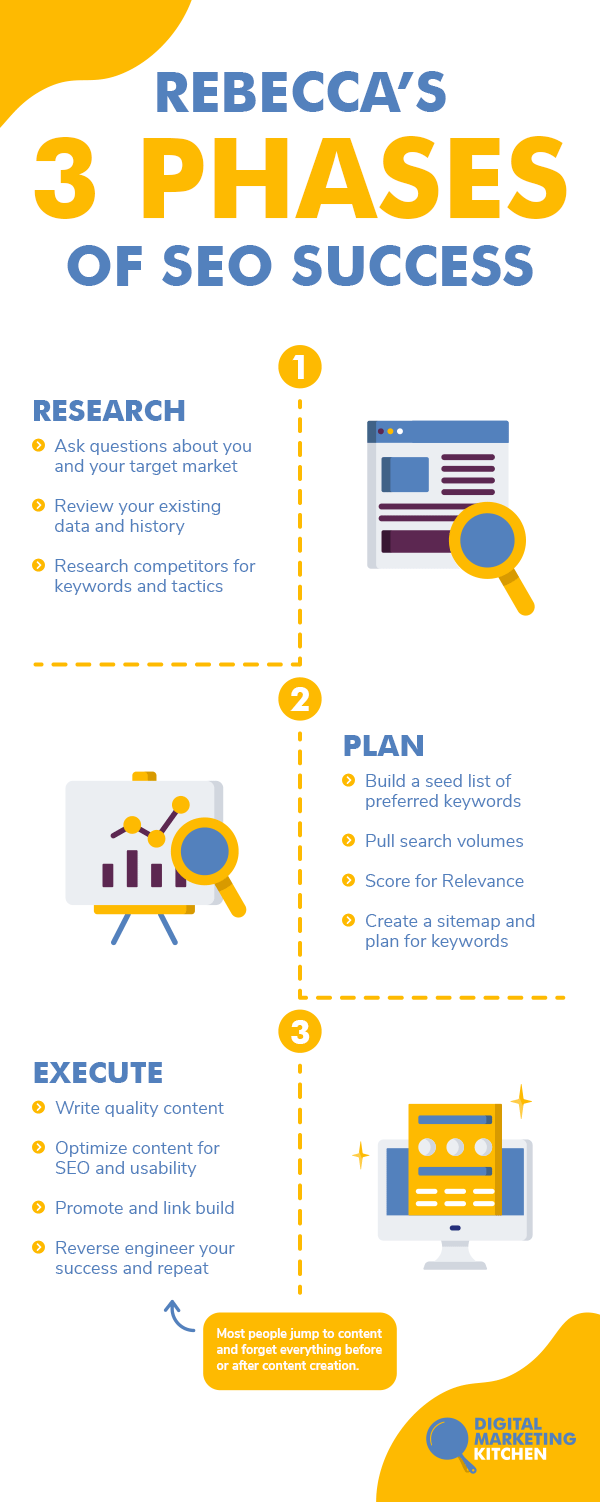
how to do successful SEO

To stay ahead in the world of SEO, check out our video: SEO in 2025: 6 Trends Truly Changing The Landscape.

[subscribe_cta]
Ask the Right Questions Before Diving Into SEO

Getting Started in SEO, Means Asking the Right Questions About You and Your Target Market

SEO is an extremely powerful tool for bloggers and website owners. SEO offers a constant stream of inbound marketing activity and qualified leads, it tends to bring in much higher conversion rates, and it lives on for a very long time. 

In the following weeks, we will be taking an SEO journey together with Rebecca Gill. We will have a series of articles that will get you thinking about search and teach you how to use these thoughts to improve your website or blog. 

In today’s article, Rebecca will share with you the secrets she stumbled upon over a decade ago and the starting point of SEO.

SEO Isn’t Scary

I started my SEO journey over 15 years ago in the ERP industry, and the content I created back then still ranks in Google (and it is still bringing in qualified leads). This is the magic I see SEO delivering, and it is why I’ve never strayed away from it. 

No other marketing channel can offer you such focused and long-term delivery of inbound activity.

If SEO is such a great marketing channel, why do so many people ignore it?

I often encounter hesitation because most people simply don’t know where to start. The process of SEO can feel overwhelming, intimidating, and difficult. 

I will fully admit that SEO can be scary, but I’ll also loudly state it doesn’t have to be. 

There is an easy way to get yourself started with SEO and help ensure you are positioning yourself for success.

To stay ahead in the world of SEO, check out our video: SEO in 2025: 6 Trends Truly Changing The Landscape.

Ask the Right Questions

If you are already asking yourself “How do I learn SEO?”, an excellent starting point is figuring out who you are and clarifying who you serve. That may seem like I’m selling the complexity of SEO short, but I’m not. 

In reality, asking questions is a critical step that most business owners and bloggers tend to skip. And because they skip it, they set themselves up for failure.

When I perform SEO workshops or create beginner’s SEO guides, I always discuss website personas (also called marketing personas) because they build a foundation for everything that follows. 

Marketing personas are crucial because:

  • Different groups of people have different problems.
  • When groups of people have different problems, they also have different needs.
  • With different needs, comes different answers or solutions.
  • With varied answers, you derive different terms and phrases the group or persona would use to search for their solutions.
  • By viewing different groups and creating seed keyword lists for each group, you exponentially expand your keyword universe and opportunities to rank in search.

If you don’t know who you are and who you serve, you can’t begin to understand what your customer needs and how you can help them. This lack of information makes it impossible for you to create a successful SEO strategy and plan for execution.

By asking questions, we are creating a set of variables we can use to research, analyze, and take action. The answers to our questions will start to formulate our target audience, and they will help us know what matters to them. More importantly, it allows us to focus in on their problems, solutions they seek, and how we can provide answers.

The core of SEO is a blend of questions and answers. People visit search engines (like Google and Bing) to find answers to their questions. That’s it.  

The search engines’ job is to locate the best answer to a given question. When you properly perform SEO, you are creating a roadmap to help search engines locate your content and match it up to a given question.

No voodoo, no magic. Just plain and simple questions and answers.

The one thing you can do to help you succeed in SEO is to start to think about who you serve, what questions they ask, and how you can help answer those questions. 

Formulating SEO Strategies with Consumer Psychology

In college, I loved psychology. Back then, my dream job would have been closely related to psychology. I found it fascinating to learn about people and what makes them tick. 

What I didn’t know was this love of psychology was going to serve me well in optimizing websites and blogs. Marketing is intertwined with psychology.

At the core of this connection is Maslow’s Hierarchy of Needs. This motivational theory is a model of five levels that represent what drives a human’s actions. It boils down to the fact that we all have varying degrees of needs to break down into physiological, safety, love and belonging, esteem, and self-actualization. These needs influence our behavior, and they influence the way we interact with the world around us.

This closely ties to SEO because people search based on their needs at a given point in time. This varies by where they are located within their information journey or their location within a buying cycle. Some searches will be basic, while others will be more advanced. Some will be at the beginning of a process and others at the end. Some may be informational, and some may be transactional.

Bain and Company created a B2B version called The B2B Elements of Value. It translates Maslow’s core ideas into modern-day marketing for B2B companies.

The key for both B2C and B2B marketers is to find the intersection of your target market and what you offer. Knowing where you land on their Hierarchy of Needs is crucial.

Don’t be scared off by all my psychology talk. Let me translate this into a set of fundamental questions that will help you better formulate who you serve and how you help them.

Determine Your Goals

Let’s start your SEO journey by asking the following questions and documenting your answers. Keep in mind these could be related to you, your company, or your product or service.

  • What are your areas of expertise?
  • What are some of your greatest skills?
  • What are you passionate about?
  • Is there a particular niche that is more important to you than others?
  • What benefits do you offer your customers?
  • What differentiates you from your competitors?
  • When you’ve been successful in the past, why did your customers choose your service or buy your products? What did they say?
  • When you think back to your existing client testimonials or online reviews, what did your customers say about you and your offerings?
  • At the end of the day, what business accomplishments are you most proud of?
  • How you typically describe your business to a potential customer? 

Write this down. Write all of it down! Let your mind run free, but document the path it runs down.

Now I’d like you to take a step back and look at your answer with fresh eyes. I’d like you to replace any buzzwords or industry jargon that “normal” people wouldn’t understand. By normal, I mean people outside of your head, your company, or experts in your industry.

Now, I’d like you to rework your answer and write it as if you are explaining this to your Grandmother or a young child. By doing so, you’re removing the industry jargon, and closing in on what terms normal people might use when searching.

What I am asking you to do is to brainstorm who you are, who you serve, and how you help them. Once we know this, we can start to think about building a keyword universe and formulating a plan for content creation.

Additional SEO Questions

Now that we’ve done some initial investigation let’s explore what groups we might have for our target market. Again, these groups are called website personas or marketing personas.

To do this, we have more questions.

Who Do You Serve?

  • Are they men or women?
  • Are they kids, teens, adults, or baby boomers?
  • Are they consumers or businesses?
  • Are they universities, enterprise-level companies, or small business?
  • Are they beginners or advanced?
  • Do they exist in certain departments like IT, accounting, or manufacturing?
  • Do they have different positions like entry-level, manager, or c-level executive?
  • Do they speak different languages?
  • Do they live in different regions?
  • Do they have different budgets and desired price points for goods and services?

How Might You Group Them?

  • Age or gender
  • Income level
  • Geography
  • Professional position, occupation, or department
  • Industry
  • Business size
  • Stage in the buying cycle
  • Product or service type
  • Budget
  • Customer status – prospect, new customer, repeat customer

Virtually every website or blog has some form of groups within their target market. No matter what industry I’ve worked in or clients I’ve helped, I can always find website personas.

Sometimes there may only be two and sometimes they might be ten. Dig in so you know exactly who you serve and how you would group them.

Website Persona Criteria

Once you have your groups defined, we want to document more about them. My personal list for documenting website personas includes:

  • Name
  • Description
  • Drivers, goals, and/or objectives
  • Frustrations, challenges and pain points
  • Needs
  • Decision process and criteria
  • Stage of the buying cycle (awareness, consideration, decision)
  • Level of search intent (navigational, informational, commercial, transactional)
  • Purchase obstacles
  • Marketing channels where they spend time

Don’t let any of this be intimidating. You’ll most likely know some of the answers and not others. That’s okay! Work with the information you know now, and when time allows, fill in the rest.

The important thing is I’m moving you from thinking about you and what you do to thinking about your target market and what they need. 

This will help you develop a keyword list that you can use for SEO purposes.

The Human Element of SEO

Throughout my training and talks, I hold one common theme that I desperately want to drive home to everyone I speak with about SEO.

The best SEO is human-based SEO.

High performing SEO isn’t about marketing automation, easy shortcuts, WordPress plugins, or even outsourcing SEO services to a third-party consultant. 

There is no easy button, software product, or expert waiting to do all of this for you.

Low-cost SEO services at $6.99 a month won’t deliver the human element and they don’t work. Software products that state they will automatically optimize content for you based on algorithms won’t work either. It’s binary code and it cannot understand your target market, how you help them, and how you are uniquely positioned to provide a solution.

The best SEO is about understanding your website visitor, connecting with them on a personal level, and helping them solve problems.

No one is in a better position to do that than you! And it makes you super powerful.

 The Next Steps for Your SEO Journey

Today’s article covered a lot of ground, and I hope it has you thinking. Keep thinking!

Let your mind wander today and all this week. Think about you, who you serve, and how you help them. Think about what makes you unique and why you are the perfect answer for your target market.

Document your thoughts. Keep a running list of anything that creeps up while you allow yourself time to think and brainstorm.

In my next post, I’ll show you how to dig into website data and Google’s Search Engine Results Page (SERPs) to research possible keywords and phrases. Once we have our possible keyword universe, we’ll move onto keyword evaluation and selection. Finally, we’ll move into mapping your preferred keywords to current and future content.

SEO is a journey, not a destination. My goal is to show you the path and get you started on your journey. Together we can get you and your website ranking and bringing in the right traffic.

[subscribe_cta]

How to Start an Online Business on a Budget? Learn from the experts.

Starting and maintaining a business online has always been a hot topic, but recently it’s become crucial, rather than a side income. In this business-critical moment, we reached out to five established online entrepreneurs for their advice on how to get started even if you don’t necessarily have a large capital to kick things off. Whether you’re still exploring the possibility of launching your online project or looking to grow your existing online business, you will be sure to find lots of relative advice in their stories.

Start Your Online Business With Something You’re Good At

Since you are reading this article you may already be playing with the idea to start your own business one way or another. You may even have a few ideas wondering which way to go. So the first phase about doing it is deciding on what service or product you’re going to launch. According to our experts, it’s best if you get started with something you know well and feel confident about, or something that you are passionate about and you want to learn to do well. Confidence and passion are the two strongest drivers to success so just ride on their wave.

Ferdy Korpershoek is an online entrepreneur dedicated to helping people grow their online business. He spent years building his amazing resource center on www.ferdykorpershoek.com and in his Youtube channel, where he has over 150 000 dedicated followers. When starting his business he went through the very same thought process as all of us do. 

“If I take a look at the time we live in, it has become so easy to start to share things with the world through the internet. So let’s become practical: Is there something you are already good at or something you would like to learn? Well, there you have it! Start practicing it and start sharing it with others, for instance, through a video, blog post, or a course.

Maybe you think: ‘I could never do that.’ And that is why you have not done it yet. I had the same thought a few years ago. Let me tell you a story:

Through the years, I made a lot of websites with WordPress. Sometimes I had to struggle to find a solution to a problem, or I could not create the thing my client wanted me to make. It was so hard. When I learned how to solve WordPress problems and make beautiful websites, I started to think about sharing my knowledge through video tutorials. In that way, others could easily learn what I had learned the hard way.

But I saw that others were already better at doing that. They were better at English and presenting. So I hesitated. Until I was so fed up with how things were in my life that I did it anyway. And guess what. I became better at it and gained more followers. Now I can do it full time and earn nice money with it while I am helping people.

You can do the same by just starting! So, how can you start today by helping other people?”

Don’t hold back From Establishing Your Online Business!

As Ferdy mentioned in his story, the biggest challenge when starting a new business is fear. There are too many unknowns, the budget is never enough, the self-doubt and perceived risk seem higher. It gets even worse when you start looking for advice from others who would often make you feel even more unprepared. So when you are getting ready to go along that path, your number one task is to mute that inner voice telling you you’re gonna fail. 

We asked Darrell Wilson, an online entrepreneur and owner of www.darrelwilson.com and a YouTube channel with over 200 000 followers who teaches people how to build successful and effective websites, what would be his advice for overcoming that fear and uncertainty.

“I find that comparing yourself to others is a crutch and will only hinder your own work and set you back.

So you can start right now. Create a website for your blog or business and just write whatever comes to mind,  and you’ll be amazed how far you get with the small ideas.  Remember, be consistent, don’t worry about others, and start small. You are a new entrepreneur stretching your legs.  Well, that’s my story and how I got started.  And like Stan Lee said, “If you’ve got an idea that you generally think it’s good don’t let some idiot talk you out of it.”

Research shows that contrary to what you may think, the main reason why many people fail isn’t a bad launch or a bad product: it’s the lack of launching altogether. Jumping in at the deep end is the only practical way to overcome your fear of failure. 

Free Ideas For Small Business

Since starting a new business can be approached from too many angles and diffusing efforts only adds expenses to the budget needed, it becomes really important to stay focused and try to simplify this complex task.  “Starting an online business can be a broad topic, but there still are only two main paths one can take: you can sell products, or you can sell services,” says Ionut Neagu, the founder of CodeinWP, one of the most successful hubs for online WordPress entrepreneurs, and CEO of Themeisle, a company producing premium WordPress themes and plugins. “Both can be done on a budget, but you need to be careful when it comes to picking your market and angle. Here are two strategies that I think will work best if your funds are limited:

1. If you want to sell products.

Dropship. Start a store on a platform like Shopify or WooCommerce. Get product listings directly from suppliers and make them available in your store. Then, whenever you make a sale, it’s the supplier who is responsible for fulfilling the order.

Promote this business via Facebook ads. Facebook ads will still give you the most bang for your buck compared to any other advertising platform. As long as you “niche down” enough, the ads shouldn’t be too expensive.

We have a detailed article on how to start a dropshipping business, or alternatively, you can check our webinar: How to Start a Dropshipping store. 

2. If you want to sell services.

Start on Fiverr. Fiverr is a huge marketplace where people can offer all types of services as long as they can be carried out remotely.

Fiverr is also easy to get started with: find a niche → see what sells already → offer a similar service. Granted, earning big bucks on Fiverr can be tough, but it’s a great place to start nonetheless. We have a post on CodeinWP on how our friend went from $0 to $3k a month doing Fiverr gigs.

Build a site on a budget with WordPress

All good, but we obviously need a website to sell our products or services. If the COVID-19 pandemic taught us anything, it was that any business needs a virtual presence. But building a site might actually be one of the most costly items on your business agenda. We asked Syed Balkhi, the founder of the incredibly popular platform www.wpbeginner.com where tens of thousands of WordPress users from all over the world go every day to find everything WordPress-related, how to overcome the challenge of creating a website on a budget: 

“One of the biggest things that hold people back is “not having enough resources”, but I believe that entrepreneurs can easily solve that by being “resourceful”. WordPress is an amazing platform because there are 55,000+ free plugins that can help you make your website on a budget, so you can start earning money online.

For example, you can add WPForms lite to create a “Request a quote” form or even an advertising inquiry form. You can use WP Advanced Ads plugin to easily sell ads on your site. There are tons of other plugins that help you do more like MonsterInsights for analytics, AIOSEO for SEO optimization, SiteGround Optimizer for speeding up your site, and more.

Once you have your website live, you can start promoting it on social media using low-cost methods such as answering questions in Facebook groups, LinkedIn groups, and on Quora which helps boost your credibility/brand recognition. This also helps you get more targeted traffic that will convert into customers/clients.

Outside of WordPress, there are also tons of other tools that can help you improve your site without any money. Such as Canva for creating beautiful images, Grammarly for writing better, and a whole suite of free tools that Google offers to help you grow your business.

The key to online success is being resourceful and consistently improving each day.“

Good SEO is still the cheapest form of marketing

Now that you have the idea, you have overcome the fear, you’ve got the website to feature your service, you’ve defined your audience, it’s time to find out that it all ties around marketing. As of now, your most important question will be how to get new clients? 

Years ago when SiteGround was a small hosting company and we were running on a tight budget, we discovered the power of good SEO that brought us the greater part of our business. Back then it wasn’t that hard to crack. It was about content and meta data. Adding useful content and optimizing the meta data of the pages got us the first positions of most of the keywords we were targeting and a Google Page Rank 9, which was unbelievable at the time. The only cost we had was having to learn how to do it, cause back then, information was scarce and we had to learn by trying stuff out. Over time, our efforts shifted to other channels and our marketing budget significantly increased, but we still believe in the power of SEO for a solid business start. 

That is why we turned to Marieke van de Rakt, the CEO of the most well-known WordPress SEO plugin – Yoast SEO. Before taking her role as a CEO she helped grow the company as their Chief Strategy Officer and she knows the ins-and-outs of good SEO. Here is what she thinks is important nowadays:

“Write amazing and SEO-friendly content. If you start a website for your online business, you’ll need to attract an audience. The quickest and cheapest way to attract that audience is by getting visitors from Google. But how do you make sure that you rank high in the search engines?

An SEO plugin like Yoast SEO will take care of most of the technical aspects of optimizing your website for the search engines. In addition to that, you should make sure that the content on your website is of the highest quality! But how do you write awesome and SEO-friendly content?

Before you can start writing you have to do keyword research. If you want to dominate the search results, you’ll just have to figure out which words your audience actually searches for. These are the topics you should write about and the words you should use in your text.

The second thing you should do is to make sure that your text is nice and easy to read. Write short paragraphs and use headings, which will help the reader to understand your text. 

In order to make sure that your text ranks in the search engines, make sure that Google understands what it is about too. Use the words you want to be found for and make sure to use them in heading and subheadings as well. Also write texts that are at least 300 words long, that’ll help with the ranking as well. 

Don’t forget to link to previous content. It will make your post stronger because you show some authority on the subject. As well as that, your link structure is also important for your Google rank. “

If you want to know more about how to optimize the text on your website for the search engines, you can check out the Ultimate Guide to content SEO by Marieke van de Rakt on Yoast.com.  Alternatively, make sure to read our SEO Blog series with our guest-writer and SEO expert Rebecca Gill. 

So that’s it from us and our experts. We hope we managed to simplify the complex task of starting a new business online and mitigate some of the fears you may have at this early stage. Now it’s your turn – good luck!

[subscribe_cta]

Keyword Research Tips – How to Build a Keyword Universe Through Data

In my last SEO article, we talked about SEO basics and how SEO works, including the initial steps of SEO strategy and planning. Now that we’ve thought through our website personas and their unique challenges, it’s time to begin working on our keyword universe.

I’m a strong believer in data-driven SEO. I believe the combination of data, psychology, and empathy is the key to strong SEO performance and website conversions.

In the world of digital marketing, data is abundant. Free and paid tools are plentiful and there are many sources of data to help guide our SEO journey. Today we’ll explore my favorite software tools and data sources for building up a robust keyword universe.

Before we dig into my favorite data sources, let’s first discuss the concept of keyword research, keyword universe, and why we need it.

What is Keyword Research?

In simple terms, we might say that keyword research is a primary SEO task that involves identifying words and phrases people use to search online.

What is a Keyword Universe?

A keyword universe is the total number of keywords or phrases that are used to drive organic search traffic to your website or blog. These keywords can contain phrases you hope to rank for, as well as, phrases you already rank for in search.

A keyword universe could be as small as fifty keywords or as large as a million keywords. It really depends on the size of the website and the industry it serves.

Keyword Research & Universe examples

Let’s look at a real-world example.

According to SEMrush, Siteground.com has a keyword universe of 98,700 keyword phrases. While that may seem like a lot of phrases, SEMrush also estimates only about 10,500 keyword phrases are bringing in website traffic. That variation of total keywords and those that bring in actual website traffic is fairly common.

And while there is a large number of keywords not driving traffic, that doesn’t mean that the other 88,200 keyword phrases aren’t important. These inactivate keywords may be very important and they may be a critical part of our keyword universe and overall SEO strategy.

As we do keyword research, we want to review all phrases to start, then narrow down our list to those phrases that matter most to our target market and our offering. We’ll look at keywords we rank for already and we’ll consider keywords we want to rank for in the future.

Interesting Statistics About Search and Keywords

I could ramble on about my views on the importance of keywords, but it will make a much larger impact by providing tangible data for you to truly see the impact of search and keywords.

Here are some of my favorite data points on keywords:

  • Google processes over 40,000 search queries every second on average, which translates to over 3.5 billion searches per day and 1.2 trillion searches per year worldwide.
  • Google sees about 15% of brand-new searches each day. This tells us keywords are always changing and keyword research should be done often.
  • Google’s introduction of BERT (Bidirectional Encoder Representations from Transformers) allows it to process searches in a much more complex manner. This allows humans to input long, conversational searches and still receive high-quality results. Stated another way, you can search like you are talking to a friend, and Google will reply with a great answer. This changes the nature of our keywords.
  • Ahrefs analyzed 1.9 billion keywords and found that 92.42% of those only receive 10 or fewer searches per month. This tells us to consider keywords of all volumes and not just the ones with massive search volumes.
  • Ahrefs also discovered that 29.13% of keywords with 10,001+ monthly searches are made up of three or more words. This points us to long-tail (aka longer phrases) keyword phrases.
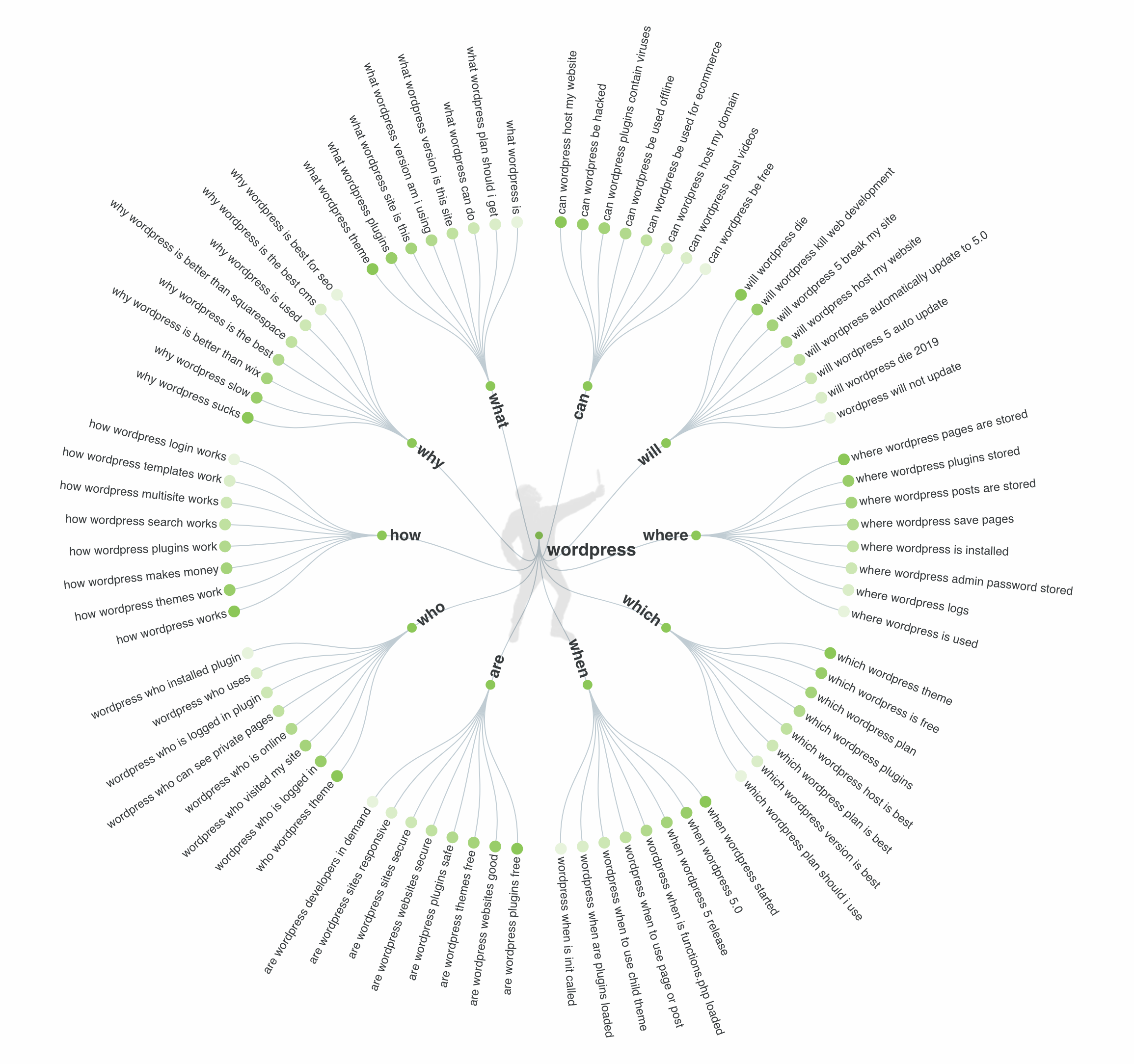
  • 8% of all the search queries made on Google are phrased as questions. This tells us we should not just look at simple phrases. We also need to think in terms of questions that use who, what, where, when, and how.
  • One-third of the search queries made through Google are at least 4 words long. This again reinforces the need for long-tail search terms.

Those last two data points are important because they illustrate a shift in search. 

Ten years ago, people still searched with one or two-word phrases. They did so because Google wasn’t sophisticated enough to produce quality results for longer phrases. But that has changed and this change has driven lots of shifts in search and keyword research.

Artificial intelligence and voice search have quietly taught humans that they can search complex queries and Google will provide them with correct answers. This is a game-changer for SEO and keyword research. It means we need to think about short searches, long searches, and searches that involve questions. 

An important part of building a quality keyword universe is to do research, keep your mind open and think about your website personas and how your target market uses searches in Google or Bing. 

You might be thinking you have no idea how your target market searches. Guess what? You’re not alone! 

We are all in the same situation because it is hard to think outside of our own limited view. This is why software tools and third-party data sources are an important part of building up a strong keyword universe.

20 of the Best Keyword Research Tools and Resources

When I started with SEO fifteen years ago there were very limited options for researching keywords. SEO software was non-existent, and it made the process of keyword discovery painful. I’m so thankful this is no longer the case! 

As an SEO consultant, I have a huge selection of tools and resources available to help me brainstorm keyword options and to guide me down the path of keyword selection. I’d like to share my list of tools and resources with you, so you can have some excellent sources to find high-quality keyword phrases.

My list of favorite SEO tools has stayed pretty uniform over the last few years. I’ve found some great software that has helped provide excellent data, reduces my time spent on research, and helped me make better SEO decisions. If you’re asking yourself how do you find the right keywords, in the next paragraphs I have some great suggestions for you.

Here are my go-to keyword research tools for SEO:

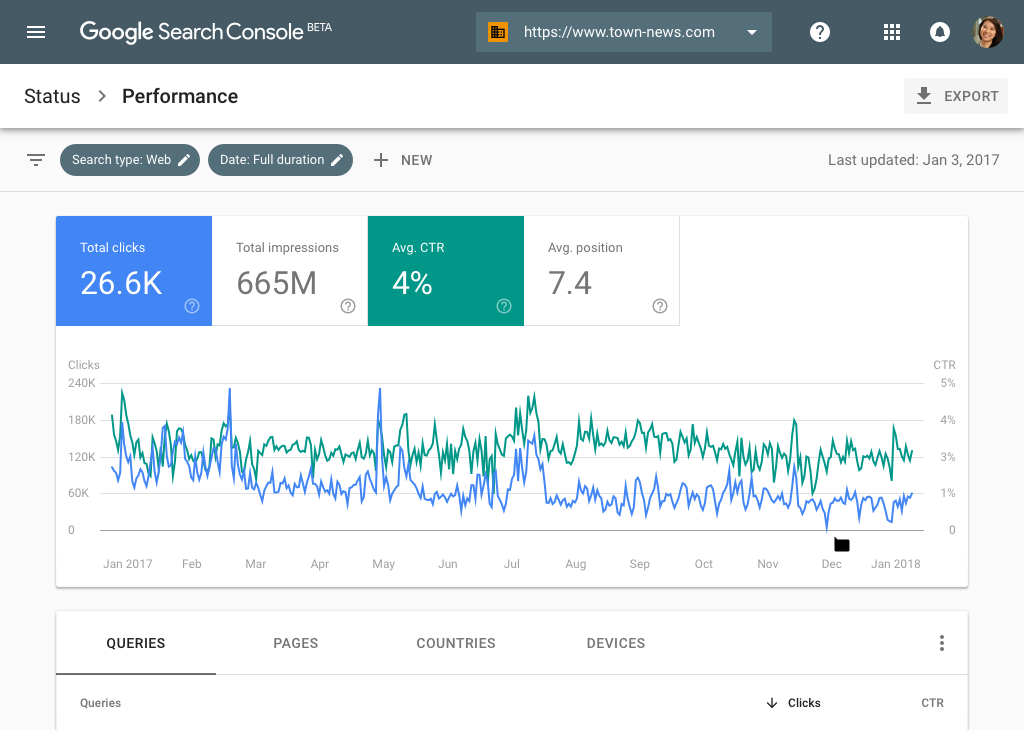
Google Search Console

Provides a list of keyword phrases I currently rank for in Google search. You view keyword impressions, clicks to your website, click-through rates (CTR), and your average position in Google search. 

How to do a keyword research

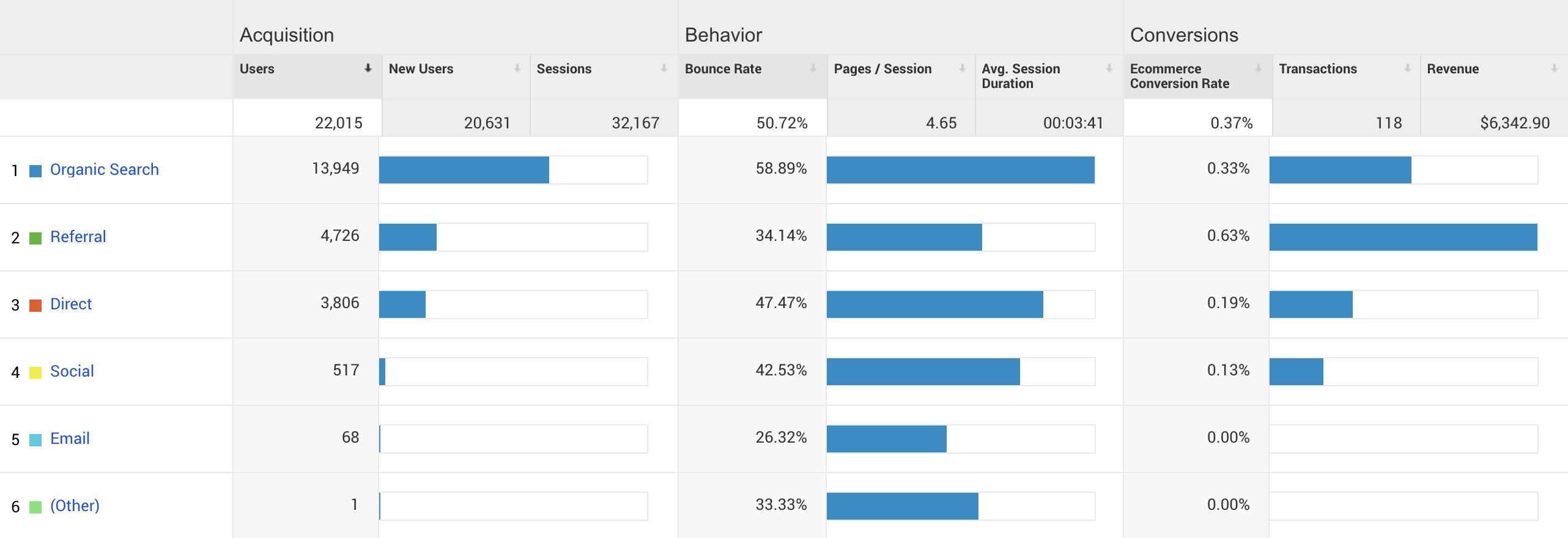
Google Analytics

Provides a list of keyword phrases that are used by Google search to drive actual traffic to my website. These reports are great because I can also view important data related to pages per visit, bounce rates, and conversion rates. This helps me see what keywords are having the largest impact on bottom-line revenue. Analytics and Search Console are some of the most helpful free keyword research tools you can use for your SEO strategy.

how to find keywords

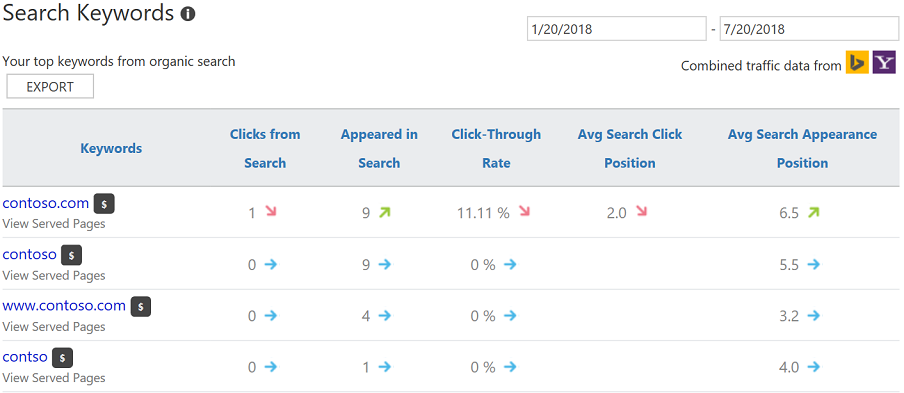
Bing Webmaster Tools

Provides a list of keyword phrases I currently rank for in Bing search. You can see very similar data as Google Search Console. Because the two search engines have different formulas for ranking keywords, the lists of keywords in Google and Bing will be different.

Keyword research

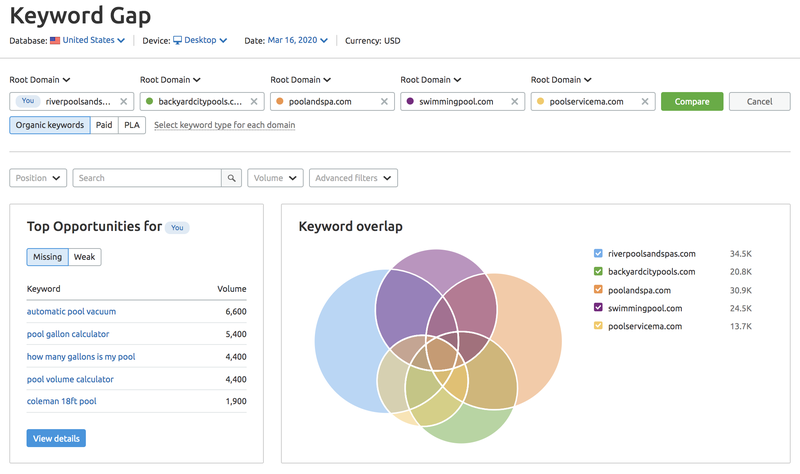
SEMrush

Provides a list of keyword phrases that I rank for in search, as well as, a list of phrases my competitors rank for in search. It can also help you see variations of phrases, types of search results, and PPC activity for phrases. It is a powerhouse of SEO data.

Keyword research tools

SpyFu

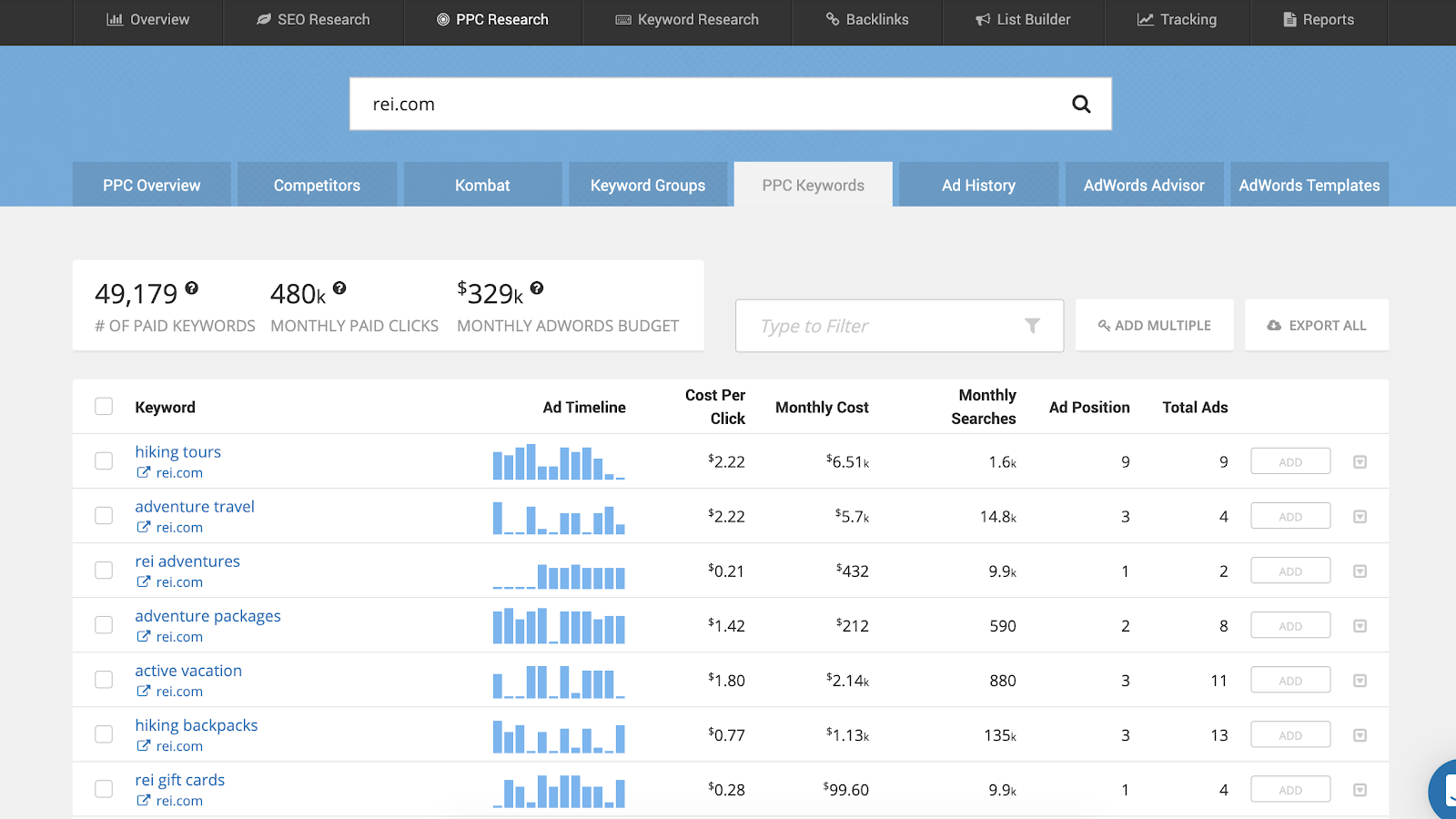
Provides a list of keyword phrases that I rank for in search, as well as, a list of phrases my competitors rank for in search. Like SEMrush, it offers data on PPC too, which makes it a great source for creating a strong keyword universe.

keyword research tips and tricks

KW Finder

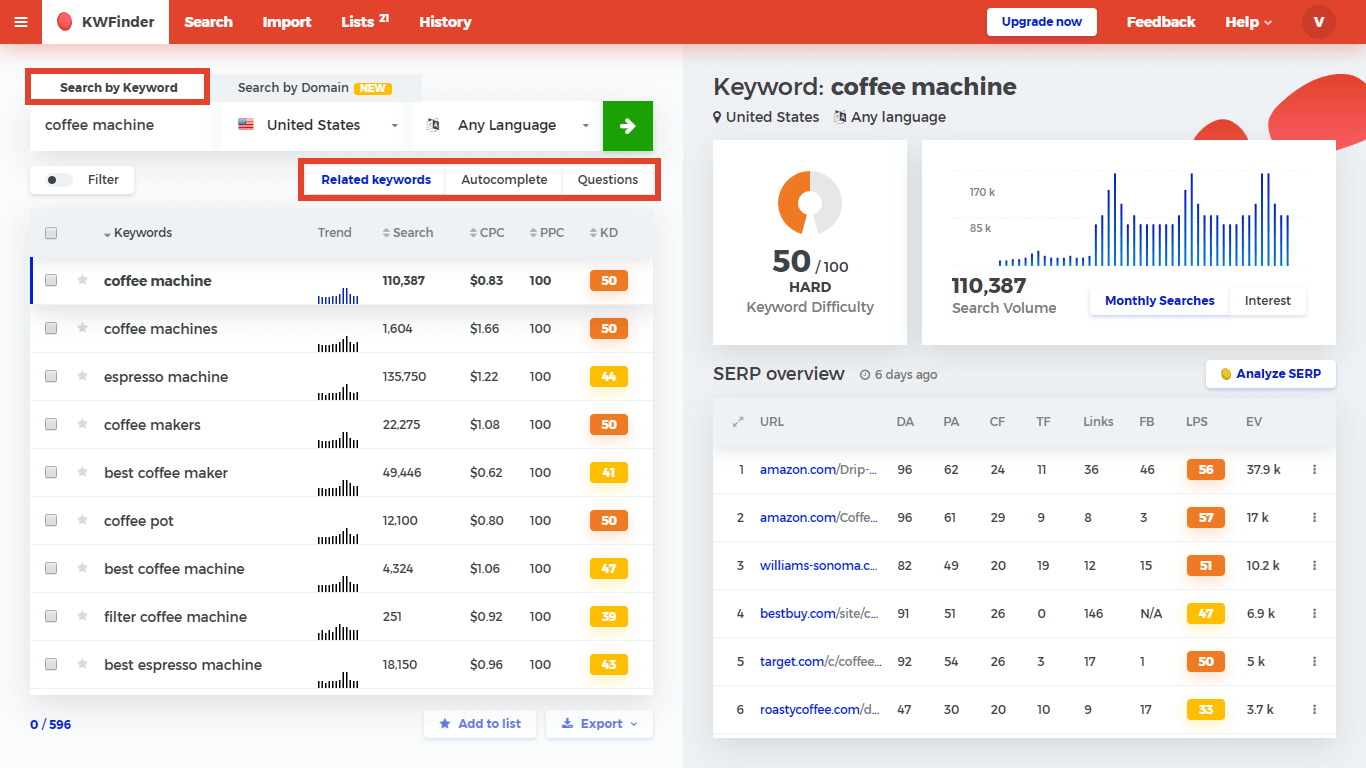
Provides alternate variations of keyword phrases based on my initial keywords entered. It allows users to filter keywords based on a variety of inputs, build lists, and even see who ranks for individual phrases. It pulls data from Google’s API, so you can view search volumes per month and applicable PPC bid amounts.

Answer the Public

Provides alternate variations of keyword phrases based on my initial keywords entered. This is a great tool for thinking through keyword phrases that include questions.

If I could only use one tool, it would be SEMrush hands down. SEMrush is a paid tool, but in my opinion, it is worth the cost. From keyword rank tracking and competitor research to website audits, SEMrush is a great all-inclusive tool for digital marketers and consultants.

I don’t just stop at software tools. I also use everyday activities to help me brainstorm and build my keyword universe. It’s the mixture of data and real human activity that provides the highest-quality keyword universe.

Here’s my go-to list for alternate sources of SEO research:

  • Personal Interviews – These one-on-one discussions provide an opportunity to talk to real people and learn what words and phrases they would use to search for your offering. You will be very surprised to learn what the average person uses for search terms.
  • Email or Website Inquiries – Going through old email or website contact form inquiries is another great way to discover keyword phrases that real people use online. I’ve been a long-term fan of Gravity Forms for WordPress and this form plugin stores inquiries online in the WordPress MySQL database. This plugin supports database exports, so you can export all inquiries into Excel and browse through them quickly to see what words your website visitors use in inquiries. 
  • Proposal Requests (RFPs) – Scanning through RFPs will help you see what selection criteria an organization has for purchasing a product or service. Their list of features and/or requirements all translate into keyword phrases.
  • Sales Presentations – I learned long ago that in most organizations, websites get ignored, but sales presentations are living and breathing documents. Because of this I always ask my SEO clients if I can view their latest sales presentation. These sales pitches allow me to scan through files and extract the phrases their sales team uses in pitches to the C suite or procurement teams.
  • Reddit – I am not a fan of Reddit for personal usage, but I do love browsing through it for SEO keywords. You’ll see great questions and answers from regular people that will quickly morph themselves into your keyword universe.
  • Quora – Similar to Reddit, Quora offers a glimpse into the general public’s questions and need for information. You can browse through topics, individual questions, and the associated answers to locate great options for search terms.
  • Facebook Groups – Facebook is placing a lot of emphasis on its group functionality and these communities are growing. You’ll find groups for everything from knitting and baking to gemstones and astronomy. You can use the group search option to locate posts that include your primary keywords, and this will lead you to long-tail phrases you might be missing. Facebook groups also provide an option for interviewing many people in a remote manner. 
  • Support Forums – While not every industry has support forums, those that do offer a large list of keywords within topic questions and follow-up answers. You can manually browse through the forums or you could use tools like SEMrush to data-mine it.
  • Competitor Websites – Always take time to review your competitors’ websites. Browse through their navigation, HTML sitemap, and core content to find phrases you’d like to target.
  • Google’s Autocomplete – As you type in a keyword into Google search, Google will automatically make suggestions for you on longer phrases. These longer phrases are important because they are semantically related to your terms and they are being actively promoted by Google.
  • Google’s People Also Searched For – Similar to the autocomplete feature in Google, the People Also Searched For box is a goldmine of semantically related search terms. These phrases will have lower search volumes, but they are powerful since Google consistently places them in the search engine results page.
  • Google’s Related Searches – At the bottom of most Google search engine results pages is a list of phrases Google feels align with the current search term. These phases are often between 3 – 10 words, so they represent some great long-tail keyword opportunities.
  • Google’s Actual Search Results – Browsing through the actual search results for a phrase is an easy way to see alternatives from competitor websites. You’ll see what they are already targeting, and you’ll have an opportunity to improve upon their activity.

You might be thinking that this is a massive list and I’m a little overboard on my research. But in reality, it’s just the opposite. You have to build up a large keyword universe to get a good set of data to utilize in your SEO planning and execution.

The Next Steps for Your SEO Journey

You now have an excellent resource list to help you dive into keyword research and build up your keyword universe. This means you are empowered to create a quality list of what you’d like to rank for in search.

In my next article, I’ll walk through evaluating these keywords for usage within your website or blog. We’ll learn to pull search volumes, we’ll learn about search intent, and I’ll provide some additional insights into narrowing this list for the best keyword opportunities to win in search and convert these searches into revenue.

To stay ahead in the world of SEO, check out our video: SEO in 2025: 6 Trends Truly Changing The Landscape.

[subscribe_cta]

Tools for Running a Successful Service Business Online

useful business tools for growth

There are a lot of things that go into running a service business online beyond finding clients and building things for them. You’ve got to manage contracts, invoices, estimates, proposals, and more. You need to keep clients informed on progress, collect payments, and follow up on those payments that are invariably missed. On top of all of that, you need to have some sort of repeatable process to make projects run smoothly and keep getting in new work.

In the following article, I’m going to share a few of the tools that I use for managing my client services business online. I handle ongoing maintenance and support for WordPress at FixUpFox, and I’ve tried out dozens of tools to make it easier to keep the business running smoothly. Whether you use WordPress or not, my goal is to help you to manage your business with ease online and focus on the most important part: keeping your clients happy and successful!

Handling Leads

As I use Trello for all of my project planning, it makes sense for me to track leads there as well. I use the Custom Fields power-up for Trello to add details from my form to individual cards. I display the name, email, and phone number of the lead on the front of the card. Links and files attached to the form go into the card as well for me to review. I also put when the form was filled out as first-contact, and then set a due date of the first non-weekend day after it was received to remind myself to contact the lead. I can use the comment section here to keep notes, making this a simple and flexible CRM. Trello lets you use one power-up per board on their free plan, so you can set up this whole workflow for free with your current WordPress site.

If you’ve never heard of Zapier, it’s the tool that will supercharge automation between your other tools. Zapier is a tool that lets you take two online services and connect them together. For instance, you can tell it to watch your company Twitter account and send you a message when someone responds. Or perhaps you want to update a spreadsheet when a sale is made on your site. Zapier has a free plan available for up to 100 “zaps” per month, which is a good starting point to determine if it can fit your needs. 

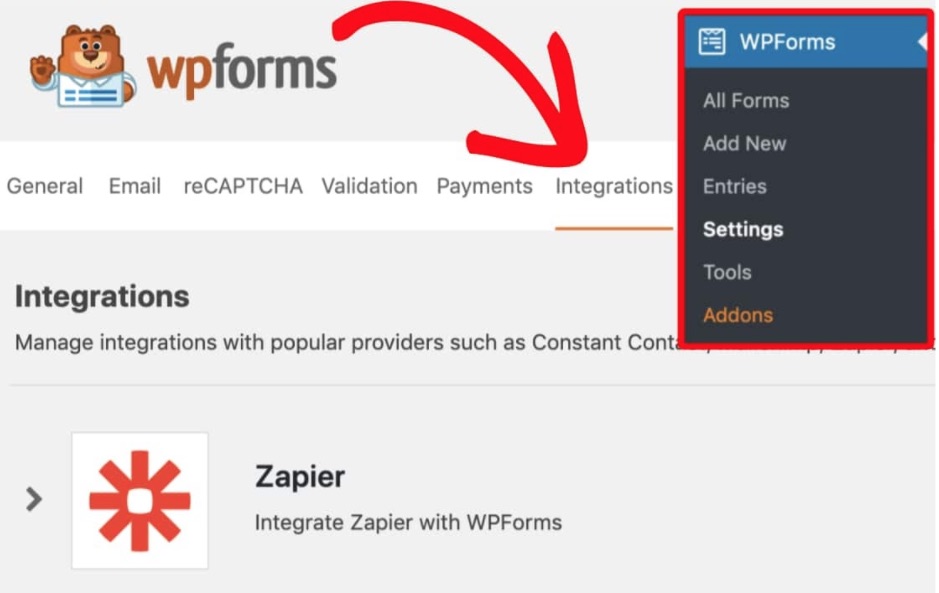
You can also set up an integration in Zapier to send the output of one of our contact forms to another service to track leads. Zapier already supports Gravity Forms, WP Forms, and Ninja Forms. I use Gravity Forms, and I send leads from my website to a Trello project planning board to keep organized with all of the leads that come in. If you decide to use WP Forms, which can also be integrated with Zapier, and you’re a SiteGround client, you can get a 50% discount for their Pro version by visiting the Perks section in your SiteGround Customer Area. You can also set up other form plugins that you have manually, though they will take a bit more work.

Invoicing and Estimates

I’ve been using Sprout Invoices for years to handle invoicing and estimates for my business. The paid business plan of the plugin allows you to handle recurring invoices and payments for clients, with payment data stored at the payment processor of your choice. This allows you to set up a recurring billing system that you don’t need to constantly bother clients about getting paid while keeping their payment information secure. I also like that clients can have users created on my site, allowing them to view and print past invoices, as well as change contact and payment information themselves.

If you already have an invoicing system that you like, I’m not suggesting that you should switch. I am suggesting that if you don’t already have a system to handle invoices, you should find one.  Most of the differences between major providers are surface level, and pricing on basic plans is usually low enough to warrant for a business that wants to ensure that they have a repeatable process for collecting payments from clients.

Maintenance Agreements

I use WP E-Sign, also known as ApproveMe to handle maintenance agreements for my clients. As with the other tools that I suggest, it offers a repeatable process to handle an important task in any business: having contracts and agreements signed digitally by clients and vendors in a UETA/ESIGN compliant way. I have a maintenance agreement that was created and vetted by an attorney which I use for all of my clients.

WP E-Sign allows me to make a template, which I can then customize as needed for each client. This lets me enter their contact information for them, or lets them fill it in when signing the contract. Each document is at a custom URL and can only be accessed by the people who should be seeing them. I can get notified of when the document is viewed, as well as when it is signed.

If you choose to use Sprout Invoices, it also integrates with WP E-Sign to let you have clients sign off on invoices and estimates as well. This lets me create a workflow for onboarding new clients that have them signing a contract, receiving an invoice, and paying, all without me having to do anything beyond initial setup. When this is complete I get notified so that I can start working.

Support Management

My support workflow starts out similarly to my lead tracking system. I have a Gravity Form setup on my site that feeds information to a Trello board which clients can use to ask support questions. I don’t expect all clients to use this though, and I allow them to send support requests via email or directly on the Trello boards. This grants some flexibility for them while limiting places to check when it is time for me to work.

Since I’m working with WordPress, I have a wide selection of tools that I can use to help manage the maintenance of these sites. I use InfiniteWP, which I use to help with regular backups and updates of sites. It also lets me send reports directly to clients with some of the changes that have been done on their sites.

Mindset

Whatever tools that you use to power your business online, there are a few tips that I have that apply to all of them:

  • Don’t overcomplicate. Find a tool that fits your needs and use it. There are so many options out there that it is easy to feel like you are doing real work by endlessly comparing them, but that doesn’t move the needle on your business.
  • Make repeatable processes. The less that you have to think while doing routine tasks, the more time and energy that you can save for real work.
  • Take notes. You will forget things. You shouldn’t be juggling all of your due dates, tasks, or client requests in your head. Making some time to plan will save you countless hours and headaches in the future.

I hope that you find at least one new actionable item from this article to improve your business. You should always be striving to make your business work for you as opposed to the other way around. These tips are intended to help you get there and to make it more enjoyable to start your day.

[subscribe_cta]

How to Create a Podcast with WordPress: Definitive Guide

If you’ve ever considered launching a podcast, this is an excellent moment. The world is in lockdown, which means not only that you probably have more time on your hands, but other people do as well, therefore, are willing to spend more time listening or finding a window to the outside world by listening to podcasts.

Podcasts and Website Hosting

There are a number of ways to go about hosting podcasts. Essentially, podcasts are little episodes of audio files that you record, which need to be stored somewhere for your audience to listen to. You can host your audio files locally on your own server and stream them on a website, you can host them straight on your website’s hosting, or you can use a specialized podcast hosting solution for the audio files. The majority of the podcasting community seems to use a combination of these methods, meaning they choose a podcast hosting platform, and additionally, they build a website for their podcast. 

Specialized podcast hosting solutions usually offer large storage space for your audio/video files, which could be somewhat expensive to store on your website hosting platform. But storing audio is just the start. A podcast’s website is the place to engage and communicate directly with your listeners. 

A standalone website for your podcast guarantees three things: Ownership, Findability, and Simplicity. Ownership means you have full control over your content and promote it any way you see fit. Findability, because you can optimize your website for Search Engines and that way help more people find your podcast, and simplicity because your website serves as a hub for all your content to engage your audience with, in addition to your audio. An added benefit is having website analytics, which helps measure and understand your visitor and listener activity better.

Building Your Podcast Website with WordPress on SiteGround 

Given that 35% of all websites on the web are built with WordPress, it’s naturally a popular website-building software among podcasters, mainly due to its flexibility and ease of use. Combined with the powerful WordPress management optimizations at SiteGround, this guarantees a smooth and easy website experience for busy podcasters. 

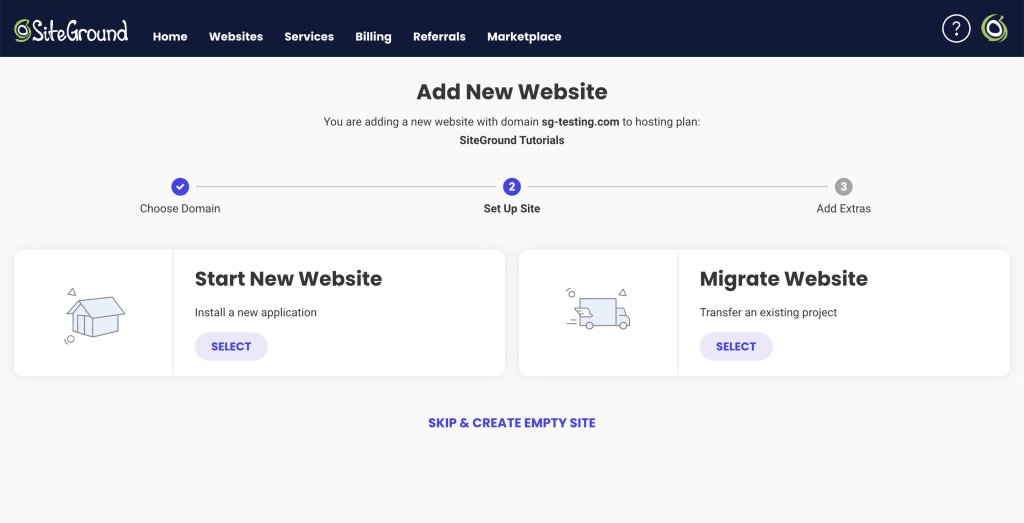
We offer a built-in WordPress installer if you’re starting your website from scratch that will help you launch your website in 3 clicks. If you already have a WordPress website, migrating it to SiteGround in order to enjoy all of our amazing benefits is as easy as pie! We offer two very simple methods of transferring your site; you can use our custom WordPress plugin or let our technicians migrate it for you for an entirely er hassle-free experience!

SiteGround WordPress Installer

How to Create a Podcast Website in 3 Simple Steps

1. Set your WordPress site and choose your theme

Setting up a WordPress site at SiteGround takes less than 3 minutes (and exactly three clicks!). Once you’re ready, the next step is going for a nice WordPress theme for podcasting.

Podcasts essentially operate like audio/video blogs (i.e. episodes), so you could say that all blog themes could potentially work. There are, however, specifically designed WordPress podcast themes that offer all the necessary functionalities rounded up in a podcast-ready bundle.

As an example of such a theme we recommend Satchmo, a clean, contemporary theme:

Not only does the theme use the powerful page builder Elementor, but it supports multiple podcasting plugins too. It also supports both locally hosted and external audio files, as well as embedding of the big podcasting platforms such as SoundCloud, Spreaker, Spotify, MixCloud, YouTube, and more.

We’re happy to let you know that SiteGround users can get a discount on the powerful theme Satchmo – simply visit the Perks section in yourSiteGround account and get the promo code.

Another beautiful theme is Tusant, a sleek WordPress theme whose design is clearly emitting a strong Spotify vibe (you can get a discount for this one as well, again promo code is in the SiteGround Perks section).

Tusant is featuring a wide range of podcasting options, including integration with popular video services such as YouTube and Vimeo.

Of course, you can always use a multipurpose WordPress theme – like the ultrafast OceanWP – and just adapt it to your needs through the necessary plugins.

Both themes are developed by the talented team of SecondLineThemes, therefore they share some important characteristics. First of all, the developers offer two podcast-related plugins –  Podcast Subscribe Buttons, Podcast Importer SecondLine – and of course, they are both supported. Also, both themes are fully compatible with major WordPress plugins such as Elementor, WooCommerce, MemberPress, Contact Form 7, WPForms, etc.,

The main difference between Satchmo and Tusant is that the Tusant theme supports a custom functionality they created for supporting multiple podcasts on the same website. 

2. Choose your podcasting plugin for additional features

Getting a podcast-oriented theme might already provide you with the functionalities you want, but you may want additional ones (such as wider distribution, integration with specific platforms, and so on). You may have also used a generic theme and not one designed specifically for podcasting. 

Your next step, in this case, is to equip your site with a podcasting plugin.

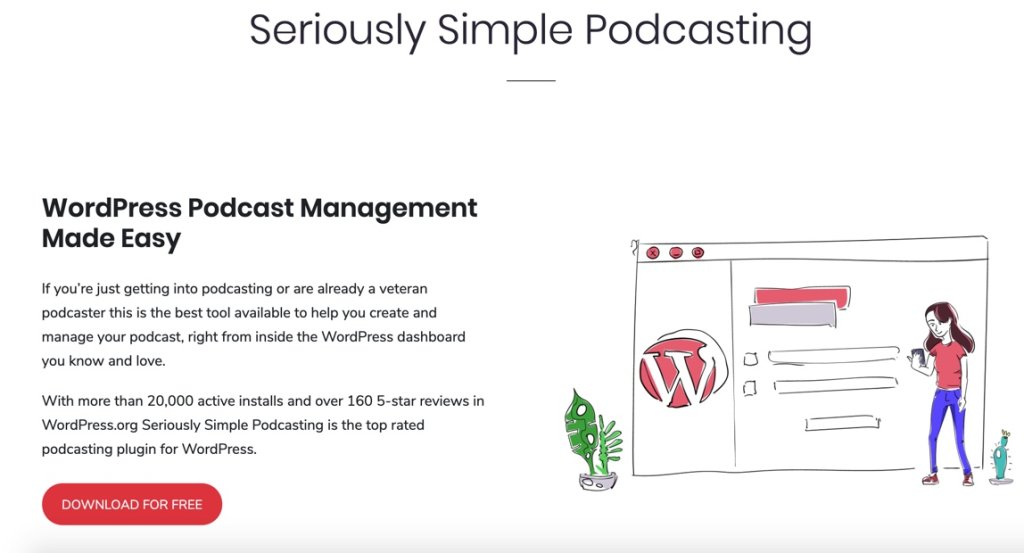
Seriously Simple Podcasting:

Seriously Simple Podcasting is a favorite among members of the podcasting community for two reasons: one, its very comprehensive in terms of options, settings and possible integrations, and two, it has several extensions, such as:

  • Seriously Simple Podcasting Stats
  • Seriously Simple Podcasting Transcripts
  • Seriously Simple Podcasting Speakers

It also comes with incredibly useful features such as YouTube republishing and automatic podcast transcriptions. The plugin is also known for its very detailed analytics, which allows a decent breakdown of what happens with your podcast (including customizable reports!)

If you’re eager to test out Castos platfrom, take advantage of SiteGround’s promo code (available in the Perk section in your account) which will give you a discount for the first three months!

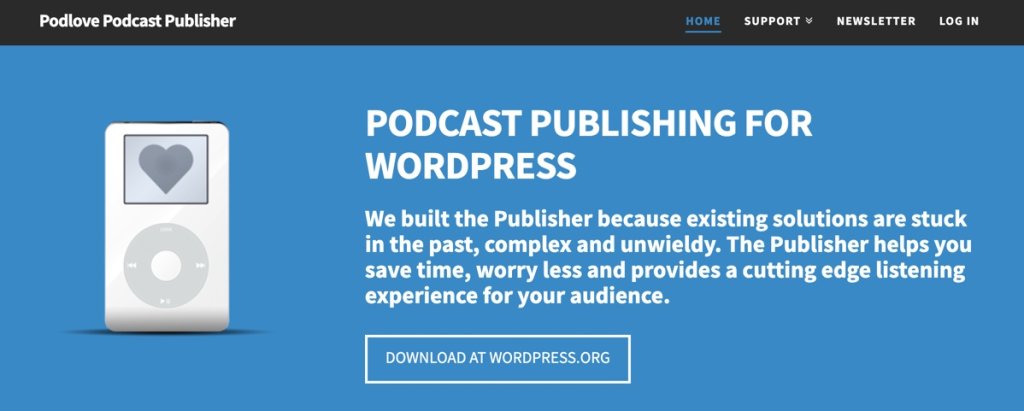
If you need a free alternative, not linked to a specific podcasting service, then a good option for you might be Podlove Podcast Publisher:

The powerful, yet simple interface of Podlove is widely known among podcasters that use WordPress. The main difference is that this plugin is oriented toward people who want to use their own hosting (and site) to host their podcast episodes. If you’re planning to post 1-5 episodes per month, and your hosting plan allows it, this might be a great solution for you. Also, the project is open-source and you can customize it at your will.

3. Add relevant podcast website content

Once you’ve set up the foundation for your podcast website, it’s time to consider its layout. 

Since your podcast website serves as your hub for listeners engagement and retention, you should consider adding some of the suggested main sections and information below to ensure your audience will have plenty of content to keep them entertained even between episodes:

📝 Homepage – Typically, must-have sections on your homepage are information about your podcast, an embed player with your latest episodes, a featured, recommended, or your most popular episode that listers should start with, and а call-to-action button, usually inviting the user to subscribe to the podcast. A How-to-listen is also essential info, cause not everyone is an experienced podcast listener and they might be wondering how to subscribe and keep listening to the show. Use any visual aspects of your podcast branding – such as logo, main colors or imply the subject matter of your podcast in the header image, together with any additional brand graphic elements, if you have any.

📝 About (the host) page –  the about page often gets a lot of action, but this is especially true when it comes to podcasts, as oftentimes the concept of the show might not be clear right away. Use this page to present yourself, but also to indicate the focal point of your podcast and what your listeners/viewers are going to discover with you. This is a great space to link some personal social media or other web platforms you can be found on. Some creators also insert a contact form (aside from their official contact page) to facilitate communication with them.

📝 Episodes page – this is where all of your episodes are listed so that visitors can go there and browse them by title (and therefore topic) instead of cruising the navigation of your podcast player. In case your podcast episodes get pretty diverse in the future, you can also categorize them at the beginning of the said page.

📝 Donate / Support Me page – some creators choose to accept donations as a way to monetize their podcast, so if this is a path you’re planning to take, it’s a good idea to feature prominently such a page. You can accept direct donations via PayPal or use donation/fundraising platforms such as Patreon, Fundly, Qgiv, Indiegogo, Gofundme, etc.

📝 Annotated transcripts section – as part of your content strategy it’s a nice touch to include annotated transcripts with every episode. Not only this will help your SEO rankings, but it’s also pretty useful for your viewers, as many podcast listeners report to absorb knowledge better when reading the content as well.

📝 A Newsletter subscription box – as part of your marketing efforts you can consider launching a newsletter subscription in order to retain visitors and promote new content. You can either set this as a popup (which is more prominent, but some users find it annoying) or insert it as a section on your homepage and episodes page.

If you’ve had your podcast for a while, you already know that podcast listener stats are not that detailed, so don’t forget to install Google Analytics to understand your website visitors and listener’s activity better.

Ready, Set, Go!

Give yourself a pat on the back, because you are all set and ready to start podcasting! Let us know in the comments if you’re already hosting a podcast on SiteGround or when you create one, and we promise we’ll visit.

[7]

[subscribe_cta]

How to Maintain a Fast eCommerce Website

Whether you’re adding functionality to your website through a plugin, a theme, or carrying out bespoke development, it’s important to review any changes you make and the impact they have on your site performance. 

For any website, but especially for ecommerce, performance is extremely important. Your website speed has an impact on how you rank on search engines and on your customers’ experience when shopping with you. Slow websites result in fewer page views, a reduction in customer satisfaction, and fewer conversions. 

Setting up a website that’s optimized for speed is not a one-time deal. As your site grows, any changes you make can impact the work you’ve already done. If you’ve made a change that seems to be affecting your performance, you should immediately address it to get your site back on track. 

Creating the foundation

Before getting into all the considerations when making adjustments to your existing website, it’s very important to start with a solid foundation. For the purposes of this article, we’ll assume you are using WordPress, but much of the process still applies when working with other platforms.

From the outset, ensure you are hosting your website on a high-performance provider such as SiteGround. You should enable some form of caching (with SiteGround you can enable SuperCacher) which will keep things fast. For caching, although there are some amazing techniques that will make everything faster for the vast majority of people landing on your website, you still have to keep in mind that visitors may receive an uncached piece of content. Caching is not a solution to all performance issues, especially since not all content can be cached.

It’s important to start with an optimized foundation for key areas of your website such as the home, product, cart and checkout pages. Ideally, you should also have a staging environment in order to carry out future tests in a safe way.

Setting a baseline

First of all, you’ll want to get a baseline of your current performance to know what you are working with.
To do this, I recommend using a selection of different tools, some of which serve the same function but ensure your results are more representative of your visitors. These tools are all free.

  • GTMetrix provides an in-depth analysis of your page speed scores, fully-loaded times, page size and even total requests generated on the page, along with resolutions.
  • Pingdom serves the same purpose as GTMetrix, but using multiple versions of a similar tool increases the accuracy of your results.
  • Google PageSpeed Insights provides information on how your page loads, along with additional audits and how to resolve issues if they are present.
  • Query Monitor, a WordPress plugin that gives insights into what your website is doing behind the scenes, how much memory it’s using, how many database queries it’s making, how many outside requests it makes and much more.
  • Chrome Developer Tools are tools built into the Chrome browser that allow you to review, monitor and debug certain performance-heavy areas and even test things such as page speed yourself. If you’ve never used these tools, right-click on a website in Chrome and select Inspect.

Start by using the first three tools above to run through your homepage and a product page. These first steps are easier to work with right in the browser without technical knowledge.

Once you’ve gone through these and made a note of the applicable load time, page size, etc., it’s time to move on to testing the cart, checkout and add to cart in your browser. To do so, head over to one of your product pages and open the developer tools (you can do so as above, use F12 or option + command + I)

Clear the log of any entries using the stop icon on the left-hand side, enable preserve log and disable cache. Once you’ve done so, add an item to your cart and make a note of the information along the bottom bar, repeat the same steps for the cart and checkout, ensuring you have at least one item in your cart when you do so.

You can even use the menu highlighted in the image above to limit the speed of your tests. This is helpful when it comes to mobile users who are likely to be on slower connections such as 3G (always remember to switch this back to online if you change it, though).

Building for the future

Now that you have a baseline to work with, you can use this in the future whenever you make significant changes to your website. You can also use this to create certain targets for how fast the website should be.

If your baseline numbers seem slow, I would highly recommend going through Andrea Zoellner’s article, which provides a brilliant starting point to boost performance all around.

Moving forward, you can use your staging website to test out new plugins, themes, or custom code, ensuring they provide what you are looking for. Make sure they aren’t causing any performance regressions by running through the tests again. You might be surprised at what can have an impact on your website speed. When companies like Amazon note that for every added 100ms in loading time, it costs them 1% in sales, it’s important to keep on top of these things.

A real-world example of naive bespoke development

Now that we’ve gone through some of the basics, I’ll provide a real-world example of a very small piece of code that had a significant impact on the speed of adding to cart, viewing the cart and using the checkout. This is a little more technical but provides a good insight into how a seemingly minor piece of code can have a big impact.

In this example, I addressed the general performance of the site, but quickly noticed that there was still a major issue with the cart and checkout. It was taking anywhere between 5 and 20 seconds to load these two pages, which is way beyond an acceptable level (you want to aim for 1 to 3 seconds at most if you can). In return, this was causing a major decline in purchases. If a customer can browse your site, add items to the cart, but then they get to the cart or checkout and it takes a long time to load, they are likely to give up after 5 seconds and your conversion rates drop significantly.

At this point, I decided to install the Query Monitor plugin on the site to see if anything obvious would jump out. After installing the plugin and activating it, I then went to the cart to see what diagnostic information it would give me. The first thing that jumped out was that the page was using a large amount of memory —60mb in fact! This may not sound like much, but it adds up quickly when you have a large number of visitors on your site. This high memory usage led me to believe that perhaps the page was loading a large amount of data from the database. I switched the query monitor tab to queries and scrolled through the list to eventually come across a particular query that had a very high row count and was taking a long time to process. This confirmed my initial suspicions about the reason for the high memory usage.

Then, we disabled every plugin except WooCommerce, repeated our test and still had an issue. We changed the theme, repeated our test and the issue was gone. Now we knew it was theme-related.

Knowing this, we re-enabled the plugins, carried out a further test, and found that everything was running smoothly and at a much more acceptable 2-second load time on the cart. We then re-enabled the bespoke theme and started digging into it, beginning with the functions.php file. 

During this time, I also had a discussion with the client to establish if they’d had anything in particular added recently because this issue was relatively new. They noted some functionality was developed for them. The new functionality was that a particular coupon would be automatically added to the cart if a customer was logged in and they had not made a previous purchase.

As you can imagine, there was a little back and forth here, but it wasn’t long before I found what seemed to be the offending code. I commented it out and ran another test: 2 seconds load time again. Bingo! We found the issue. But now, how do we solve it?

The code before and after

Before:

Upon initial inspection, this particular piece of code looks fairly innocent. First, it loads all completed orders for the current customer based on their user ID, counts them and then returns true or false depending on how many orders it counted.

However, let’s highlight some problems:

  1. It loads all orders, notice the -1 for numberposts
  2. It loads all orders, even if the customer isn’t logged in (one of the requirements was only for logged-in users)

The biggest issue with loading all orders, especially for a guest, is that for every new order made by a guest, this function will start getting exponentially slower as it has to query the database for all records. Because it’s using the get_posts function, WordPress will then parse all of those to a WP_Post object.

So issue one was addressed by altering numberposts to only 1 because we only need to load one completed order to know they’ve made a previous order. We also don’t need to run this if they are a guest, so we can add a further check at the start to return early if they aren’t logged in. This, in turn, means the query won’t run. We can also change this to use WP_Query instead of get_posts. It’s generally more correct to use WP_Query and it provides additional functionality. Lastly, we can actually reduce the fields that the query returns because we don’t need them all to know there is an entry, either.

After:

Following this fix, the cart and checkout loaded within an acceptable 1 to 2 seconds for both guests and logged-in customers. The best part is that not only did the website go back to its usual sales, but it also further surpassed expectations by doubling them! This goes to show that taking care of performance can have a significant impact on your bottom line and is well worth the investment. You can do it yourself or have a third party carry out an audit and work with you on optimizing your site.

Be wary of copy and pasting code

Just for fun, I decided to see if I could find this problematic piece of code in the wild, to see if it had been taken from somewhere. I happened to find it on Stack Overflow, which by all accounts means it was just copied and pasted with no thought given to how it might affect the site.  

I even took a look at some of the additional answers in that particular thread and although they are generally of higher quality, they all still suffer from the same issue of loading more data than necessary. This isn’t to say ours couldn’t be improved; we could, in fact, write a raw database query, but this would give a very minor improvement and become considerably less workable. There is a fine line between optimising code while keeping it understandable.

Scaling well to maintain speed

Changing your site carefully is an important part of maintaining a successful online business. The tips above, like creating a solid and powerful foundation with a good host that has caching, using a staging site to test any of your changes, and evaluating any changes with speed test,s can help you avoid major mistakes. Never implement any questionable code without testing it first and when in doubt, reach out to someone for a second opinion. With time, you’ll be able to scale your site and your revenue without worry.  

This was the 10th installment of our Black Friday series. Eager for more tips on optimizing your ecommerce performance? Stay tuned for more posts just like this one featuring industry experts and some of our technical partners. Learn how to improve your website design, conversions, online marketing, and more.  

[subscribe_cta]
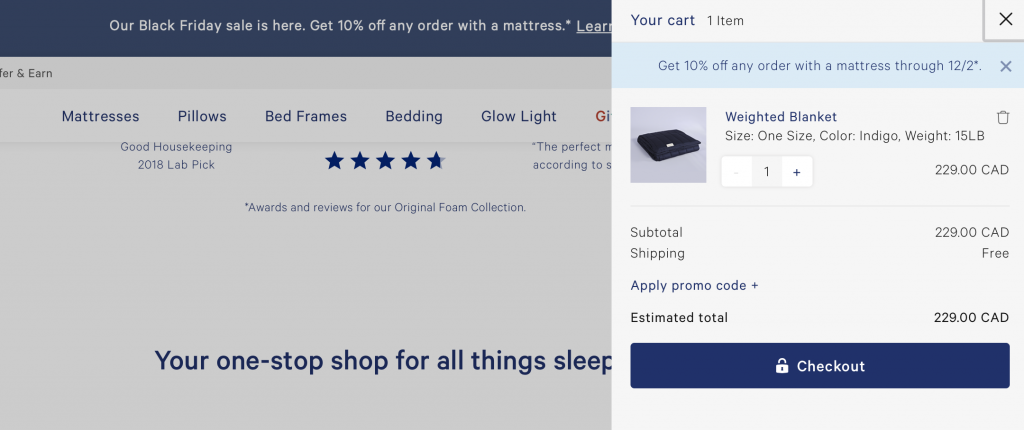
10 Design tips to maximize sales this shopping season

If you sell products or services online, you know that a well-designed site is crucial for success. You have probably put a lot of thought into the look and feel of your site, using attractive, readable colors and fonts, and selecting featured product images that are engaging and compelling.

You have also probably thought carefully about the wording on your site, to make sure your customers clearly understand the value and benefits of what you offer. You’re displaying this content using a well-architected site layout that follows the voice and aesthetic of your brand. You’ve put a lot of work into your website design, but is there more you can do to improve the shopping experience for your customers?

Good website design is about so much more than colors, fonts, or images. A well-designed experience reduces friction, streamlines the user experience, and guides the user through the process to their desired outcome. In other words, good design makes things easier. It doesn’t matter how attractive something is if the experience is frustrating or difficult to use.

This is especially true when designing a complex interface like an eCommerce site. A poorly designed eCommerce site is often difficult to navigate, challenging to add products, unclear how to find what is in your cart, and has a confusing or complicated checkout process. Anyone of these points of friction can result in a lost sale from an otherwise interested purchaser. However, there are ways of avoiding these issues by thinking about design decisions throughout the shopping process.

Check out the 15 Black Friday Ecommerce tips that will help you drive more online sales during the year’s most important shopping season.

To create an optimized commerce experience that can help you maximize sales, remember to make it easy to…

1. Shop on any device

Customers want to be able to purchase your product or service no matter where they are or which device they are using. Make sure your content is optimized for all screen sizes (not to mention network bandwidth). Your customers expect access to all the functionality of your site at all times, regardless of whether they are on a phone, tablet, or computer. Ensure you’re not hiding or limiting what they can do based on their device.

2. Save items for later

Even if a customer isn’t ready to make a purchase yet, it’s still possible to make their experience more streamlined. If you let them save items for later, they will be more likely to complete a purchase in the future. Consider adding functionality like a shopping list or a favorites list to your site. While you’re putting this together, think about how else you can add value. For example, is it likely that your customers will want to compare items to see which is best for them? Or share their list with someone else?

3. Add items to the cart

Hooray, your customer has found something they want! Create a frictionless experience for adding an item to their cart by making it as painless and simple as possible. Make sure your calls to action (such as the add to cart button) are clearly worded and simple to find, and that all options (such as sizes, colors, tiers, or other price points) are spelled out in a visible location. Your customer might make their decision at different points in the process, such as the single product view or a product archive view, so ensure that the add to cart action is present everywhere to enable this behavior in the fewest number of clicks.

If you have created a saved product list, it’s important to be able to convert those items to a sale as well! No matter where they take action, you should clearly communicate that an item has been added to the cart, whether through a pop-up, tooltip, menu, or another visual cue that indicates success.

4. See what’s in the cart

Once an item has been added to the cart, your customer may have additional shopping to do, or they may already have other products in their cart from a previous interaction. It’s crucial to make it easy to view which products are in their cart, and how many of each they have. In addition, your cart should be accessible from any page on your site. Many sites will add a cart icon to their primary or secondary menu that displays the total cost and/or total quantity of items in the cart. Oftentimes, clicking on this icon will reveal a “mini-cart,” or smaller popover/dropdown interface that contains a high-level summary of all products, with the ability to visit the main cart page to view more details or check out.


5. Change the number of items in the cart

Sometimes, your customers will want to alter the number of items they have added to the cart. They may have accidentally added a duplicate item that they want to remove, or they may want to increase the number on a certain item to meet a sale or discount criteria. It should be a smooth process to increase, decrease, or completely remove items from the cart. If you have a “mini-cart” on your site, consider incorporating this functionality there, so your customers can edit their cart without leaving the current page.

[bf_prep_checklist_download]

6. See how much the purchase will cost

It may seem obvious that customers on an eCommerce website are interested in knowing how much they will be paying for their items, but oftentimes, the true cost will be more than just the listed price. In addition to clearly communicating any incentives, such as discounts, sales, or bundles, your customers want you to be transparent with all added costs as well. Do you need to collect sales tax? Are there processing or handling fees? Is there a shipping cost? Is the purchase one-time or recurring? Communicating all of these items on the cart page (as well as a comprehensive total alongside your cart menu icon or within your “mini-cart”) will affirm trust and enable the checkout process to proceed smoothly.

7. Get the items when they’re needed

Knowing when and how they’ll receive their order is a major factor in whether a customer decides to go through with an online purchase. This is especially crucial if you are shipping physical goods. In an age where the dominating online retailers provide fast, cheap shipping, it will probably be difficult to compete simply on price. In that case, it’s important to be very clear with your shipping options. Your customers want to know where you ship, how quickly an item will be sent out, and when they can expect delivery. Can you offer free shipping for a certain dollar amount? Do you offer the ability to pay for expedited shipping if necessary? Does your shipping come with tracking? Provide your customers with options that fit their needs.

8. Check out

Your customer is ready to make a purchase. This is the easy part, right? Not so fast. After you’ve worked so hard on creating a streamlined, trustworthy add-to-cart process, don’t lose your customers by forgetting to optimize your checkout as well. First, make sure they can check out no matter where they are on the site. You never know at what point they will be ready to buy! Next, be clear about your payment process. In addition to specifying which credit cards you support, are you able to support any other payment types (like PayPal, Apple Pay, or Google Pay)? What kind of currency do you accept? Will there be any fees for converting between currencies? 

Also, if possible, try to keep your checkout process to a single page, or within your site, to reduce the amount of friction needed to complete the purchase. If you must go to a second page or send your customers off-site, be very clear about the steps involved and make sure your integration is clear and smooth. Most importantly, if at all possible, make sure your customer has the option to check out as a guest, without requiring them to have an account on your site. You can explain the benefits of getting an account (ability to track orders, collect rewards points, easier support process, etc), but creating an account should never stand between you and closing a sale.

9. Know what happens next

Establish trust by making your entire process transparent for your customers. Whether it’s where to add coupons or discount codes, how many pages in the payment process, or how to view their order status, when they know what to expect, they will feel confident in doing business with you.

10. Get in touch

Sometimes, even the most streamlined and optimized customer experience will still benefit from the ability to talk with a real person. Help direct your customers to the proper channels for getting their questions answered. Providing access to a comprehensive FAQ for some of the most common requests (such as shipping guidelines, return policies, or customer inquiries) along with links to your preferred email or customer support platform goes a long way toward making your customers feel at ease with making a purchase.

This was the 9th installment of our Black Friday series. Eager for more tips on optimizing your eCommerce performance? Stay tuned for more posts just like this one featuring industry experts and some of our technical partners. Learn how to improve your website design, conversions, online marketing, and more.  

[subscribe_cta]

10 Best Tips for Starting an Online Store on a Budget

abstract of tips for online store

Starting an online store on a budget is simpler than it looks, as long as you make the right decisions early. Translation: this means choosing a platform that gets you up and running without stitching tools together, focusing your offer on a core product selection, and using built-in or low-cost tools to handle marketing, SEO, and automation from day one.

This guide covers 10 practical tips to help first-time store owners launch a professional, functional ecommerce site without overspending, from defining your audience and unique value proposition to choosing how to build your store, leveraging AI, and growing through testing and iteration.

Key takeaways

  • Start focused, not broad: launch with a small, high-value product selection and expand once you know what resonates with customers.
  • Choose a platform that does the heavy lifting: an all-in-one setup with hosting, ecommerce tools, and domain management saves time, money, and technical headaches from day one.
  • Know your customer before you build: a clear audience profile shapes your product selection, store design, messaging, and marketing from the start.
  • Build your email list early: email is the one marketing channel you own outright, and it consistently delivers one of the highest ROIs in digital marketing.
  • Use AI and automation to stay lean: from writing product descriptions to running welcome sequences, the right tools let you do more without hiring or overspending.
  • Treat launch as the starting line, not the finish line: test one thing at a time, learn from real data, and make small improvements that compound over time.

[24]

1. Start With a Clear Offer and a Problem Worth Solving

When launching an online store on a budget, starting with a small, focused product selection keeps costs low, makes your offer clear, and gives you real data to guide what you add next. Narrow your focus to the products that best showcase your brand’s strength and most clearly solve a problem for your customer.

A focused starting point also makes it easier to test your business model. You can gather real customer feedback, see which products resonate most, and gradually expand your offerings.  It’s much easier, and cheaper, to add products later than to fix a cluttered, unfocused store.

Quick tips for focusing on core value:

  • Launch with your best-selling or flagship products.
  • Keep your product descriptions clear and benefit-oriented.
  • Avoid adding unnecessary features or complicated checkout processes early on.
  • Use simple, clean design to highlight your products and messaging.

2. Research Your Online Business’s Target Audience 

Understanding your customer will help you focus not only on the right products, but also on the most effective ways to approach your marketing. Without a clear picture of who you’re selling to, or where they are in the customer journey, even the best and most brilliant products or marketing strategies can hit an unfortunate wall.

So start by defining your ideal customer profile:

  • Demographics: Age, gender, location, income level.
  • Behavior: How they shop online, which social platforms they use, and what influences their buying decisions.
  • Pain points and desires: What does my customer struggle with and what is the benefit my product provides? 

Knowing this helps you make smarter decisions about your product selection, store design, messaging, and promotions. For example, if your target audience values sustainability, market research might reveal that you should highlight eco-friendly packaging or sourcing in your product descriptions and marketing.

Quick tips to get clear on your customer:

  • Create a simple customer persona to guide decisions.
  • Study competitors to see who they’re targeting.
  • Engage with potential customers and your target audience via survey emails, social media, or early testers.

3. Define Your Unique Value Proposition

Your Unique Value Proposition (UVP) is the reason customers choose you over everyone else,  and defining it before you build shapes everything from your homepage to your product pages. A strong UVP gives your online store purpose, focus, and a story that invites people to buy.

We’ve already defined your product, what problem it solves, and for whom, so for the UVP, we’re putting it all together, including why your offering is different or better than others on the market.

Your UVP can be based on anything that adds real value: superior quality, unique design, faster shipping, excellent customer service, or even a creative brand story. Once you know it, your UVP should be clearly reflected in your online store’s homepage design, product and service pages, and marketing messages—so visitors instantly understand why they should buy from you.

Quick tips to define a strong UVP:

  • Keep it concise: One or two sentences should be enough.
  • Focus on benefits, not just features.
  • Highlight what makes you different (don’t just copy competitors).
  • Test your UVP with potential customers to see if it resonates.

4. Decide How to Build Your Website

Before you think about plugins, hosting plans, or advanced features, you need to make one foundational decision: how you’re going to build your online store. This choice affects your budget, the time it takes to launch, and how much ongoing effort your ecommerce business will require.

At a high level, there are two practical paths. Neither is inherently better—the right option is the one that matches your current skills, timeline, and budget.

The DIY route:

This approach typically involves using a CMS like WordPress and adding ecommerce functionality with tools such as WooCommerce. You’ll need to source and connect several components yourself: website hosting, your custom domain name, security, performance optimization, updates, and ongoing maintenance.

It’s flexible and powerful, especially if you’re comfortable working with websites or enjoy customizing your setup. That said, it usually requires more time, more decision-making, and more hands-on management—time you could otherwise spend on products, marketing, or customer experience.

The all-in-one route:

With an all-in-one ecommerce platform, everything is bundled together: website builder, ecommerce tools, hosting, performance optimization, security, and domain setup. 

For first-time sellers on a budget, this approach often makes more sense. Fewer tools mean fewer costs, fewer technical issues, and a faster path from idea to launch.

Quick tip: Don’t forget your domain name

As part of setting up your ecommerce business, you’ll also need to choose a domain name—your store’s web address (for example, yourstore.com) that customers will use to find and remember your business.

When you sign up as a SiteGround client, you can get a new domain for free for the first year, and it’s automatically connected to your hosting. That means no purchasing a domain separately and no manual configuration; everything is handled in one streamlined setup.

Pick your domain name now>>

Why choosing the right setup keeps your store lean

Starting with a platform that already includes the essentials helps you avoid hidden costs later on. Instead of paying for extra plugins, third-party services, or technical fixes, you begin with a foundation designed for ecommerce from day one.

An all-in-one platform also reduces complexity as you grow. You manage your website, store, domain, and performance from a single dashboard, with one support team if you need help—saving both time and money over the long term.

What to look for when deciding how to build

No matter which route you choose, make sure your setup covers the fundamentals without unnecessary complexity:

  • Professional, ecommerce-ready templates that help build trust from the first visit
  • Ease of use, so you can add products, update content, and manage orders without technical friction
  • Built-in ecommerce features, including secure checkout, inventory management, and order tracking
  • Room to grow, so you don’t need to rebuild your store as your business expands

Quick tip: The best platform is the one that gets out of your way. If setup feels overwhelming or time-consuming, that’s a sign the tool—not your idea—is slowing you down.

A simpler way to get started

If you want an easier path from idea to launch, SiteGround Ecommerce brings all of these essentials together in one place. It combines ecommerce-ready templates, built-in store functionality, fast and secure hosting, and domain setup—so you can focus on building your store, not stitching tools together.

For first-time sellers especially, this kind of setup helps avoid common ecommerce website mistakes, reduce upfront complexity, and get your store online faster with fewer decisions to make.

Get started with SiteGround Ecommerce now>>

5. Set Up the Pages and Features Your Online Store Needs to Launch

Whether you’re building your site with WordPress or going with an easy-to-use platform like SiteGround Ecommerce, every online store needs a few essentials in place before launch. This doesn’t mean designing everything from scratch. In most cases, the smartest approach is to start with a template, make a few basic branding updates, and focus on creating only the pages your ecommerce business actually needs to function.

Think of this stage as setting a solid foundation. Your goal isn’t perfection; it’s clarity, usability, and consistency.

Before you start building out individual pages, take care of the basic store setup. These are the foundational steps that ensure your ecommerce site looks cohesive and can actually process orders once it goes live.

  • Choose a template that fits your business type and products.
  • Apply branding basics, including your logo, brand colors, fonts, and tone of voice.
  • Set up core ecommerce functionality, such as accepting payments online, as well as shipping options (both of which are especially easy to do with an all-in-one ecommerce platform).

Essential website pages to include:

  • Homepage: Highlight your core offerings and your UVP with a strong call to action.
  • Product or Service Pages: Whatever you sell online, whether that’s products, services, or both, these pages are where you explain what you offer, how it works, and why customers should choose you. Include clear descriptions, benefits, pricing, and high-quality visuals.
  • About Page: Share your story and what makes your brand unique.
  • Contact Page: Make it easy for customers to reach you.
  • Policy Pages: Include shipping, returns, and privacy policies—they increase credibility and reduce disputes.
Homepage design example

Quick tips for essential pages:

  • Keep website navigation simple so visitors can find your offerings and information easily.
  • Use a clear, scalable website structure that makes it easy to expand your store over time.
  • Include trust signals like having an SSL certificate, and including customer testimonials.
  • Start with the basics, then expand to include other pages, such as an FAQ page or partner page.

6. Integrate Email Marketing From the Start

One of the smartest, most budget-friendly ways to grow a successful online store is by building an email list early. Unlike social media followers, your email list is an owned channel—you’re not at the frustrating mercy of algorithms or ads. And because email marketing consistently delivers one of the highest ROIs in digital marketing, it’s a lean but powerful way to drive online sales.

Start small by adding email signup forms to your homepage, product pages, or even your checkout process. Focus on attracting quality subscribers rather than chasing large numbers—people genuinely interested in your products are far more likely to convert into paying customers.

Even better, you can set up email automations, like welcome emails, lead nurturing campaigns, or a product launch series. These run in the background, meaning you get more done with less effort while creating a consistent customer experience.

Welcome sequence email automation diagram

Quick tips for email marketing on a budget:

  • Place signup forms in key locations (homepage, footer, and checkout).
  • Offer value for signing up—like tips, exclusive content, or early access to new products.
  • Go a step further with lead magnets: offer something small but valuable in exchange for an email address, like a discount code, a free guide, or a checklist.
  • Keep your list clean: focus on engaged subscribers rather than bloating your list with uninterested contacts. Including a double opt-in can help accomplish this.

With SiteGround Email Marketing, you can handle all of this in one place—from creating branded signup forms to setting up automated workflows and even using AI tools (like a built-in AI writer) to speed up content creation—helping you launch smarter while keeping costs low.

7. Use AI Tools When Starting Your Online Store

AI tools give small online stores a practical way to move faster and spend less—from drafting product descriptions and marketing copy to analyzing performance data and automating customer communication. You can even use tools like the best ChatGPT prompts to generate polished subject lines, social media captions, and campaign ideas in minutes.

AI writing assistant to help to produce copy for an ecommerce website

Quick tips for using AI effectively:

  • Start with areas where AI saves you the most time, like drafting content for emails, your website, or campaigns.
  • Explore AI business tools to help with everything from recruiting, to meeting overviews, and video creation. 
  • Prioritize AI ethics in marketing: stay transparent, review outputs for bias, and keep authenticity front and center.
  • Treat AI as a partner in testing and optimization, helping you iterate faster.

If you want one place to access and experiment with AI tools, SiteGround AI Studio brings together leading AI models so you can put them to work for your ecommerce business without juggling multiple subscriptions.

8. Use Lean Marketing for Your New Online Business

The most effective marketing strategies for a new online store on a budget are the ones that build real audience ownership (email, social media, user-generated content, and collaborations) before you spend a cent on ads. 

Lean marketing strategies to try for your online store:

  • Social media marketing: Share engaging content, behind-the-scenes updates, or tips related to your products or services. 
  • Collaborations: Partner with complementary brands or influencers to reach your target audiences through new channels.
  • User-generated content: Encourage existing customers to share photos, reviews, or testimonials—they act as authentic endorsements.
  • Email marketing: As we discussed above, email marketing is one of the best ways to get the most bang for your buck. It allows you to reach your most interested audience with targeted messages and minimal effort. 

Quick tips for lean marketing:

  • Focus on channels your customers actually use.
  • Repurpose content across social media, email, and your website.
  • Encourage customers to leave reviews or share their experiences.
  • Track results and tweak your campaigns based on what works best.

Customers today find products through a mix of channels: Google search, AI tools like ChatGPT and Perplexity, and marketplace search. In fact, according to Adobe Analytics, traffic to retail sites from generative AI sources grew 1,200% year-over-year as of October 2025, making it more important than ever to ensure your store is structured for discovery across all of them.

Start with search basics:

  • Keyword research: Identify the words and phrases your potential customers use when searching for products like yours, and include them naturally in your product titles, descriptions, and page content. This helps both search engines and AI tools understand what your store offers.
  • On-page SEO: Make sure each page has a clear title, meta description, headings, and alt text for images. These help search engines index your content and give AI tools the structured information they need to surface your store in recommendations.
  • Technical SEO: Fast-loading pages, mobile-friendly web design, and clean URLs are essential for any discoverable online store. They affect your search engine rankings, your user experience, and how confidently AI tools recommend your ecommerce site.

Quick tips for SEO on a budget:

  • Focus on long-tail keywords to reach customers with strong purchase intent.
  • Use internal linking to guide visitors and search engines to related products or pages.
  • Monitor performance with free tools like Google Search Console to see how search engines view your ecommerce site. Also keep an eye on referral traffic sources to see if AI tools are starting to send visitors your way.

With SiteGround Ecommerce, the discoverability basics are built into the store-building process. You can add meta titles, descriptions, and image alt text as you build, so your pages are structured for Google, AI search, and beyond (and without extra tools or technical setup).

10. Grow Your Online Store: Test, Learn, Iterate

The fastest way to grow an online store on a budget is to treat launch as an experiment. Test one thing at a time, measure what works, and make small improvements that add up over time.

Ways to test and iterate your online store:

  • Website performance: Track digital marketing metrics like website traffic, page views, and conversions.
  • Product offerings: Experiment with different products, bundles, or promotions to see what resonates.
  • Email marketing campaigns: Test subject lines, email content, calls to action, etc. to optimize engagement.
  • Social media marketing: Analyze your social media metrics so that you can get the most out of your presence on each platform.
  • Customer feedback: Collect reviews, send survey emails, or ask for direct feedback to understand what’s working and what needs improvement.

Quick tips for testing your online store effectively:

  • Make one change at a time so you can measure impact.
  • Track results over a meaningful period before drawing conclusions.
  • Use data to guide decisions instead of assumptions.
  • Celebrate small wins and iterate gradually—even tiny improvements can add up over time.

Get Your Online Store Started Now

Launching a successful online store on a budget is all about focusing on what matters: start with a clear offer, understand your customers, create essential pages, use automation and AI where it helps, prioritize mobile, and test, learn, and iterate as you grow. Following these steps will help you build a professional, functional online store without overspending.

And don’t overlook the foundation of your online store: the platform you build it on. With SiteGround Ecommerce, setup is straightforward and everything works together from day one. You get a fast, secure ecommerce-ready setup without technical complexity, so you can spend less time configuring your store and more time focusing on marketing efforts, product development, and delivering a great customer experience, helping you run your ecommerce store lean, smart, and efficiently.

FAQs for starting an online business

How much does it cost to start an online store?

The cost of starting an online store varies depending on the platform and tools you choose. An all-in-one platform that bundles hosting, marketing tools, ecommerce, and a domain in one plan is typically the most cost-effective starting point—you avoid paying separately for each component. Costs rise quickly when you piece together multiple tools, so the leaner your setup, the lower your starting costs.

Do I need technical skills to build an online store?

Definitely not. All-in-one platforms like SiteGround Ecommerce are designed for first-time online sellers and require no coding knowledge. However, if you go the DIY route with WordPress and WooCommerce, you’ll want a basic comfort level with figuring out some of the more technical elements of putting together an online store.

What’s the best platform for a first online store?

The best platform is the one that matches your skills, timeline, and budget. For most first-time sellers, an all-in-one platform is the faster, simpler choice. Everything works together out of the box and there are fewer decisions to make before launch.

How many products do I need to launch my online store?

You don’t need a large catalog to start. Launching with a small, focused selection of your best products (or, simply, your best product) is often the smarter move. It’s easier to manage, cheaper to maintain, and gives you real customer data to guide what you add next.

Do I need a business license to sell online?

Requirements vary by country, region, and what you’re selling. It’s worth checking your local regulations before launch, as some jurisdictions require a business registration even for small online stores. When in doubt, consult a local accountant or business advisor.

How do I get my first customers for a new online store?

Start with the channels your target audience already uses—whether that’s social media, email, or search. Building an email list from day one gives you a direct line to interested buyers, while basic SEO helps customers find your store organically over time.

This article was originally published in November 2019 and then updated in May 2026.

How to monetize digital content

“If you build it, they will come.” The now eternal words that were ominously whispered in the popular 1988 movie Field of Dreams was great advice for the cornfields of Iowa. It even worked for companies like Google and Facebook, whose incredible appeal attracted thousands, then millions, and now billions. But if you’re selling digital content, you’ll likely learn the hard lesson that I learned: you can build it, but they won’t come. 

Continue reading “How to monetize digital content”