
OpenAI Codex is a capable coding agent, but capable and beginner-friendly are not the same thing.
The best OpenAI Codex alternatives for beginners are tools that handle the technical side for you (code, agents, diffs, repositories, hosting, and deployment) without expecting you to know what any of that means. Codex is built for people who want to write, review, and ship code inside a software-engineering workflow. If you just want a live website or web app without any of that, a managed AI website and web app builder like Coderick AI is a better starting point.
Key takeaways:
- OpenAI Codex is powerful, but it’s still built around a coding-agent workflow
- As a beginner, you probably don’t need a coding-agent environment
- Coderick AI is the managed path for people who want a live website, not a folder full of code
- Codex is still the right call if you want developer control over how something gets built
What is OpenAI Codex?
OpenAI Codex is a cloud-based software engineering agent from OpenAI. It can read, write, and run code across your entire codebase. It’s not a website builder, not drag-and-drop, but a tool built for real software development work.
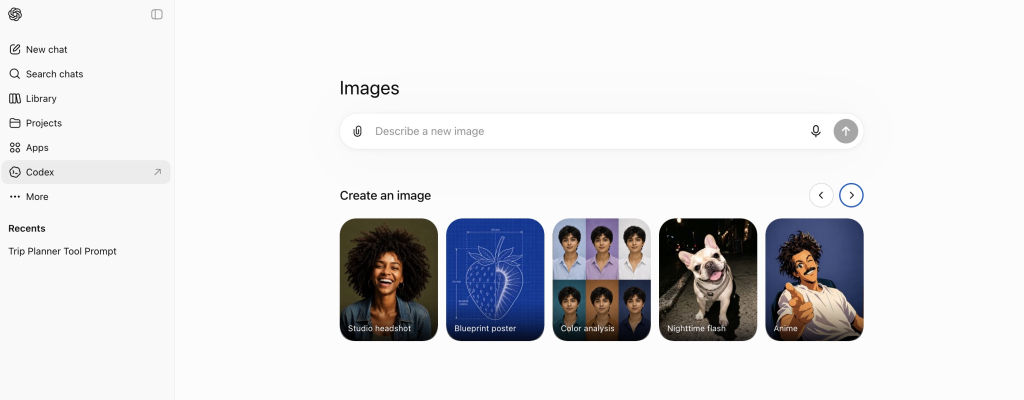
You can access it through the ChatGPT sidebar.
What Codex can do with code
Codex can generate code from a plain-language description, explain what existing code does, spot bugs and suggest fixes, and run programming tasks in an isolated cloud environment (a secure sandbox that keeps your code separate from everything else). It works across programming languages and can handle anything from writing a single function (a small, self-contained block of code) to working through complex multi-file changes.
How Codex works in the cloud, app, CLI, and editor
Codex works across several surfaces:
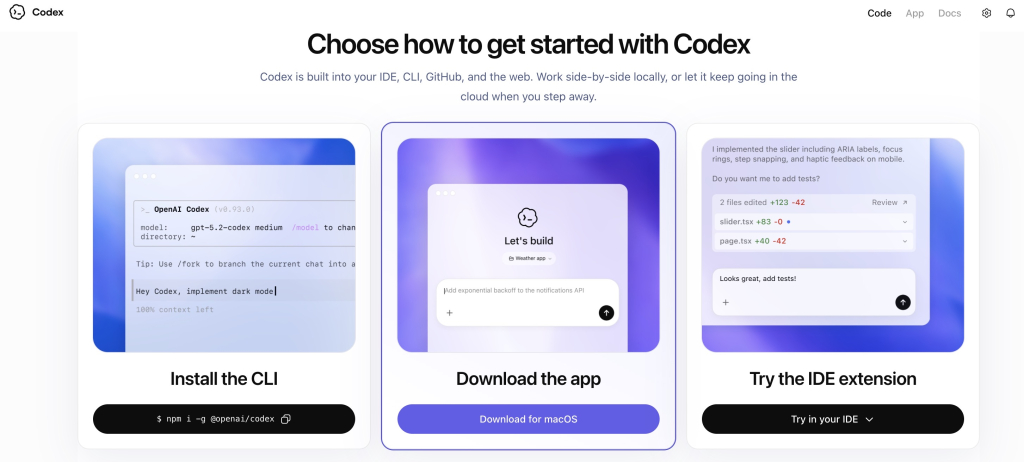
- ChatGPT sidebar: access it at chatgpt.com/codex, create tasks, and assign them to the agent
- CLI (a text-based interface you run from your computer’s terminal): connects to repositories (the folders where your project’s code lives) and cloud environments
- Code editors: works inside tools like VS Code so you can use Codex without leaving your editor
- GitHub: integrates with pull requests (proposed code changes ready for review) and diffs (a side-by-side view of what changed between one version of a file and another)
Since launch, OpenAI has also added internet access during task execution, which means Codex can pull in external context while it works; not just the code you have already given it.
Why Codex is different from a no-code AI website builder
Codex produces or modifies code. What you do with that code is a completely separate problem: where it runs, how it gets deployed, which domain points to it, whether SSL (the security layer that gives you “https”) is configured. A no-code AI website builder handles all of that inside the same platform. Codex hands you the code and leaves the rest to you.
How does Codex work for beginners?
Codex can work for beginners, but it comes with homework. The workflow is built around coding concepts that, if you’re just starting out, you may never have had to think about before and some of them will show up before you even get started.
Codex can run coding tasks in separate project threads
With Codex, you assign tasks by creating project threads: separate workspaces where the agent tackles one job at a time, each running in its own isolated environment. You can do this through the Codex app, the CLI, or the API.
That structure makes sense if you are a developer managing multiple software tasks at once. If you are a beginner trying to launch your first website, it’s one more concept to get your head around before you can even get started.
Codex can review changes, diffs, and code outputs
Codex can review code changes and surface diffs. Useful if you are a developer reviewing a pull request. Less useful if you are a beginner who just wants a homepage and doesn’t yet know what a diff is.
Codex still expects you to understand the project context
Codex works best when you can describe your project clearly in developer terms: what the codebase does, what the goal is, what the expected output looks like. Without that context, the outputs can be technically fine but practically useless for what you were actually trying to do.
Who is OpenAI Codex actually for?
If you’re reading this as a beginner, there’s a good chance Codex wasn’t built with you in mind. Here’s who it’s actually for.
Developers working with codebases
If you have an existing project, Codex can read it, edit it, run tasks against it, and review changes in context. That’s where it genuinely shines.
Technical founders and product teams
If you can read and review code, Codex can help you move faster: prototyping features, reviewing changes, running parallel coding tasks without expanding the engineering team.
Teams that review diffs, pull requests, and coding tasks
If your team already uses GitHub to track changes and review pull requests, Codex slots naturally into that workflow.
Users who want control over implementation and shipping
If you want to decide exactly how your project is built, what stack it runs on, and how it gets deployed, Codex gives you that control. Just know that every one of those decisions is yours to make.
If none of that sounds like your situation, you’re probably in the right place looking for an alternative.
Why can Codex feel difficult for beginners?
Codex feels difficult for beginners because it assumes you already speak the language and know the workflows. It expects you to understand what a codebase is, how to review code changes, and what to do once the code is ready, before you’ve even started building anything.
It’s still a coding-agent workflow
Even through the friendliest Codex interface, the workflow involves project threads, developer-style task descriptions, and reviewing agent outputs. If you don’t yet know how to evaluate whether the code is correct, you’re trusting output you can’t read.
It can involve projects, diffs, editors, and repositories
Start digging into Codex and you’ll likely run into repositories, diffs, cloud environments, CLI access, and editor integration — not always, but sooner than you expect. None of these are beginner concepts, and none of them are optional when they come up.
It may help you create code before you know how to launch it
Codex can help create working code for a website or app. But that code still needs to run somewhere. A lot of beginners end up with code that works locally, but no idea how to get it online and figuring that out can take longer than the build itself.
It doesn’t handle hosting, SSL, domains, or updates
Even when Codex produces solid code, you still need to choose a hosting provider, configure SSL, connect a domain, and work out how to push updates when something changes. All of that sits outside Codex and adds up to a second project on top of the first one. The same production-stack problem is why many non-technical users choose to skip Claude Code for website projects too.
What should beginners look for in an OpenAI Codex alternative?
If your goal is a published website or app rather than a codebase, there are five things worth looking for in an OpenAI Codex alternative for beginners. Coderick AI is a good example of a tool that checks all of them.
1. You describe it, it builds it
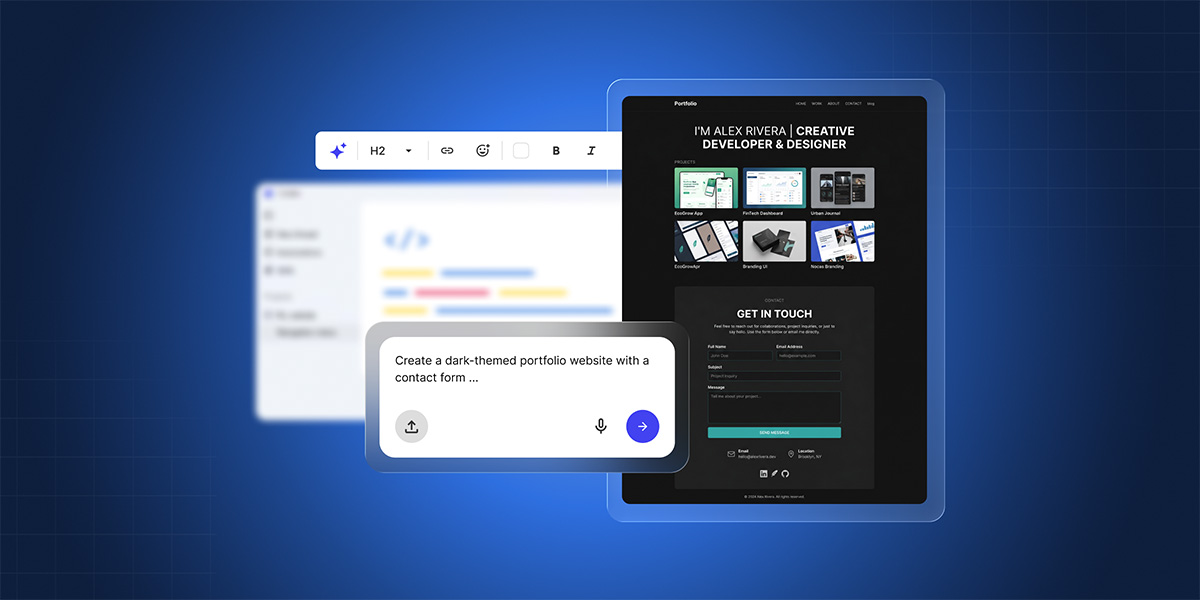
No coding knowledge needed. You type what you want, like “a portfolio site with a contact form” or “a booking page for my freelance business,” and the builder works from that. With Coderick AI, that happens in a chat interface and the result is a working site, not a file you still need to figure out what to do with.
2. The code stays out of your way
You never see a diff, a repository, or a file structure. Coderick AI handles all of that in the background, which means you spend your time making decisions about your website, not about how the code that powers it is organized.
3. Publishing is part of the build, not a separate project
Going live should not be a whole second problem. Coderick AI builds and publishes in the same managed environment, so when you’re ready, your site deploys to SiteGround’s hosting without a separate account or configuration to figure out.
4. The production stuff is already handled
SSL, custom domains, version control, user authentication, automatic deployment: it’s all included from the start. You don’t need to research providers, compare plans, or make decisions you’re not yet qualified to make.
5. You can bring existing files with you
If you’re starting from a design export or picking up a partial build from another tool, Coderick AI lets you import .js, .jsx, .ts, .tsx, .html, .css, .scss, and .md files directly, so you’re not locked into starting from scratch every time.
Moving from an AI idea or prototype to a published website is where most beginners hit unexpected friction. The broader AI prototype to published website workflow explains why keeping the build, hosting, and updates in one place removes most of it.
When is OpenAI Codex still the better option?
Codex is the right tool when you’re doing actual software work, not just trying to get a website online. If any of the following sounds like you, OpenAI Codex is probably the better call.
You need to work with an existing codebase
If your project already has existing code, Codex can read it, edit it, and run tasks against it. Managed AI website builders start from scratch and can’t work with what you already have.
You want to review code changes
Codex is built for the code review loop. If tracking changes and reviewing pull requests is a regular part of your work, Codex fits right into that process.
You need custom engineering or complex integrations
If you’re building something with complex backend logic, specific API integrations, or technical requirements that go beyond a standard website, you need a tool that can work at the code level. Managed builders are not designed for that kind of depth.
You want a coding agent that can work in parallel on software tasks
Codex can handle several coding tasks in parallel across separate project threads. If you have a backlog of software work and want an agent that can chip away at multiple things at once, that is a real advantage.
If you are comparing options because the cost or technical complexity of coding agents feels like too much, it’s also worth looking at Claude Code alternatives for beginners. The same questions apply across that whole category.
Which path should beginners choose?
| Your situation | Better path | Why |
| You want to work with codebases, projects, diffs, and editors | OpenAI Codex | Codex is built for coding-agent workflows |
| You already have a codebase or software project | OpenAI Codex | Codex can read, edit, and run code in a project context |
| You want to build a website without OpenAI Codex, without managing code | Coderick AI | It focuses on building and publishing in a managed environment |
| You need hosting, SSL, domains, backend support, and updates handled together | Coderick AI | It’s an AI website and web app builder with managed production included |
So, which tool should you actually go with?
If you opened this article because Codex felt like too much, that feeling was probably right. The right tool is not the most powerful one. It is the one that gets you from idea to live project without making you learn a whole second skill set to get there.
Coderick AI has a 14-day free trial. Worth a try before you spend anything.
[96]
Frequently asked questions about Codex alternatives for beginners
OpenAI Codex can work for beginners who are motivated to learn how code works. But it’s still a coding agent — the Codex app involves project threads, diffs, and handing off code to an editor to review and run it.
The best OpenAI Codex alternative for beginners depends on what you’re trying to do. If you want to learn coding or work with a codebase, Codex is still worth exploring. If you want to build a website without OpenAI Codex and launch a website or web app without dealing with code, hosting, SSL, or deployment, Coderick AI is a strong option.
Codex feels technical because it is. Codex is designed around coding-agent workflows — running tasks in cloud environments, reviewing code changes, working with project-based development. Those capabilities are useful for software work, but they’re a lot to navigate when all you want is a published website.
Yes, non-technical users can try Codex especially through ChatGPT plan access. But you’ll still need to make sense of code outputs, understand the project context, figure out diffs, and sort out deployment.
Coderick AI is the right fit when you want the finished product, not the coding environment. You describe what you want to build, and it handles the rest — including the bits that Codex leaves to you.
Not exactly. They’re built for different goals. Codex is for people who want to write, review, and ship code. Coderick AI is for people who want to build and publish a website or simple web app without a coding-agent workflow in the middle. Which one is right depends on whether you want code control or a managed build-and-publish path.
Yes. You describe what you want in plain language, and Coderick AI builds it. It’s made for small businesses, freelancers, creators, and founders who want to get something online without touching code or setting up complicated tools.
Yes. Hosting, SSL, version control, user authentication, and automatic deployment are all included as part of the build experience.
Choose Codex if you want to work with a codebase, review diffs, run coding tasks, or use a coding agent to help ship software. Choose Coderick AI if you want to build and publish a website or web app without managing any of the code environment yourself.
Codex is included with ChatGPT Plus, Pro, Business, Edu, and Enterprise plans. Pricing starts at $20/month for Plus and goes up to $200/month for Pro, with Business and Enterprise plans priced separately. Usage is subject to rate limits depending on your plan. Pricing and plan availability can change, so check openai.com/pricing for the latest.
Coderick AI has three plans. Essential starts at €10/month and includes one project with a 14-day free trial. Plus is €20/month and covers up to five projects. Pro is €40/month for up to ten projects. Annual billing is available at a discounted rate. All plans include hosting, SSL, and deployment. So unlike Codex, there is no separate infrastructure cost on top. Check the latest pricing.
Don’t pick an OpenAI Codex alternative just because it can generate code. That’s only the first step. Ask whether it also handles publishing, hosting, custom domains, SSL, backend support, content updates, and ongoing maintenance. A tool that generates code but leaves everything else to you is still Codex by another name.