We Miss You Emails: 7 Templates To Bring Users Back

Woman hugging envelope with a red heart, expressing emotion for a "we miss you" email. Background icons included.

Imagine your subscribers as guests who quietly drifted away from your event. But fear not—”We Miss You” emails are your chance to roll out the welcome mat and invite them back with open arms! These emails go beyond a simple reminder; they’re a warm way to rekindle the connection with those who’ve wandered off. 

In this blog post, we’ll dive into the art of crafting “We Miss You” emails that captivate your audience. From creating compelling content to personalizing your approach, we have the insights and templates you need to transform your emails into irresistible invitations. Let’s get started and turn those lost subscribers into loyal fans once again!
Free email course: Master Email Marketing in 6 Days. Learn to build lists, craft emails, analyze, and boost deliverability.

What Is an Effective We Miss You Email?

A “We Miss You” email is a clever way to reconnect with those who’ve become inactive. Its goal is to spark their interest in your brand again. To make these emails work, you need to know your audience, craft compelling content, and give them a real reason to come back.

At its heart, a good “We Miss You” email feels like a friendly invitation to reconnect. It’s not about flooding recipients with marketing messages but about rekindling that emotional connection. Remind them why they loved you in the first place and the value you bring.

Now that we’ve got a handle on what makes these emails tick, let’s talk about how you can create one that grabs attention and brings your audience back.

Why Do People Stop Opening Your Emails?

Understanding why subscribers become inactive is key to boosting engagement. Because by identifying the factors that contribute to decreased interest, you can tailor your email strategy to better meet the needs of your audience. 

Here are some common reasons why subscribers might become inactive:

1. Inbox Noise

  • Email overload can cause your messages to get overlooked.
  • Subscribers might lose interest or forget about your brand due to the overwhelming number of emails they receive.

2. Relevance

  • Aligning your communication with your subscribers’ email customer journey and interests is crucial
  • Understanding where subscribers are in their customer journey allows you to tailor messages that resonate.
  • Messages that don’t connect on this level often go unopened, so it’s important to address their current stage and needs.

3. Frequency

  • Sending emails too frequently can lead to fatigue among subscribers.
  • Infrequent emails risk your brand being forgotten.

4. Timing

  • Emails sent at inconvenient times may be ignored.
  • Analyzing when your audience is most active can help optimize send times for better open and click-through rates.

5. Personalization

    • A lack of personalization can hinder connection, as generic emails often fail to capture attention.
    • Personalized messages that reflect past behaviors or preferences are more likely to be opened.
    • Tailoring emails to individual interests can boost open rates and maintain subscriber interest.

    How to Write a “We Miss You” Email?

    Writing an email that wins your audience over involves more than just reaching out with a generic message. It requires a thoughtful approach that considers the diverse preferences and behaviors of your subscribers. To successfully reconnect with inactive customers, your email should be a blend of personalization, visual appeal, and strategic calls-to-action.

    With that in mind, let’s explore some actionable tips to help you create compelling “We Miss You” emails that capture attention and inspire action.
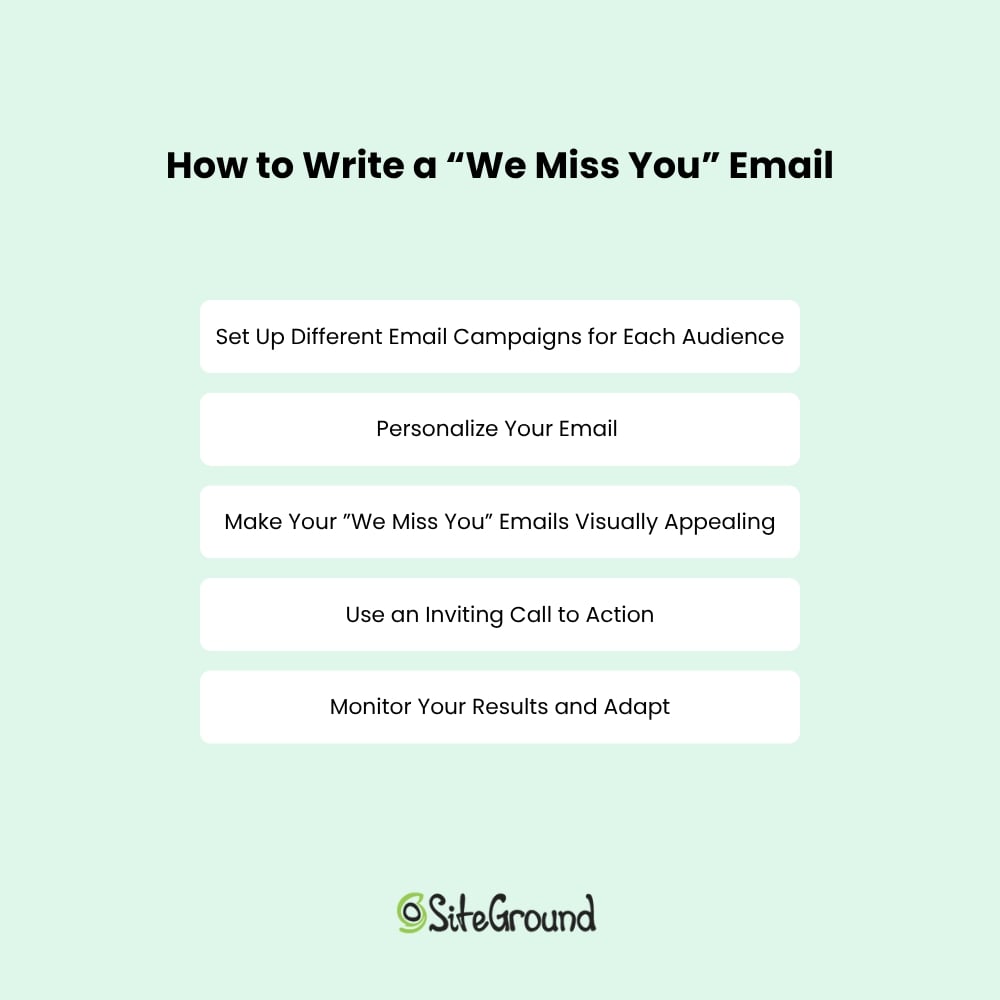
    Guide on writing "We Miss You" emails: customize campaigns, personalize, enhance visuals, use calls to action, and adapt results.

    1. Set Up Different Email Campaigns for Each Audience

    To successfully get your inactive subscribers to come back, it’s important to recognize that a single email won’t resonate with everyone. Different subscribers have various reasons for becoming inactive, and understanding these nuances is necessary for creating messages that truly connect. 

    To optimize your “We Miss You” email campaign, start by segmenting your audience based on interests. This allows you to craft personalized messages that stand out amidst inbox noise and resonate with individual preferences. This approach helps tailor your re-engagement email campaigns to address the unique needs and motivations of each group.

    For instance, some subscribers might have stopped interacting because they felt overwhelmed by frequent emails, while others might be waiting for the right offer to come back. By setting up different email campaigns for these varied audiences, you can create targeted messages that speak directly to their specific situations. This approach not only makes your emails more relevant but also increases the likelihood of rekindling their interest in your brand.

    2. Personalize Your Email

    By tailoring your message to reflect the subscriber’s past interactions, you demonstrate a genuine interest in their needs and preferences.

    Start by adjusting your emails’ design and text, and personalize it by including the recipient’s name in the subject line or greeting to grab their attention right away. 

    Additionally, incorporate a call to action that encourages them to revisit your website or explore new offerings. By making the email feel personalized and relevant, you create a compelling reason for inactive subscribers to reconnect with your brand, increasing the effectiveness of your reactivation efforts.

    3. Make Your ”We Miss You” Emails Visually Appealing

    The visual appeal of your “We Miss You” emails is crucial for capturing and retaining the attention of inactive subscribers. A well-designed email with impactful colors can make your message more inviting and easier to digest. 

    Start by using a clean and organized layout that naturally guides the reader’s eye through the content. Then incorporate your brand’s colors and logos to maintain consistency and reinforce brand recognition, reminding subscribers of their past positive experiences with your brand.

    You might also want to use engaging visuals, such as high-quality images or graphics, to enhance the overall look of your email. These elements can help break up the text and make the email more attractive. Consider using whitespace to prevent the email from feeling cluttered, ensuring that the message remains clear and focused. 

    A visually pleasing email not only captures attention but also encourages subscribers to read through the entire message. By designing easy-on-the-eyes “We Miss You” emails, you increase the likelihood of drawing inactive subscribers back to your brand and encouraging them to re-engage.

    4. Use an Inviting Call to Action

    An engaging email call to action (CTA) is the driving force behind any successful “We Miss You” email for inactive subscribers. It’s not enough to simply grab their attention; you need to guide them toward a specific action that rekindles their interest. 

    Your CTA should be clear, compelling, and easy to find. It also helps to use action-oriented language that conveys urgency or excitement, such as “Come Back and Save,” “Reclaim Your Exclusive Offer,” or “Explore What’s New.”

    Placement matters too. Ensure your CTA stands out by using contrasting colors or buttons that draw the eye. Consider placing it in multiple locations within the email to increase visibility, such as near the beginning and at the end of your message. 

    By making your CTA persuasive and accessible, you encourage inactive subscribers to take the next step, whether it’s making a purchase, revisiting your website, or updating their preferences. 

    5. Monitor Your Results and Adapt

    Monitoring your “We Miss You” emails’ performance is crucial for effectively reactivating inactive subscribers. By analyzing key email marketing metrics such as open rates, click-through rates, and conversion rates specific to these emails, you can gain insights into how well your messages are resonating with subscribers who’ve lost interest.

    Once you have a clear view of how your “We Miss You” emails are performing, be prepared to adapt your strategy. Experiment with different subject lines that emphasize a sense of nostalgia or urgency, adjust the content to highlight personalized offers or updates, and refine CTAs that encourage a return visit or interaction. 

    A/B testing these elements can also provide valuable feedback on what truly motivates inactive subscribers to reconnect. By continuously refining and adapting your “We Miss You” emails based on these insights, you can improve their effectiveness and ensure your lead generation revival efforts are specifically tailored to win back your inactive audience.

    7 “We Miss You” Email Templates to Reactivate Subscribers

    Uncovering the right strategy to win back subscribers can significantly transform your email marketing campaigns. To assist you in this endeavor, we’ve gathered a collection of effective “We Miss You” email templates that can successfully reignite interest. These examples blend creativity, personalization, and strategic connection, providing a robust foundation for you to tailor according to your brand’s distinctive voice.

    1. Give a Personalized Progress Update
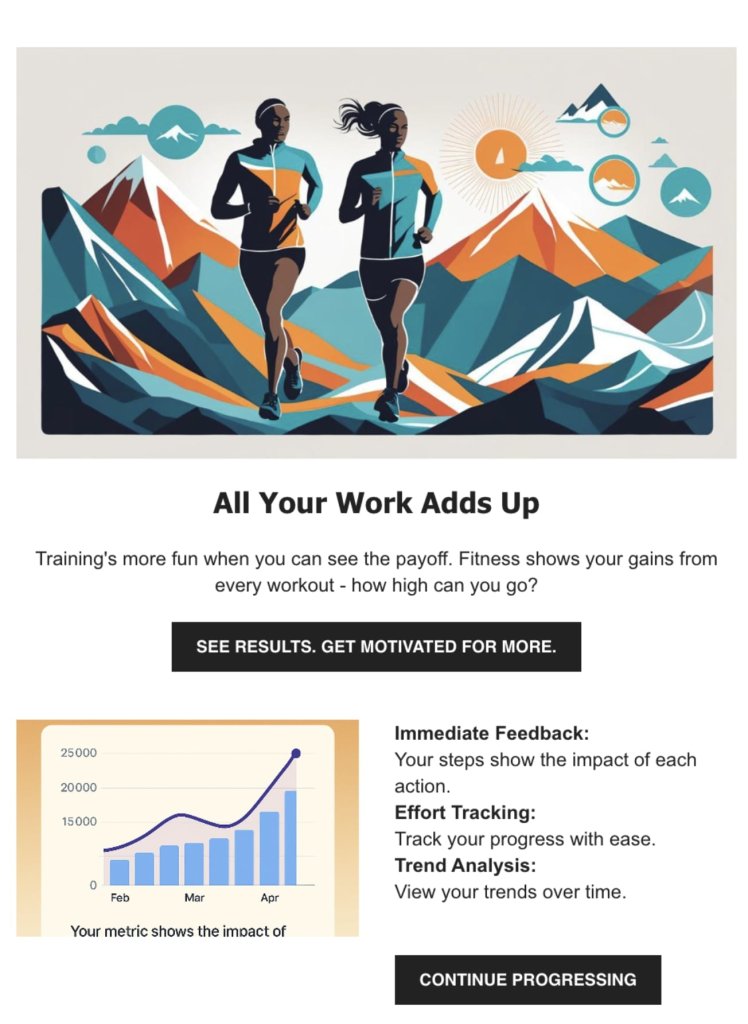
    Illustration of two runners with mountains. Text: "All Your Work Adds Up." Encourages tracking fitness progress and motivation.

    This kind of “We Miss You” email can be used for fitness, learning or time tracking apps. What you aim for here is to celebrate the receiver’s past achievements and inspire them to keep moving forward. The idea is to use attractive visuals and a simple call to action, and invite them to revisit their progress and see how far you’ve come. 

    The email can offer a personalized snapshot of the achieved milestones, providing insights into the effort put in over time. It’s like having a supportive friend cheering, making it easy to reconnect and continue your journey.

    Key Points:

    • Visual Appeal: Using vibrant visuals captures attention and makes the email memorable, encouraging users to explore further.
    • Instant Gratification: Providing immediate feedback on progress taps into the desire for quick insights, motivating users to stay active.
    • Highlighting Value: Emphasizing the importance of tracking efforts helps reinforce the benefits of using the service, reminding users why they signed up in the first place.
    • Long-Term Involvement: Allowing users to see their trends over time fosters a connection to their journey, encouraging them to continue interacting with the brand.

    Subject Line: We Miss You—Look How Far You’ve Come

    [Header Image – optional visual showing progress or activity]

    Headline: You’ve Made Great Progress

    Body:

    Hi [First Name],
    It’s been a little while, so we wanted to check in and remind you of everything you’ve already accomplished with [your product or service]. Every step counts, and you’ve already made great progress.

    Whether you’re ready to dive back in or just want to see what’s new, now’s a great time to return.

    [Optional visual of progress or stats]

    CTA:
    → See Your Progress
    (Alternative: “Continue Where You Left Off,” “Get Back to It,” or “Explore Again”)

    Closing Line:
    We’re always here when you’re ready. Let’s keep going.

    —The [Brand Name] Team

    2. Use a Mascot
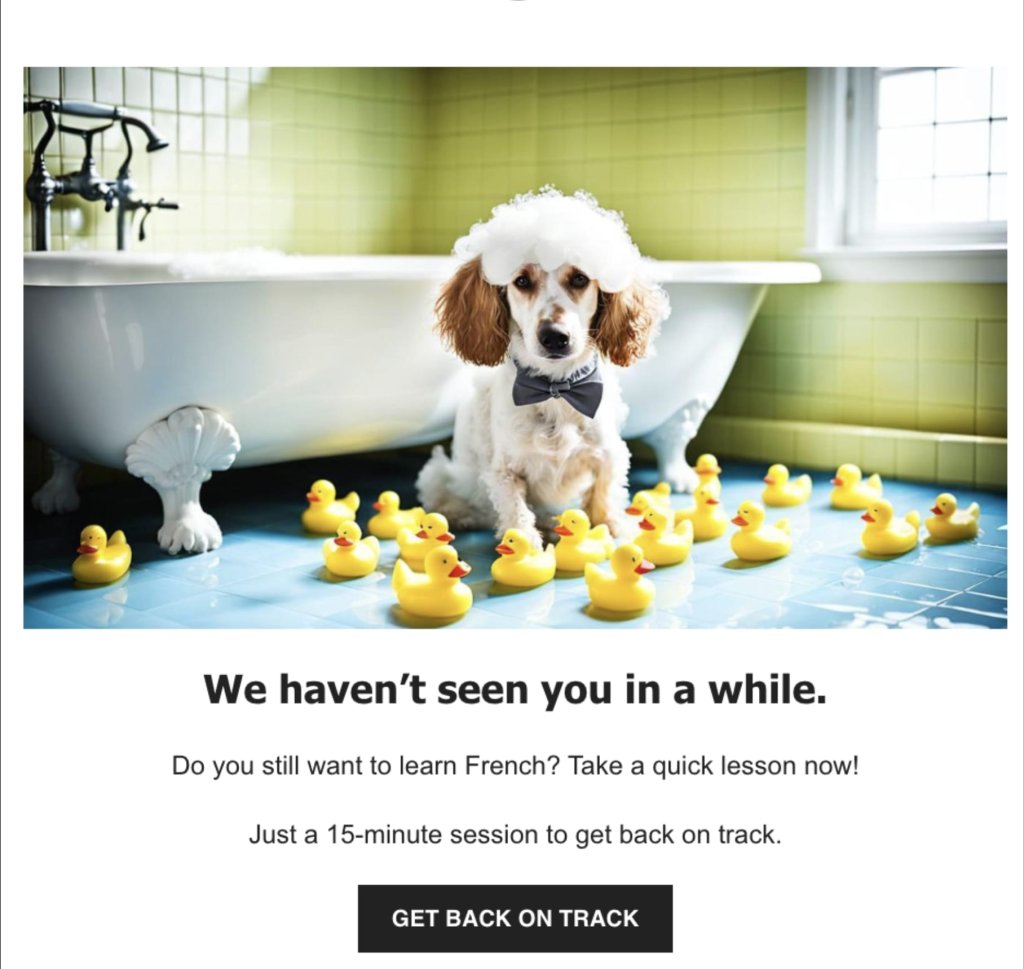
    "We Miss You" email with a dog in a bath surrounded by rubber ducks. Encourages returning to French lessons with a quick session.

    If your business has a mascot—like, let’s say an animal, a fictional creature or a person—you can use it to reach out with a warm “We Miss You” email that feels both friendly and inviting. 

    The goal here is to create a personal and approachable vibe. You can use the mascot to express the sadness of the receiver not using your services for a while. Or if your business doesn’t have a mascot, you can always create one specifically for your “We Miss You” email campaign.

    This approach can also be used for fitness tracking and learning apps. Consider using a clear and inviting call to action that encourages the recipient to jump back into learning or working out, but with just a quick 15-minute session. This gentle reminder makes it easy for the customer to reconnect with learning or fitness goals and continue their progress.

    Key Points:

    • Friendly Reminder: The charming mascot and warm tone can create a welcoming atmosphere that encourages reconnecting.
    • Simplicity and Clarity: A straightforward message and an easy-to-understand call to action make it effortless for users to take the next step.
    • Emotional Connection: The use of a familiar mascot fosters a sense of connection and familiarity, reminding users of the fun and friendly learning or training environment.

    Here’s a template you can use:

    Subject Line: We Haven’t Seen You in a While!

    [Header Image – featuring your mascot or friendly visual]

    Headline: [Mascot Name] Misses You!

    Body:

    Hi [First Name],
    It’s been a bit quiet without you around—and we just wanted to say, we miss you!

    [Your mascot name or character] has been keeping things running, but it’s just not the same without you. If you’re still interested in [your product/service], now’s a great time to jump back in.

    [Image of the mascot looking cheerful or encouraging]

    Friendly Nudge:
    All it takes is a quick 15-minute session to get back on track.

    CTA:
    → Get Back on Track
    (Alternative: “Jump Back In,” “Let’s Do This,” “Continue Your Journey”)

    Closing Line:
    Your next step is just a click away—and [mascot name] can’t wait to see you again.

    —The [Brand Name] Team

    3. Be Playful
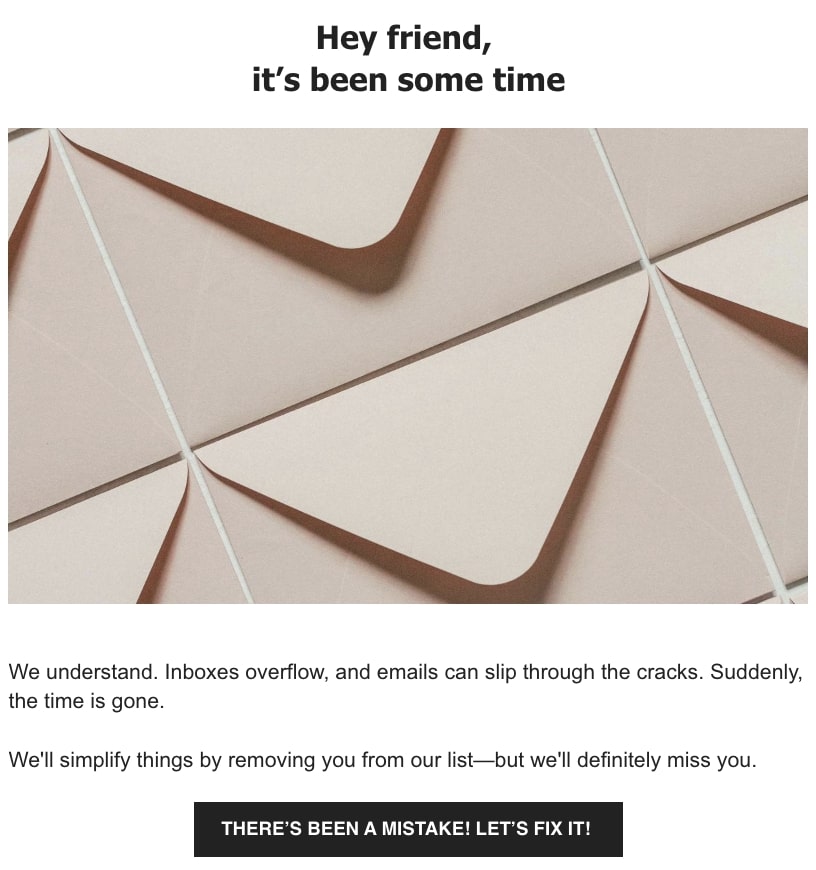
    "We Miss You" email with envelopes. Acknowledges lost connection and offers to fix it, expressing a desire to stay in touch.

    You can also use humor and warmth to reconnect with your audience in a friendly way. A good approach here is to acknowledge the chaos of crowded inboxes and establish a relatable and friendly tone. Use playful language and enticing visuals to make the message captivating and memorable, while a clear call to action encourages the recipient to reconsider and dive back in.

    Key Points:

    • Relatable Humor: Use light-hearted language to acknowledge email overload, making the message feel friendly and approachable.
    • Visual Temptation: Showcase images of your products, enticing subscribers to re-engage.
    • Playful Tone: Maintain a fun and inviting atmosphere, reinforcing brand personality and connection.
    • Clear Call to Action: Encourage a second chance with a bold and inviting button, prompting users to stay connected.

    Here’s a template you can use:

    Subject Line: It’s Been a While

    [Relevant Header Image]

    Introduction:

    Hey there,

    It’s been a while since we’ve connected.

    Main Content:

    [Image of Your Product – Ensure it’s relevant]

    We totally get it—Inboxes can overflow, and emails might slip through the cracks. Suddenly, time flies by.

    We’re here to simplify things. If you’d like, we can remove you from our list—but we’ll definitely miss having you with us.

    Call to Action:

    Think there’s been a mistake? Let’s fix it together!

    4. Use the Time of the Year
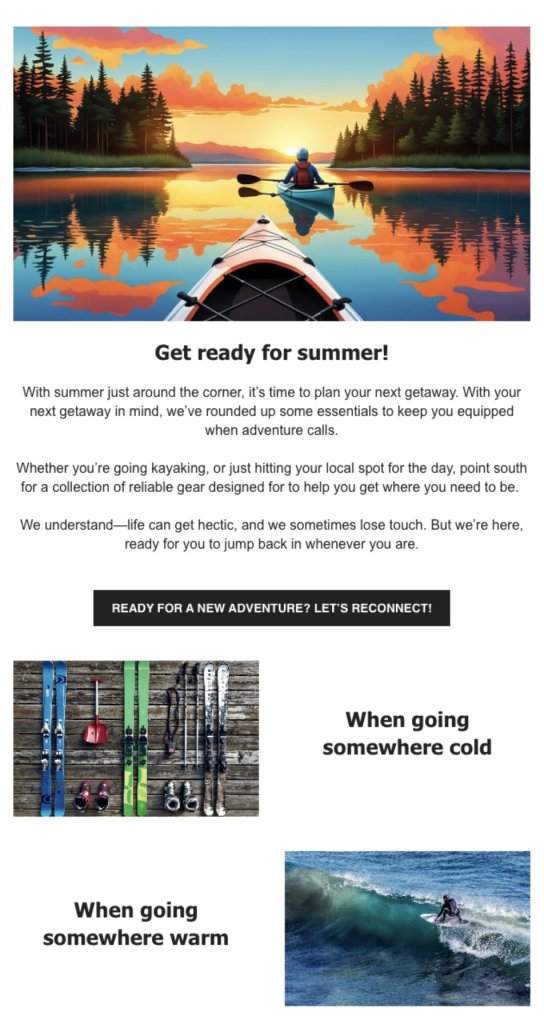
    "We Miss You" email featuring a kayak on a lake at sunset. Encourages reconnecting and planning summer adventures with essential gear.

    This type ofe email is perfect for sports brands looking to capture the seasonal excitement and inspire their audience. By featuring stunning images of travel destinations or leisure activities, the email can evoke a sense of adventure and discovery. 

    This creates an emotional connection with recipients, making them eager to explore the brand’s new collection. Highlighting versatile pieces suitable for travel or sports plans can seamlessly integrate the brand’s offerings with the spirit of the season, making the message clear and inviting.

    Make sure it’s clear that you offer everything your customer needs—whether they’re hitting the coast, exploring new shores, or heading out on a hike.

    Key Points:

    • Adventure-Inspired Visuals: Use captivating imagery that evokes the thrill of surfing and exploration.
    • Seasonal Connection: Tap into the excitement of summer (or winter) and surf trips or whatever is relevant for the season, making the message timely and relevant.
    • Versatile Offerings: Highlight apparel that suits various adventures and travel destinations, appealing to the adventurous spirit. 
    • Clear Call to Action: Encourage exploration of different collections, guiding users to gear up for their next journey.
    • Special Offer: Include incentives like free shipping, a coupon, or a complimentary gift for specific purchases.

    Here’s a template you can use:

    Subject Line: Get Ready for Summer!

    [Relevant Header Image]

    Introduction:

    Hello Adventurer,

    Are you prepared for your next summer escapade?

    Main Content:

    [Image Related to the Activity or Destination – Ensure it’s relevant and appealing]

    With your upcoming getaway in mind, we’ve curated some essentials to keep you equipped when adventure calls.

    Whether you’re [activity relevant for your product] or simply [another activity performed with your product], explore our collection of reliable gear designed to support your journey.

    We know life can get hectic, and it’s easy to lose touch. But we’re here, ready whenever you are to dive back into adventure.

    [Image of Product – Ensure relevance and quality]

    [Brief Description]

    [Image of Product – Ensure relevance and quality]

    [Brief Description]

    Call to Action:

    Excited for a new adventure? Let’s reconnect!

    5. Offer a Free Trial
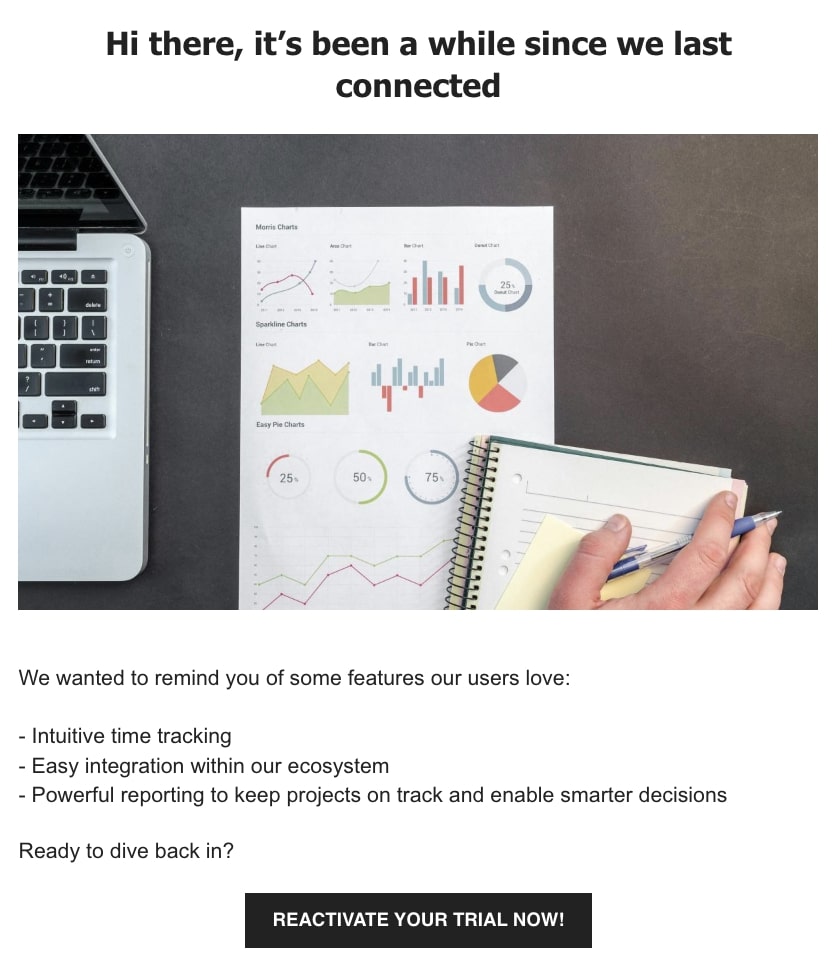
    "We miss you" email with charts and a laptop, inviting the recipient to reactivate their trial and reconnect.

    This email serves as a gentle reminder to return to seamless productivity. With a friendly tone, it highlights the features users love, emphasizing simplicity, integration, and powerful reporting. It is best suited for SaaS, as it invites users to reactivate their trial and rediscover the benefits of using your service, reminding them of the efficiency and ease that await.

    Key Points:

    • User-Centric Highlights: Focus on features that enhance user experience, like intuitive time tracking and easy integrations.
    • Friendly Reminder: Maintain a warm and inviting tone, making the reactivation feel like a welcomed opportunity.
    • Clear Benefits: Emphasize the practical advantages, such as smarter decision-making through powerful reporting.
    • Straightforward Call to Action: Encourage users to jump back in with a simple trial reactivation, making it easy to return to productivity.

    Here’s a template you can use:

    Subject Line: We Miss You

    [Relevant Header Image]

    Introduction:

    Hi there,

    It’s been a while since we last connected.

    Main Content:

    [Image Related to Productivity – Ensure it’s relevant]

    We wanted to remind you of some features our users love:

    • [Unique value proposition 1]
    • [Unique value proposition 2]
    • [Unique value proposition 3]

    Call to Action:

    Excited to dive back in? Reactivate your trial now!

    6. Offer Rewards
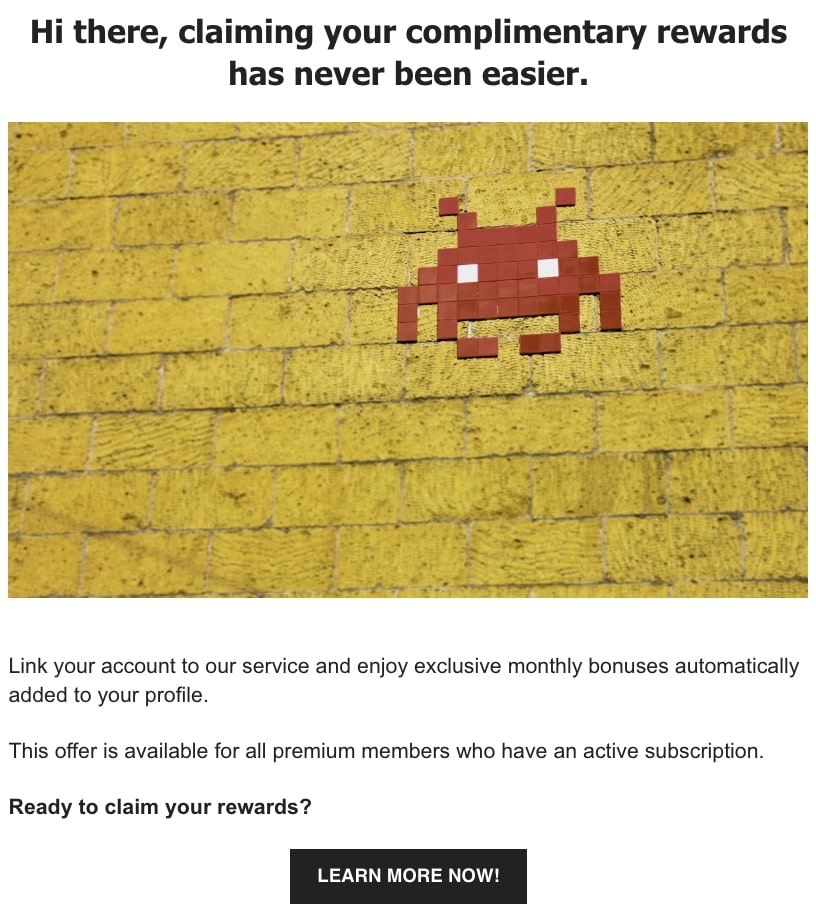
    "We miss you" email with pixel art on a wall, offering easy access to complimentary rewards for premium members.

    This email works best for a freemium service or a game with tokens or in-game currency. It invites customers to enhance their experience with a treasure trove of rewards through a gaming subscription. Focusing on exclusive benefits, it highlights how easy it is to claim complimentary content and improve your experience or game character. It’s a call to adventure for every player, offering a seamless way to elevate your game and enjoy special perks.

    Key Points:

    • Exclusive Rewards: Highlights the unique benefits available only to subscribers, adding a sense of exclusivity.
    • Easy Access: Emphasizes the simplicity of linking accounts to claim rewards, making it user-friendly.
    • Enhanced Gaming Experience: Offers additional card packs to enrich gameplay, appealing to both new and seasoned players.
    • Clear Call to Action: Encourages immediate reactivation with a straightforward button to learn more and start collecting rewards.

    Here’s a template you can use:

    Subject Line: Unlock Your Exclusive Rewards

    [Relevant Header Image]

    Introduction:

    Hello,

    Claiming your complimentary rewards has never been easier.

    Main Content:

    [Image of App or Gaming Content – Ensure it’s relevant]

    Discover how effortlessly you can get your bonus:

    [Briefly explain the steps to claim the bonus]

    Perfect for [mention the target audience or who it is relevant for]

    Call to Action:

    Excited to claim your rewards? Learn more now!

    7. Show Your Customers Their Value
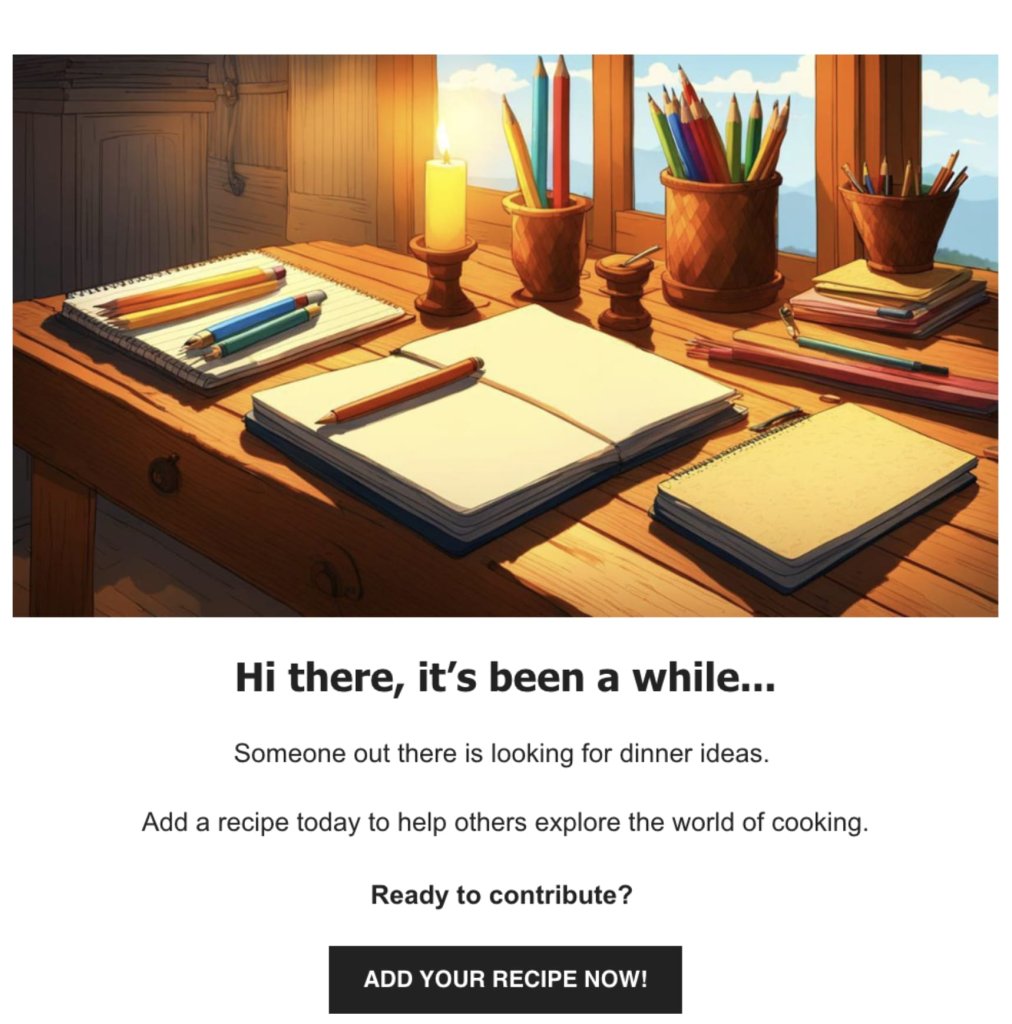
    "We miss you" email with a cozy desk scene, inviting the recipient to share recipes and contribute to cooking ideas.

    This email is best suited for communities like forums or review sites. It aims to reconnect by highlighting your sense of community and contribution. It starts with a warm message, reminding you of the important role you play in helping others explore the world through your reviews and photos.

    You can use a cute image and a clear call to action to grab readers’ attention and make it easy to re-establish contact. This approach effectively values their past contributions and encourages them to keep sharing their experiences.

    Key Points:

    • Emotional Appeal: Use a warm tone that fosters a sense of belonging and nostalgia.
    • Clear Call-to-Action: Encourage users to contribute with a straightforward CTA.
    • Engaging Imagery: Use eye-catching visuals to enhance the message and draw users in.
    • Community Emphasis: Highlight the user’s impact in helping others, reinforcing their importance.

    Here’s a template you can use:

    Subject Line: We Miss Your Contributions

    [Relevant Header Image]

    Introduction:

    Hello,

    It’s been a while since we’ve heard from you…

    Main Content:

    [Image of a Friendly or Engaging Scene – Ensure it’s relevant and inviting]

    Someone out there is looking for a [how your customer can be of help]. Share your insights today to help others explore the world of [relevant field].

    Call to Action:

    Eager to contribute? Add your review now!

    Why You Should Send “We Miss You Emails”

    “We Miss You” emails are a powerful tool to reconnect with inactive subscribers through personalization, visual appeal, and engaging content. By understanding why subscribers become inactive—such as email overload or poor timing—you can tailor messages to meet their needs, offering personalized incentives and exclusive deals. 

    Analyzing subscriber behavior and engagement rates allows for strategy refinement, ensuring your emails remain relevant and impactful. Incorporating compelling calls to action and monitoring results will enhance your re-engagement efforts.

    As you consider implementing these strategies, leverage SiteGround Email Marketing to craft personalized and effective “We Miss You” campaigns. With SiteGround, you can effortlessly create engaging emails that reconnect with your audience and drive meaningful results. Try it out and watch your subscriber engagement soar!
    Promotional image for SiteGround Email Marketing, highlighting tools for creating successful email campaigns with AI assistance.

    How to Protect Your Website from Hackers

    Illustration of a person in a hoodie entering a room, with a browser window overlay. Text reads "Threat Detected" and "Site Clean" with security icons

    Your website can be hacked whether it gets 50 visitors a day or 50,000. That’s because hackers use automated tools that scan for vulnerabilities at scale, so size offers no protection. The good news is that most attacks exploit basic weaknesses you can fix without any technical background. Indeed, strong passwords, updated software, a security plugin, and a reliable host go a long way. This guide walks you through each step so that your site is as secure as can be.

    Key Takeaways:

    • Every website is a target. Automated tools scan for vulnerabilities at scale — size offers no protection.
    • Most breaches exploit basic weaknesses. Outdated software and weak passwords are behind the majority of attacks.
    • Two-factor authentication is one of the highest-impact changes you can make. A stolen password alone won’t be enough to get in.
    • Your hosting provider is part of your security. Built-in firewalls, daily backups, and proactive monitoring do a lot of the heavy lifting.
    • A hacked site has a recovery checklist. Back up, scan for malware, and review user access before anything else.
    • Regular audits matter more than one-time fixes. Security is a moving target.

    Understanding the Threat Landscape

    As businesses become more reliant on the internet, their websites play an ever more important role—and so does the need to protect them from growing security threats.

    Hackers are on the hunt to ruin your reputation or take your website down to hurt your business. This is why understanding the website security landscape is the first step in fortifying your website against potential attacks.

    Advertisement for SiteGround Security Optimizer, featuring security icons and a "Secure Your Website Today!" message.

    What Are Common Website Security Issues?

    The most common threats range from automated attacks that scan for vulnerabilities to techniques that manipulate users directly. Understanding each of these is the first step to defending against them.

    • SQL injection — attackers exploit website security vulnerabilities in your site’s code to execute malicious database commands, gaining access to sensitive data like user credentials and financial information.
    • Cross-site scripting (XSS) — harmful scripts are injected into web pages viewed by other users, allowing attackers to steal cookies, session tokens, or other sensitive information without the user’s knowledge.
    • Automated tools — scanners probe thousands of sites at once looking for weaknesses in code, outdated software, or misconfigured servers. Any vulnerability they find becomes an entry point.
    • Brute force attacks — automated tools cycle through password combinations until they find the right one. Simple or reused passwords make this significantly easier.
    • Phishing — attackers trick users into handing over login credentials through deceptive emails or fake login pages designed to look legitimate.

    DDoS attacks — a site is flooded with fraudulent traffic until it becomes inaccessible to real users, often used for extortion or deliberate disruption.

    By staying informed and vigilant, you can proactively secure your website and protect your data. Implement strong security measures like a password manager and two-factor authentication to add an extra layer of protection against potential threats.

    What Do You Do If Your Website Has Been Hacked?

    Start by confirming your website has truly been hacked, then take your site offline or into maintenance mode before doing anything else. Acting quickly limits the damage, and here’s the action plan that matters.

    1. Confirm the Hack: Start by verifying the hack. Look for telltale signs such as defaced pages, unexpected redirects, or notifications from your hosting provider. This confirmation is essential before taking further action.

    2. Back Up Your Site: Before making any changes, back up your current site. This backup serves as a record of the incident and can be invaluable for forensic analysis. Make sure you don’t overwrite any existing backups, though.

    3. Put Your Site in Maintenance Mode: Protect your visitors by putting your site in maintenance mode. This not only prevents further damage but also reassures your users that you are addressing the issue.

    4. Scan for Malware: Use a reliable malware scanner, such as SiteGround’s Site Scanner, to identify any malicious code. This step is crucial in understanding the extent of the breach and what needs to be cleaned up.

    5. Clean Up and Secure: Remove any malicious code and reinstall plugins to ensure they are free of vulnerabilities.

    6. Review and Revise User Access: Take this opportunity to review who has access to your site. Make sure that only trusted individuals have administrative permissions, and enforce strong, unique passwords for all accounts.

    7. Implement Regular Security Scans: Set up regular security scans to monitor your site for vulnerabilities and prevent future attacks. This proactive approach helps you stay one step ahead of potential threats.

    8. Consult a Professional: If the hack is beyond your expertise or if issues persist, don’t hesitate to consult a cybersecurity professional. They can provide a thorough cleanup and help reinforce your site’s defenses.

    By following these steps, you can effectively manage the aftermath of a hack and bolster your website’s security for the future. Remember, swift action and vigilance are your best allies in recovering from a cyberattack.

    [74]

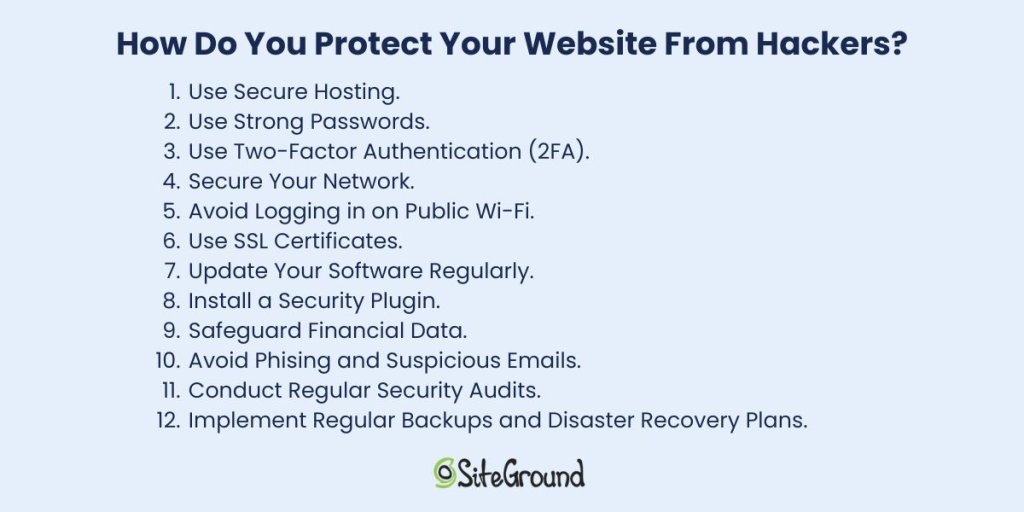
    How Do You Protect Your Website from Hackers?

    The most effective approach combines secure hosting, strong passwords, two-factor authentication, and up-to-date software. No single measure is enough but together, these steps close the vulnerabilities most attacks rely on.

    List of 12 tips to protect websites from hackers, including secure hosting and strong passwords. SiteGround logo at the bottom.

    1. Use Secure Hosting

    Selecting a secure hosting provider is one of the most important choices you’ll make when it comes to defending your website against cyber threats. A reliable host not only keeps your site running smoothly but also offers strong security features to protect your data. Consider hosting services that include automatic updates, regular backups, advanced firewalls to enhance your site’s safety, and expert support.

    SiteGround in practice: In spring 2026, security researchers disclosed five critical Linux kernel vulnerabilities in the space of three weeks—each one capable of giving an attacker with any foothold on a server full root access. SiteGround patched all five across its entire infrastructure within 48 hours of each disclosure, using live kernel patching so no customer site experienced downtime. Read the full story →

    2. Use Strong Passwords

    The foundation of any secure system is a strong password. Despite being one of the most basic security measures strong passwords are often overlooked. A robust password should be complex, unique, and difficult for hackers to guess.

    With that in mind, avoid using easily guessable information like birthdays or common words. Opt for a mix of uppercase and lowercase letters, numbers, and special characters instead. Additionally, consider a password manager to generate and securely store your passwords, so you don’t have to remember each one.

    3. Use Two-Factor Authentication (2FA)

    Implementing two-factor authentication is one of the easiest and most effective ways to build strong website security. It requires users to verify their identity using two methods. Typically, this involves entering a password and then confirming a code sent to a mobile device or email.

    What this means is that even if a password is compromised, 2FA significantly reduces the risk of unauthorized access.

    4. Secure Your Network

    Network security is another critical aspect of protecting your website. Start by ensuring that your network is secure and that all software is up to date. Regularly update your firewall and antivirus software to protect against malware and other threats. Furthermore, consider using a virtual private network (VPN) when accessing your website from remote locations.

    What’s a VPN? It encrypts your internet connection, making it more difficult for hackers to intercept data. It also masks your IP address, adding an extra layer of privacy and security while you browse.

    5. Avoid Logging in on Public Wi-Fi

    Public Wi-Fi networks, such as those found in coffee shops or airports, are convenient but often lack the necessary security measures to protect your data. If you must access your website while on the go, use a secure network or a VPN to encrypt your connection and protect your website and sensitive data.

    6. Use SSL Certificates

    An SSL (Secure Sockets Layer) certificate is a must-have for any website that handles sensitive information. It encrypts the data transmitted between a user’s browser and your website, ensuring that sensitive data, such as login credentials and financial data, remains secure.

    The encryption it offers is key to protecting your website from hackers looking to exploit vulnerabilities in data transmission. An SSL certificate not only enhances security but also boosts your website’s credibility. Plus, secure websites often rank better in search engine results, giving you an added advantage.

    7. Update Your Software Regularly

    Keeping your website’s software up to date is vital for security. Developers frequently release updates to fix vulnerabilities and improve performance—ignoring them can leave your site exposed to hackers who target outdated software. This is why it’s important to stay current to keep your defenses strong.

    To stay protected, make sure that your content management system (CMS), plugins, and any other software components are always up to date. Also, consider enabling automatic updates where possible to minimize the risk of missing critical patches.

    8. Install a Security Plugin

    Security plugins and tools can not only help you get an extra layer of protection but also with performing regular security check-ups. Generally, they’re a good starting point for your website security, as they can make your website more secure automatically.

    The SiteGround Security Optimizer, for example, provides a range of features, from scanning for malware to blocking malicious traffic. It also offers real-time monitoring, alerting you to potential threats and allowing you to act quickly. On top of that, you can rely on firewall protection and brute force attack prevention, further securing your website against unauthorized access.

    Implementing these advanced security techniques can significantly enhance your website’s defenses and provide peace of mind. As we move forward, let’s explore how to protect sensitive information, and help your data remain secure and confidential.

    9. Safeguard Financial Data

    Financial data is a prime target for hackers, so it pays to be deliberate about how you handle it:

    • Use a reputable payment gateway — services like Stripe or PayPal handle card data on their own secured servers, meaning sensitive numbers never touch yours.
    • Never store card details unnecessarily — most breaches involving financial data happen because it was retained when it didn’t need to be.
    • Comply with PCI DSS — if you process payments directly, this standard sets the baseline for encrypted transmission, access controls, and regular audits. Your payment provider will usually guide you through what’s required.

    Monitor transactions for anomalies — unusual purchase patterns or multiple failed payments can flag fraud early. Most payment platforms have this built in; make sure it’s enabled.

    10. Avoid Phishing and Suspicious Emails

    Phishing involves hackers tricking users into revealing sensitive information. To combat these threats you can:

    • Prioritize building a culture of vigilance among your users and employees.
    • Perform regular training sessions that can help them recognize unexpected requests for personal information and other red flags.
    • Encourage users to always question the legitimacy of emails and verify the sender’s identity through alternative means.
    • Foster an environment of caution and verification, so that you can protect sensitive information and maintain user trust.

    As we continue, let’s delve into the importance of monitoring and maintenance to ensure your website remains resilient against evolving threats.

    11. Conduct Regular Security Audits

    Conducting regular security audits is essential for identifying potential weaknesses in your website’s security framework. These audits involve systematically reviewing your website’s code, configurations, and access controls to ensure they meet current security standards.

    It might also help to engage with cybersecurity professionals or use automated security assessment tools to uncover vulnerabilities that may otherwise go unnoticed. By performing security audits regularly, you can stay ahead of potential threats and ensure your website remains secure.

    12. Implement Regular Backups and Disaster Recovery Plans

    Even with the best security measures in place, no system is entirely immune to attacks or unexpected failures. That’s why it’s a good idea to have a robust backup and disaster recovery plan. Regularly backing up your website’s data ensures a quick restore in the event of a breach or data loss.

    Store backups in a secure, off-site location, and test your recovery process periodically to ensure it functions correctly. A well-executed disaster recovery plan minimizes downtime and helps maintain business continuity, even in the face of unforeseen challenges.

    Protect Your Website from Hackers Today

    Most attacks exploit basic weaknesses, and the steps in this guide are enough to stop the majority of them.

    Strong passwords, two-factor authentication, SSL certificates, regular updates, and a security plugin all work together to close the gaps hackers rely on. And it starts with choosing a host that takes security as seriously as you do—one with built-in firewalls, proactive monitoring, and a team that patches vulnerabilities before most people have heard about them. That’s the foundation SiteGround Web Hosting is built on.

    Do the basics well, stay consistent, and your site will be a much harder target than most.

    SiteGround banner for reliable web hosting with server and shield icon. Includes "Get SiteGround Hosting" button.

    FAQs: Protecting Your Website From Hackers

    How do I know if my website has been hacked?

    Look for defaced pages, unexpected redirects, unfamiliar admin accounts, or a sudden drop in search rankings. Your hosting provider may flag it before you do. When in doubt, run a malware scan. A tool like the SiteGround Security Optimizer can help here—its activity log monitors visits, login attempts, and suspicious behavior in real time, so you’re more likely to catch a breach early rather than after the damage is done.

    Is it possible to get hacked through a website?

    Yes, visiting a compromised website can expose you to malicious scripts that steal cookies, session data, or login credentials without you doing anything wrong. It works the other way too: if your own site is hacked, it can be used to attack your visitors.

    What do hackers hate the most?

    Layered security. When a site has two-factor authentication, a web application firewall, updated software, and strong passwords all in place, the effort required to break in usually isn’t worth it. Hackers rely on easy wins, thus removing the easy wins is the most effective deterrent.

    This article was originally published in May 2025 and then updated in May 2026

    Cold Emails: A Guide to Get You Started

    Illustration of envelopes and paper planes symbolizing email communication, with a web browser window in the background.

    Ever felt like your emails are disappearing into a digital black hole, never to be seen or heard from again? If you’re nodding along, you’re not alone. Cold emailing might sound intimidating, but when done right, it can be your secret weapon for reaching new clients, forging business relationships, and opening doors you never knew existed. Imagine crafting a message so compelling that it cuts through the noise and lands directly in the inbox of your dream contact. Intrigued?

    In this guide, we’ll unravel the mystery behind cold emails, showing you how to maximize response rates and turn those cold leads into warm connections. Whether you’re a seasoned pro or just starting out, there’s something here for everyone ready to master the art of cold emailing.

    What Is a Cold Email?

    Purple background image explaining a cold email as unsolicited communication to new contacts. SiteGround logo included.

    A cold email is a type of communication sent to someone with whom the sender has not previously interacted. It’s different from regular email campaigns due to its unsolicited nature, meaning the recipient did not request or expect the email. Cold emails are typically crafted with a specific purpose in mind, such as introducing you and your organization, presenting an idea, or offering your product or service. Whether you’re a business owner seeking to get your product noticed or a freelancer expanding your network, cold emails can be beneficial.

    While cold emails can offer significant value, they may feel daunting because you are contacting someone you don’t know. It’s your personal pitch, so crafting an email that’s personable and clear is crucial. You want to sound professional yet approachable, informative yet meaningful.

    In essence, a cold email is your first handshake with someone—a way to introduce yourself and start a conversation that could lead to exciting opportunities. If you’ve ever hesitated to send one, consider it a chance to make a new connection. You never know where it might lead!

    Is Cold Email Outreach Spam?

    Let’s clear the air: cold emails and spam are not the same thing. Sure, both might land in your inbox uninvited, but that’s where the similarities end. Think of spam as the junk mail of the internet—those annoying, irrelevant messages that clutter your inbox and make you roll your eyes. Cold emails, on the other hand, are more like a thoughtful introduction from someone who genuinely wants to connect. 

    Generally spam emails are sent in bulk with little regard for recipients’ interests, a tactic known as “email blasting.” They’re the equivalent of throwing spaghetti at the wall to see what sticks. 

    However, this is not what cold emails are. They are carefully crafted and targeted, and sent with a specific purpose and a genuine interest in engaging with the recipient.

    To ensure your cold email stands out as professional:

    • Respect the recipient’s time and attention by personalizing your message.
    • Make sure it’s relevant to the recipient’s business and offers value, such as information, a solution, or a collaboration opportunity.
    • Research and understand the recipient’s needs to demonstrate genuine interest.

    The line between cold emails and spam is defined by personalization and value. If you send  generic messages to a large audience without personalization, you risk crossing into spam territory. However, by investing time in tailoring your message and offering genuine value, your cold email can stand out, fostering positive engagement and building meaningful connections.

    What Is the Difference Between Cold Emails and Marketing Emails?

    At first glance, cold emails and marketing emails might seem like two peas in a pod—they’re both emails, they’re both used for business purposes, and they both aim to capture the recipient’s attention. However, dig a little deeper, and you’ll find some key differences that set them apart. However cold emails and marketing emails serve distinct purposes and audiences. 

    Here’s a comparison of these two types of emails:

    Cold Emails:

    • Serve as the initial point of contact with individuals you have no prior relationship with.
    • Are highly targeted and personalized, aiming to initiate a conversation or build a connection.
    • Focus on introducing yourself or your business while offering something valuable to the recipient.
    • Aim to establish a genuine connection and open the door to future interactions.
    • Generate leads by identifying and engaging potential customers who may be interested in your products or services.
    • Build partnerships by reaching out to potential collaborators or allies who can mutually benefit from a strategic relationship.
    • Promote a new product by informing targeted recipients about your latest offerings and encouraging them to learn more or make a purchase.
    • Build links by connecting with industry influencers or websites to enhance your online presence and improve search engine rankings.

    Marketing Emails:

    • Warm emails are crafted to feel like a friendly conversation with someone familiar with your business, incorporating newsletters or product updates.
    • These emails are sent to individuals who have previously interacted with your business to maintain engagement.
    • They are integrated into a broader campaign, allowing for more promotional content that aligns with your goals.
    • The focus is on nurturing existing relationships, maintaining interest, and encouraging further actions such as making a purchase or signing up for a webinar.

    Key Differences

    • Cold emails require a higher degree of customization to resonate with individual recipients, as they are tailored to their specific needs and interests.
    • Marketing emails, while still personalized to some extent, often rely on segmentation and automation to deliver a consistent message to a larger audience.

    How Do You Start and Launch a Cold Email Campaign?

    Starting a cold email campaign can be tricky if you’ve never done it before. Cold outreach generally requires a clear pain point, a good subject line and anything that will help you build a personal connection, and eventually bring new customers.

    There are a few things we recommend doing when you’re getting started.

    1. Set Clear Goals

    The first step to any successful marketing campaign is to set clear goals. How else would you know if it’s successful or not?

    To increase your chances of running a successful cold email campaign, start by deciding whether you want to:

    Keep in mind that the more boxes you want to tick, the less likely your cold emails are to bring results. You will want to pick only one out of the four options above for the best results.

    2. Identify Your Ideal Customer Profile (ICP) 

    This will help you understand what tone of voice would work best with them, what they might expect from your product or service, and how interested they will be in it. 

    Begin by pinpointing the traits of your perfect customer, such as their industry, company size, and job roles. This helps you tailor your message to their specific needs. Consider the challenges they face and how your product or service can provide solutions. Knowing what drives their decision-making process is key, as it allows you to craft messages that resonate. 

    3. Build a Target Audience

    With a clear understanding of your ideal customer profile, you can start building a well-defined target audience. Begin by identifying potential leads that match your ICP criteria. 

    This approach ensures that your efforts are directed towards individuals or businesses that are most likely to benefit from your offerings. Consider segmenting your audience into smaller groups based on specific characteristics or needs. This will allow for more personalized messaging, increasing the likelihood of engagement. 

    Remember, focusing on a well-defined audience not only optimizes your outreach but also maximizes the value each connection can bring to your business.

    4. Get Their Contact Information

    In most cases you can find it through LinkedIn. If it isn’t available there, you can use outreach platforms to find most emails you might need. Here it’s important to make sure that you reach out to the right people. That is, if you’re sending a link-building email, you’ll want to reach someone in SEO or PR, not someone in support.

    5. Build a Quality Email List

    After finding your target audience’s emails, it’s important to organize them into a quality email list. Avoid sending a bunch of generic cold emails to everyone you found. Consider organizing them by position, experience, type of company, or company size. Remember, quality is the main focus here, so it’s important to avoid emails like marketing@company.com or hr@company.com.

    Choose a Reliable Email Marketing Platform 

    Before you start writing cold emails, you’ll need to choose a reliable cold email tool to support your outreach. The right platform can make the process much easier — helping you organize leads, set up workflows, schedule emails, and track performance. All of this contributes to more successful cold email campaigns.

    A good email marketing tool also improves deliverability by helping your emails avoid spam filters and land in your prospects’ inboxes. This not only boosts your results but also helps protect your sender reputation.

    Use a Cold Email Template 

    Most email marketing platforms provide a variety of pre-designed templates, making it easier to get started and giving you a general framework for writing cold emails. A well-designed template should be clean, visually appealing, and easy to navigate.

    Later in this article, we’ve included several templates you can explore and use.

    Once you’ve selected your template, focus on crafting the body of your email. Keep your paragraphs short, use bullet points to highlight key information, and, when relevant, include subheadings to break up the text. Above all, ensure your email feels personalized and doesn’t come across as generic.

    Use a Good Subject Line and Preview Text 

    The email subject line is your first impression, so you’ve got to make it count. Craft a subject line that is intriguing to the recipient, and pair it with compelling preview text that offers a glimpse of what’s inside. Together, they should entice the recipient to open your email and learn more.

     Here are five types of subject lines to consider for your next outreach campaign:

    • Question-Based: Pose a question to engage curiosity (for example: “Are You Maximizing Your Fleet’s Potential?”).
    • Benefit-Driven: Highlight a clear benefit or advantage (for example: “Boost Your Sales with Our Proven Strategy”).
    • Curiosity-Inducing: Create intrigue to encourage opens (for example: “The Secret to Doubling Your Efficiency”).
    • Personalized: Include the recipient’s name or specific details (for example: “John, Here’s How We Can Help Your Business”).
    • Problem-Solving: Address a common pain point (for example: “Struggling with False Reviews? We Can Help”).

    Craft a Compelling Message

    Your email should be clear, specific, and engaging. Start with an attention-grabbing subject line that piques curiosity. Then, in the body of the email, introduce yourself, explain why you’re reaching out, and highlight the value you can provide. 

    After that, mention the pain point your product or service addresses. It’s a good idea to include some key details on why your business is the best solution to that specific problem.


    Including a clear call to action is crucial, as it can motivate the reader to visit your website, sign up for a newsletter, or simply explore further. Crafting an engaging email call to action can also significantly enhance your email’s effectiveness.

    Finally, make sure to personalize each message for the recipient. We’ll get into more detail on what makes a compelling message in the next section.

    Personalize 

    Personalization is key to making your email stand out. Start with a personalized opening line which mentions the recipient’s name, a common connection or a shared experience. This will highlight the relevance of your cold email and proves that you’ve done your homework.

    Schedule Smartly

    Timing can significantly impact open rates. Experiment with different days and times to find out when your audience is most likely to check their emails. Generally, mid-morning or early afternoon on weekdays are considered optimal times, but it’s always best to test and see what works for your specific audience. 

    Some email platforms help you understand the best time to send an email by analyzing the open and click-through rates of your previous campaigns.

    By focusing on these strategies, you can improve the chances of your cold emails being delivered and opened. Remember, the goal is to create a positive experience for the recipient—one that encourages them to connect with your message and take the next step. With careful planning and attention to detail, you can enhance your email campaign’s effectiveness and achieve your outreach goals.

    Plan Your Follow-Ups 

    Not everyone will respond to your first email, and that’s okay. Plan a series of automated emails to gently remind recipients of your initial message. Keep them short and friendly, and offer additional value or insights to encourage a response.

    Make Sure You Comply With Regulations

    Before launching or contacting potential customers, ensure that emails comply with regulations, such as GDPR or the CAN-SPAM Act. This includes providing a clear way for recipients to opt out of future communications, as well as including your contact information.

    Track and Optimize Your Campaign

    Once your campaign is underway, monitor its performance closely. Track metrics such as open rates, response rates, and conversions to see what’s working and what’s not. Use this data to refine your approach and advance future campaigns.

    Examples for a Good Cold Email

    After all this information you might want to see a few examples of cold emails at play. We’ve put together a few examples to help you understand what makes a strong cold email—and to generate ideas for your own campaign.

    The Short and Sweet

    Nielsen Norman Group conducted a research on emails that demonstrated that around 80% of adults only scan their emails. What this means for your cold emails is that they should be short, easily scannable, and be direct in what they are saying. 

    Here’s an example:

    Subject line: Helping Your Business Save with Sustainable Energy [highlight the email’s focus and a key business trait]

    Hi John, [recipient’s name]

    I’m Michael from GreenTech Solutions. [present yourself] We specialize in sustainable energy systems designed to help small businesses reduce energy costs and improve efficiency.

    I’d love to schedule a quick 5-minute call to explore how we can support your energy goals and tailor a solution that fits your operations.

    Schedule Your Free Consultation [CTA button]

    Thanks for your time—I look forward to connecting.

    Best,

    Michael

    The Hook and Proof

    You only have a few words to grab your recipient’s attention. A good approach is to start with a bold statement and ask a question. This will spark the reader’s interest and make them want to learn more. 

    If you choose to open with a bold statement, you need to prove your credibility. One of the best ways to do that is by backing it up with a compelling statistic—just make sure it comes from a reliable source.

    Here’s an example:

    Subject line: Effective Fleet Solutions for Your Car Hire Business [highlight the email’s focus and a key business trait]

    Hey Stefanie [recipient’s name],

    Optimized fleet management can drive your sales. How can you attract the right clients?

    Simply managing your fleet without a strategy will rarely work. At FleetTech Solutions, we have a proven 25% improvement in fleet efficiency and a 10% reduction in maintenance costs [position yourself as an authority and link to proof]

    I believe that your car hire business [recipient’s business] could benefit from our expertise.

    Book your 15-minute meeting to know more. [button with call to action]

    Regards,

    The Tailored Touch 

    In the realm of outreach, personalization reigns supreme. Crafting an email that resonates with the recipient on a personal level can significantly enhance engagement and open doors to fruitful collaborations. 

    The example below demonstrates how to effectively tailor a message to the recipient’s unique role and industry, ensuring that the communication feels relevant and valuable.

    Subject: Promising SEO Opportunity for Your Business

    Hi Mark [recipient’s name],

    Jessica [sender’s name] from TechSolutions Innovations here.

    Congratulations on your exciting new role at FutureTech Enterprises! It must be an inspiring journey to lead the Product Development Team as it explores new frontiers! [show you know who you’re talking to]

    FutureTech’s initiatives demonstrate a strong focus on cutting-edge technology and innovative solutions. [present your company]

    Additionally, there’s significant potential in exploring emerging trends like “AI-driven automation tools” (2600 searches) or “next-gen cybersecurity solutions,” which, although having a lower search volume of 400, are gaining traction rapidly. [show you’ve done your research]

    The TechSolutions Innovations Team would be thrilled to collaborate on this topic with you, conduct thorough research, and share it with our network to ensure it reaches its full potential.

    Would you be open to this idea? I’d love to hear your thoughts. [call-to-action]

    Best regards,

    The Pain Point

    Every business makes money by solving problems. This is exactly what you should present in your cold email. A good approach may be to present the problem your business solves, position yourself as someone trustworthy who can solve it, and then present the solution. 

    Here’s an example:

    Subject line: Take Control of Your Online Reputation Today  [engaging hook but not spammy]

    Hi Michelle [recipient’s name],

    I noticed a few negative comments from people who claim to have used your company’s services.

    You may be suffering from hostile competition [the problem you’re solving]. It’s very common that an ill-intended competitor will hire a company to harm your reputation which may lose you customers.

    At Reviews 101 [your company’s name] we can help you tackle the problem by responding to negative reviews, pushing your actual customers to leave positive ones, and negotiating with review websites to remove false comments [your solution].

    Would you like to hear more about how Reviews 101 [your company’s name] can help you win your good reputation back?

    I look forward to discussing how we can support your online reputation. Please let me know if you’d like to schedule a call.

    Best regards,

    Why Send Cold Emails?

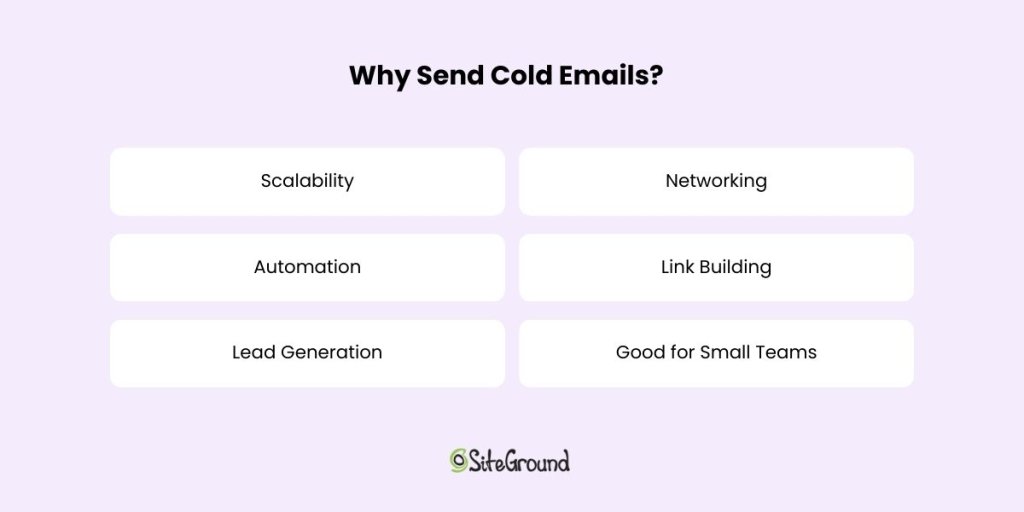
    Image listing reasons to send cold emails: Scalability, Networking, Automation, Link Building, Lead Generation. SiteGround logo.

    If you’re wondering why cold emails are worth your time, think of them as seeds that, with the right nurturing, can grow into valuable relationships. They’re versatile, efficient, and can open up a world of opportunities. Here’s why you might want to consider adding them to your marketing strategy. 

    Scalability

    One of the biggest advantages of cold emails is their scalability. Unlike face-to-face meetings or phone calls, you can reach a large number of potential contacts without sacrificing the personal touch. Whether you’re targeting ten people or a thousand, cold emails allow you to expand your reach quickly and efficiently. It’s like casting a wide net, but with the precision of a skilled angler.

    Automation

    Email automation tools allow you to streamline the process, saving you time and effort. You can schedule emails, track responses, and even set follow-up reminders—all with a few clicks. This means you can focus more on crafting the perfect message and less on the logistics of sending it.

    Lead Generation

    By reaching out to potential clients or partners, you can introduce your product or service to a whole new audience. It’s your chance to get them interested and start a conversation that could lead to a fruitful business relationship. Plus, with the right approach, you can turn cold leads into warm prospects who are eager to know more about what you offer.

    Networking

    A thoughtful cold email can open the door to valuable relationships. No matter if you’re looking to connect with industry leaders, potential mentors, or like-minded professionals. It’s an opportunity to introduce yourself, share your interests, and explore ways to collaborate.

    For those in the marketing space, cold emails are an effective way to build backlinks and strengthen your website’s SEO. By reaching out to bloggers, journalists, and influencers, you can pitch guest posts, collaborations, or content sharing opportunities. This not only amplifies your online presence but also helps establish your authority in your niche.

    Good for Small Teams

    Cold emails allow you to compete with bigger players by leveraging the power of personalized outreach on a budget. With a little creativity and effort, you can make a big impact, reach a wide audience and achieve your business goals.

    With so many benefits, cold emails are a powerful tool in your communication arsenal. They offer a unique blend of efficiency and personalization that can help you stand out in a crowded marketplace. Success lies in the details—crafting a resonant message, targeting the right audience, and nurturing the connections you create.

    Final Thoughts on Cold Emails

    Mastering the art of cold emailing can open up a world of opportunities, from generating leads to building valuable connections. By focusing on personalization, crafting compelling messages, and utilizing smart scheduling, you can have significantly better email deliverability and open rates.

    Now that you’re equipped with these insights, why not take your email outreach to the next level? Try SiteGround’s email marketing to streamline your campaigns and achieve remarkable results. Start connecting today!