
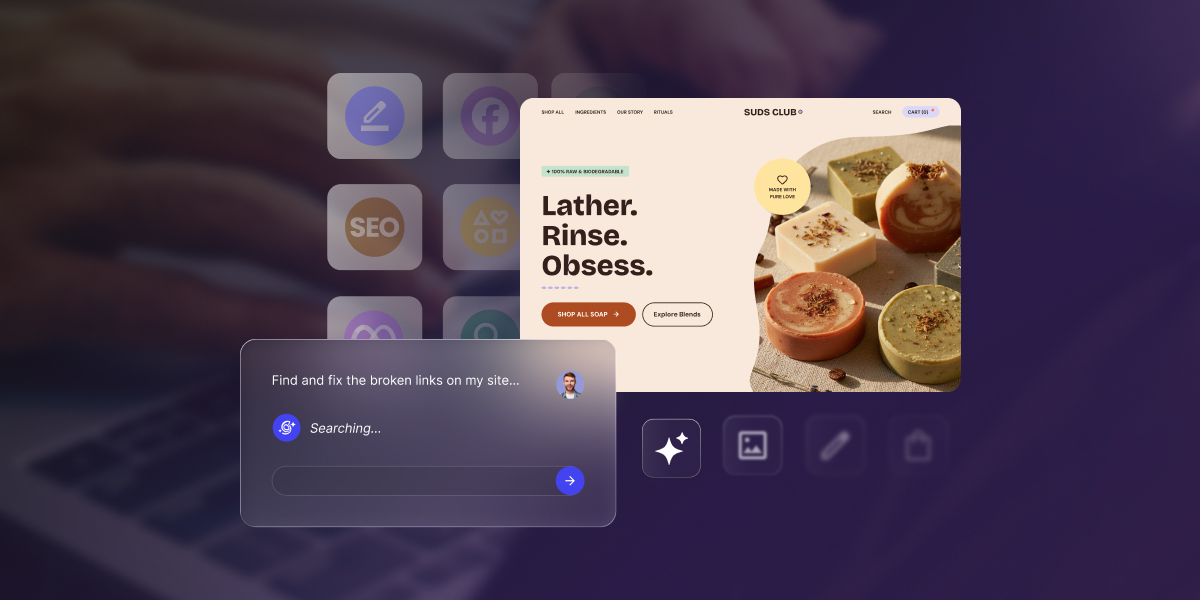
If you are looking for AI to help you with the cumbersome job of running your WordPress site, you have likely come across two of the most popular options available today: SiteGround’s AI Agent for WordPress and GoDaddy’s Airo for WordPress (GoDaddy’s AI-powered WordPress service).
AI Agent for WordPress vs GoDaddy Airo comes down to where each one sits in the life of a site. Airo for WordPress creates sites and keeps improving them on GoDaddy’s managed hosting, while the AI Agent for WordPress attaches to sites that already exist, no matter where it’s hosted, and runs deeper into the most time-consuming WordPress tasks.
Key takeaways:
- AI Agent for WordPress vs GoDaddy Airo is mainly a lifecycle decision: Airo for WordPress is site creation-first and extends forward into post-launch work, while the AI Agent for WordPress is operations-first and attaches to existing sites.
- Airo for WordPress requires GoDaddy hosting. It comes with GoDaddy’s managed WordPress plans rather than as a plugin, so a site hosted with another company can’t use it.
- The AI Agent for WordPress can work on any host. It’s already connected to SiteGround-hosted sites, and reaches sites on other providers through a lightweight plugin and a connection key.
- On WooCommerce, the split is between setting a store up and keeping it going. Airo can build a complete storefront from a single conversation, while the AI Agent for WordPress can handle bulk product updates, price changes, categories, and orders on a whole catalog.
Where each product sits in the life of a site
A WordPress site has a life: it gets built, it gets designed, then it settles into years of being updated, added to, corrected, and occasionally rescued. The most useful way to compare Airo for WordPress and the AI Agent for WordPress is not by counting their features (both can make changes on your site through WordPress’ own Abilities API, the system that lets an AI assistant call WordPress functions directly rather than clicking through the dashboard like a person would), but by asking where each one enters the life of your site.
| Stage | GoDaddy Airo for WordPress | The AI Agent for WordPress |
|---|---|---|
| Creating a new site | Core strength. A full site from a conversation, including a complete WooCommerce storefront. | Enters after the site exists. The AI Agent for WordPress is designed for the work that starts once there is already a WordPress site to improve, organize, and maintain. |
| Designing and redesigning | Strong. Editing happens in the native WordPress dashboard, with design styles, section patterns, and a point-and-click selector. | More useful where redesign overlaps with site structure and content. The AI Agent for WordPress helps refine pages, reorganize content, update site information, and keep existing WordPress material intact rather than replacing the design workflow. |
| Attaching to a site you already have | Requires GoDaddy managed WordPress hosting. | Connects to any WordPress site on any host through a plugin and a connection key. |
| Routine content work | Single-prompt blog posts, product updates and page refreshes, plus post scheduling and deleting pages from the chat. | Covers the full content lifecycle: posts, pages, categories, tags, media, comment moderation, and metadata work such as updating meta descriptions across a batch of pages at once. |
| Store operations | Generates the storefront. Running the shop, from adding products to handling orders, is listed on GoDaddy’s roadmap | Bulk WooCommerce store management including spreadsheet import, category restructuring, price changes across many items, orders, reports and catalog translation. |
| Plugin and theme management | Recommends, installs and configures plugins based on what your business needs, and works with them through WordPress’ own standards. | Extends into ongoing WordPress security maintenance. It can help search, install, activate, update, deactivate, and delete plugins individually or in bulk, with additional controls around consequential changes. |
| Several sites at once | Agency workflows are part of the offer, and each managed plan hosts one website. | Better aligned with portfolio work. AI Agent for WordPress can work across separately connected WordPress sites on different hosts. |
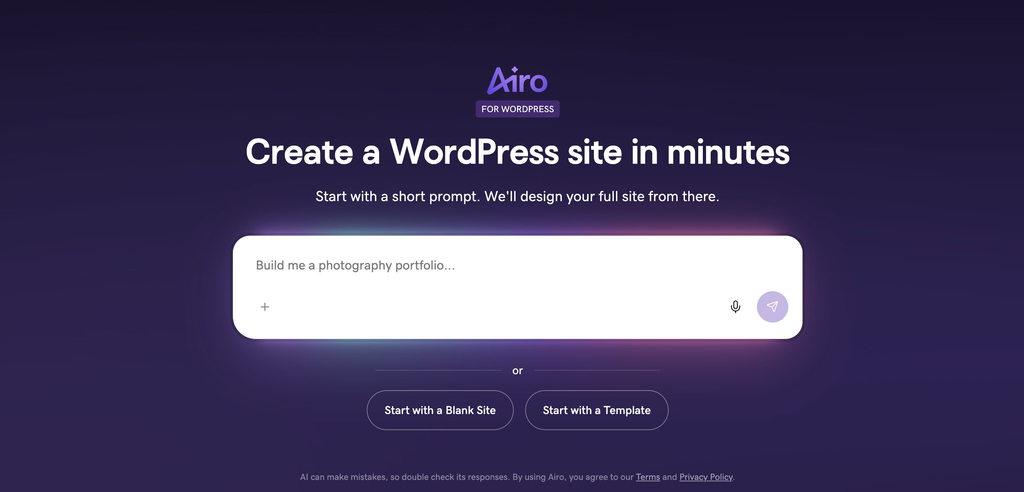
For example, Airo’s interface opens from the question of creation: what kind of site should AI build for you, and how quickly can it turn a prompt into a working WordPress starting point?
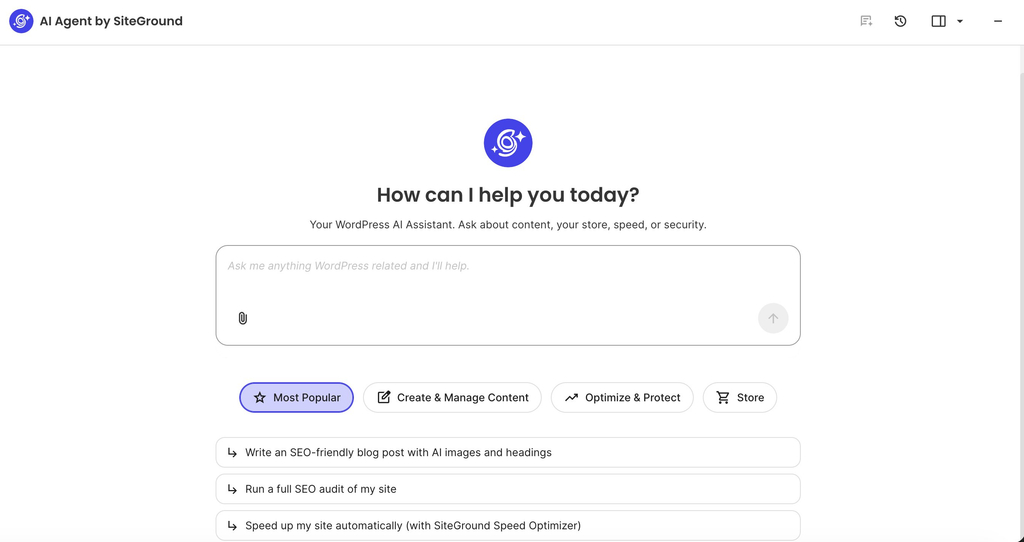
The AI Agent for WordPress starts from a different assumption. The site is already there, and the next question is what needs to be managed today. Its interface surfaces the recurring work of an active WordPress site: creating and improving content, optimizing performance, protecting the site, or supporting store operations.
AI Agent for WordPress vs GoDaddy Airo: how they compare
These are the things you’d only find out after committing to one of the AI assistants: where the site has to be hosted, what happens if you leave, and what either one can change without asking you first.
| Dimension | GoDaddy Airo for WordPress | The AI Agent for WordPress |
|---|---|---|
| Host requirement | GoDaddy managed WordPress only. It comes with those plans and isn’t a plugin you can install elsewhere. | Any host. Pre-connected on SiteGround, and connects elsewhere through a plugin and a connection key. |
| Where you use it | A sidebar inside the native WordPress dashboard. | Available from the place that fits the task: inside WordPress admin for site-level work, or from SiteGround’s AI Studio when managing connected sites and broader workflows. |
| Ownership and portability | GoDaddy emphasizes WordPress ownership, access to more than 60,000 plugins, and control over site and data inside its Managed WordPress environment. | Keeps the site in standard WordPress. The connection layer can be removed without changing the underlying site, so the site remains portable and operational outside the AI assistant. |
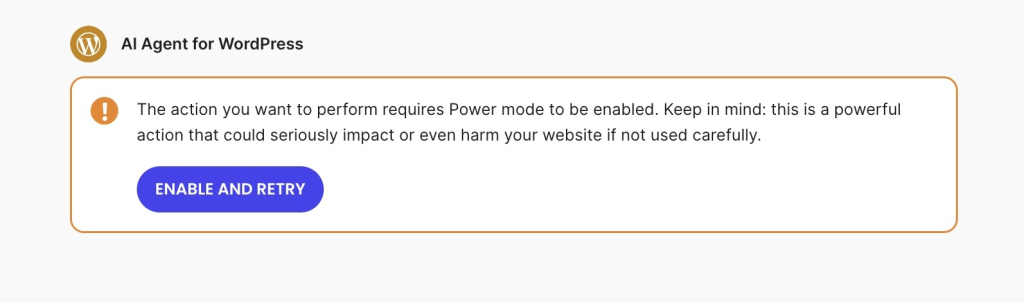
| Controls on consequential changes | Airo explains larger changes in plain language, waits for approval, works on drafts for bigger edits, and lets users undo changes with one click. | Uses Power Mode as an explicit opt-in layer for higher-impact work, including deletions, bulk operations, user changes, and WooCommerce order edits. Deactivating a plugin across every connected site is the kind of request that triggers it. It is off by default, so routine assistance and elevated actions stay clearly separated. |
| What it comes with | Included with GoDaddy’s managed WordPress plans, with a free trial at launch. | Included for SiteGround clients and available to external WordPress sites through AI Studio and the AI Agent by SiteGround plugin, making the same assistant usable beyond one hosting plan. |
So Airo for WordPress belongs to GoDaddy’s managed WordPress, and it isn’t offered as a portable AI assistant you can add to any installation on any host. That makes sense for someone who’s creating a new site there and wants the hosting, AI assistant, dashboard experience, and launch workflow to come together from the start.
The AI Agent for WordPress starts from the assumption that your site already exists. It may already have content, plugins, customers, rankings, products, and a hosting setup the owner does not want to change. Instead of asking the site to begin inside a specific platform flow, the AI assistant connects to the WordPress installation as it is.
This portability factor decides who each product is naturally for. A new site can start wherever the owner chooses. A site that is already live, already indexed, already earning, or already serving customers carries a cost to move. In that situation, the more useful assistant is often the one that can join the existing workflow without turning adoption into a rebuild or migration decision.
The safety row follows the same logic. Airo’s approach centers on explaining larger changes, working in drafts, asking for approval, and offering undo. The AI Agent separates everyday help from higher-impact work through Power Mode, an opt-in layer that’s off by default, because an assistant working across live content, bulk changes, users, plugins, and WooCommerce orders needs permission boundaries built into the workflow rather than added to it.
Good to know: Neither assistant is the right tool if your main goal is drag-and-drop design inside a page builder. Elementor, Divi, and similar tools store and control layouts in their own systems, so neither product should be treated as a replacement for editing those layouts directly. Airo for WordPress checks for page builders and stops before taking on that kind of layout work. The AI Agent for WordPress also avoids page-builder layouts, but can still help with the surrounding WordPress operations: plugins, users, products, store tasks, posts, media, and supported content work.
The three differences that actually decide it
In practice, three questions can settle the decision almost immediately: whether the assistant can work with the WordPress site you already have, whether your WooCommerce need is store creation or store operations, and whether you manage one site or several.
Whether it works with your existing WordPress site
The AI Agent for WordPress is the best fit for an existing WordPress site no matter where it’s hosted, while Airo for WordPress is tied to GoDaddy Managed WordPress and works best when your site is already inside that environment.
This detail is the most important decision factor for people who aren’t starting from a blank install and already have pages, posts, plugins, rankings, customers, products and years of content history. Their first question should be whether an AI tool can help you with the site if you already depend on.
Generating a store versus running one
WooCommerce is also where the difference is easiest to see. Airo can generate a complete WooCommerce storefront from a single conversation with no manual configuration, which removes the hardest part of opening a shop: getting from an idea to something customers can actually buy from.
Running that shop afterward is different work. Once a store is live, the requests change to updating prices across a product group, reorganizing categories, changing stock status, improving descriptions without breaking the formatting, translating a catalog while keeping technical specifications intact, creating coupons for a campaign, checking recent orders, or applying bulk changes from a spreadsheet you’ve been handed.
The AI Agent for WordPress is built for that side of it, and it can work across a catalog that already has products, orders, and categories. Its value is less about producing the first version of the store and more about reducing the recurring work required to keep the store organized.
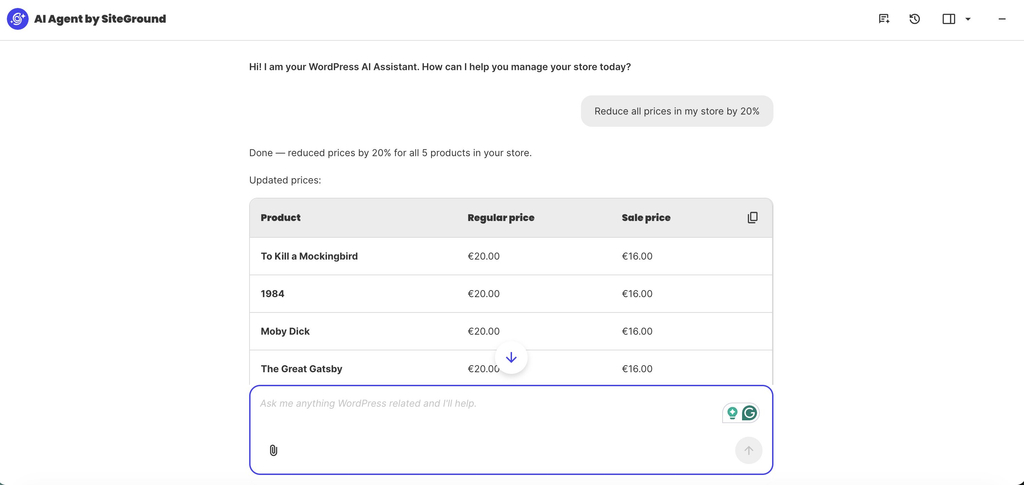
Instead of opening every WooCommerce product one by one, you can ask AI Agent for WordPress to update the whole catalog in a single prompt, for example, by reducing all prices by 20% or applying a campaign discount to a specific product group. The result is the kind of store maintenance task that normally takes an afternoon of repetitive admin work.
Managing several sites at once
Freelancers, agencies and anyone with several WordPress installations maintain sites at different stages of maturity, often on different hosts, with different plugin stacks, different content needs and different update schedules. GoDaddy has agency-friendly workflows for Airo, and its managed WordPress plans each host a single website, so it doesn’t set out a way of operating across sites in bulk.
The AI Agent for WordPress connects separately to WordPress sites on different hosts, which matches how client work actually looks. Tasks like updating WooCommerce on eleven client sites or auditing who holds admin access across a portfolio happens once rather than site by site.
Which should you choose?
The easiest way to choose a WordPress AI management assistant is to ask whether you need AI to help create the WordPress site you are about to launch, or to help manage the WordPress site your business already depends on.
When to choose GoDaddy Airo
Airo for WordPress makes sense when you’re bringing a site into existence on GoDaddy. Choose it if:
- You’re starting a new site or store. Generating a working WordPress site, including a WooCommerce storefront, from one conversation is the fastest route from idea to something live.
- You’re already on GoDaddy, or moving there anyway. It comes with the managed WordPress plans, so there’s nothing separate to buy or connect.
- You want creation and upkeep in the same place. Everything happens in the native WordPress dashboard rather than in a separate builder you’d have to learn.
- Your existing GoDaddy site needs a redesign. Airo’s Site Refresh option rebuilds it around the content you already have, which is a real answer for a site that works but looks dated.
When to choose AI Agent for WordPress
The AI Agent for WordPress makes the most sense when the site already exists, and the real work is keeping it current, secure, organized, and commercially useful. Choose it if:
- Your site is hosted somewhere you intend to stay. It connects to WordPress wherever it lives, so the assistant fits around your hosting rather than the other way round.
- Your store needs running rather than building. Bulk catalog work, price changes across many items, orders and reports are the daily reality of a shop that already has customers.
- You look after more than one site. The same request runs across every connected site, which is where the hours go when you manage a portfolio.
- The work that eats your week is maintenance. Plugins, users, settings, SEO metadata and content updates are recurring jobs rather than one-off decisions.
The bottom line
AI Agent for WordPress vs GoDaddy Airo is a question of where you are in the life of your site. Airo for WordPress makes the strongest case when WordPress starts inside GoDaddy. It’s built for the creation path: launching a new site or store, shaping it through conversation, editing in the native dashboard, and continuing to improve it after launch.
The AI Agent for WordPress becomes the better fit when the site already exists. It connects to WordPress as it is, whether the site is hosted on SiteGround, GoDaddy, or elsewhere, and focuses on the recurring work that defines ongoing management: content updates, WooCommerce operations, plugins, users, media, settings, and multi-site workflows.
FAQs
AI Agent for WordPress vs GoDaddy Airo comes down to where your site is in its life. The AI Agent for WordPress fits better for ongoing management of a site that already exists, especially on another host or with a store to run. Airo fits better when you’re creating a site on GoDaddy and want creation and upkeep in one place.
Yes, with two conditions. The site has to be on GoDaddy’s managed WordPress hosting, and Airo’s strength with an existing site is redesign rather than daily operations. GoDaddy’s Site Refresh reads an existing site’s content and rebuilds it with a new design, and Airo can also edit content, configure plugins and change settings.
The AI Agent for WordPress is better for ongoing WordPress management, because it’s built for sites that already exist and covers recurring work such as plugins, users, settings, SEO metadata and bulk content changes across one site or several.
Yes. The AI Agent for WordPress works on WordPress sites hosted anywhere, including GoDaddy. You add the site in AI Studio, install the plugin, and paste in a connection key to link the two.
No. Airo for WordPress comes with GoDaddy’s managed WordPress hosting, so a site hosted with another company can’t use it. Moving hosts is the only route to it.
The AI Agent for WordPress is better for WooCommerce management, covering bulk product updates including spreadsheet imports, category restructuring, price changes across many items, orders and reports. Airo generates a complete WooCommerce storefront from a conversation, while GoDaddy lists ongoing shop management on its roadmap.
The AI Agent for WordPress can manage several WordPress sites, applying the same request across every connected site regardless of host. GoDaddy’s managed WordPress plans host one website each.