
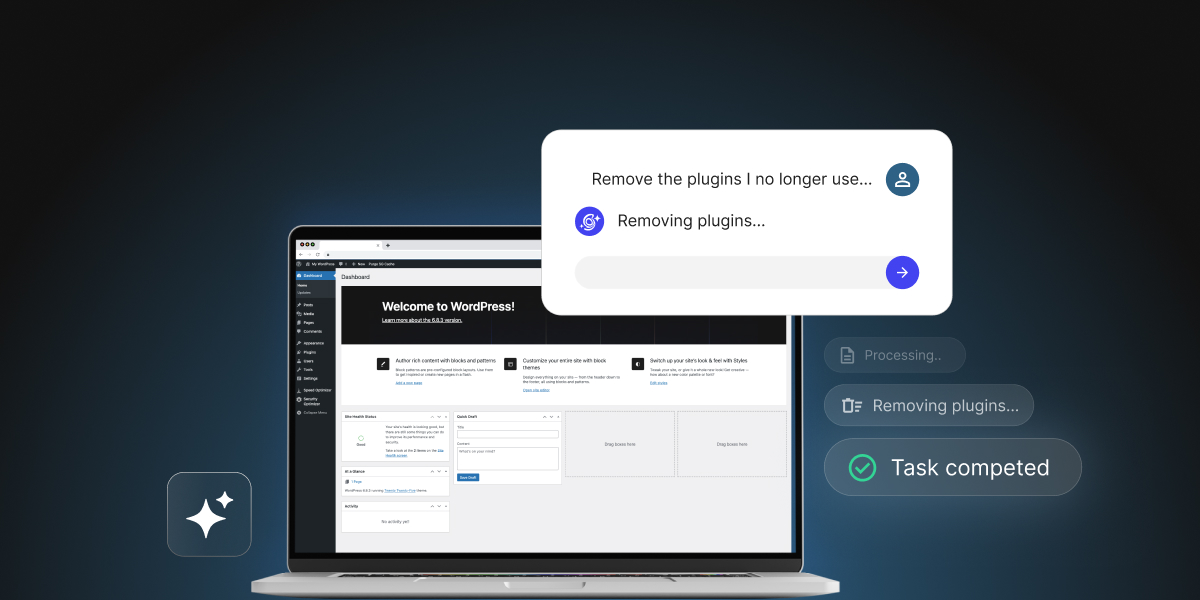
How much power do you want a WordPress AI assistant to have over your site? That is the question if you’re comparing SiteGround’s AI Agent for WordPress vs Genwave Agent, two AI assistants that can make changes to your WordPress site from a chat.
AI Agent for WordPress vs Genwave Agent is a juxtaposition between an operations agent and a development one. The AI Agent for WordPress is SiteGround’s conversational management agent for content, WooCommerce, media, plugins, themes, users, settings and WordPress site administration. Genwave Agent extends into custom PHP (the programming language WordPress itself is built in), plugin creation, debugging, and broader technical work.
Key takeaways:
- AI Agent for WordPress vs Genwave is a scope decision. The AI Agent for WordPress focuses on WordPress and WooCommerce administration, while the Genwave Agent also writes code.
- The AI Agent for WordPress fits non-technical small business owners better. Its operational boundaries keep the assistant focused on standard administrative tasks you can easily follow.
- Genwave has the development-depth advantage. Its agent generates custom PHP scripts and constructs plugins, giving technical users conversational control deeper inside the software stack.
- The two agents differ in their approach to safety. Genwave manages risk primarily after changes occur on your server, while the AI Agent for WordPress focuses on pre-action prevention through its Power Mode.
An operations agent and a development agent
Both the AI Agent for WordPress and Genwave Agent are WordPress AI assistants you talk to, and they belong to two different categories.
- The AI Agent for WordPress is an operations agent. Operations means the running of the site: the WordPress workflows that come back every week. The full AI Agent for WordPress capabilities include creating and updating content, managing images, installing and updating plugins, adjusting themes, handling users, reorganizing WooCommerce product catalogs, working with orders and coupons, checking reports, and making bulk changes to many items at once.
- Genwave Agent sits closer to a development agent, focused on building and repairing core software. Rather than just managing existing site features, a development agent aims to write custom code, fix broken PHP, create database tables, and construct custom plugins from scratch through conversation.
AI Agent for WordPress vs Genwave: how they compare
Use this table to compare the work each assistant is designed to handle, the limits each one sets, and the safeguards each one puts between a chat request and a live-site change.
| Dimension | Genwave Agent | AI Agent for WordPress |
|---|---|---|
| Scope | Handles WordPress actions across content, plugins, SEO, WooCommerce and site management. | Complete WordPress and WooCommerce administration, including posts, pages, media, plugins, themes, user profiles, site architecture, products, orders, coupons, and reports. |
| Custom code | Generates shortcodes, code snippets, and custom PHP functions with built-in version control and rollback. | Doesn’t write or deploy custom code. Operates through structured REST API endpoints (the standard routes WordPress already provides for changing content and settings) rather than writing or deploying custom PHP code to your site. |
| Building plugins | Builds production-ready plugins with database tables, admin settings, frontend forms and security validation. | Searches, installs, configures, updates, activates, deactivates, and removes existing repository plugins. |
| Debugging | Scans error logs, identifies root causes, and repairs fatal PHP errors, syntax issues, and plugin conflicts prior to deployment. | Focuses on administrative tasks and site management rather than code repair or PHP debugging. If you have code issues, they go to a developer or to support. |
| Plugin ecosystem | Works with repository plugins, including installation, configuration, schema setup, and conflict resolution. | Searches, installs, activates, updates, deactivates and deletes plugins individually or in bulk, checked against the existing stack. |
| WooCommerce | Supports bulk management including product generation, descriptions, categories, prices, featured images, orders, coupons and inventory. | Product creation and editing, category restructuring, bulk price changes, inventory updates, orders, coupons, reports and catalog translation. |
| Several sites | Offers one dashboard across connected sites, with credits shared between them. | Manages multiple WordPress sites simultaneously with bulk actions across separately connected sites on any web host. |
| Safety model | Shows a plan before changes, requires confirmation, offers 30-day undo, and uses validation layers, backups, encryption, command signing and audit logging. | Preview and confirmation, plus Power Mode disabled by default so high-impact actions need a deliberate permission step first. |
| Model access | Offers managed access with model switching across providers including OpenAI, Anthropic, Google, xAI, Perplexity, Mistral and Meta, with no personal API keys | Uses an integrated multi-model engine (Google Vertex AI, Gemini, ChatGPT) routed through the SiteGround connector without requiring site-level API keys, automatically selecting the best model for each specific task. |
| Host requirement | Plugin-based, host-independent deployment model. | Manages multiple WordPress sites simultaneously on any host, connecting automatically on SiteGround and via a simple connection key elsewhere |
The differences that actually decide it
So at first glance, capabilities like WooCommerce management, content generation, and multi-site support appear very similar between the two tools. Furthermore, hosting portability (whether an AI tool is locked to a specific web hosting provider or capable of running on any server) is not a deciding factor here. While this is often the single biggest issue when comparing host-locked tools like GoDaddy Airo or Hostinger AI, both of these agents offer full hosting portability.
So what decides the AI Agent for WordPress vs Genwave Agent comparison is how deeply each agent interacts with underlying code, whether it builds custom software, how it handles technical error repairs, and where its default safety boundaries sit.
How far each WordPress AI agent goes into custom code and plugin development.
Genwave focuses on development capabilities, offering to generate custom PHP, create shortcodes, build plugins, and repair code errors through chat. For agencies and developers, this reach can be attractive. A technical team might use such an agent to draft internal plugin scaffolds, create frontend forms, or automate repetitive coding tasks, accepting the need for manual code reviews in exchange for development speed.
For example, say you want a content dashboard widget (a small information box on the main screen of your WordPress admin area that summarizes your site’s posts and pages at a glance). You could ask Genwave to build one from scratch in PHP by adding custom code to your theme’s functions.php file (a theme file that holds extra code WordPress runs on every page load). A prompt for that could look like this:
“Add code to my theme’s functions.php that creates a dashboard widget called ‘Content Overview.’ It should show the number of published posts, draft posts, pending posts, and published pages, each linking to the matching filtered list in wp-admin. It should only be visible to administrators.”
Genwave answers by writing the PHP code for the widget itself:
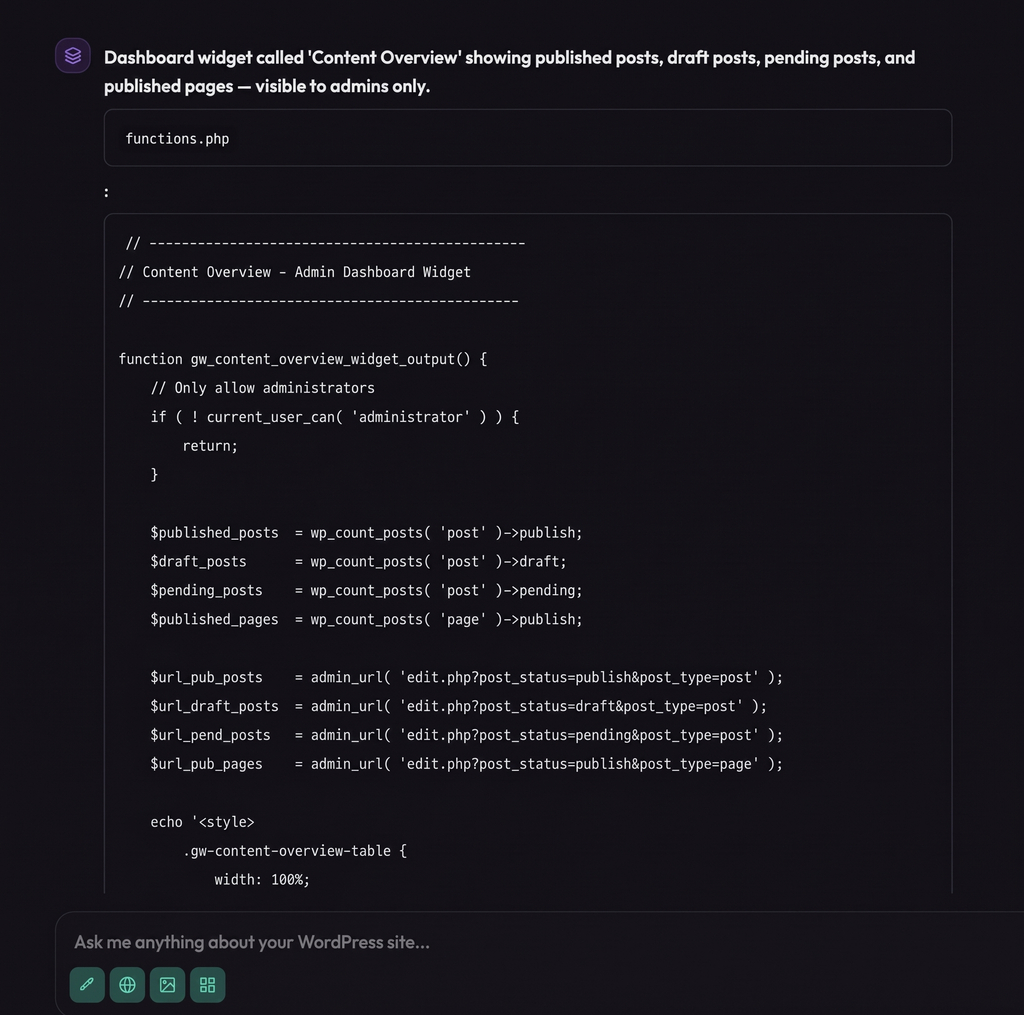
Pro tip: Before code like this goes live, someone who reads PHP should check it. A single mistake in functions.php can make the whole site stop loading, and a theme update can overwrite the file and erase the widget unless the code sits in a child theme (a separate theme layer that keeps your customizations safe from updates).
SiteGround’s AI Agent for WordPress takes the opposite WordPress management approach by focusing on site operations. It searches, installs, updates, configures, and removes existing repository plugins rather than generating custom PHP scripts. While this makes it unsuitable for custom software creation, it provides a far safer, more predictable environment for small business owners who don’t have the time or expertise to review AI-generated code.
Given the same goal, you would ask the AI Agent for WordPress something like this:
“Find a free plugin that adds a dashboard widget showing how many published posts, draft posts, pending posts, and published pages my site has. Compare the top options by rating and last update, install and activate the best fit, and if it has a setting that controls who can see the widget, limit it to administrators. Then tell me which plugin you chose and why.”
The agent looks for a ready-made plugin in the official WordPress plugin directory, weighs the options, and installs the one that fits.
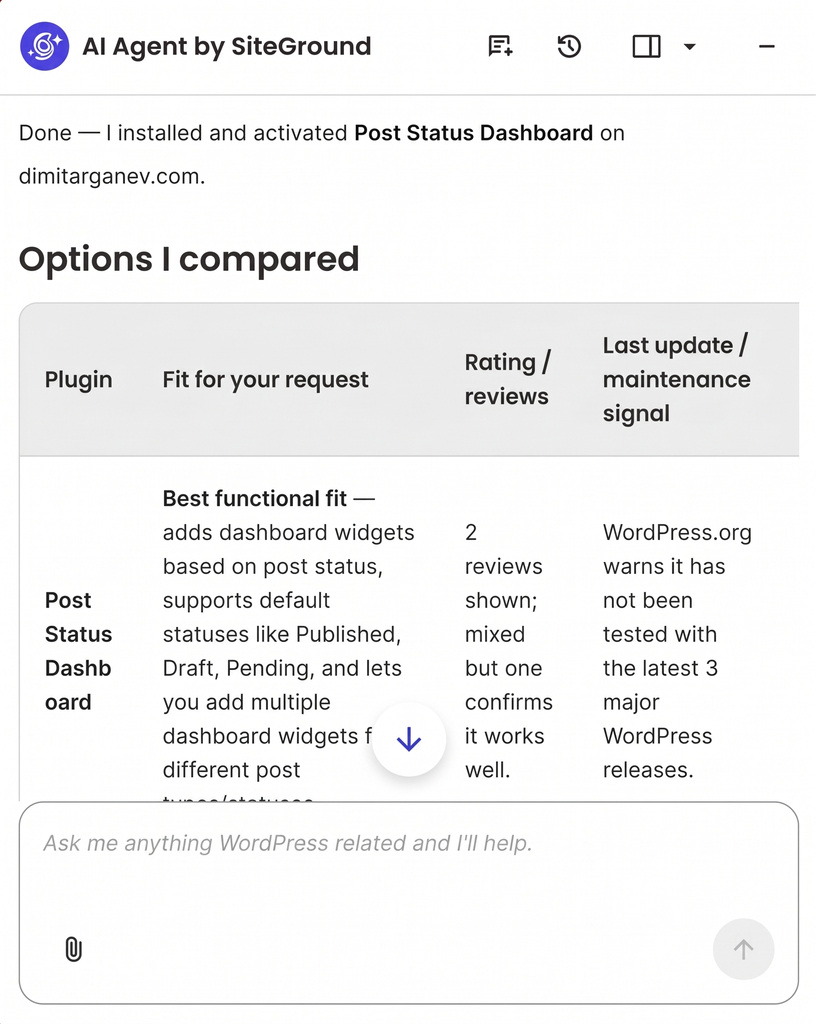
And because the widget comes from a plugin that its developer maintains, it gets updated through the normal WordPress update screen and survives theme changes, with no custom code for you to review.
Which has safer controls for live-site changes?
Both assistants implement safety mechanisms, but they place their strongest controls in fundamentally different areas.
Genwave’s agent previews planned actions, requests user confirmation, offers a 30-day undo feature, and relies on validation layers, automated backups, command signing, encryption, and audit logs.
SiteGround’s AI Agent for WordPress also previews and confirms meaningful changes. Its defining distinction, however, is Power Mode, a built-in safeguard that is disabled by default. Because Power Mode is turned off out of the box, high-impact or destructive actions such as deleting plugins, creating or managing user roles, changing core WordPress settings, or modifying WooCommerce orders cannot execute at all until you explicitly grant permission. The agent begins in a strictly restricted state and only gains elevated authority when you decide a specific task justifies enabling it.
This creates a contrast between being capable by default with confirmation and undo, versus being restricted by default with required permission escalation.
Consider a non-technical site owner requesting a batch price change, a plugin cleanup, a category restructure, or an order-status update. While plan previews and confirmations assist in both products, an off-by-default permission toggle enforces a hard pause before high-stakes operations can even be attempted.
Good to know: Genwave’s 30-day undo feature suits teams seeking broader technical agency from a tool that requires post-action recovery options. By contrast, SiteGround’s permission model suits teams that prefer to keep high-risk mistakes completely out of reach during standard administration tasks.
What each agent will not do, and why that is a choice
A WordPress AI management agent is defined as much by its operational boundaries as by its feature list. While the Genwave Agent accepts a broad technical mandate, SiteGround’s AI Agent for WordPress takes a strictly operational position, managing your site through standard WordPress administration. It deliberately avoids actions like writing custom PHP code for your site, building custom plugins from scratch, editing theme files directly, and repairing PHP errors through chat.
This is because any code deployed to a live WordPress site requires technical review to ensure proper security maintenance, plugin compatibility, and long-term stability. If no one on your team writes code (as it’s the case with many small businesses), an agent that generates custom PHP hands you scripts you can’t independently evaluate. Leaving code authoring to qualified developers keeps your production environment safe and predictable.
Operating strictly at the administrative level also protects your site architecture. Rather than making direct file edits, SiteGround’s agent executes standard administrative tasks, ensuring that every modification creates a clear entry in your local activity log and stays within familiar WordPress dashboard concepts.
Automated error repair follows the same logic. While repairing fatal PHP errors through chat appeals to technical users who can audit the fix, non-technical site owners can’t verify whether an automated script actually solved the underlying problem.
Which WordPress AI agent should you choose?
Deciding between AI Agent for WordPress vs Genwave Agent ultimately comes down to whether your primary challenge is technical software development or recurring website administration.
When to choose Genwave
Genwave Agent is designed for technical users who want custom software development central to their AI experience. It suits developers, agencies, and advanced site operators who need an assistant capable of building custom features and modifying underlying server files through code-level tasks like:
- Custom code and plugin generation: Writing custom PHP functions, shortcodes, and building bespoke plugins from scratch through conversation.
- Automated debugging and error repair: Scanning server error logs, identifying root causes, and repairing broken PHP code or plugin conflicts to bring sites back online.
- Direct file and database control: Working directly with theme files, server scripts, and custom database structures to modify site functionality.
However, as mentioned, broader technical capabilities carry a larger operational tradeoff. Generating custom code introduces potential security and stability risks to a live site, which means you must be prepared to inspect generated scripts and test custom plugins in staging environments before trusting them on production.
When to choose AI Agent for WordPress
For site owners looking for a Genwave alternative focused on routine administration, the AI Agent for WordPress is built specifically around WordPress and WooCommerce administration, especially where the stability of your WordPress site matters more than custom coding. It suits business owners, site administrators, and non-technical users who need an assistant capable of offloading day-to-day operational management through safe administrative tasks like:
- Routine WordPress management: Creating blog posts, organizing media libraries, updating existing plugins and themes, and revising SEO metadata (the titles and descriptions search engines display).
- WooCommerce management: Managing WooCommerce products, executing bulk price updates, tracking inventory, processing customer orders, managing coupons, and generating sales reports.
- Multi-host portfolio support: Coordinating separately connected standalone websites across any web host through a single central dashboard.
- Safe operational safeguards: Executing commands via structured API requests with Power Mode safeguards turned off by default, returning hours back to your business without risking unverified code on your site.
How much authority do you want an agent to hold?
AI Agent for WordPress vs Genwave comes down to that question rather than to which product sounds more ambitious.
By generating custom PHP code, constructing database-backed plugins, and attempting automated error repairs, the Genwave Agent functions as an on-demand development partner. If you have technical developers on your team and want an AI coding tool to write custom scripts and troubleshoot server errors, Genwave Agent gives them more code-level tools to work with.
However, if your website exists to run your business and you want an AI assistant to handle weekly store chores, content updates, and routine site management without risk, SiteGround’s AI Agent for WordPress is the choice that gives you hours back every single week. Ultimately, delegating routine administration to an operations-focused assistant allows you to focus on growing your business rather than spending too much time managing your website.
FAQs
AI Agent for WordPress vs Genwave depends on how much power you want an agent to have. Genwave states that it goes further into custom code, plugin creation and error patching. The AI Agent for WordPress stays within standard WordPress and WooCommerce administration and requires explicit permission before high-impact changes.
Genwave can build production-ready plugins with database tables, admin settings, frontend forms and security validation. The AI Agent for WordPress installs and manages existing plugins rather than authoring new ones.
Genwave generates custom PHP and builds plugins with database tables, which implies file and database-level access. The AI Agent for WordPress works through standard WordPress operations rather than direct file or database editing, which keeps actions reviewable.
Both have safer controls for live-site changes. Genwave states it previews changes, asks for confirmation, offers 30-day undo across actions, and uses validation layers, backups and audit logging. The AI Agent for WordPress previews and confirms changes too, and adds Power Mode as an off-by-default permission before high-impact actions can run.
No. Neither Genwave nor the AI Agent for WordPress requires you to supply your own OpenAI, Anthropic or Google credentials. Both handle AI access on your behalf, so there’s no separate provider account to create and no model-provider key to manage on the site.
Both manage several websites. Genwave states it offers one dashboard across connected sites with shared credits. The AI Agent for WordPress supports operations across separately connected sites on any host. It works with standalone WordPress installations rather than WordPress Multisite networks.
The AI Agent for WordPress generally suits a non-technical business owner better, because its scope covers the administration such an owner usually needs and its permission model makes high-impact changes harder to trigger accidentally. Genwave’s development capabilities are most valuable when someone can judge whether generated code is correct, secure and maintainable.
Genwave WooCommerce management includes products, descriptions, categories, prices, featured images, orders, coupons, and inventory. The AI Agent for WordPress manages WooCommerce operations including products, bulk price changes, catalog structure, inventory, orders, coupons, reports, and translation.
Yes. Genwave describes a plugin-based, host-independent approach. The AI Agent for WordPress works on any host, with SiteGround sites pre-connected and externally hosted sites connected through the plugin and a connection key.
Genwave may be useful as an AI-assisted development tool if its code and plugin-building claims hold up in your environment. Treat it as an assistant rather than a replacement for developer review on production sites. Generated PHP, plugin logic, database changes, payments, forms, and security-sensitive code should be tested and inspected before deployment.