
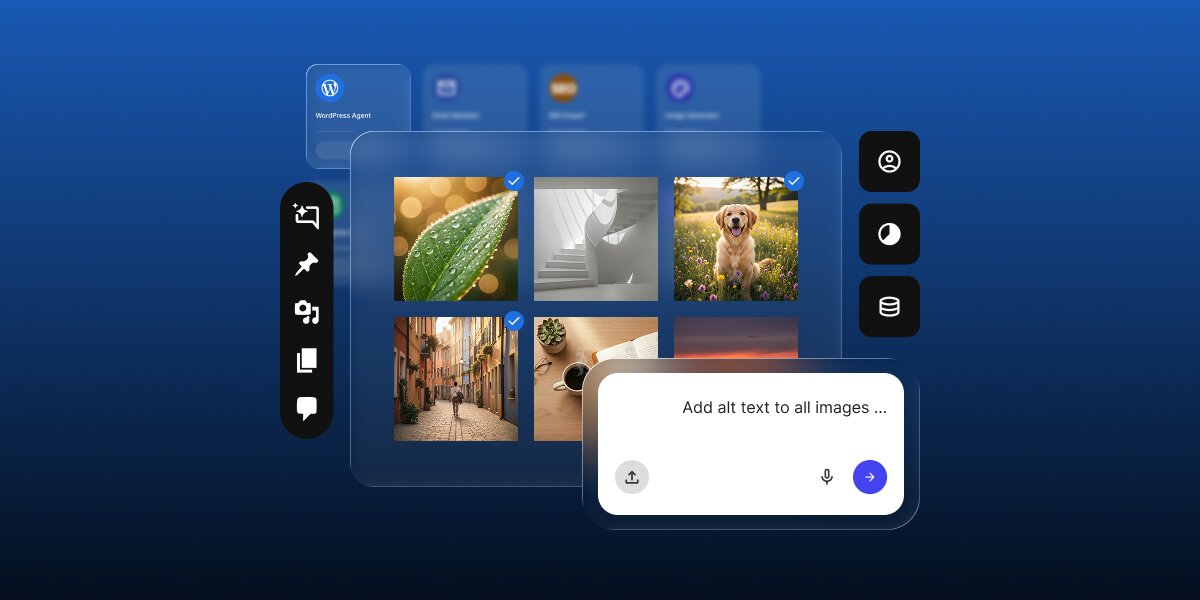
According to our 2026 report on AI in WordPress for small businesses, most small business owners now use AI every day. However, almost all of them use it the same way: a generic chatbot like ChatGPT for research and content creation. This leaves the vast majority of AI’s real potential standing at the front door, while you are left inside still doing all the heavy lifting of WordPress management.
Learning how to use AI in WordPress beyond content creation means using site-connected AI that can work with your WordPress data and complete real tasks, like publishing posts, updating products, and running maintenance, instead of only advising you or handing you text to paste. This guide shows what that looks like and how a specialized, site-connected assistant like the AI Agent for WordPress turns AI into something genuinely useful for your WordPress site and your business.
Key takeaways:
- Most small business owners running their WordPress sites already use AI daily, but mainly through a general chatbot like ChatGPT, and mostly for research and content creation.
- A general chatbot can advise and draft, but it cannot act on your site, so you are still left doing the hard WordPress work by hand.
- Site-connected AI completes approved tasks inside WordPress, from publishing and SEO to WooCommerce, maintenance, and comments, on your instruction.
- Learning how to use AI in WordPress beyond content creation is the shift from AI that suggests to AI that does, and it is where the real time savings live.
How do small businesses use AI in WordPress today?
Most small business owners use AI every day, but almost entirely through general-purpose tools like ChatGPT rather than specialized WordPress AI tools. Our AI in WordPress report, which included a survey of more than 7,000 small business owners conducted at the end of last year, found that 53.9% use AI daily and another 24.1% use it several times a week.
However, this usage is overwhelmingly confined to generic chatbots: you open a separate tab, type a prompt, and get text back. That format is incredibly easy to try, which explains why adoption skyrocketed so fast in a single year. Compared to 2024, ChatGPT usage rose over 21 points, and Google Gemini jumped nearly 25 points, with every major tool seeing double-digit growth.
| AI tool | Share of owners in 2025 | Change since 2024 |
| ChatGPT | 67.1% | +21.4 pts |
| Google Gemini | 36.9% | +24.5 pts |
| Microsoft Copilot | 18.1% | +9.3 pts |
| Claude | 16.7% | +9.3 pts |
| Perplexity | 12.1% | +10.9 pts |
And because a standard chatbot works exclusively in words, the tasks it wins are the ones that begin and end in words: researching a topic, drafting a post, or rewriting a paragraph. You just paste the result somewhere or throw it away. As a result, these became the natural first jobs to hand over to AI, and they still dominate the workflow by a massive margin.
| What small business owners use AI for | Share of small business owners |
| Research and data gathering | 66.5% |
| Content creation and editing | 65.7% |
| Image creation and editing | 39.7% |
| Code writing | 35.1% |
| Data analysis | 34.2% |
| Automating repetitive tasks | 28.7% |
| Building or editing websites | 21.6% |
| Translation | 20.7% |
The other tasks are lower not because small business owners tried them and stopped, but because most have never thought of AI as something that could do them in the first place.
Why using ChatGPT for WordPress still requires a site connection
To take full advantage of how AI can save you time in WordPress, you should definitely go beyond generic chatbots like ChatGPT. A generic chatbot can write a draft blog post or the copy for a landing page, and if you ask it how to do something in WordPress, it will walk you through the steps.
The problem is that the chatbot sits in a separate app with no connection to your WordPress site, so everything it produces is something you then have to carry out yourself. It writes the post, but you are the one who pastes it in, formats it, and publishes it. When it explains how to change a setting, you are still the one who goes and changes it, which can still take an hour of clicking through menus.
And because it cannot see your site, generic AI’s advice is often shaky. If you ask it to recommend a plugin, it will happily list the popular options from around the web, but it has no idea which version of WordPress you are on, what theme you use, or what else you have installed, so it cannot tell you whether its suggestion will actually work on your site or break something, and you usually only find that out after you have installed it.
That leaves you two ways to get a useful result: you can learn to prompt well, spelling out your setup in detail every time so the tool has enough context to give a sensible answer, or you can take whatever it gives you and check it all yourself. Either way, a good part of your time still goes back into managing WordPress, because a chatbot can advise and draft, but it cannot reach your site.
What is site-connected AI for WordPress?
Site-connected AI for WordPress is a major step up from normal chatbots you might be used to. Instead of just writing text for you to copy and paste, it’s a dedicated assistant that plugs directly into your WordPress website and actually does the work for you.
This direct connection changes everything about how AI helps you. A site-connected AI for WordPress can actually “see” your real setup. It knows exactly which version of WordPress you are running, what active theme your site uses, and which plugins are already installed. This means every action it takes is grounded in the reality of your specific website, completely eliminating the guesswork.
And because it can see your site and act on it, your daily WordPress workflow completely changes. You are no longer the one doing all the clicking, searching through complicated WordPress menus, or worrying about where a specific setting is hidden. When you need something made, you simply ask for it in plain English.
The AI Agent for WordPress, part of SiteGround’s AI Studio, is the perfect example of this new kind of tool. You chat with it just like any regular AI, but the conversation ends with the actual job done on your website.
What can AI do in WordPress beyond content creation?
Once AI is linked to your dashboard, it moves beyond content generation into AI for WordPress site management. The easiest way to see this difference is to look at the everyday jobs you might already use AI for, and follow each one past the initial drafting phase into the manual work you usually have to finish yourself.
For instance, the AI Agent for WordPress can take over each of those tedious steps:
Publishing and organizing content, not just drafting it
Instead of writing a draft that you have to copy, paste, format, and categorize manually, the AI Agent can publish the post or page and sort it into the right categories and tags as it goes. It can even handle mass edits, so refreshing or filing a stack of old posts becomes a single request rather than an afternoon of tedious clicking.
Applying SEO and media, not just suggesting it
A normal chatbot will happily suggest a title tag or some alt text (the short description that search engines and screen readers use for images). A site-connected AI like the AI Agent for WordPress actually writes that metadata and applies it directly to your live posts and images. It can also manage your media library, allowing you to seamlessly upload new files or clear out old ones you no longer need.
Running your store, not just describing products
For a WooCommerce shop, a standard AI can write a catchy product description. A connected assistant goes much further: it uses your real store data to actually create and update the products, adjust pricing, generate discount coupons, manage customer orders, and even pull a sales report for you to review.
Handling maintenance, not just reminding you about it
Generic AI can tell you that site updates are something you should do, while site-connected AI actually does the upkeep. You can ask it to install new themes, update your plugins, run WordPress core updates, clear your site’s cache, or change your general site settings.
Managing users and comments, not just answering them
Beyond just drafting a reply for you to paste, a connected assistant like the AI Agent for WordPress can actively manage your community. It can moderate your comments (approving the good ones, holding the doubtful, and clearing the spam), and it can even create or update user accounts and roles for your staff, without you having to dig through the WordPress settings.
| Task area | Generic AI gives you | Site-connected AI completes |
| Content | A draft you copy, format, and publish yourself. | Publishes posts and pages, edits in bulk, and files them under the correct categories and tags. |
| SEO and media | Suggested titles and alt text to paste in. | Applies metadata directly to posts and images, and actively manages the media library. |
| WooCommerce | A product description you add by hand. | Creates products, updates prices, generates discount coupons, manages orders, and pulls sales reports. |
| Maintenance | A reminder to update and back up. | Installs plugins, updates themes, runs WordPress core updates, clears caches, and changes core settings |
| Users and comments | A reply you post yourself. | Creates user accounts, updates roles, and moderates your comments. |
How site-connected AI completes a WordPress task in practice
Say you haven’t been adding alt text for many of your images, and you just learn you have to do it so that search engines can properly understand and rank your content. (We know you are likely already on top of this from reading SiteGround’s Academy, but just imagine for the sake of the argument.)
Now you have to click through the media library, image by image, writing and pasting those descriptions by hand to catch up. A standard AI chatbot like ChatGPT will happily write a list of image descriptions for you to copy if you give it the images or describe them. You would then have to manually paste them for each individual image, which can take so much time.
However, a site-connected AI actually does the data entry for you. Because it is directly linked to your site, it can analyze your assets, formulate a strategy, and apply the text across your entire media library in seconds.
For example, you can just give the AI Agent for WordPress this prompt:
“Generate and apply SEO alt text for all the images in my media library.”
The AI Agent for WordPress then actively scans your live media library, finds the images, explains exactly how it plans to optimize them, and pauses to ask for your confirmation.
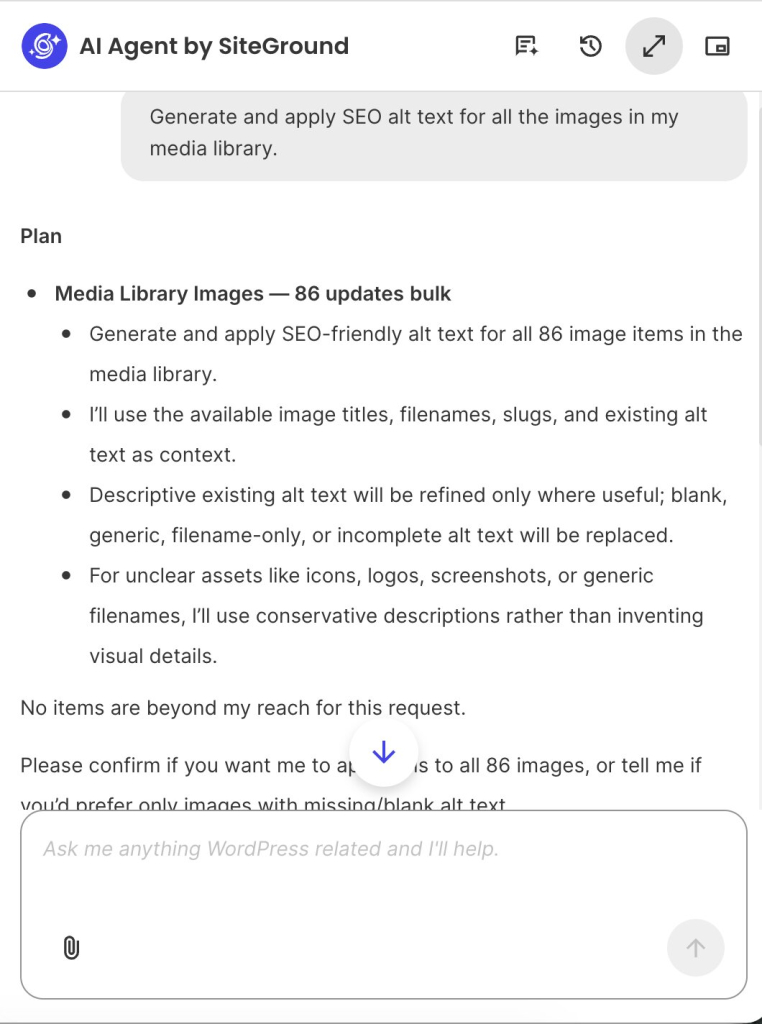
Once you review the plan and give the green light, the AI Agent for WordPress executes the changes on your backend and reports back with a clear summary of the work it completed.
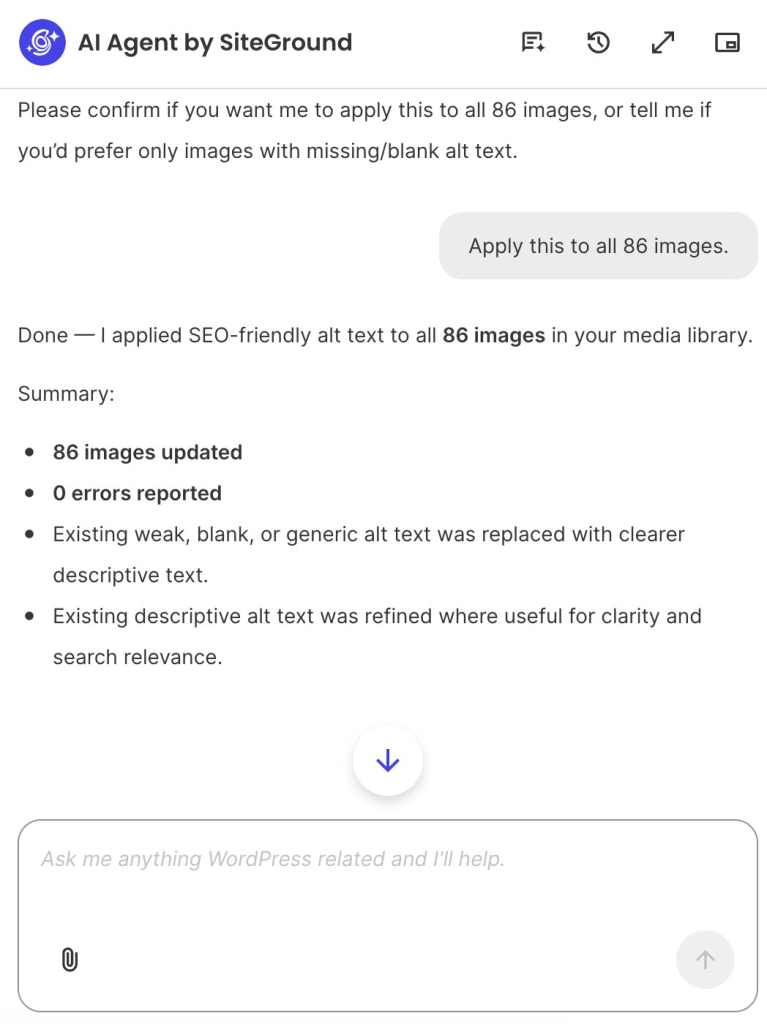
This perfectly highlights what makes a site-connected AI assistant so powerful. It acts as a responsible, hands-on partner that does the heavy lifting, saving you hours of clicking and pasting while keeping you in complete control of the final outcome.
Which WordPress tasks still need human review?
A site-connected AI is not designed to run your business, but to run your errands. Strategic decisions will always remain human. What products to sell, how to price your services, the overarching direction of your website, and the final review of anything your customers will actually see are your choices.
In the case of the AI Agent for WordPress, you also never have to worry about it making a major mistake behind your back. Because it acts as a responsible partner, it uses built-in safeguards like Power Mode to ensure you stay in complete control. It will always pause and require your explicit approval before executing any action with real consequences, like deleting data or altering core settings.
So, the most accurate way to picture this new era of WordPress management isn’t “AI runs my site,” but rather “I make the decisions, and the AI does the legwork.” That is the ultimate value of learning how to use AI in WordPress beyond content creation: you keep the creative control, and you hand over the tedious tasks.
FAQs
How do you use AI in WordPress beyond content creation?
You use AI in WordPress beyond content creation by connecting it to your site so it can complete tasks, not just draft them. Instead of pasting in AI-written text, a site-connected assistant can publish posts, apply SEO metadata, update WooCommerce products, run maintenance, and moderate comments, on your instruction and with your approval for anything major.
Yes, a site-connected AI can manage much of a WordPress site. Because it is connected to your real content and settings, it can publish and organize content, update products and prices, run plugin and core updates, and moderate comments. You keep the decisions and approvals; the AI carries out the work.
ChatGPT cannot manage WordPress on its own because it is not connected to your site. It has never seen your pages, products, or settings, so it can only suggest text and steps that you then carry out by hand. Managing a site needs AI that can read your real data and make approved changes directly.
Site-connected AI for WordPress is AI plugged directly into your site, so it can read your real content and complete approved tasks rather than only producing drafts. It is the difference between an assistant that suggests a change and one that makes the change for you inside WordPress.
Besides writing, AI connected to your site can publish and organize content, apply SEO metadata across posts and images, manage WooCommerce products, prices, and orders, install and update plugins and themes, run core updates, and moderate comments and users, turning suggestions into completed work.
Yes. A WordPress AI agent connected to your site can complete tasks directly, such as publishing a post, updating a batch of products, or running updates, rather than only advising you. It acts on your instruction and typically pauses for confirmation before anything high-impact.
A small business can start to manage WordPress with AI by picking one repetitive task, such as publishing a backlog of posts or updating product prices, and handing it to a site-connected assistant like the AI Agent for WordPress. Starting with a single real task is the simplest way to see the difference between drafting and completing.