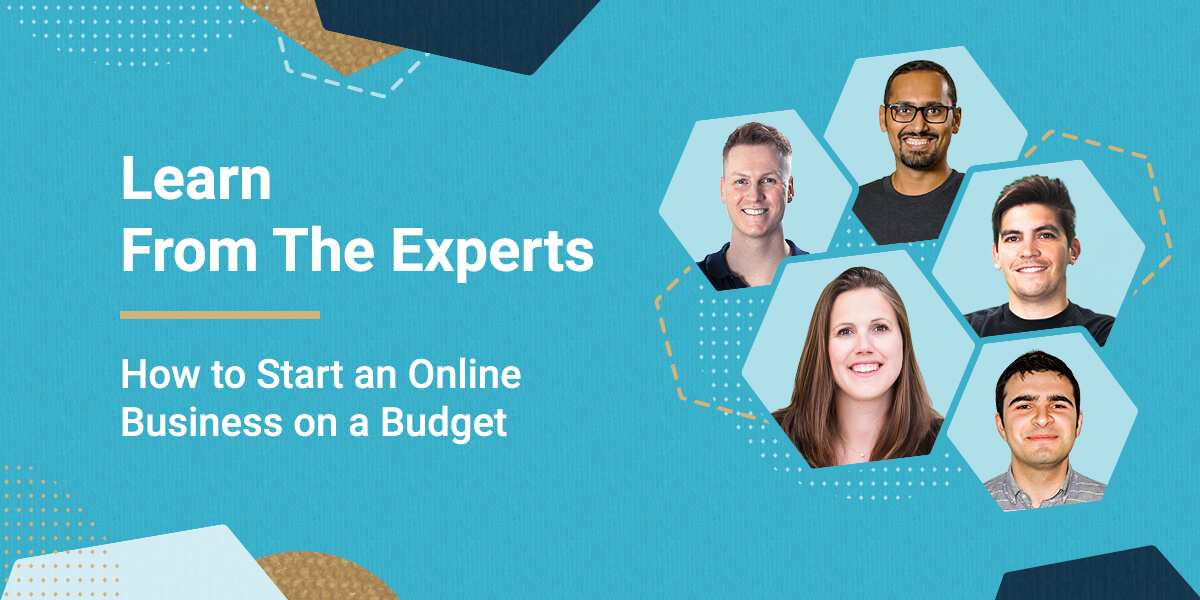
Starting and maintaining a business online has always been a hot topic, but recently it’s become crucial, rather than a side income. In this business-critical moment, we reached out to five established online entrepreneurs for their advice on how to get started even if you don’t necessarily have a large capital to kick things off. Whether you’re still exploring the possibility of launching your online project or looking to grow your existing online business, you will be sure to find lots of relative advice in their stories.
Start Your Online Business With Something You’re Good At
Since you are reading this article you may already be playing with the idea to start your own business one way or another. You may even have a few ideas wondering which way to go. So the first phase about doing it is deciding on what service or product you’re going to launch. According to our experts, it’s best if you get started with something you know well and feel confident about, or something that you are passionate about and you want to learn to do well. Confidence and passion are the two strongest drivers to success so just ride on their wave.
Ferdy Korpershoek is an online entrepreneur dedicated to helping people grow their online business. He spent years building his amazing resource center on www.ferdykorpershoek.com and in his Youtube channel, where he has over 150 000 dedicated followers. When starting his business he went through the very same thought process as all of us do.
“If I take a look at the time we live in, it has become so easy to start to share things with the world through the internet. So let’s become practical: Is there something you are already good at or something you would like to learn? Well, there you have it! Start practicing it and start sharing it with others, for instance, through a video, blog post, or a course.
Maybe you think: ‘I could never do that.’ And that is why you have not done it yet. I had the same thought a few years ago. Let me tell you a story:
Through the years, I made a lot of websites with WordPress. Sometimes I had to struggle to find a solution to a problem, or I could not create the thing my client wanted me to make. It was so hard. When I learned how to solve WordPress problems and make beautiful websites, I started to think about sharing my knowledge through video tutorials. In that way, others could easily learn what I had learned the hard way.
But I saw that others were already better at doing that. They were better at English and presenting. So I hesitated. Until I was so fed up with how things were in my life that I did it anyway. And guess what. I became better at it and gained more followers. Now I can do it full time and earn nice money with it while I am helping people.
You can do the same by just starting! So, how can you start today by helping other people?”
Don’t hold back From Establishing Your Online Business!
As Ferdy mentioned in his story, the biggest challenge when starting a new business is fear. There are too many unknowns, the budget is never enough, the self-doubt and perceived risk seem higher. It gets even worse when you start looking for advice from others who would often make you feel even more unprepared. So when you are getting ready to go along that path, your number one task is to mute that inner voice telling you you’re gonna fail.
We asked Darrell Wilson, an online entrepreneur and owner of www.darrelwilson.com and a YouTube channel with over 200 000 followers who teaches people how to build successful and effective websites, what would be his advice for overcoming that fear and uncertainty.
“I find that comparing yourself to others is a crutch and will only hinder your own work and set you back.
So you can start right now. Create a website for your blog or business and just write whatever comes to mind, and you’ll be amazed how far you get with the small ideas. Remember, be consistent, don’t worry about others, and start small. You are a new entrepreneur stretching your legs. Well, that’s my story and how I got started. And like Stan Lee said, “If you’ve got an idea that you generally think it’s good don’t let some idiot talk you out of it.”
Research shows that contrary to what you may think, the main reason why many people fail isn’t a bad launch or a bad product: it’s the lack of launching altogether. Jumping in at the deep end is the only practical way to overcome your fear of failure.
Free Ideas For Small Business
Since starting a new business can be approached from too many angles and diffusing efforts only adds expenses to the budget needed, it becomes really important to stay focused and try to simplify this complex task. “Starting an online business can be a broad topic, but there still are only two main paths one can take: you can sell products, or you can sell services,” says Ionut Neagu, the founder of CodeinWP, one of the most successful hubs for online WordPress entrepreneurs, and CEO of Themeisle, a company producing premium WordPress themes and plugins. “Both can be done on a budget, but you need to be careful when it comes to picking your market and angle. Here are two strategies that I think will work best if your funds are limited:
1. If you want to sell products.
Dropship. Start a store on a platform like Shopify or WooCommerce. Get product listings directly from suppliers and make them available in your store. Then, whenever you make a sale, it’s the supplier who is responsible for fulfilling the order.
Promote this business via Facebook ads. Facebook ads will still give you the most bang for your buck compared to any other advertising platform. As long as you “niche down” enough, the ads shouldn’t be too expensive.
We have a detailed article on how to start a dropshipping business, or alternatively, you can check our webinar: How to Start a Dropshipping store.
2. If you want to sell services.
Start on Fiverr. Fiverr is a huge marketplace where people can offer all types of services as long as they can be carried out remotely.
Fiverr is also easy to get started with: find a niche → see what sells already → offer a similar service. Granted, earning big bucks on Fiverr can be tough, but it’s a great place to start nonetheless. We have a post on CodeinWP on how our friend went from $0 to $3k a month doing Fiverr gigs.
Build a site on a budget with WordPress
All good, but we obviously need a website to sell our products or services. If the COVID-19 pandemic taught us anything, it was that any business needs a virtual presence. But building a site might actually be one of the most costly items on your business agenda. We asked Syed Balkhi, the founder of the incredibly popular platform www.wpbeginner.com where tens of thousands of WordPress users from all over the world go every day to find everything WordPress-related, how to overcome the challenge of creating a website on a budget:
“One of the biggest things that hold people back is “not having enough resources”, but I believe that entrepreneurs can easily solve that by being “resourceful”. WordPress is an amazing platform because there are 55,000+ free plugins that can help you make your website on a budget, so you can start earning money online.
For example, you can add WPForms lite to create a “Request a quote” form or even an advertising inquiry form. You can use WP Advanced Ads plugin to easily sell ads on your site. There are tons of other plugins that help you do more like MonsterInsights for analytics, AIOSEO for SEO optimization, SiteGround Optimizer for speeding up your site, and more.
Once you have your website live, you can start promoting it on social media using low-cost methods such as answering questions in Facebook groups, LinkedIn groups, and on Quora which helps boost your credibility/brand recognition. This also helps you get more targeted traffic that will convert into customers/clients.
Outside of WordPress, there are also tons of other tools that can help you improve your site without any money. Such as Canva for creating beautiful images, Grammarly for writing better, and a whole suite of free tools that Google offers to help you grow your business.
The key to online success is being resourceful and consistently improving each day.“
Good SEO is still the cheapest form of marketing
Now that you have the idea, you have overcome the fear, you’ve got the website to feature your service, you’ve defined your audience, it’s time to find out that it all ties around marketing. As of now, your most important question will be how to get new clients?
Years ago when SiteGround was a small hosting company and we were running on a tight budget, we discovered the power of good SEO that brought us the greater part of our business. Back then it wasn’t that hard to crack. It was about content and meta data. Adding useful content and optimizing the meta data of the pages got us the first positions of most of the keywords we were targeting and a Google Page Rank 9, which was unbelievable at the time. The only cost we had was having to learn how to do it, cause back then, information was scarce and we had to learn by trying stuff out. Over time, our efforts shifted to other channels and our marketing budget significantly increased, but we still believe in the power of SEO for a solid business start.
That is why we turned to Marieke van de Rakt, the CEO of the most well-known WordPress SEO plugin – Yoast SEO. Before taking her role as a CEO she helped grow the company as their Chief Strategy Officer and she knows the ins-and-outs of good SEO. Here is what she thinks is important nowadays:
“Write amazing and SEO-friendly content. If you start a website for your online business, you’ll need to attract an audience. The quickest and cheapest way to attract that audience is by getting visitors from Google. But how do you make sure that you rank high in the search engines?
An SEO plugin like Yoast SEO will take care of most of the technical aspects of optimizing your website for the search engines. In addition to that, you should make sure that the content on your website is of the highest quality! But how do you write awesome and SEO-friendly content?
Before you can start writing you have to do keyword research. If you want to dominate the search results, you’ll just have to figure out which words your audience actually searches for. These are the topics you should write about and the words you should use in your text.
The second thing you should do is to make sure that your text is nice and easy to read. Write short paragraphs and use headings, which will help the reader to understand your text.
In order to make sure that your text ranks in the search engines, make sure that Google understands what it is about too. Use the words you want to be found for and make sure to use them in heading and subheadings as well. Also write texts that are at least 300 words long, that’ll help with the ranking as well.
Don’t forget to link to previous content. It will make your post stronger because you show some authority on the subject. As well as that, your link structure is also important for your Google rank. “
If you want to know more about how to optimize the text on your website for the search engines, you can check out the Ultimate Guide to content SEO by Marieke van de Rakt on Yoast.com. Alternatively, make sure to read our SEO Blog series with our guest-writer and SEO expert Rebecca Gill.
So that’s it from us and our experts. We hope we managed to simplify the complex task of starting a new business online and mitigate some of the fears you may have at this early stage. Now it’s your turn – good luck!
[subscribe_cta]