BFCM 2025 Ultimate Guide: What You Should Know and How to Prepare

bfcm 2024

This article was originally published in September 2024, and was updated in October 2025

Black Friday and Cyber Monday, the year’s biggest shopping events, are fast approaching. With shoppers eager to spend and an abundance of mega sales in both physical and online stores, you don’t want to miss the opportunity to connect with customers and boost your business.

In this article, we’ll cover all the essential information you need to know to prepare for the busy shopping days. We’ll explain the differences between Black Friday and Cyber Monday – including when they start and how long they last. Additionally, we’ll provide tips on how to get ready for them effectively and stress-free.

BFCM Meaning: Introduction to BFCM 2025

So, what is BFCM? BFCM stands for Black Friday and Cyber Monday, the two most popular shopping events of the year. BFCM is highly anticipated by customers because of the major discounts, sales, and special promotions in both physical and online stores. For businesses, BFCM offers a great opportunity to boost sales, get new customers, and clear inventory.

To maximize sales, though, you need to prepare well in advance. Most businesses typically offer attractive deals and savings for both new and loyal customers, so the competition is quite extreme.

[46]

Black Friday vs. Cyber Monday: Understanding the Differences

Even though Black Friday and Cyber Monday are often referred to collectively, given their major discounts, they are two separate events with distinct differences. Each has a different focus, so let’s take a closer look at them individually.

Black Friday Overview

Historically, Black Friday originated in the United States in the 60s. Initially, it was focused on brick-and-mortar stores, and buyers would line up early in the morning to get their desired purchase and deal.

Today, Black Friday officially marks the start of the holiday shopping season, with alluring offers on products varying from electronics to cosmetics and clothing. It takes place on Friday, the day after Thanksgiving. In 2025, Black Friday falls on November 28.

Cyber Monday Overview

Cyber Monday was created much later, in 2005, by the US National Retail Federation as a counterpoint to the Black Friday in-store discounts. The idea was to entice people to shop online from the convenience of their homes, avoiding the Black Friday shopping crowds and chaos. That’s why Cyber Monday offers are exclusively online.

Traditionally, Cyber Monday takes place the Monday after Thanksgiving, which in 2025, is December 1. On Cyber Monday, the discounted products are mainly electronics, software, tech gadgets, and digital products, but in recent years, the offerings have extended to fashion and other goods as well.

BFCM Weekend: How Are the Two Events Connected?

In recent years, as the popularity of both events has grown, they have evolved into an extended four-day shopping event known as BFCM weekend. Some businesses even stretch their discounts to last an entire week. In most cases, however, sales and special offers begin on Black Friday, continue through the weekend, and culminate with Cyber Monday.

As online shopping continues to rise, the lines between Black Friday and Cyber Monday are blurring more and more. Many businesses now offer online deals during Black Friday, and some even announce their promotions well in advance of the actual date. This trend is beneficial not only for traditional retailers but also for online business owners.

How to Prepare for Black Friday and Cyber Monday

Given the expected intense competition, eager customers, heavy Black Friday web traffic, and increased workload, preparing for BFCM 2025 is a must for businesses of all sizes and types. Whether you manage a physical store, an e-commerce business, or just a website featuring products or services, follow the essential steps and tips we’ve described below to ensure peace of mind in this busy period.

1. Plan Your Goals and Steps in Advance

Before anything else, take time to clearly define what you want to achieve with your BFCM strategy and understand who your target audience would be. This will make it much easier to determine the focus of your BFCM sale. List what your top goals are, for example:

  • Maximizing sales on specific products, new collections, or products with limited quantities
  • Promoting digital products or services (online courses, consultations, etc.)
  • Providing special offers on subscription-based services
  • Attracting and acquiring new customers
  • Enhancing customer loyalty
  • Boosting brand awareness or increasing website traffic
  • Building your email subscription list 
  • Clearing out discontinued items or excess inventory 

Note that you might have several goals and that’s perfectly fine.

🔥 Craft an irresistible email campaign this Black Friday by drawing inspiration from our carefully selected Black Friday email examples, ensuring your message captures attention and gets read.

2. Define Your Offers and Sales for BFCM 2025

Once you’ve set your goals, it’s time to come up with Black Friday ideas, and determine what specific products, offers, or deals you’ll provide. When making these decisions, keep your goals in mind, consider your current capabilities, and profit margins.

For physical product sellers, this involves inventory planning, while for service providers and creators of digital products, it means considering your capacity to deliver your digital goods. Thoroughly consider whether you will offer discounts on specific products or services only – probably using them as doorbusters – or instead have all-inclusive promotions.

3. Prepare Your Resources and Stock Up on Inventory

Next, ensure you are well-prepared to meet the expected surge in demand and orders during the BFCM weekend. For physical-product merchants, this requires inventory planning: review your sales and inventory reports, analyze them to predict how much stock you’ll need, and contact suppliers to confirm that you will have sufficient quantities of your discounted products to fulfill orders.

For creators of digital products and service-based businesses, the preparation process might involve creating additional content or digital products in advance, updating existing ones, creating bundled offers, ensuring your site can handle the traffic, etc.

4. Update Your Content, Descriptions, and Design

Once you’ve taken care of your inventory, take time to review your website content and design. Update any outdated information, including sales pages, product descriptions, menus, categories, and anything else that needs a refresh. Ensure your website content is compelling and valuable to your audience.

Before BFCM 2025, update product prices that will go on sale. Prepare descriptions, sales announcements, offers, homepage banners, and other promotional graphics that you will need for your website, social media, or newsletters. Have everything ready well before the BFCM weekend so you can make any necessary changes and be prepared to upload them on time. And if you need help coming up with descriptions, just lean on ChatGPT prompts to help you get the job done.

5. Optimize for AI-Driven Shopping Searches

Shoppers aren’t just heading to Google anymore—they’re turning to AI tools for business like ChatGPT to research and compare BFCM deals. OpenAI’s recent updates have made it easier for users to discover products directly in ChatGPT when they search for things like “best laptop deals for Black Friday” or “top website hosting offers for Cyber Monday.”

To increase your chances of showing up in these AI-generated shopping results:

  • Make your product listings clear and structured. Use clean HTML and include essential info like product names, descriptions, pricing, and images. Structured, crawlable content makes it easier for AI tools to understand what you’re offering.
  • Get listed in popular shopping data sources. ChatGPT’s shopping results are powered by third-party providers like Shopify, Instacart, and Klarna. If you sell through one of these platforms, make sure your listings are accurate and optimized.
  • Use descriptive, natural language. AI models work best with language that reflects how people search. Phrases like “affordable web hosting for small businesses” or “Black Friday deal on climbing ropes” can help match user intent.

When it comes to AI and SEO, AI is in fact becoming a key player in product discovery, especially during high-intent shopping seasons like BFCM. Make sure your deals are easy for humans and machines to find.

6. Check & Optimize Your Site Speed for the Black Friday Web Traffic

Another crucial step when preparing your website for BFCM is optimizing its speed and ensuring it can handle the expected high traffic so that this doesn’t cost you sales and annoyed website visitors.

  • Check current website speed: Ensure your website loads in less than 2 seconds, as sites that need more time to load are typically considered slow and risk driving visitors away. You can test your site speed with various online tools like GTmetrix, Pingdom, and if you’re on WordPress, you can use our Speed Optimizer plugin, which, besides speed testing, will also equip you with all the essential optimization tools seamlessly.
  • Make sure you’re hosted on a high-speed infrastructure: Having a reliable web host that provides you with a fast hosting infrastructure is extremely important for optimal performance. It directly influences critical factors such as server performance, the way traffic is managed and allocated (especially important when you expect huge traffic spikes during events like BFCM), network latency, caching implementation, CDN systems, and much more.
  • Assess if your website can handle the Black Friday web traffic: Bringing in increased Black Friday ecommerce sales is great, but prior to BFCM, it’s wise to first review your website’s daily resource usage, such as CPU seconds and program executions. Also, analyze your website traffic stats and try to find information for previous periods when you’ve had sales or special offers. In doing so, try to estimate if you’ll need more resources and possibly a larger hosting plan in order to prepare your website for the Black Friday traffic.
  • Optimize images: There are several simple yet effective ways to optimize your website images and improve their loading speed. First, only use images that are necessary – avoid cluttering your site with unnecessary ones. Reduce image size and ensure they aren’t larger than their display dimensions. Save them in the WebP format, which offers strong compression while maintaining high image quality. Additionally, you can implement lazy-loading, which delays image loading until they’re about to enter the user’s view.
  • Implement a content delivery network (CDN): If your website has visitors from different countries and continents, don’t miss using a CDN. It will store cached versions of your site’s content across multiple data centers worldwide, so when a new visitor comes, they will see the cached version from the closest location to them, ensuring optimal performance. As a SiteGround hosting customer, you can enjoy a standard CDN for free with every hosting plan, and for a limited-time only our Premium CDN at 50% OFF, which can significantly boost your website’s speed.
  • Use caching: This is another powerful method for improving your website’s loading time by storing copies of its content on the server temporarily. Some web hosting companies offer this service as a built-in solution. At SiteGround, for example, we have SuperCacher, which offers three different layers of caching: NGINX Direct Delivery (for static content), Dynamic Cache (for dynamic content), and Memcached (for object caching). When enabled on top of the static cache, Memcached and Dynamic cache can lead to a website speed boost of up to 5 times!

🔥 HOT TIP 🔥
Follow our speed improvement to-do list for a detailed guide on all the essential website speed improvements that you can make in preparation for BFCM – and how to actually implement them.

7. Enhance Website Security and Prevent Bad Bot Traffic

Ensuring website security is just as important as optimizing speed, especially in periods with expected high traffic. If your website gets infected with malware or goes under a DDOS attack, it could go offline, resulting in lost sales and even damaged client trust. Here are some quick and easy tricks that you can do in advance to guarantee your website’s safety during BFCM. 

  • Choose a secure web hosting service: Make sure you’re using a secure hosting provider with robust server infrastructure and solutions, such as DDOS protection, server monitoring systems, and backups. At SiteGround, we’re proud to provide clients with all of those essential features, including even more, such as an AI anti-bot system, Web Application Firewall, as well as the latest and most secure software versions, including the default PHP 8.2 and the latest MySQL 8.
  • Keep your software and plugins updated: To avoid making your website vulnerable to attacks, remember to always keep its software, plugins, and themes updated with the latest stable versions.
  • Add an SSL certificate: If you haven’t already, installing an SSL certificate is a total must, as it encrypts and secures sensitive website data such as IDs, passwords, credit card numbers. It also verifies your website’s identity and is needed if you want to meet the requirements of search engines that flag unsecured sites.
  • Use strong passwords and implement two-factor authentication (2FA): Keep in mind that both you and your users should create strong, complex passwords. Also, add an extra layer of security for your website admin accounts. With 2FA enabled, your login will require one additional step before anybody can access your website admin account, making it much more secure. If you’re on WordPress, don’t skip adding 2FA with just a click using our free Security Optimizer plugin.

8. Prepare Your Customer Support

Once you’ve addressed your website speed and security, it’s time to focus on your support service during Black Friday campaigns. Providing adequate support to your website visitors is quite important as customers nowadays expect quick responses to their inquiries, especially during heavy-traffic events like BFCM.

Regardless of whether your business has a dedicated support team, adding a visible, clear, and helpful FAQ section is crucial. It can significantly reduce the load on your support team and improve overall customer experience. Try to give a thorough response to all popular customer questions, including product details, shipping and delivery info, return policies, etc.

For those managing customer support, whether as a dedicated team or if you’re handling it yourself, make sure to increase availability for BFCM-related requests. Consider increasing your support hours or incorporating live chat or AI-driven bots to help you handle routine inquiries.

9. Plan Your Black Friday Marketing Efforts

To make the most out of your BFCM sale, set aside time to think and prepare a well-planned BFCM marketing strategy. The earlier you start building the anticipation, the better the results you can expect. For your marketing strategy, consider focusing on and using the channel that is traditionally most effective for your particular business.

Typically, email marketing is one of the best ways to promote your upcoming BFCM sales. To make your promotional emails more relevant and personalized, segment your email subscriber list for precise targeting. Consider sending teaser emails well in advance of BFCM, which will help you keep your brand top of mind. And don’t forget to pay attention to the best times for sending those Black Friday emails.

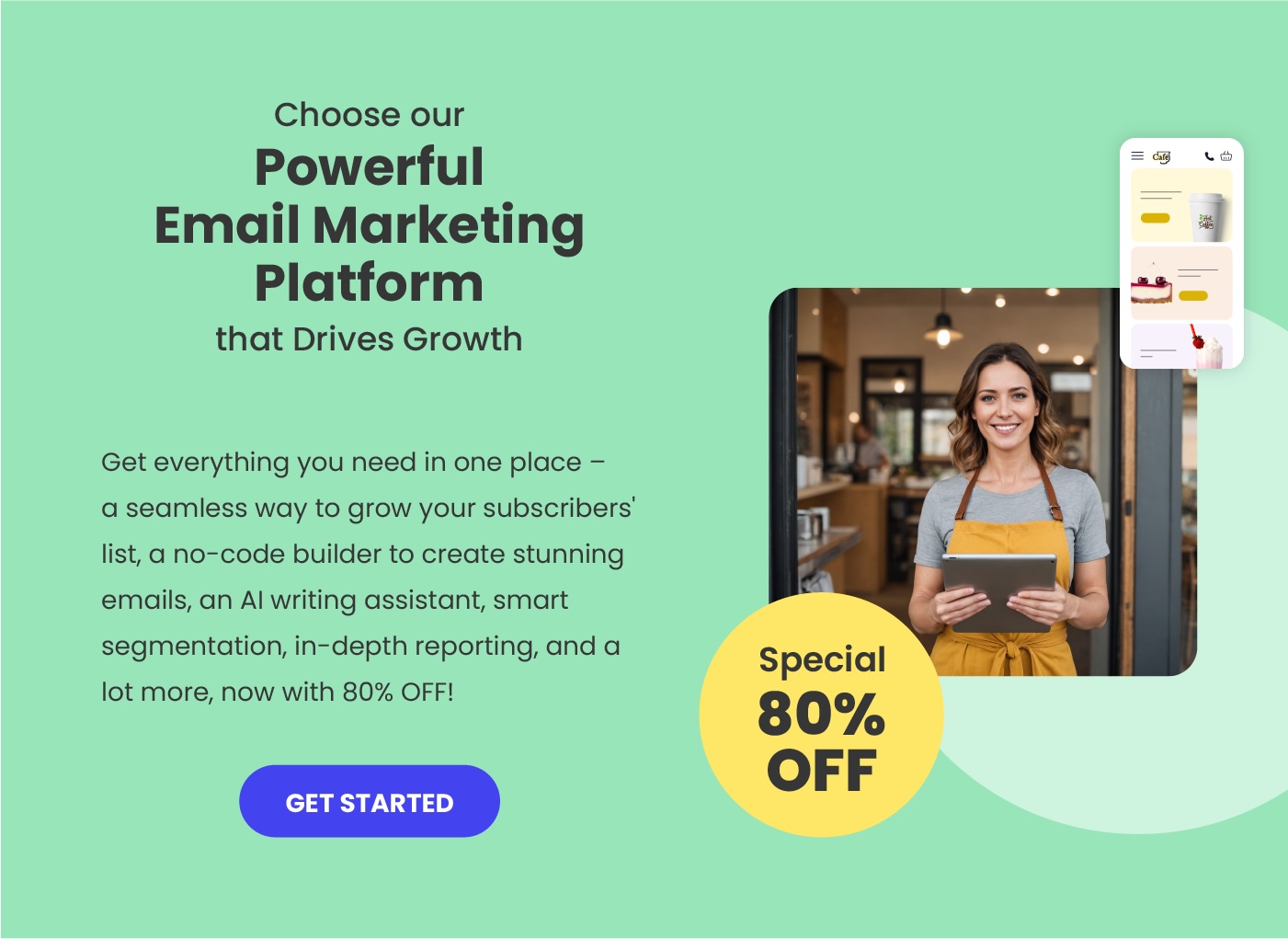
If you’re looking for a reliable and easy-to-use tool to manage your email campaigns, SiteGround’s Email Marketing solution offers seamless integration with your website, smart segmentation features, and user-friendly templates—helping you get your message out quickly and effectively.

Get started with SiteGround Email Marketing >>

Your presence on social media is also critical during BFCM, especially on the most popular and effective platforms like Instagram, Facebook, and TikTok. Start generating buzz around your special offers with countdowns, a sneak peek of your top sales, and think about partnering with influencers if you want to reach a specific or wider audience. Don’t miss also using social media ads to further promote your deals with clear, compelling, and urgent ad copy. 

Another powerful way to increase sales and drive traffic to your website during BFCM, is through leveraging blog content. If you have a blog, start writing informative and engaging articles that highlight your BFCM deals and the value of your products or services. 

For maximum impact, consider preparing a series of blog articles leading up to Black Friday with shopping tips, product information, and hacks that could attract potential buyers and build anticipation. Be sure to share each blog article via social media and email to reach a broader audience. To make your BFCM marketing efforts really work, write compelling content, use multiple channels so that you can reach a bigger audience, and take advantage of paid advertising once the sales begin.
Sign up for free Black Friday email marketing course from SiteGround

Get Ready for BFCM Now to Maximize Your Results

The most intense shopping days of the year are coming lightning fast, so start preparing today to make the most out of your sales during BFCM weekend. Set your goals and utilize the tactics that you think will be most effective for your business.

And when it comes to having a reliable, high-performing site that can handle those coming traffic spikes, look no further than SiteGround. With its reliable hosting and support, you can handle increased traffic and keep your site running smoothly. Here’s to a strong BFCM 2025!

Black Friday & Cyber Monday FAQ

Is Cyber Monday better than Black Friday?

When it comes to the number of sales and which of the two events performs better, this greatly depends on the industry, the type of business, and customer preferences. If you own a physical store, then Black Friday might bring you better results, as it’s associated with in-store shopping. On the other hand, if your business is solely online, then Cyber Monday might be more advantageous. We’d definitely recommend utilizing both events, given that the line distinguishing them has blurred more and more in recent years.

How long does BFCM last?

Traditionally, Black Friday starts in the US on the Friday (November 28) right after Thanksgiving, and lasts a full 24 hours. In recent years, though, most retailers have begun extending the shopping event throughout the weekend up until Cyber Monday, which falls on the following Monday. As for when Cyber Monday ends, most deals will end late Monday night (December 1), but some merchants will extend the deals until Tuesday and beyond.

How to increase sales on Black Friday?

To increase sales on Black Friday, start preparing early and announce your promotions in advance to build anticipation. Advertise them using multiple channels so that you reach a wider audience, and be sure to highlight their value, benefits, and limited quantity. Verify that your website is fast and secure enough to handle the traffic surge and volume of orders. And last but not least, create legitimately attractive discounts and bundles, rather than deceptive ones where prices are raised beforehand and then lowered on Black Friday to appear discounted.

This article was originally published in September 2024, and was updated in October 2025

12 Essential Website Security Tips to Protect Your Site Now

how to secure your website

When it comes to your website, security should be one of your biggest priorities. Cyberattacks are on the rise, and hackers are constantly finding new ways to infiltrate vulnerable websites.

Protecting your online presence is critical for safeguarding your data, your customers’ information, and your business’s reputation, and in this article, we will show you how to make your site bulletproof.

What Is Website Security?

Website security involves the practices and tools used to protect a site from cyber threats and unauthorized access. This includes measures like encryption, firewalls, backups, and adding secure sockets layer (SSL) certificates, aimed at keeping your data safe. It’s important for maintaining a trustworthy online presence and ensuring that users’ information remains secure.

Note that website security is not a one-time task, it’s an ongoing process that requires regular updates and monitoring. As cyber threats constantly evolve, website owners must continually improve their security practices and address potential vulnerabilities to keep their site safe.

Why Website Security Matters for Your Business

Website security is not just a technical concern. While websites can be targeted for various reasons, one of the most alarming facts is that 43% of all hacked websites are owned by small businesses. Hackers exploit their vulnerabilities to steal data, inject malware, or use the website as a launching point for other attacks.

Unfortunately, the consequences of a breach can be severe for your business or project:

  • Revenue loss: Downtime and compromised functionality can affect your sales and services.
  • Reputation damage: Customers can lose trust in a business that fails to protect their information.
  • Cleanup costs: Hiring cybersecurity experts, implementing damage control measures, and paying for security tools to restore functionality can be expensive.
  • Legal issues: In some cases, breaches may also result in legal penalties for failing to comply with data protection regulations like GDPR, for example. 

Given these risks, investing in proactive website security measures is not just about avoiding loss; it’s about ensuring your business can operate with confidence and integrity, and so that you can enjoy peace of mind.

How to Protect Your Website from Hackers: Understanding Their Tactics and Attacks

Web applications are constantly being improved, and security is something all developers pay special attention to. But hackers are not slacking off either. When a known security vulnerability is fixed, they either find another way to exploit it or discover a new one very quickly (or in the worst case, both).

And yet, despite the precautions and improvements, a lot of websites are still getting hacked. Why? 

The main reason is that many, if not most, users seriously underestimate security as a whole – not only the security of their websites but the security of their hosting accounts and even the security of their computers.

And this is an ideal opportunity for hackers to “show off their skills.” That’s because hackers keep their “software” up to date – indeed, new viruses are developed all the time. And while they keep their applications current, many users don’t. Once users install an application and start using it, they often forget about upgrades and security fixes.

Another misconception is that hackers only target large, well-known websites or those with sensitive data. In reality, smaller, less visible sites are often the primary targets. These smaller sites are typically seen as easier to breach and, as we’ve said, once compromised, they can serve as a starting point for broader attacks.

Hackers might use these sites to launch attacks on other more valuable targets or to hijack server resources for things like launching Distributed Denial-of-Service (DDoS) attacks or sending spam. Plus, many smaller websites host outdated applications, which often contain vulnerabilities that hackers can exploit.

The most common security threats for websites are:

  • Malware: This is malicious code injected into websites or web applications. The goal could be to steal sensitive data, display unwanted content, redirect users to malicious sites, or take control of the site for illicit purposes.
  • Brute Force Attacks: Hackers use them to gain unauthorized access to accounts by systematically trying many different password combinations. Once successful, they can take control of the account and compromise the entire site.
  • DDoS (Distributed Denial of Service): This type of attack floods a website or server with massive amounts of traffic, overwhelming it and causing it to go offline. Attackers often use botnets, which are networks of infected computers, to carry out these large-scale attacks.

12 Crucial Website Security Tips

Let’s see what you can do to make your website safer. Below, we’ll explain the most important, effective, and must-know safety measures you can take. 

1. Start with Secure Hosting

Start by considering where your site lives – your hosting platform. It’s the backbone of your site’s security. Choose a renowned web host that prioritizes protection with features like secure server infrastructure, advanced firewalls, daily malware scans, DDoS protection, and automated backups. 

A reputable hosting provider does more than just keep your site online. It can actively shield it from threats with various tools and solutions, creating a solid barrier right from the start. 

Take the time to research providers, checking their websites, security measures and features, and customer reviews. This will guarantee your website has a strong base to build upon, protecting it from the get-go.

2. Install an SSL Certificate

Having an SSL certificate is a must-have for any website, regardless of its purpose or size. This industry-standard encryption technology secures the data exchanged between your site and your visitors’ browsers, safeguarding sensitive information like logins and payment details from being accessed by hackers. 

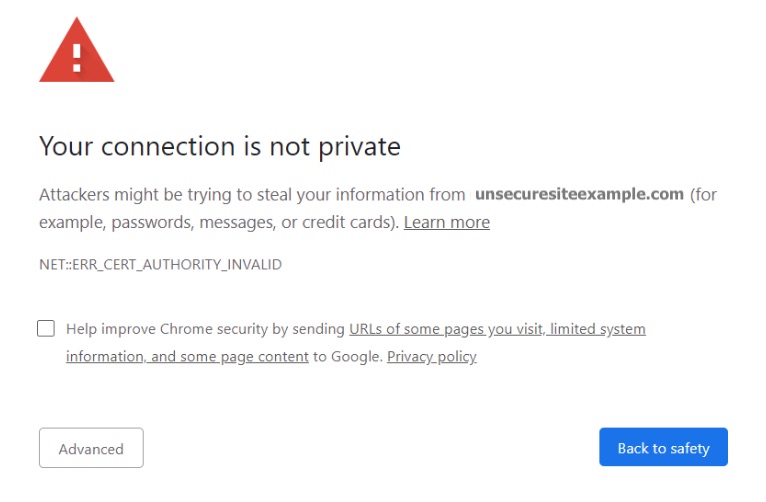
Without it, your website is exposed to risks like data theft, which can also lead to hurting user trust in your brand. Moreover, browsers mark websites that don’t have an SSL with a red warning sign and Google even penalizes such sites, making it a crucial SEO factor.

Though it might sound complex, installing an SSL certificate on your website is pretty straightforward. Usually, hosting providers that take security seriously offer it as part of your hosting plan and provide an easy way to get it configured without tech knowledge. 

At SiteGround, for example, we provide free Standard and Wildcard SSL certificates with all our hosting plans, and to make it even more convenient for clients, the Standard SSL certificate comes preinstalled. 

If your hosting provider doesn’t offer an SSL certificate for some reason, you can get one for free from Let’s Encrypt.

3. Use Strong Passwords & Change them Often

Weak or reused passwords are a gateway for cybercriminals, making brute-force attacks and unauthorized access far easier. Basically, if a hacker can break your password and get access to your website, they can do whatever they want with it. 

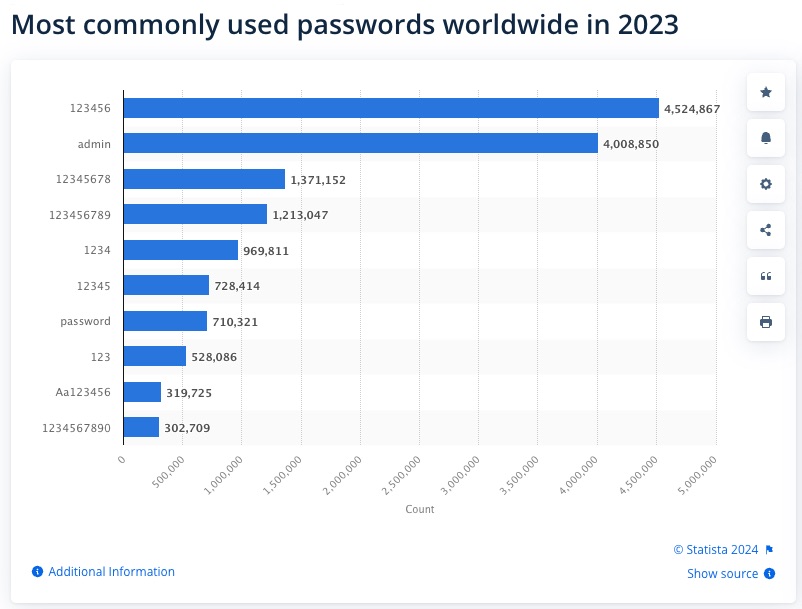
Although it seems like a no-brainer, many website owners still use weak, easy-to-guess passwords like “123456” or follow predictable patterns, leaving their sites vulnerable. An easy, free, and effective way to secure your website is by simply changing your passwords often and using complex ones that are hard to guess.

A good approach is to create one that is a whole sentence, and including special characters or numbers will make it even stronger. Also, avoid using the same password across multiple platforms, and encourage users of your website to update their passwords regularly too.

4. Backup Your Site Regularly

Cybersecurity disasters can happen anytime, whether due to human error, security breach, or server failure. In such situations, having a backup of your website is your safety net. 

With it, you can easily restore your website to its previous state, minimize the downtime for your clients and visitors, and protect your overall business operations. There are three main ways to back up your website: manually using FTP (if you’re experienced), with a third-party solution, or by using a tool integrated into your web hosting service. The last two options are more convenient as they automate the process and save you time.

At SiteGround, we automatically back up your website daily and store it for 30 days in a secure data center. We also have a Premium Backup Service that offers automatic hourly backups, five extra on-demand backups, seven additional daily backups on top of the ones you have included in your plan, and more.

5. Monitor Traffic and User Activity

Unusual activity patterns can be early warning signs of potential security threats, such as brute-force attacks or vulnerability exploits. Pay attention to red flags like unexpected traffic spikes, unusual geographic origins, or suspicious user behaviors. 

These anomalies could indicate potential cyber risks that require immediate action, like blocking suspicious IP addresses or regions. For instance, a sudden surge of traffic from a country you don’t typically serve or target might signal a coordinated attack attempt.

You can monitor your website traffic easily using a network security tool. Many hosting providers also offer built-in security monitoring services that can help you track your traffic.

6. Regular Scans and Malware Detection

Proactively scanning your website for vulnerabilities and malware is another security measure that will help you identify and respond quickly to vulnerabilities before they’re exploited, ensuring your site remains safe. Automated tools can simplify this process, conducting thorough checks for malware and suspicious activity across your site’s files.

⭐ SiteGround users can benefit from the Site Scanner solution, which performs daily scans for potential threats and promptly notifies you of any issues.

7. Block Brute-Force Attempts

Brute-force attacks represent one of the most common and persistent threats to website security and website owners. As we mentioned earlier, these automated attacks use tools to systematically guess login credentials, targeting your website’s vulnerabilities with rapid login attempts. 

These attacks can be relentless and, if successful, lead to severe security breaches and consequences – stolen personal information, financial loss, and more. To protect your site from such threats, it’s crucial to implement diverse measures. 

Start with strong, unique passwords, and restrict the number of login attempts allowed on your admin panel. Regularly monitor IP addresses for unusual activity and use CAPTCHA challenges to block automated bots. These proactive steps can greatly reduce the risk of unauthorized access.

8. Implement a Web Application Firewall (WAF)

A Web Application Firewall (WAF) filters and blocks malicious traffic to your site. A WAF basically acts as a protective layer between your website and the internet, filtering incoming traffic and blocking potential threats like SQL injections and cross-site scripting (XSS) attacks. 

This additional layer of security can be a game-changer so make sure your website takes advantage of such solutions. There are different third-party services and WordPress plugins you can use for this purpose. An even better option is to rely on a server-level WAF via your host, as it usually provides advanced protection using big data and real-time analysis.

Now that you know some of the fundamental website security tips, let’s see some specific measures you should take if you’re a WordPress website owner. Although WordPress is a secure platform, its popularity makes it a prime target for hackers. 

Powering over 40% of all websites globally, WordPress naturally attracts attention from cybercriminals, so it’s important to keep your WordPress site in top shape.

9. Update WordPress Core, Themes, and Plugins Regularly

It’s highly recommended to update your WordPress core, themes, and plugins whenever there’s a new version. Along with new features and functionality, software updates often include security patches that address vulnerabilities, helping to protect your website from exploitation. 

To check for available updates, simply go to your WordPress dashboard > Settings (or Plugins). You can either manually manage updates for your WordPress site or opt for a managed WordPress hosting provider that handles the updates for you.

[80]

10. Strengthen Login Security

You can further improve your WordPress website security by strengthening its login. This can be done in several layers – enforcing strong password policies, limiting login attempts, and considering two-factor authentication (2FA) for an extra layer of protection.

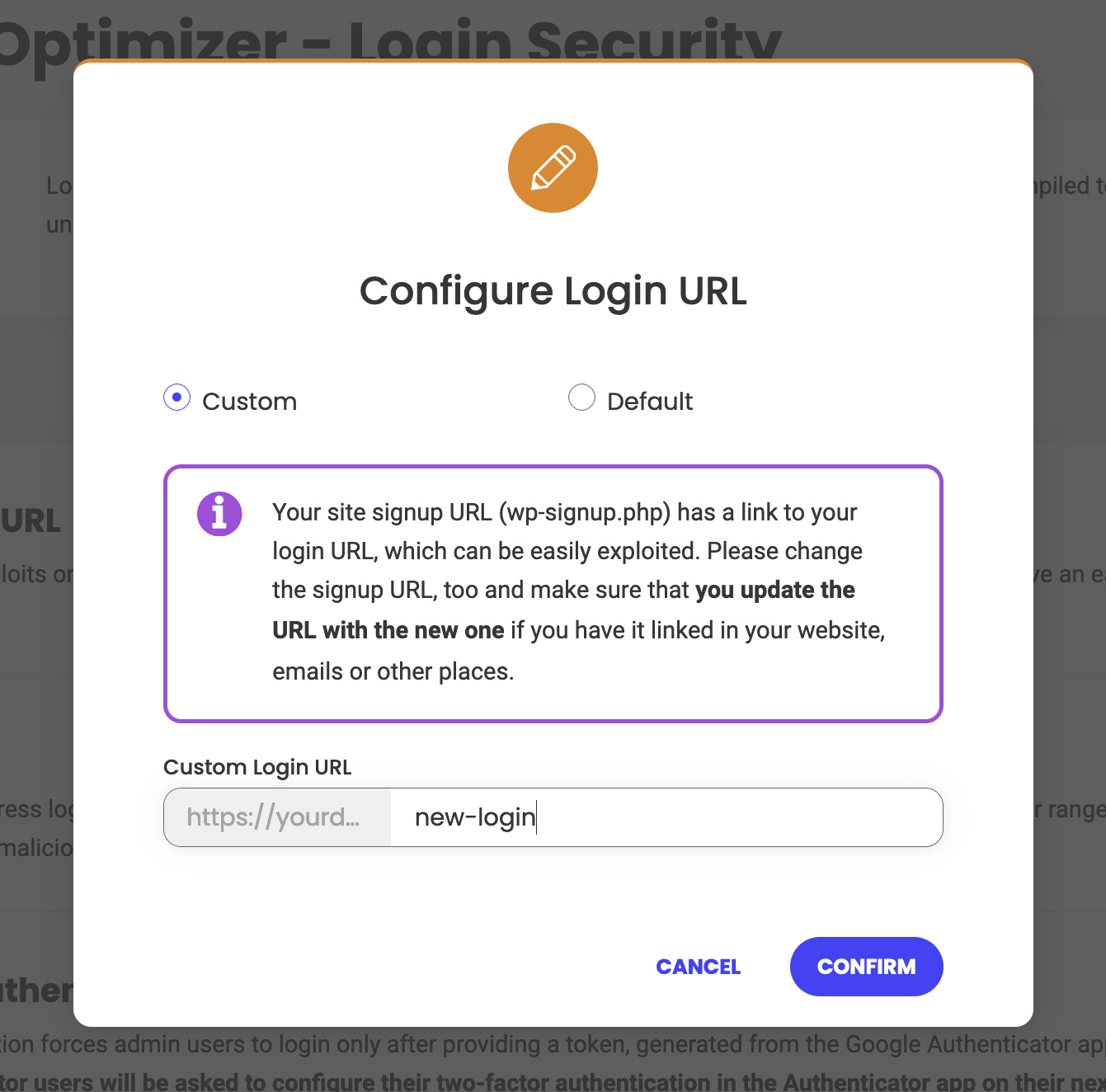
Making your WordPress login URL custom and unpredictable is an important security step, as WordPress uses standard login URLs like /wp-admin or /wp-login.php, which hackers and bots can easily target. For instance, instead of the default, you could use a unique URL that only you would know and remember, like /my-unique-login. Tools like the Security Optimizer plugin make it simple to configure this directly from your WordPress Admin Panel. Additionally, it’s wise to create a unique login name, as ‘admin’ is the default username, making it a common target for attackers too.

Another step you can take to secure your login is to prevent brute-force attacks by limiting the number of failed login attempts. As we mentioned, these automated hacking attempts work by systematically trying multiple password combinations until they succeed. With the Optimizer plugin, you can address this as well, as it allows you to cap the number of times users can try to log in with incorrect credentials and thus stop these automated attacks before they gain access.

Lastly, consider adding two-factor authentication (2FA) as it adds one more layer of protection, and the more layers you have, the harder it will be for hackers to break your login. Even if a hacker somehow gains access to your password, 2FA requires a secondary form of verification, such as a temporary code sent to your phone or email.

11. Monitor and Manage User Access

If multiple collaborators have access to your website, make sure they have only the necessary permissions to interact with your site. Review their roles and permissions in your WordPress backend. 

Assign roles carefully based on each collaborator’s responsibilities. For instance, blog writers or editors should only be granted editor or contributor access, restricting their ability to make critical changes to the site’s structure or security settings.

Also, remove inactive users, as they can enable potential vulnerabilities if their accounts are compromised. These “inactive” accounts are often overlooked but they can be entry points for hackers.

12. Add a Reputable Security Plugin

The WordPress ecosystem is rich with plugins that can enhance your site’s functionality and security. A good security plugin can automate many of the measures we’ve discussed, saving you time. 

A reputable provider should offer active support, regular updates, and clear documentation.

We recommend SiteGround’s Security Optimizer plugin, as it brings together all the core features you need to secure your WordPress site without requiring multiple plugins. It covers advanced login protection, firewall configuration, and activity monitoring in one user-friendly package. It strengthens your site by protecting critical system folders, blocking unauthorized access, and keeping track of all activity for any signs of suspicious behavior. If someone does manage to break in, the detailed activity logs help you quickly understand what happened and take action to fix it!

How to Stay Safe Online – Be Proactive and Regularly Review Your Security

Maintaining a safe and fully functional website is an ongoing process, not a one-time task. Don’t wait for a security incident to react. Regularly review and perform your security measures, stay informed about the latest threats and best practices, and be prepared to adapt your strategy.

The 13 Essential Types of Emails Explained Simply

types of emails

With so many email types to choose from, email marketing can feel overwhelming, but it remains one of the most cost-effective marketing channels, offering an impressive ROI. It’s a powerful tool you can use to promote your business, project, or initiative.

In this guide, we’ll break down the 13 essential types of emails in a simple way. You’ll get a clear overview of the different types of emails, making it easy to decide which ones are right for your goals.

What Are the Different Types of Emails?

Here, we’ve compiled the most widely used and effective email types that businesses commonly use for their email marketing campaigns. Let’s check them out!

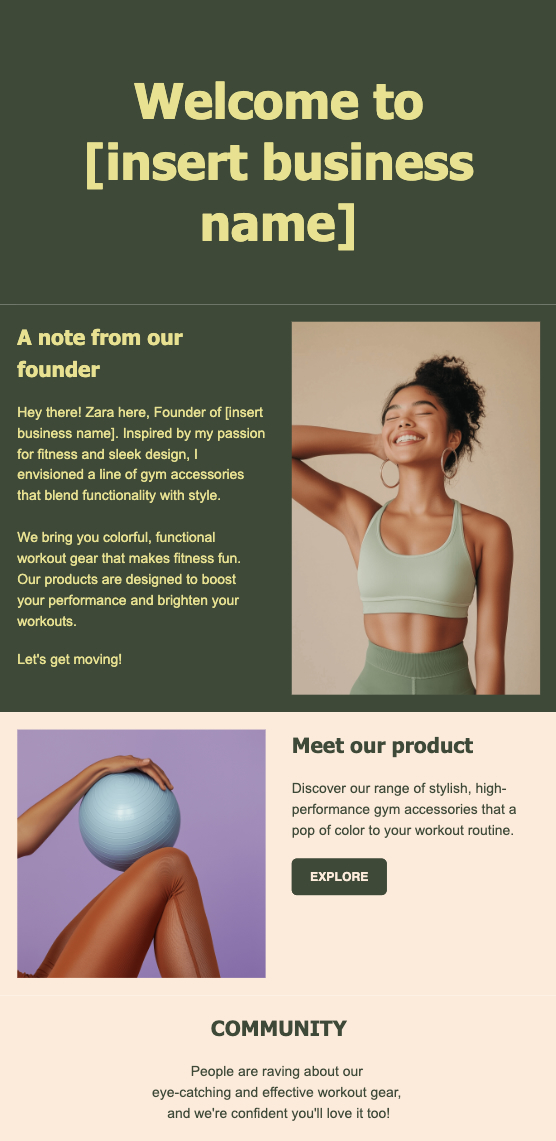
1. Welcome Emails

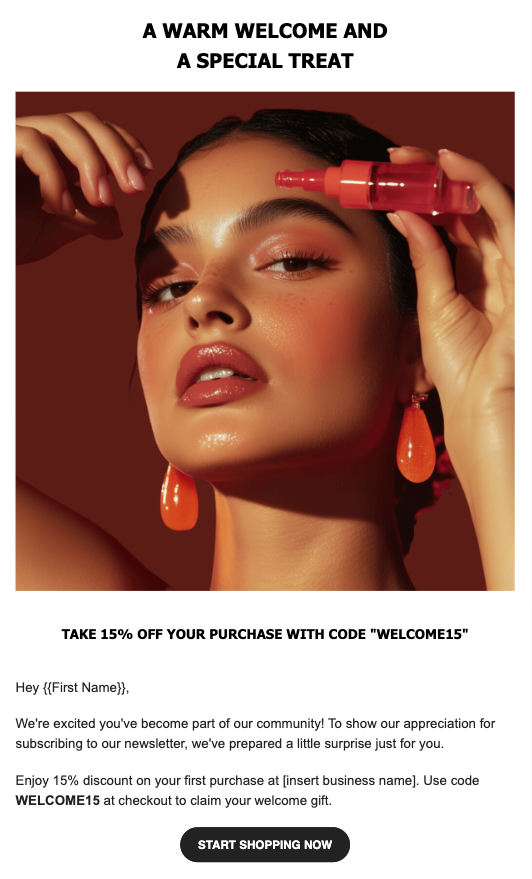
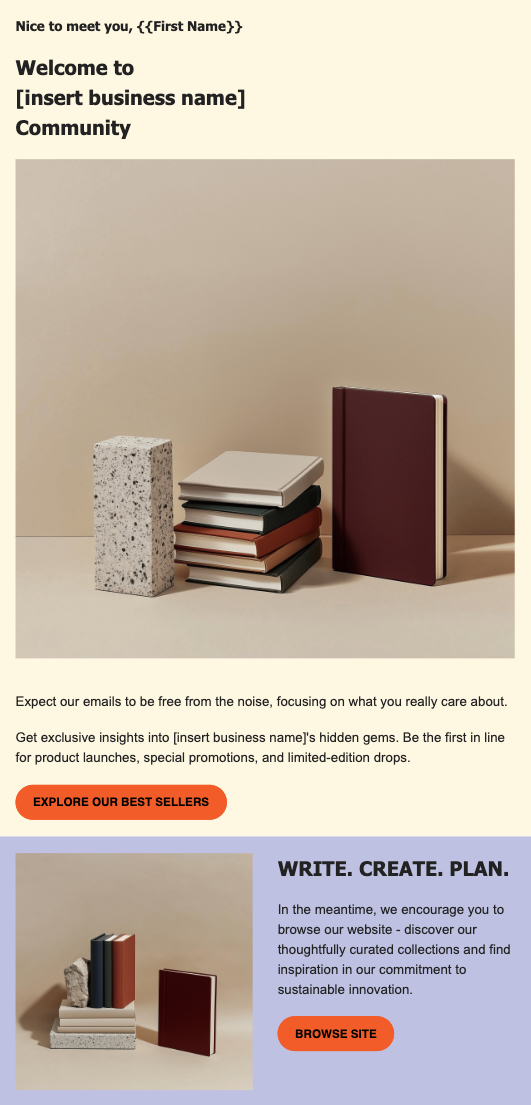
When a new subscriber joins your email list, welcome emails serve as your digital handshake – a critical first contact that goes beyond a simple subscription confirmation. This first message is a golden opportunity to establish trust, showcase your brand’s personality, and create a connection with your newest subscribers.

These initial communications also serve as an opportunity to build credibility. Customers expect welcome emails shortly after joining an email list (usually within 24 hours). Plus, welcome emails generate significantly higher open and click rates compared to the standard email campaigns.

Note that welcome emails can be categorized into two primary subtypes: a one-time introduction to the brand, which provides an immediate snapshot of who you are and what you offer, and an onboarding email series that guides new subscribers through a more comprehensive, multi-step journey of getting to know your brand, products, or services. These approaches differ in their duration of engagement, allowing you to tweak your initial communication to your marketing objectives.

Pro tip: Use welcome emails as an opportunity to offer a valuable incentive like a discount code, free resource, or exclusive first-time subscriber perk, which not only show appreciation but also encourage subscribers to engage with your brand immediately.

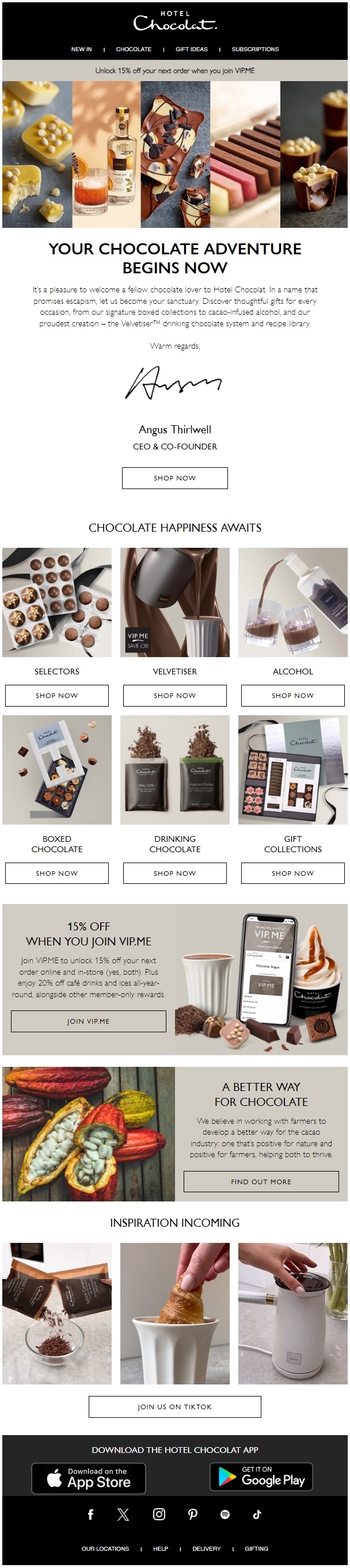
Here’s one really good welcome email from the chocolate manufacturer Hotel Chocolat. It opens with a catchy, personalized subject line: “Mark, a world of chocolate happiness awaits 🍫” and combines all effective elements for a welcome email. Its minimalist, modern email design features a clear call to action (CTA), high-quality images, and concise yet engaging copy.

The personal note from the company’s CEO adds a thoughtful touch. Additionally, to incentivize new subscribers to make a purchase, the company has offered a 15% discount and placed it at the top of the email header. Notice that they’ve also included images and links to their key products to further prompt people to make a purchase – a smart approach you could also try in your welcome email campaigns.

2. Newsletter Emails

Newsletters are the core of many email marketing strategies, offering a consistent way to connect with your audience. These emails deliver regular updates about your business, share news, milestones, upcoming events, provide helpful tips, or offer educational content tied to your niche.

They’re not just informative, they’re also a way to remind subscribers why they joined your list in the first place. But their purpose goes beyond selling – newsletters can help you keep your audience engaged during the quieter moments between promotional campaigns.

Newsletters are typically sent weekly, biweekly, or monthly, helping you keep the balance between staying present in your audience’s inbox and avoiding the “unsubscribe” button. The best newsletters feel personal and conversational, as though they’re written with the subscriber in mind.

Pro tip: Experiment with a mix of formats like short updates, visual-rich designs, or storytelling to keep your newsletters engaging and interesting. And always give readers a reason to open the next one, whether it’s exclusive content, helpful insights, or something fun to look forward to!

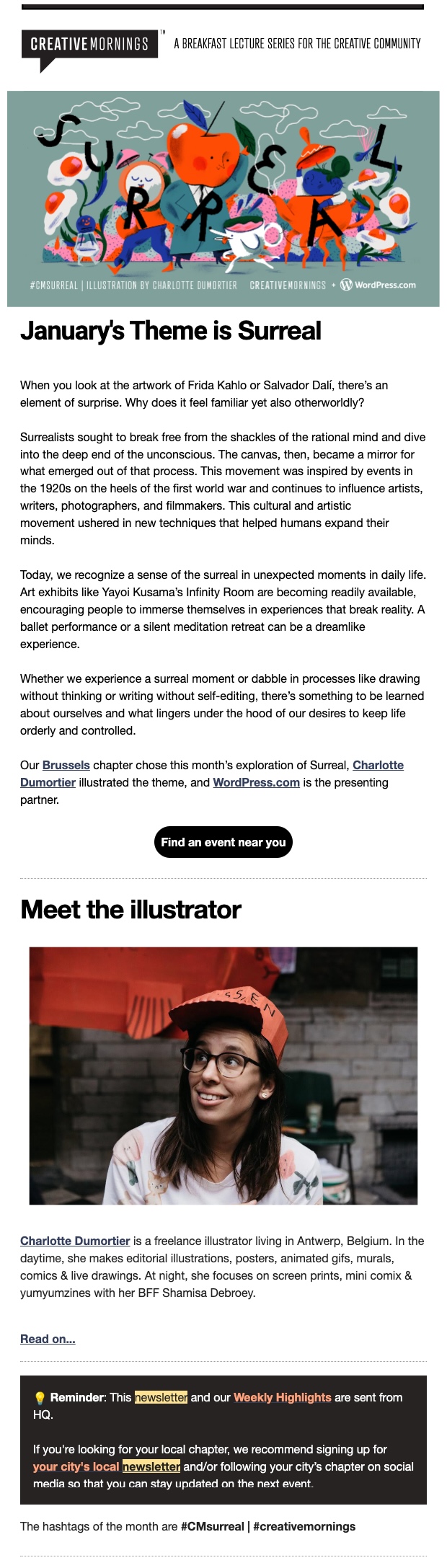
Check out this newsletter by Creative Mornings and take inspiration from their tactics to improve your own newsletter. It has several effective elements that make it well-designed and informative. First, it has a clear and engaging thematic focus. The content of the email is insightful and educational in an accessible way.

The creators have used an eye-catching header image that aligns with the surreal theme, plus the overall layout is clean and modern, making the newsletter easy to scan. The relevant content and call to action encourage readers to engage and support their community.

3. Curated Content Emails

Curated content emails are similar to newsletters – think of them as a focused bulletin designed to inform and educate. Unlike newsletters, which usually share a mix of updates specific to a business, curated emails spotlight news, articles, and other relevant content from both in-house and third-party sources that are relevant to your audience.

These emails often showcase your own insights alongside carefully selected resources from across your industry. The goal? To position your brand as a trusted expert while keeping your audience engaged with useful, topic-specific information in your field, even when you’re not actively promoting products or services.

Pro tip: Add your own perspective or commentary to the curated pieces to reinforce your brand’s voice and authority. Organize your curated email into sections for better readability (e.g. “Trending Articles,” “Tool of the Week,” or “Quick Tips.”) And don’t forget a clear call to action, it could be as simple as inviting readers to learn more, share the email, or explore related topics on your site!

4. Sales Promotion Emails

Sales promotion emails are designed to drive sales and spark immediate action from your audience. These emails are focused on promoting specific products, services, or special offers that create a sense of urgency and excitement.

Promotional emails have a clear goal: to convert subscribers into customers or to entice customers to buy more. They typically feature eye-catching announcements about sales, discounts, exclusive deals, or limited-time offers that compel recipients to take action. Here are some of the most common subtypes of promotional emails.

Product Launch Emails

Designed to generate initial sales for new offerings, these emails usually introduce new products with special pricing. The goal with them is to create an incentive for subscribers to be among the first to try your new product or service. A good approach is to offer exclusive early-access discounts to boost initial sales and reward your most engaged email subscribers.

Pro tip: When working on a product launch email campaign, always highlight the unique value of your new product. Include clear, catchy images and a time-sensitive offer to prompt immediate action.

To make a bold statement with your new product, take inspiration from the email below by Nissan. It has a sleek and modern design that aligns well with Nissan’s brand identity. The prominent display of their new model along with the bold caption “THE ICON HAS ARRIVED” immediately grabs attention and creates a sense of excitement around the new vehicle.

The personalized greeting adds a nice custom touch and the copy effectively highlights the key features of the car, encouraging the reader to be one of the first to experience the vehicle.

Discount and Sale Emails

With this type of email, you can inform subscribers about significant product or service price reductions, or highlight store-wide sales events. Again, focus your content on the key features your subscribers will get, how they will benefit them, and the value of the deal.

Pro tip: Offer email subscribers exclusive first access to the sales before making them public on your website or app. This approach makes subscribers feel valued and creates a sense of special treatment that can strengthen brand loyalty and encourage conversion.

For reference, check out this sale email from Ren. It effectively promotes a 20% off sale on their product line. The design is visually appealing, with clean, minimalist styling and high-quality product imagery. The copy is concise and highlights the key benefits of their products to the customer.

The email also incorporates a strong call to action with the “Shop Now” button, making it easy for customers to take advantage of the limited-time offer. We highly recommend you also place a visible CTA when you feature a discount. The inclusion of a free gift with purchase as Ren did in their email, further incentivizes customers to buy.

Seasonal Email Campaigns

Seasonal email campaigns capitalize on holidays or special events to create themed content and time-sensitive offers. With these emails, you can use the natural excitement and anticipation surrounding specific times of the year, such as Black Friday, Cyber Monday, Christmas, Valentine’s Day, and the back-to-school season.

The key is to create a sense of relevance that resonates with your audience’s current mood, and of course, shopping mood. Seasonal emails can take many forms – exclusive holiday campaigns with discounts, themed content deals, and more.

Pro tip: Personalize your seasonal campaigns if you know your audience’s preferences. This will make the offer feel more customized and relevant to your subscribers. Also, pay special attention to your email subject lines. During busy holiday periods, people receive tons of emails so it’s important to make yours stand out but not in an aggressive way.

Steal some nice ideas from this stylishly crafted email by Ridge about their Cyber Monday sale. This holiday gift catalog showcases several effective marketing tactics. They have a short and sweet subject line: “🎁 Holiday Gifting Made Easy.” The clear call to action to “shop early, stress less” and the time-sensitive Cyber Monday sale create a sense of urgency.

Highlighting key product features like “premium materials” and “lifetime warranty” helps establish trust and value. The diverse product selection, including kits and men’s rings, caters to different customer needs. Overall, the design is visually appealing and the copy concisely conveys the product’s benefits, making this an engaging holiday marketing email.

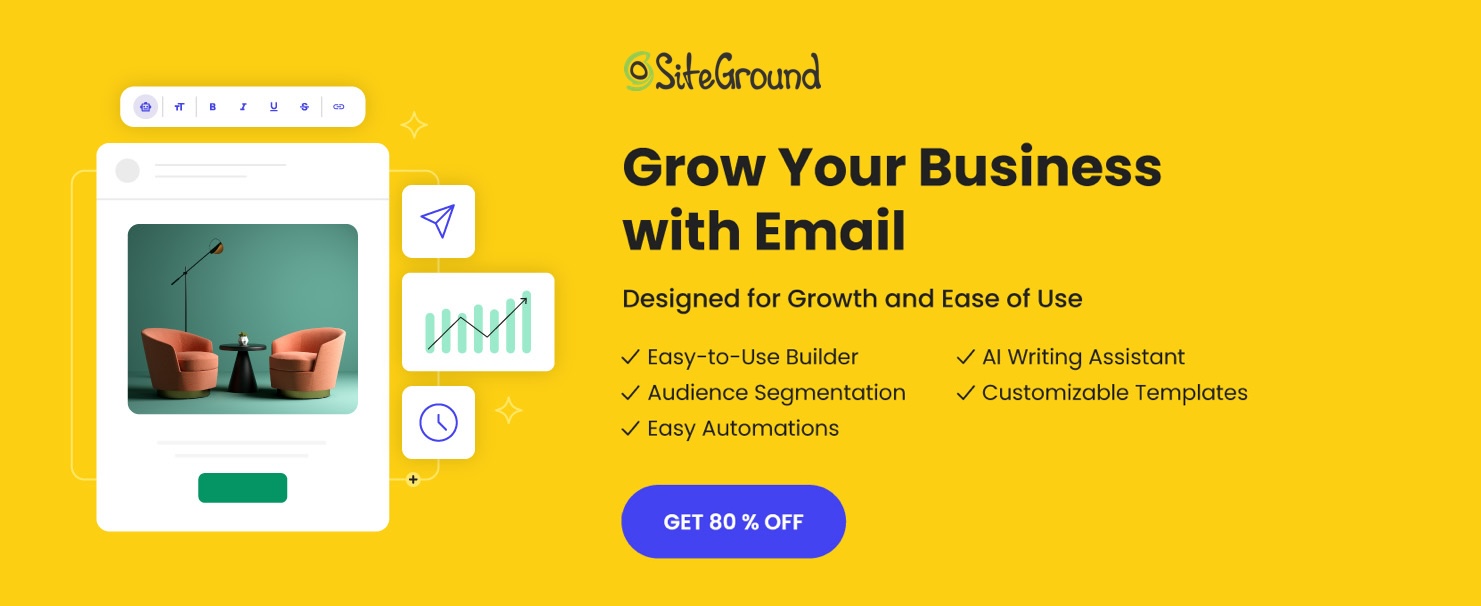
Want to create emails with stunning designs and persuasive copy? Try the SiteGround Email Marketing Platform today, and gain access to an AI-powered writing assistant and a curated AI image gallery to elevate your email campaigns effortlessly.

5. Re-engagement Emails

Imagine subscribers who once eagerly opened your emails but have now faded into silence. We all have those moments! Re-engagement emails are what can bring them back. The goal is to reconnect with audience members who haven’t interacted with your content for some period, preventing them from completely dropping off your list.

Re-engagement emails should remind them about the value of your brand, often accompanied by a special deal or other incentive.

Pro tip: Consider including a simple form or page where subscribers can update their interests, choose their preferred email frequency, or select the types of content they want to receive from you. This approach shows you value their time and are committed to delivering content that truly helps them.

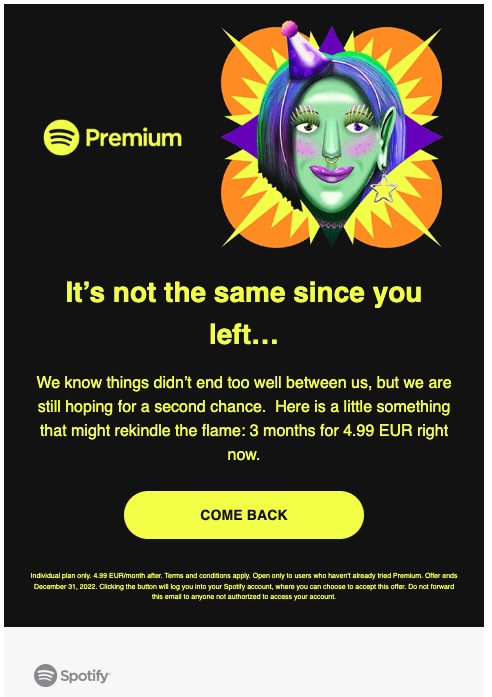
To create an effective re-engagement email, focus on emotional connection and clarity just like Spotify did below. Use a compelling subject line like their “We miss you…” that sparks curiosity or sentiment. Pair this with a conversational tone that acknowledges the customer’s past experience and invites them back warmly. Eye-catching visuals, like vibrant illustrations, can make the email memorable and engaging. Finally, include a clear call to action and a time-sensitive offer, such as a discount.

6. Drip Campaign Series

Drip campaigns, also known as email automations, are email sequences sent automatically over time, designed to deliver the right message at the right moment. They are used for different purposes – onboarding new customers, educating potential leads, or nurturing them through a sales funnel. Each drip email is timed and crafted to gradually build engagement. Let’s take a look at some of the most popular subtypes of drip campaigns.

Lead Nurturing Emails

Lead nurturing emails are designed specifically for potential clients who have shown initial interest in your product or service but haven’t yet made a purchase.

Your goal with it is to offer content that provides value, and gently guides prospects through their decision-making journey. For this purpose, lead nurturing campaigns are usually structured as a series of emails, gradually addressing the leads’ pain points.

These emails might include educational content, case studies, helpful resources, or tutorials on how your product works.

Pro tip: if possible, consider segmenting your leads into different groups based on their needs, stage in the buying process, industry, or similar. This will make your lead-nurturing emails more relevant and effective.

siteground email marketing

Customer Onboarding Series

The onboarding series aims to help new users smoothly transition from signing up to successfully using your product or service. They guide customers step-by-step through the setup process, offering additional tutorials or useful tips to ensure that they quickly start using your product or service and see its value.

As we mentioned in our Welcome emails section, a customer onboarding series usually begins with a warm welcome email. Then, you could add a clear call to action to get started, such as logging in, completing a profile, or exploring key features. The next emails may feature tutorials, best practices, or answers to common questions to keep users on track.

Pro tip: Try to keep your onboarding series as short and straightforward as possible to prevent clients from postponing the use of your products. Also, congratulate them on completing a step to motivate them and suggest the next action.

Check out how this company has broken down the onboarding process. The email provides a clear three-step process to guide users through publishing their first book using Lulu’s platform. It also includes links to helpful resources, such as a video tutorial, a blog post, a checklist, and a guide to support users through potential challenges. Their message is action-oriented and also includes a limited offer to encourage taking the next step.

7. Transactional Emails

Transactional emails are triggered by a user’s action such as a purchase or a registration. While their primary purpose is administrative such as confirming a purchase or shipping details, they’re also an opportunity to enhance the user experience. By crafting these emails in your brand’s unique tone of voice, you can maintain consistency and leave a positive impression. Let’s see some examples of transactional emails.

Order Confirmations Emails

Order confirmation emails are sent immediately after a customer places an order in your online store. These emails reassure customers that their transaction was successful while providing important details about their purchase.

Typically, they include the order number, product details, prices, delivery address, payment summary, and sometimes a downloadable invoice. Because customers expect these emails, they tend to have high open rates, making them a must.

Pro tip: Order confirmation emails are an opportunity to showcase your commitment to customer satisfaction. Adding a personal touch, such as a thank-you message or friendly note, can leave a positive impression. Including clear contact information, such as your customer support email, also helps alleviate any post-purchase anxiety, showing buyers you’re ready to assist if needed.

Shipping Updates Emails

Shipping emails provide essential details like shipping confirmation, estimated delivery dates, and tracking numbers, ensuring that customers can monitor their orders at every stage. While practical in nature, shipping updates can also reflect your brand’s personality and tone of voice.

Pro tip: Consider using shipping confirmation emails to suggest related or complementary products. For example, if someone orders a camera, you might include a suggestion for camera accessories or editing software.

Password Reset Emails

We’ve all been there – forgetting a password or facing a potential security concern that locks us out of an account. Password reset emails are the key to resolving these moments efficiently. They usually include a clear link or instructions for resetting the password, as well as a way to report the email if the user did not request the reset.

While these emails are straightforward, it’s important to keep them concise and clear, making sure users understand their password hasn’t changed yet and that action is required. A clear reset link should be prominently displayed.

Pro tip: Use reassuring language to let users know their account hasn’t been changed yet. Since this type of email often sounds the same, play with the design to make yours stand out.

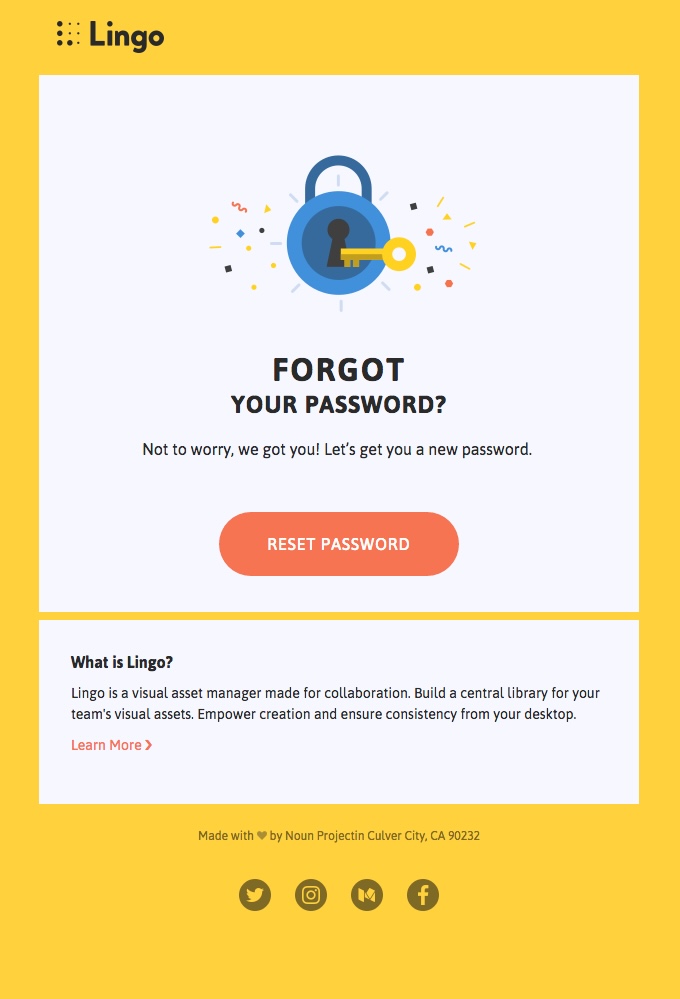
Here’s a nice, unconventional reset password email by Lingo. They use bold colors that align with their brand palette, a friendly illustration, and a calming, concise caption.

8. Event-Triggered Emails

Event-triggered emails are highly personalized messages sent automatically in response to specific user actions or milestones. These emails are tailored to a customer’s behavior, such as signing up, abandoning a cart, or reaching a key milestone like a birthday or anniversary. Let’s see some examples.

Abandoned Cart Emails

Abandoned cart emails remind users about the items they’ve left behind in their online shopping carts. Sent within 24 hours of cart abandonment, they act as a gentle nudge to complete the purchase.

These emails often feature images of the forgotten items, paired with persuasive messaging that reignites the customer’s interest. They might also include social proof, such as reviews or ratings.

Pro tip: Sweeten the deal by offering a limited-time discount, free shipping, or another incentive to encourage customers to take action. Add urgency with phrases like “Items in your cart are selling fast!” to motivate them to return and complete the purchase.

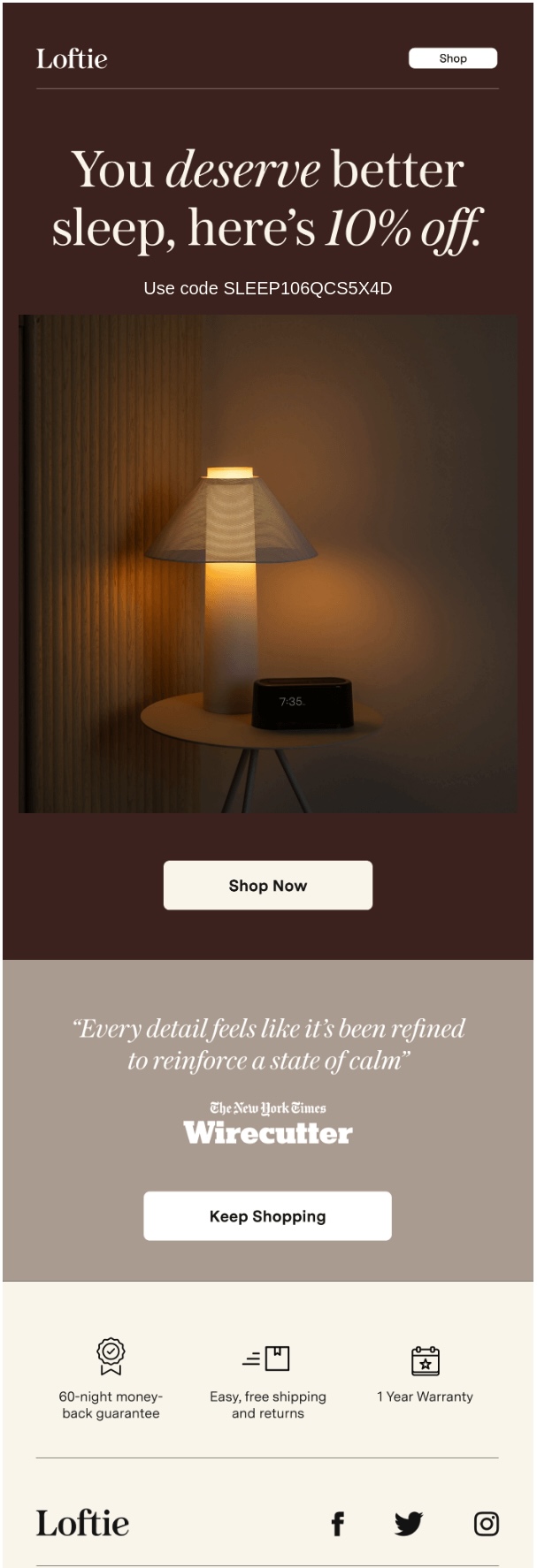
For a successful abandoned cart email, take cues from Loftie’s approach. Start with a relatable subject line, like “Still not sure?” to empathize with the customer’s hesitation. Reinforce your product’s value with emotional messaging, such as “You deserve better sleep,” paired with a clear incentive like a discount offer. Use inviting visuals that reflect your brand’s purpose. Add trust-building elements, like third-party testimonials or reviews, to provide social proof and reduce hesitation.

Upsell/Cross-Sell Emails

Upsell and cross-sell emails are another subtype of event-triggered emails that leverage customer purchase history and interactions to recommend additional or improved products. Upsell emails suggest upgraded versions or premium alternatives to products a customer has already purchased while cross-selling emails pair complementary items that enhance the original purchase.

Pro tip: Make recommendations feel genuinely helpful rather than pushy. These emails work because they build upon the customer’s existing trust in your brand. If your upsell recommendation is meaningful and thoughtful, you’re not just selling – you’re solving problems for your customers.

Milestone Emails

These are triggered emails that celebrate your customers’ or subscribers’ unique journeys and achievements, making the recipient feel seen and appreciated. They could mark a birthday, an anniversary of membership, or highlight their year’s achievements, simply showing that your business values individual customer experiences.

Milestone emails are characterized by a high level of personalization. You can send out milestone emails regarding clients’ most-listened music genres (like Spotify’s Wrapped), total fitness miles, shared rides, or membership duration.

Use an enthusiastic and warm tone that makes the recipient feel truly special and more connected to your brand.

Pro tip: Combine celebration with a nice reward, such as an exclusive discount, voucher, or service that celebrates their loyalty.

If you’re looking to create milestone emails, take a cue from Grammarly’s approach. First, use data visualization to clearly showcase user progress, such as key metrics or milestones. Create a clean, visually appealing design that doesn’t overwhelm users. Try crafting original email copy, similar to how Grammarly provides an overview of their customers’ productivity, mastery, and vocabulary growth.

9. Survey & Feedback Emails

Survey and feedback emails are a powerful tool for businesses to gather valuable insights directly from their audience. These emails help companies understand customer experiences, preferences, and potential concerns, which can be used for business improvements and to refine customer satisfaction.

To incentivize more people to participate, you might offer a small reward such as a discount code, entry into a giveaway, relevant helpful content, or a promise to share the results of the survey.

Pro tip: Keep the survey short and clearly communicate the time commitment upfront. This approach significantly increases the likelihood of completion and reduces respondent fatigue. Consider even stating exactly how long the survey will take to complete, for example, “This quick three-minute survey will help us serve you better.”

10. Event Emails

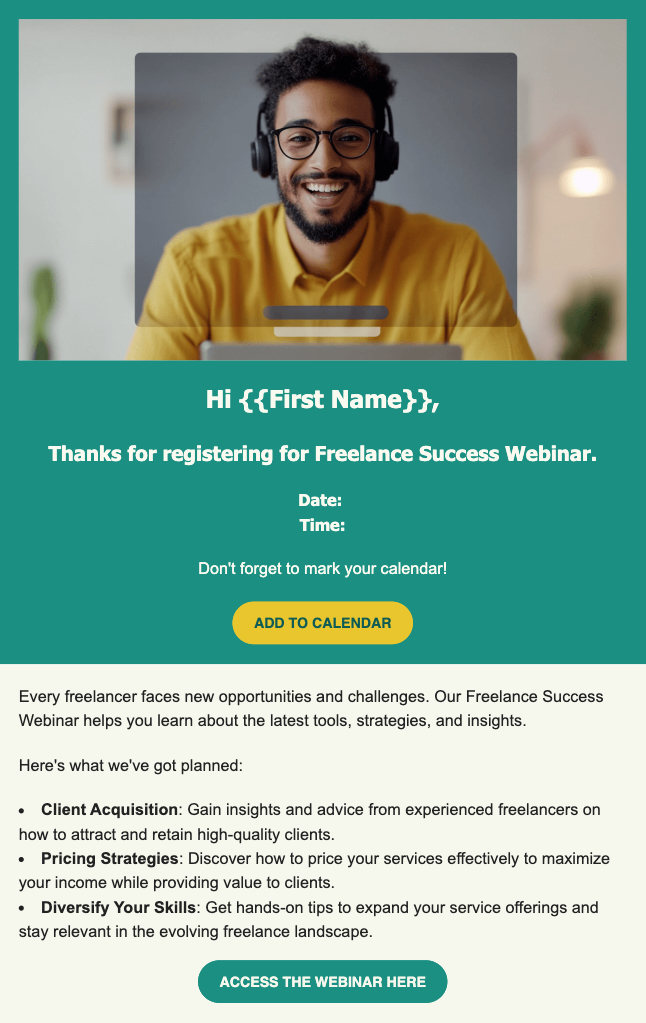
These targeted emails inform and excite potential attendees about upcoming events such as webinars, conferences, meetups, workshops, and similar. Craft an email message that is concise, informative, and compelling from the very first line.

Communicate the event’s unique value proposition in the beginning, and highlight the most significant benefit attendees will gain, whether it’s exclusive insights or networking opportunities. Include all necessary details such as the exact date, time, location, event link (if virtual), and straightforward registration info. Additionally, don’t forget to send follow-up reminder emails to keep the event top of mind and boost attendance rates.

Pro tip: If a thought leader or influential speaker is part of the event, include a relevant quote from them to increase credibility and attract more participants.

11. Cold Emails (Outreach)

Cold emails are your first contact with a potential client who doesn’t know your business yet. These outreach messages introduce your company and open the door to a potential business relationship. Your primary goal when using them is to spark interest and create an opportunity for further conversation with the prospect.

Your success depends on understanding your target audience deeply. Who are they? What challenges do they face? The most effective cold emails are carefully researched and personalized, showing that you’ve taken the time to understand the recipient’s specific needs and context. This means avoiding generic, mass-produced messages and instead creating an original targeted message.

Pro tip: The key to a successful cold email is balance. You want to be professional and compelling without seeming pushy or desperate. Your message should quickly demonstrate the value you can provide, address a specific pain point, and give the recipient a clear, low-pressure reason to continue the conversation.

12. Thank-You Emails

Whenever relevant, use thank-you emails as they will help you build stronger connections with your audience. They show the human side of your brand, demonstrate good communication practices, and make customers feel valued. You can use them for various reasons – for a recent purchase, a new subscription, etc.

Pro tip: If possible, customize your content to reflect the specific interaction or purchase. Use the customer’s name or reference their specific action.

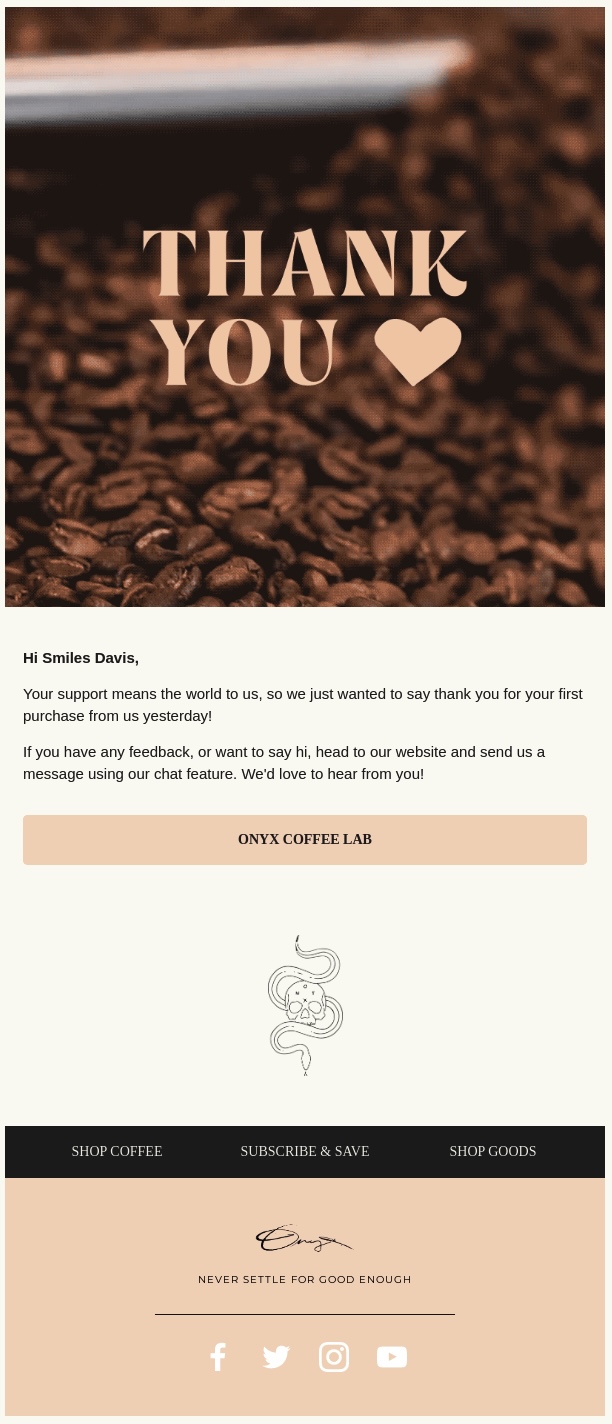
Below, Onyx Coffee Lab shows how you can create a short but sweet thank you email after a purchase was made by a client. The email is sent within 24 hours of the purchase, which is a great way to show appreciation while the experience is still fresh for the customer. Doing this, you not only make the customer feel valued, but you also keep your brand top of mind. The message below is warm and personal, highlighting the positive experience and ensuring that customers know their purchase matters.

13. Privacy Policy Emails

Privacy policy emails serve as official notifications to users, ensuring they are informed about important changes to your business’ terms of service. They help businesses maintain transparency and legal compliance.

Privacy policy communications should be clear, direct, and as short as possible. Avoid using marketing talk and legal jargon. Use simple, direct language that explains exactly what has changed and how it impacts the user.

To make it easily scalable, you can highlight the most important changes in a bulleted format. Remember that these emails are about building trust, not creating confusion.

Pro tip: Include a link to the full, detailed policy document and a specific date when the changes will take effect. This shows your openness and will help users understand the timeline and allow them to review the changes thoroughly.

Why Should You Send Different Types of Emails?

Each type of email plays a unique role, from nurturing customer relationships to boosting sales and building brand awareness. The right email at the right time can make all the difference. Understanding what each type of email is best suited for allows you to align your messages with your goals and engage your audience more effectively.

Before hitting “send,” take the time to clarify your email marketing strategy, though. Knowing your goals and audience will help you choose the right email formats and create campaigns that truly resonate. Yes, we’re talking less spammy, more awesome!

How to Send Marketing Emails Easy, Conveniently, and Fast

Successful email marketing isn’t just about crafting the perfect message, though! It’s about having the right tools at your disposal. Choose a reliable and user-friendly email marketing platform that simplifies your workflow.

To do this, the must-have features you need to look for are list-building and segmentation options, an intuitive email builder, and a library of ready-to-use and customizable templates. Mobile optimization is key, ensuring your emails look great on any mobile device. Perhaps most importantly, prioritize a platform with high deliverability rates. After all, the best-crafted email is useless if it doesn’t reach your subscribers’ inboxes! Last but not least, choose a platform that offers straightforward analytics and email metrics that help you understand and improve your campaigns.

siteground email marketing

If you’re on the hunt for an email marketing solution that checks all these boxes, try the SiteGround Email Marketing platform. It stands out as one of the most user-friendly and affordable options on the market. With just a few clicks, you can create, send, and track professional email campaigns that drive results!

Types of Emails FAQs

What Type of Email Is Best?

The best type of email depends entirely on your goal. A welcome email, for example, creates a warm first impression, while a promotional message or newsletter serves a completely different purpose as we explained above. To define which one will work for you, first define your specific goal.

How Many Types of Emails Are There?

Marketers generally use 10 to 15 core email types, including welcome emails, newsletters, drip campaigns, promotional offers, event invitations, and others. However, within these categories lie numerous subtypes, each tailored to specific goals and details, allowing for a more precise and impactful approach.
What Are the Different Email Styles?

Email styles range a lot – from formal business communications to friendly, conversational messages. The best style for your emails depends on your brand’s voice and the audience you’re addressing. Consistency is key though. For instance, a trendy fashion brand might opt for a playful, upbeat tone, while a healthcare provider would likely choose a reassuring and empathetic one. Remember, your email’s personality should reflect your brand’s voice, whether that’s warm and approachable or crisp and authoritative.

What Is WordPress Hosting and Is It Worth It?

what is wordpress hosting

If you’re just starting your website or online project, you probably have many questions about hosting. You may have heard about the popular WordPress application and wondered: What is WordPress hosting, and is it the right choice for my website? 

In this article, we’ll answer all your questions, help you decide if WordPress hosting is the best fit for your needs, and guide you on what to look for when navigating the wide range of WordPress hosting providers and options available.

But first, let’s clarify what WordPress is.

What Is WordPress?

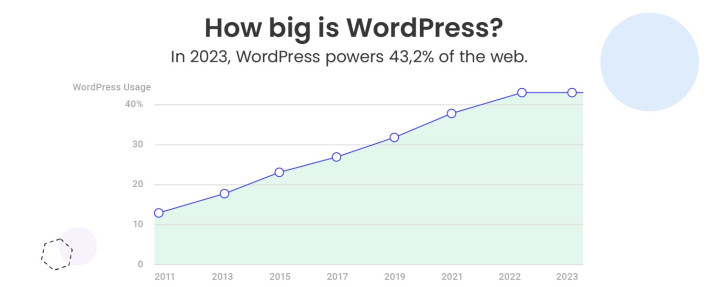
WordPress is the most popular Content Management System (CMS), currently powering over 40% of all websites on the internet. But why is it so popular? 

WordPress is an intuitive, open-source platform that’s incredibly easy to use, even if you have no technical expertise. It allows you to create a high-quality website, whether it’s a simple blog, a complex online store, or a portfolio. Thanks to its flexibility, WordPress can cater to a wide range of needs and is perfect for both beginners and experienced web developers.

Another reason behind WordPress’s success is its large and supportive community. From tutorials and forums to plugins and themes, there’s a wealth of resources available to help you build and customize your site with ease.

Now, what is hosting and how does it relate to WordPress? 

What Is WordPress Hosting?

In simple terms, it is a type of hosting specifically optimized to meet the unique technical requirements and performance needs of the WordPress application. Hosting providers specialized in WordPress hosting typically offer customer support, as well as additional or even custom-built features and solutions designed to enhance the speed, security, and functionality of WordPress sites.

WordPress hosting plans typically include performance enhancements, such as server configurations optimized for WordPress, caching mechanisms that speed up loading times, and seamless integration with content delivery networks (CDN) to further improve load speed.

Security is another cornerstone of WordPress hosting. Providers often include automated updates for WordPress core files, plugins, and themes, ensuring your site stays protected against vulnerabilities. Many hosts also implement advanced measures like custom firewalls, malware scans, and backups, all fine-tuned for WordPress websites to ensure higher security.

Additionally, with WordPress hosting you often get tools like one-click installations, which simplify the website setup process, as well as staging environments that allow users to experiment with new website designs, features, and code without risking their live site.

WordPress Hosting vs. Web Hosting

When it comes to web hosting, there’s often some confusion, especially for those new to building websites. The terms can seem interchangeable, but they aren’t always. Let’s break it down to help you understand the difference between WordPress hosting and Web hosting.

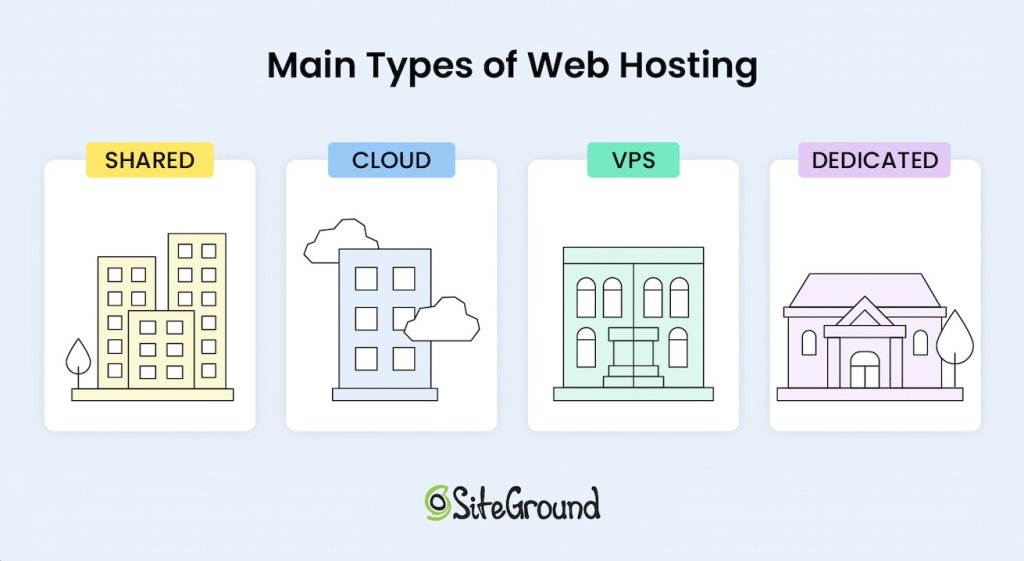
Generally speaking, there are different types of web hosting that could be categorized based on two factors:

Web hosting, on one hand, is a broad, umbrella term that could be used for any type. And since web hosting is a general term, it can also refer to specialized hosting services tailored for specific applications – like WordPress hosting. 

And here’s the key point: any type of web hosting – shared, VPS, cloud, or dedicated – can be considered WordPress hosting if it’s designed for WordPress. For example, many managed WordPress hosting plans are built on shared hosting infrastructure, but they come with additional features and optimizations to enhance performance, security, and ease of use for WordPress users.

What Is Managed WordPress Hosting Used For?

WordPress hosting is perfect for users planning to use WordPress as their Content Management System (CMS). If it’s your platform of choice, opting for hosting specifically designed for WordPress is highly recommended.

Creating a website with WordPress has never been easier, especially with managed WordPress hosting. This type of hosting is widely used for websites of all sizes and purposes due to its simplicity and efficiency. This includes online stores, blogs, personal websites and portfolios, business sites, membership platforms, non-profit organizations, educational websites, and more. 

Managed WordPress hosting has become a popular choice among webmasters because it allows you to focus on the important aspects of your business, such as content creation, SEO, and driving site traffic, without having to worry about the technical details of server management. 

The real difference in the services you receive for your WordPress site, however, depends on the value-added features included in your hosting plan and the host’s infrastructure. But don’t worry, we’ll dive deeper into this topic later in the article.

[106]

Managed WordPress Hosting: Benefits and Key Features

Now, let’s explore Managed WordPress hosting a bit further and take a look at the main advantages it offers.  

Effortless and Stress-Free Maintenance 

Managed WordPress hosting is designed to remove the tedious task of maintaining your website. With a managed plan, you can say goodbye to the headaches of installing updates for WordPress, its plugins and themes, handling server configurations and optimizations, and adding security patches. 

Your hosting provider takes care of all the technical tasks, ensuring your site remains secure, up-to-date, and performing at its best, so you don’t have to lift a finger.

Perfect Hosting Environment for Your WordPress Site

With managed WordPress hosting, you’re ensuring that your website operates in the ideal environment designed specifically for WordPress. Unlike generic hosting plans, managed WordPress hosting offers a platform tailored to the needs of the CMS, providing a streamlined and efficient experience. 

This means your site benefits from a hosting setup that’s fine-tuned to optimize performance, reliability, and overall functionality. Reputable WordPress hosting providers ensure that everything is configured to make sure your WordPress site runs smoothly and is always ready to perform at its best.

Optimized Performance, Tougher Security, and Up-To-Date Software

With managed WordPress hosting, the environment is specifically optimized for WordPress, ensuring your site performs at its best. This optimization leads to faster loading times, which is crucial not only for delivering an exceptional user experience but also for improving your website’s SEO rankings. Search engines like Google prioritize fast-loading sites, so this is a key factor in helping your website rank higher and attract more traffic.

Additionally, managed WordPress hosting offers enhanced security. Since your hosting provider handles all updates and maintenance, your WordPress software will always be kept up-to-date, which is essential for protecting your site. Regular updates often include important security patches and bug fixes that help keep your website safe from potential threats.

Furthermore, some reputable hosting providers offer custom security solutions, adding an extra layer of protection to safeguard your WordPress site from malicious attacks.

Saves You Time to Focus on Business

As we’ve mentioned, managed WordPress hosting frees you from the time-consuming tasks of maintaining and managing your website. With these technical responsibilities handled by your hosting provider, you can dedicate your time and energy to crafting engaging content, working on email marketing campaigns, and ensuring a seamless, enjoyable experience for your visitors. This gives you the freedom to grow your site and focus on your business, without getting overwhelmed by doing server management.

Customer Support 

One of the major advantages of managed WordPress hosting is the customer support that comes with it. When you choose a hosting provider that specializes in WordPress, their support team is generally much more knowledgeable about that particular platform and its specific needs. 

With managed WordPress hosting, you’re more likely to receive quick, accurate, and expert assistance when you have questions or encounter issues with your website. However, it’s important to note that not all WordPress hosting providers offer the same level of support. 

While many providers may claim to specialize in WordPress, the quality of their support can vary significantly. That’s why it’s crucial to do your research and choose a hosting provider known for excellent customer service. Don’t worry, we’ll guide you on how to make the right choice when selecting a WordPress hosting provider further down in the article.

Quick Website Setup and Ease of Use

Another benefit of using managed WordPress hosting is that setting up your WordPress site is quite easy and fast. Most managed WordPress hosting providers offer WordPress auto-installers that you can use to configure WordPress with your domain in just a few clicks. 

These tools simplify what might otherwise be a complex process, allowing even beginners to get their websites up and running quickly with no tech skills. Within minutes, you can have a fully functional WordPress site ready for customization. This ease of setup makes managed WordPress hosting an ideal choice for small business owners and freelancers who want to focus on building their site rather than dealing with technical details.

Expandable and Scalable

If you’re planning on growing your website, managed WordPress hosting is an excellent option. One of the major advantages of this type of hosting is its scalability. As your site expands in scope, most WordPress hosting providers make it easy to scale up by offering simple hosting plan upgrade options to ensure it can handle higher traffic without problems. 

Additionally, WordPress benefits from a vast community of developers who create plugins and themes that extend the platform’s capabilities. If you need specific features like ecommerce capabilities, membership systems, or SEO tools, you can quickly find plugins that integrate seamlessly with WordPress. 

Many managed hosting providers offer support for these plugins, ensuring that your site remains fast and responsive even as it grows. The ability to scale both in terms of resources and functionality is a huge plus for businesses looking to expand and grow.

Is Managed WordPress Hosting Right for You?

With all the advantages outlined above, it’s clear that managed WordPress hosting is the best option if you plan to use WordPress as your content management system (CMS). Whether you’re creating a personal blog, an ecommerce site, or a business website, the specialized features of managed WordPress hosting are tailored to the platform’s needs.

However, it’s also essential to evaluate your website’s current and future needs. If your project involves a platform other than WordPress or requires total control over server configurations, you may want to explore other hosting options. But, for the vast majority of WordPress users, managed hosting offers unparalleled convenience and peace of mind.

How to Choose the Right Managed WordPress Hosting Provider

If you’ve decided that WordPress hosting is the right fit for your website, that’s a fantastic start! However, with so many hosting providers out there, choosing the right one can be overwhelming. In this section, we’ll guide you through the key factors to consider to make a smart and informed decision. 

1. Speed and Performance

When choosing a managed WordPress hosting provider, one of the most critical factors to consider is website speed and performance. Website speed not only affects user experience but also has a direct impact on your SEO ranking. Search engines like Google prioritize fast-loading websites, so if your site takes more than 2-3 seconds to load, you risk losing visitors and increasing your bounce rates. A slow site can lead to frustrated users and fewer sales, making it essential to select a hosting provider that prioritizes speed.

Look for a hosting company that uses a reliable network and has servers specifically optimized to deliver top-notch performance for WordPress sites. The best providers ensure your website is supported by powerful hardware, like fast SSD drives to store website data, and offer services or tools such as caching or content delivery networks (CDNs) to speed up load times.

At SiteGround, for example, we leverage the Google Cloud platform, which provides exceptional speed and reliability. We also provide a widespread and highly available network with multiple data centers across four continents. Our cutting-edge SSD technology helps store your files and databases more efficiently, and we improve performance even further with custom solutions like Ultrafast PHP and MySQL implementations. Additionally, we offer a free CDN and built-in caching to further enhance speed. To make things even easier, our free Speed Optimizer plugin delivers a significant performance boost, ensuring that your WordPress site loads faster and operates more efficiently than ever before.

2. Security

Security is another key factor to keep in mind when selecting a WordPress hosting provider. Your website’s security is essential in preventing malicious attacks, keeping your data safe, and ensuring the trust of your visitors. 

With the rise in cyber threats, it’s crucial to choose a provider that goes beyond basic security measures. While managed WordPress hosting already includes automatic updates for WordPress software and plugins, look for a hosting provider that offers additional layers of protection. 

For instance, at SiteGround, we take security seriously and provide several advanced features to keep your website safe. These include a free SSL certificate to encrypt your site’s data, automated daily backups to ensure you can quickly recover from any disaster, a built-in WordPress Security Plugin, a smart web application firewall that blocks harmful traffic before it reaches your site, and an AI system that detects and stops brute-force login attempts.

3. Customer Support

Having access to responsive, knowledgeable, and friendly customer support is a significant advantage for you as a website owner. You want to make sure that when you run into issues or need guidance, you’re able to quickly reach a team that can help you with WordPress-specific questions and concerns. Since most managed WordPress hosts provide customer support, it’s important to evaluate the quality of that support before committing to a plan.

To ensure you’re choosing the right provider, do some research first. Look for customer reviews and testimonials to get a sense of the support quality, check out their response times, the expertise of the team, and their overall helpfulness. If possible, contact their support team directly before purchasing hosting. This can give you insight into how quickly they respond and how well they communicate.

4. Scalability for Growth

When considering WordPress hosting, scalability is a critical element to ensure your website can grow as your business expands. As your site attracts more visitors, it’s crucial to have a hosting provider that can accommodate increased traffic and resource demands. Scalable hosting solutions allow you to easily upgrade your plan or adjust server resources as needed, preventing performance slowdowns during traffic spikes.

Before committing to a hosting provider, it’s a good idea to reach out to their support team and inquire about their scalability options. Ask if they offer flexibility in upgrading your plan or server resources as your site grows. Renowned providers will offer seamless upgrades to handle increased traffic, ensuring that your website remains responsive and efficient without downtime or performance issues.

5. Pricing and Value

The cost of your managed WordPress hosting plan is, of course, important. However, don’t focus solely on the website hosting cost, it’s crucial to also evaluate the full package you’re getting. These add-ons can make a significant difference in your site’s performance, security, and overall success.

When thinking about your budget, it’s important to strike the right balance between price and the value-added services that come with the plan. Don’t be tempted to cut corners by opting for the cheapest option, as it may lack vital tools and features that could ultimately impact your site’s operation. 

Even paying a bit more can prove to be a wise investment, especially when you need added reliability or security in times of unexpected issues. A few extra dollars could save you time, headaches, and potentially even revenue down the road.

To wrap it up, selecting the right managed WordPress hosting provider can significantly impact your site’s speed, security, and success, so make sure to do proper research. SiteGround’s managed WordPress hosting offers all the features and services you need for a high-performance WordPress site, including free WordPress installation, auto-updates, speed and security plugins, staging, backups, SSL, CDN, and more. Ready to see the difference? Try SiteGround today and join millions of satisfied customers!

What Is WordPress Hosting: Frequently Asked Questions

What Is the Difference between WordPress Hosting and Normal Hosting?

“Normal hosting” generally refers to standard web hosting (e.g. shared hosting). The primary difference is that WordPress hosting is specifically optimized for WordPress sites, offering features like pre-installed WordPress, automatic updates, and enhanced performance. In contrast, “web hosting” is a broad category that includes various types of web hosting (shared, cloud, VPS, dedicated) without specific optimizations for WordPress. WordPress hosting ensures a tailored environment for smoother performance and added benefits.

Is WordPress Hosting Free?

While the WordPress software is free to use and download, hosting your WordPress site requires a paid hosting service. The cost will depend on the plan you choose. While some providers offer free hosting, these often come with restricted features, limited storage, and reduced performance. For a seamless, professional WordPress hosting experience, investing in a paid plan is advisable, as it ensures enhanced speed, security, and professional customer support. 

Do I Need Hosting with WordPress?

Yes, WordPress is a content management system (CMS) that allows you to create and publish content. However, it requires a server and, by extension, hosting to store your website’s files and make them accessible online.

How to Do Email Marketing: An Easy Guide for Beginners

how to do email marketing

Email marketing is undoubtedly one of the most powerful tools that you can use to drive sales to your business and build stronger relationships with customers. Whether you’re a business owner or a freelancer, learning how to do email marketing can help you grow your brand. 

If you’re new to it, however, the whole process can seem overwhelming – from building an email list, setting up campaigns, creating email content to measuring results with analytics. 

But don’t worry! In this email marketing guide, we’ll cover the essentials and walk you through everything you need to know to get started and do email marketing easily.  

What Is Email Marketing

Email marketing is a direct and highly effective way to communicate with your prospects and clients. It involves sending targeted email campaigns to a specific group of people (leads or customers) to promote a new product, share a special offer, or simply stay in touch.

Unlike other forms of digital marketing, email marketing doesn’t require a huge budget or technical expertise, making it accessible to just about anyone.

Why Is Email Marketing Important for Your Business

Email marketing brings various benefits to all types of businesses, but here are some of the key ones. 

First and foremost, it offers one of the highest returns on investment (ROI). The average ROI generated is $36 for every $1 spent on email marketing. This makes it one of the most cost-effective ways to reach your audience and grow your business compared to other marketing methods and channels.

But it’s not just about the money. Email marketing also plays a vital role in nurturing relationships with your customers or leads. By sending personalized, relevant, and useful content, you can stay top-of-mind with your audience, build trust, and keep them engaged. This ongoing communication helps move leads through the sales funnel, ultimately converting them into customers.

Another major benefit is that email marketing provides measurable results. You can track open rates, click-through rates, conversions, and other metrics that tell you exactly how well your campaigns are performing. This data allows you to continuously optimize your email campaigns and strategy, and make informed decisions.

How to Do Email Marketing Step-by-Step

Now that we’ve discussed why email marketing is so critical for your business, let’s break down the process of how to do email marketing yourself into easy-to-follow steps.

1. Identify Your Audience

When getting started with email marketing, the first step is identifying your audience. Understanding who you’re sending emails to is key because it allows you to speak directly to their specific needs. When you know your audience well, you can craft content that resonates with them, making your campaigns way more useful and interesting. 

Consider key demographic factors like age, location, gender, occupation, and interests. For example, if you’re selling high-end skincare products, your target audience might include women aged 25-45 who are interested in health and beauty. 

Narrowing your focus helps ensure that you’re not wasting time and effort on people who aren’t interested in your product or service. Overall, defining your audience clearly will help you send more relevant, engaging content and increase the chances of converting prospects into clients.

Here’s a nice example of a company identifying the needs and use cases of their customers and using the information to tailor their messaging.

In email marketing, you can use a similar approach – understanding the unique needs of your audience will help you adapt your content more effectively. Further segmenting your audience based on even more precise criteria can be especially beneficial, but we will go into this in more detail below.

2. Set Clear Email Marketing Goals

Another thing that will help you have effective content and campaigns is setting specific, clear goals for your email marketing efforts. Without clear objectives, your campaigns can quickly become unfocused or even feel spammy. So, take a moment to think about what you want to achieve. 

Are you looking to drive sales, boost brand awareness, generate more leads, keep customers engaged, or build stronger loyalty with your existing clients? Your goals will guide everything from what types of emails to send to how and when you send them. 

For instance, if your goal is to generate leads, you might send educational content with a clear call to action that encourages subscribers to sign up for a webinar. Or, if you’re aiming to increase recurring customers, your emails might feature special offers or limited-edition items. 

The easiest way to define your goals is by thinking about your business needs, and what it is that you want to accomplish in the short and long term.

3. Choose an Email Marketing Platform

Your email marketing platform is the backbone of your entire email strategy. It’s the tool that enables you to craft, send, and track your campaigns with ease, streamlining tasks that would otherwise take hours.

The right platform can help you design eye-catching emails, grow and manage your subscriber list, create templates, run test campaigns, automate messages, and track important metrics like open rates and clicks. When choosing your platform, think carefully about which features matter most for your business. 

Define your priorities, then look for a platform that matches both your needs and budget.

💌 At SiteGround, we’re happy to have created one of the easiest-to-use, yet powerful email marketing platform. With the SiteGround Email Marketing Platform, you get everything you need to run successful email campaigns at an unbeatable value. It includes features that make it easy to grow your audience, design beautiful emails, and run targeted campaigns – and all without advanced tech skills, thanks to a no-code email builder, AI email writer, free customizable email templates, automated email sequences, high email deliverability, and more.

siteground email marketing platform

4. Start Building and Growing Your Email List

Once you’ve defined your audience, set your goals, and chosen an email marketing platform, it’s time to start building your email list. If you already have a website, the easiest way to start collecting subscribers is through sign-up forms. You can create them yourself, use an external tool, or leverage your email marketing platform in case it offers that functionality.

At SiteGround, we’ve taken the hassle out of this process by offering a lead generation plugin for WordPress, built to integrate seamlessly with our email marketing tool. In just minutes, you can create a sign-up form and add it to your site without coding.

You can also grow your list by offering a lead magnet, such as a freebie or discount, in exchange for emails. For example, you may create a sign-up form that promises a 10% discount on the first purchase, or a free ebook that gives useful tips to your audience or solves a common problem they might have. You can promote your lead magnet on various pages of your website, and share it on your social media channels to increase visits and sign-ups.

Offline events and opportunities could also help you grow your list. If you attend industry conferences and meetups, for instance, you could collect emails by setting up a sign-up station or using QR codes that link to your form. Collaborating with influencers or affiliates is another way to get new subscribers.

Don’t forget to offer them unique incentives (discounts or referral bonuses) to promote your product and subscriber list, and consider running limited-time promotions they can share with their followers. For more detailed tips and tricks, check out our guides on how to build an email list and proven email lead generation tactics.

5. Segment Your Email List for Maximum Impact

Another email marketing tip is dividing your subscriber list into smaller, more specific groups. Segmentation could be based on different criteria like demographics, purchase history, behavior, or where they are in the customer journey. 

This approach helps you connect more meaningfully with subscribers, as each segment will receive content that’s directly applicable and useful to them. For example, let’s say you run an online clothing store. You might create segments for recent customers who purchased a specific type of clothing, loyal customers who buy regularly, and new subscribers who haven’t yet made a purchase. Based on your segments, you could send tailored content like a promotion to recent buyers, a sneak peek of upcoming new products for loyal frequent shoppers, and a welcome discount for new subscribers.

6. Create the Perfect Marketing Email

Creating the perfect marketing email requires great design and content, and it starts with understanding the type of email you’re sending. Some of the most effective email types include welcome emails, promotional emails, newsletters, lead nurturing emails, transactional emails, and re-engagement emails. Each of these has a unique purpose, so it’s important to adapt your content to match the goal of each email type.

Design also plays a huge role in creating the perfect marketing email. A modern, visually appealing layout can make all the difference in keeping your readers interested. Be sure to use a responsive layout so your emails look great on any device, whether it’s a desktop, tablet, or mobile screen. Maintaining consistency with your brand colors and fonts across all emails will also reinforce your brand identity. 

In terms of content, one of the most crucial elements is the subject line. This is the first thing your subscribers see, so your subject line must be short, relevant, compelling, and ideally personalized. It should grab attention and highlight the value your email provides. When it comes to the body of the email, keep it concise and aligned with your audience’s needs and your marketing goals. People’s time is precious, so make sure your message delivers value quickly and clearly.

And, of course, every email needs a clear call to action (CTA). You must tell your subscribers exactly what you want them to do. Whether it’s clicking a button, visiting an article, or making a purchase, the CTA should be visible and compelling. 
Experiment with different types of CTAs – buttons, links with anchor text, or images to see what works best with your audience.

🔥With the SiteGround Email Marketing Platform, creating beautiful, effective emails is easy. You can design your own email layouts to structure your content or use customizable, ready-made templates to get a professional look with minimal effort. We’ve also removed the hassle of writing your email copy thanks to the help of our AI assistant, which can craft the email text for you. Here is a cheat sheet with email prompts you can use for this purpose.

7. Test and Send Your Email

Once you’ve crafted your email, the next step is testing it. Don’t overlook this step! Test your email to ensure everything looks great, and don’t forget to check it on mobile devices too, as most people read emails on their phones these days.

To take your optimization even further, try A/B testing. This means sending different versions of your email to small groups of recipients to see which one performs better. Experiment with different subject lines, email body content, CTAs, images, and even the timing of when you send your emails. With testing, you can gather insights into what your audience responds to best, and refine your approach.

8. Track and Improve Your Email Marketing Campaigns

Tracking the email metrics of each email campaign is necessary so that you can measure the effectiveness of your campaigns and continuously improve them. These metrics give you insight into what’s working and what you can optimize. Here are the top email marketing metrics to pay attention to:

  • Open Rate: It shows how many people opened your email. Reveals whether your subject line is attention-grabbing and if your emails are reaching people at the right time.
  • Delivery Rate: This reflects how many emails were successfully delivered to subscribers. A low rate could signal issues with your email infrastructure or reputation.
  • Click to Open Rate (CTR): This tells you how many recipients clicked on links in your email. It’s a good indicator of whether your content is engaging and valuable.
  • Bounce Rate: This measures the percentage of emails that failed to deliver. High bounce rates could indicate problems with your email list or the quality of your content.
  • Spam Complaint Rate: This shows how often your emails are marked as spam. A high rate could suggest that your content isn’t resonating with your audience or that you’re sending too many emails.
  • Unsubscribed: This tells you how many people unsubscribed from your list. If the rate is high, it might mean your content isn’t hitting the mark or that you’re emailing too frequently.

Start Your Email Marketing Journey Today 

We hope this email marketing guide has given you the know-how to dive into email marketing confidently. You can also check our email marketing course and build your way to advanced techniques. Remember to focus on delivering value, keeping an eye on your results, and improving with each campaign. When you’re ready, kick off your first campaign smoothly and stress-free with the SiteGround Email Platform.

How to Do Email Marketing FAQs

Can I Do Email Marketing Myself?

Most definitely! By using the right email marketing platform, you can do email marketing yourself without needing advanced tech skills. This will streamline many time-consuming tasks, like managing subscribers, designing emails, testing and sending campaigns, creating automated email journeys, and even writing the content.

How to Do Email Marketing for Free?

It’s possible to start email marketing for free, as some email tools offer free plans with basic features. But keep in mind that free plans often come with limitations. Most free tools provide only the most basic features, which you can quickly outgrow and find insufficient as your business expands. 

You might find yourself restricted by the number of emails you can send, the quality of design options, and access to important analytics.

For more professional results, it’s advisable to invest in a robust email marketing tool, like SiteGround’s Email Marketing Platform, which can equip you with all essential features from the start.

When It Comes to Email Marketing, What Do We Mean by the Term A/B Testing?

A/B testing is when you send two different versions of an email campaign to small segments of your audience to see which one performs better. For example, you might test two subject lines, different CTAs, or images to find out what grabs attention or drives more clicks. This testing helps you better understand what resonates with your subscribers.

Types of Web Hosting: Key Differences & How to Choose One

types of web hosting

When you’re building your online presence, one of the first decisions you’ll face is choosing the right type of web hosting for your website. With so many options available, it’s easy to get overwhelmed by the technical jargon and differences between hosting services. What are the different types of web hosting, and more importantly, how do you know which one is best for your website?

There are plenty of resources online about web hosting, but many of these terms may be confusing, as the limits between the different types of hosting are blurred. In this article, we’ll break them down clearly and explain the differences, so you can easily choose the right one for your specific needs and use case. Whether you’re launching a small business site, an ecommerce store, or a personal blog, this guide will help you confidently decide what hosting you need – without the stress!

Why Choosing the Right Hosting Type Is Crucial

There are several types of web hosting, but before we dive into the specifics, it’s important to understand just how crucial your hosting choice is for your website. Hosting isn’t just the “place where your site lives.” 

Choosing the right hosting can do more than just boost your website’s speed and stability. It can streamline your workflow and also reduce costs thanks to many automated features. One-click setups and auto-updates, for example, simplify the process of creating your site and keeping it up to date. 

Security tools like daily backups and built-in protection solutions safeguard your data and provide peace of mind, helping you avoid costly downtime or data loss. Solutions such as a CDN and caching tools can help improve user experience by reducing website load times and speeding it up. 

There are many, many other additional solutions and services a web host can equip you with, so choosing a reliable provider is key. If you’re just starting out, it’s worth looking into hosting options carefully, as it can influence the success of your site and, in turn, your business.

Types of Web Hosting Based On the Server Setup

When discussing types of web hosting, it’s helpful first to understand that hosting services can be categorized based on two main factors: the server setup (how the resources are allocated) and the additional services you receive on top by the hosting provider. Let’s first take a look at the web hosting types, based on the server setup.

Generally speaking, there are four main types of hosting: 

1. Shared Hosting

Shared hosting, often referred to as “web hosting,” is one of the most popular types of hosting because it’s affordable, easy to use, and includes some level of managed service to assist the user. With shared hosting, multiple websites are hosted on the same physical server, sharing resources like CPU, RAM, and disk space. 

Typically, shared hosting is considered the cheapest form of hosting, which is why it also is the most widely used, but as you will see later in this article, the price of the hosting solution mostly depends on the service added to it. So don’t hurry to judge yet.

One of the biggest advantages of the shared service is that you don’t need much technical knowledge to use it. The servers are preconfigured by the hosting provider with all the software needed to run the server and tools that let you access your space and resources allocated on the machine.

One of the main disadvantages of shared hosting is the fact that your website does not get a dedicated share of the server’s resources. This means that if you have 100 sites on the same machine, and one of them gets very busy (or falls under a DDOS or other attack), that busy site might consume all of the server resources for some time and leave nothing for the rest. 

That means your site would become unresponsive, or even go down, just because one of your co-tenants abused the CPU or RAM of the machine. Naturally, good hosting providers would never let that happen to such an extreme, but the fact is the availability of your site depends on the way the other sites use the shared hosting service. 

Shared hosting is typically an excellent choice for businesses or individuals just starting their websites, or for more static sites that don’t require extensive server resources, even as their traffic and popularity grow. That said, as you’ll see later, shared hosting can also work well for dynamic online shops and high-traffic sites if the included managed services offer built-in performance and optimization solutions. 

For example, SiteGround offers shared hosting plans that vary in terms of features and server resources dedicated to them and the fact is, on the GrowBig and especially the GoGeek plans, SiteGround successfully hosts many online shops thanks to the higher server resources allocated to the accounts, the smart caching technology applied to shops, and the performance optimizations offered out of the box.

2. Virtual Private Server Hosting (VPS)

Virtual Private Server (VPS) is another type of hosting where you share a physical server with other users, but have your own dedicated share of space, CPU, and RAM resources. Using virtualization technology, VPS hosting divides a server into multiple virtual environments, giving each client their own dedicated portion of resources, such as CPU, RAM, and disk space.

This setup means that while you share the server hardware with other users, your hosting remains isolated and your resources are guaranteed, making it generally a more costly option compared to shared hosting, yet more affordable than a dedicated server. With the appearance of mass-market cloud hosting solutions which offer scalable and flexible resources, the VPS server technology is becoming obsolete. 

3. Cloud Hosting

When you think of “cloud” you probably think of Google Cloud and Amazon – these big names with huge data centers and complex service configurators. Well, cloud hosting is no longer a privilege for the technically savvy DevOps and huge enterprises that pay big bucks for infrastructure. Cloud hosting has become a very commoditized service that even small websites without an engineering team could comfortably sign up for.

What is cloud hosting? Cloud hosting utilizes a network of interconnected servers, virtually sharing their CPU, RAM, and space, creating a high level of redundancy of the service and resource scalability. With cloud hosting, resources can be quickly adjusted, meaning you can easily scale up or down based on your website’s needs in seconds. Such an upgrade does not require the physical addition of a hard drive or memory card, and there is no rebooting of the machines – you just claim more of what’s already in the cloud. 

The main benefit on top of scalability is the redundancy. Even if one of the machines in the cloud goes down (it happens more often than you think), the other machines take over and continue to deliver the service. This means that your website will not experience downtime and you get the highest level of redundancy and availability compared to all other standard hosting setups.

The downside of signing up for cloud hosting or VPS is that you need to know in advance how much CPU, RAM, and space you need so that your site gets properly served. While cloud hosting has a remedy for this with the option for very quick scaling or even automatic scaling, VPS does not offer that. 

In contrast to shared hosting, on VPS or cloud hosting without automatic scaling, a sudden traffic spike could make your site unresponsive if it temporarily needs more CPU or RAM, as it would hit its hard limits. On shared hosting, however, your site can tap into the larger pool of server resources, meaning someone else’s site might slow down instead – allowing yours to stay online.

4. Dedicated Hosting

Another main type of hosting is dedicated hosting, which involves renting an entire server exclusively for you, and thus providing you with access to all of the server’s resources. 

Unlike virtual servers, with this type of hosting you get the performance of a dedicated machine, making them suitable for specific high-demand scenarios. This type of hosting is designed for websites that require significant computing power. Clearly, dedicated hosting is the priciest option of all, with or without managed service on top. 

Dedicated servers come managed or unmanaged. Many technical experts and enterprises would rent dedicated servers as bare metal (a dedicated physical server with direct access to the hardware) in order to add the software of their choice, often experimenting with the setup and settings to get specific performance. For smaller companies and less tech-savvy clients, you should be looking for a managed dedicated server. 

Types of Hosting Based On The Services Added

Beyond choosing the right server setup, hosting can also vary significantly in the level of additional services you get on top (features, tools, management interfaces, support). Every main type of hosting – whether shared, VPS, cloud, or dedicated – usually comes with maintenance and support services, depending on the hosting provider and their hosting packages.

Managed vs Unmanaged Hosting

In terms of services, hosting generally falls into two main categories: managed and unmanaged hosting. With managed hosting, the provider installs and manages essential server software, such as Apache web server, Linux OS, MySQL, PHP, and cPanel, and also handles server setup and maintenance. Additional services like application installations, backups, security and performance solutions, and tailored support for specific CMS applications like WordPress or Joomla are also available, but may vary depending on the host and the selected price package. 

Using a managed service relieves you of much of the technical responsibility, making managed hosting a good fit for users without specialized tech knowledge or those who want to focus on other aspects of their website. 

In contrast, unmanaged hosting leaves all of these responsibilities in the user’s hands, offering greater control and flexibility, but requiring technical expertise. This option is often suitable for developers or businesses with dedicated IT staff to manage and optimize the server themselves. 

Shared hosting is the one exception, as it always comes with a managed service layer by default. This is because shared environments require consistent oversight from the provider to ensure stability and security among all users on the server.

❗ Important
Remember that each hosting plan, whether managed or unmanaged, is designed to suit different use cases – from simplicity and ease of use to full control and customization. That’s why it’s crucial to choose a hosting type that best suits your needs.

Now, let’s take a closer look at the types of web hosting options, based on the additional services offered on top of the server setup, as well as the specific needs, and use cases. 

Hosting Optimized for Specific Applications (Managed WordPress Hosting)

Hosting for specific content management applications like the popular WordPress, Joomla, Drupal, Moodle, and others means that the hosting environment is optimized to support the specific technical requirements and performance needs of the chosen application. With this type of hosting, you can be sure that your provider fully supports the application, often enhancing it with unique, tailored features and tools.

With managed hosting for specific applications, you’re also getting a hosting environment designed to help your chosen platform thrive. Whether you’re using WordPress, Joomla, or another platform, managed hosting for specific applications offers convenience, reliability, and performance optimized for your CMS.

Managed WordPress Hosting

For instance, managed WordPress hosting handles the full scope of server and application management so you can focus on your website content and business growth rather than application maintenance. This means the hosting provider handles essential tasks such as server maintenance, WordPress core and plugin updates, security patches in case of exploits, performance improvement solutions, and offers tools facilitating the workflow for WordPress users. 

At SiteGround, we provide full-featured and ultrafast managed WordPress hosting – the best-value solution for WordPress sites. In addition to features like free WordPress auto-installation, automated migrations, and auto-updates, we offer performance optimizations out of the box, security hardening with a click, and a range of advanced tools for effortless WordPress management.

WooCommerce Hosting

WooCommerce hosting is designed specifically for online stores built with WordPress and its WooCommerce plugin. WooCommerce hosting provides a range of specialized tools and user-friendly interfaces geared toward managing the needs of clients using WooCommerce for their shops.

What is specific for online shops is that they are very dynamic – every site visitor and each order they attempt to submit calls for database and PHP queries that are unique and cannot be cached, which normally can be done with more static sites. This makes e-stores more resource-heavy and in need of additional optimizations on server and application levels. Without these optimizations, the site can become significantly slower, leading to a poor user experience and potentially resulting in lost conversions.

As your store grows, this type of web hosting often provides options to handle increased traffic seamlessly, allowing you to focus on expanding your business without worrying about performance issues.

🛍️ With SiteGround’s easy-to-use WooCommerce Hosting, you can get everything you need for a successful store. Designed for simplicity and speed, it comes fully equipped with WordPress, the WooCommerce plugin, and the Storefront theme pre-installed, so you can start selling right away. Enjoy automatic updates, speed-boosting technology, and essential security features – all crafted to keep your store running smoothly and securely.

Email Hosting

Email hosting is another specialized type of hosting where the focus is on the email service you get on top of your core server setup for the needs of your business. Email hosting dedicates server resources solely to managing email accounts, communications, storage, and features. 

In addition to the basic server setup, email hosting packages include services like SMTP for sending emails, POP which allows users to download emails from the server to their local device for offline access, and IMAP, a protocol used for receiving emails that allows users to access and manage their emails from multiple devices. These protocols ensure that your email service is accessible – whether you’re on a computer, phone, or other device – and can synchronize across platforms.

One of the key features of email hosting is the enhanced security and anti-spam measures included to protect your inbox and reputation. Email hosting providers usually implement advanced filtering and scanning tools to block spam, detect malware, and prevent phishing attacks. These security layers help ensure that both incoming and outgoing communications are secure and that sensitive business information is protected.

Email hosting can be a stand-alone service, or it can be part of a bundle. For example, SiteGround offers complimentary email service in all its hosting plans, including the managed WordPress plans, which gives you the chance to create unlimited email accounts (addresses) at your site’s domain, use a webmail from any device, set autoresponders, and more. The good thing is, it comes at no extra cost but is included in the bundle.

Reseller Hosting 

Reseller hosting is a type of hosting with additional services, designed for individuals or businesses that need to manage multiple websites while providing hosting services as part of a broader offering. This type of hosting is popular mainly among developers, freelancers, and web agencies. 

Essentially, reseller hosting operates on top of shared, VPS, cloud, or dedicated setups, allowing you to create multiple hosting accounts for your clients, using standard configurations or custom resource packages tailored to their needs. Naturally, it depends on what kind of reselling you wish to do and how much flexibility you need. 

Some hosts offer volume discounts for clients who prepay or create multiple shared hosting accounts, which the client then resells at regular or custom price to their end clients – a very standard form of reselling. The more sophisticated solutions, however, allow the reseller to create multiple client accounts within the same hosting plan. This usually happens on VPS, cloud, or dedicated server setups. 

One of the main advantages of reseller hosting is that it empowers you to purchase hosting resources from a provider and then resell them under your own brand – this is usually called “white-label” reselling. This model enables you to build a hosting business without the need to manage servers, but only taking over the client-facing support. You benefit from the hosting provider’s technical expertise while creating a unique brand experience for your clients.

While you’re responsible for providing customer support to your clients, the backend management, including server maintenance, security updates, and performance optimization is handled by your host. Note that it’s important to choose a reliable hosting provider, as the performance, security, and reliability of your service will directly impact your clients’ satisfaction.

SiteGround offers reselling service on top of its GoGeek (shared web hosting plan) and its cloud plans, where resellers can create unlimited websites and provide white-label access to these sites to their end clients. This means that the end client will not know that SiteGround is the original service provider, but will contact the reseller on all hosting matters. 

In our cloud plans, we have included an additional reseller convenience – the option to create custom hosting plans that are tailored to the specific needs of the end clients. Each plan includes a different share of resources and tools, giving you the flexibility to cater to various client requirements.

How to Choose the Right Type of Hosting for Your Site?

To make a smart decision, look for a hosting provider that offers a robust array of value-added services that align with your specific needs. Ultimately, the combination of your server setup and the additional services included in your hosting plan determines the real benefits you will receive.

siteground web hosting

When evaluating hosting options, it’s essential to look beyond just the server type, whether shared, VPS, cloud, or dedicated, and consider the complete hosting package. It’s always beneficial to have essential extras like SSL certificates, automated backups, CDN, and email that can enhance your website’s security, performance, and usability. These features are crucial for creating a reliable and professional online presence.

It’s also critical to consider your specific usage needs. For instance, if you are planning to host a WordPress site and prioritize ease of use, a managed WordPress hosting service is ideal for you, as it offers specialized tools and support tailored for WordPress users. On the other hand, if you have a developer on your team, consider a hosting provider that offers collaboration tools so that you can easily give them controlled access to your websites. 

If you want to make the best choice, another important factor in your decision should also be the balance between price and value-added services. Shared hosting is typically the most affordable option, making it an excellent choice for those just starting out. However, depending on the additional features you need, the overall cost can vary. 

Be cautious of opting for the cheapest solution, as well as for what seemingly looks “premium,” as the lack of essential extras could lead to higher expenses down the line due to performance issues and the premium claim is often a marketing bubble. 

To help you navigate the selection process, here’s a quick overview of some key points to remember and consider:

✅ Understand your needs: Evaluate your website’s goals. The type of site you’re creating will influence your hosting requirements. Start by asking yourself a few questions:

  • What is the application you plan to use? Filter providers that are focused on offering services for it. If you are not sure, look for providers that offer a free “sitebuilder” in their bundles.
  • Does the host offer security and performance solutions? You might not need these right now, but eventually one of the two or even both issues could arise. You may look for terms like caching, WAF, custom PHP and MySQL setups, and more.
  • Do you need email services? Look at the features list and choose only those providers that offer email services in their plans.
  • What other services do you want and are they paid extra? Maybe SSL (everyone needs that!), CDN (mostly sites with geographically dispersed traffic), backups (an absolute must), domain (a free domain might be a good value if added to the mix), collaboration access (so your developer can get access without compromising yours), or others? When you prioritize these, then you start comparing which host on the shortlist is giving better value in their plans for the price asked.

✅ Consider your budget: Determine your budget for hosting. Generally, shared hosting is a popular, cost-effective option, while cloud and dedicated hosting may incur higher costs. Remember, though, to look for the balance between price and value-added services. A managed shared hosting plan with a variety of features may serve you better than a cloud option that lacks proper management tools or flexibility. 

The most important advice when it comes to budget: Don’t spare a few bucks per month just because it feels like you can compromise a few tools or features and they don’t seem so important. Paying $20, even $40 per month could be a game-changer and a business savior when things go bad.

✅ Assess your tech expertise: If you’re not particularly tech-savvy or you simply wish to focus on your business rather than server and website maintenance, opt for managed hosting options that come with an intuitive client dashboard and comprehensive site tools, along with reliable 24/7 customer support.

✅ Read reviews: Research recommendations from trusted sources, online communities, or groups related to your niche. User experiences can provide valuable insights into the quality and reliability of different hosting providers.

We hope this guide has equipped you with the insights you need to choose a hosting type that aligns with your website’s goals and needs.

Ready to take the next step?

Choose SiteGround, where you’ll get more than just fast and reliable hosting – you get a complete solution. Enjoy a robust managed hosting solution with essential features like easy website setup and management, automated backups, SSL certificate, caching, one-click CDN, an intuitive Client Area, and much more. Whether you’re just starting out or scaling your business, we give you the tools, flexibility, and support you need to thrive!

FAQs On the Types of Web Hosting

Which Type of Hosting Is Best for Beginners?

For beginners, shared hosting is often the most suitable option. It’s affordable, user-friendly, typically packed with useful features, requires little to no technical knowledge, and includes customer support. Most hosting providers offer easy-to-use control panels and one-click installations for popular content management systems (CMS) like WordPress, making it simple to get started. SiteGround, for example, leverages cloud infrastructure even for their shared hosting plans, offering an added layer of redundancy and performance that can be beneficial.

Which Type of Hosting Is Best for an Ecommerce Website?

Ecommerce hosting is often the best choice due to its specialized features. This type of hosting typically includes integrated shopping cart systems, payment processing features, and enhanced security to protect sensitive customer data. Plus, most ecommerce hosting providers offer scalability, which is vital for growing online stores. As your business expands, you may experience spikes in traffic, especially during sales or promotions, so it’s beneficial to have this feature out of the box.

What Is the Best Type of Hosting?

The best type of hosting greatly depends on your specific needs, goals, usage, and technical expertise. For most personal projects and online businesses starting out, shared hosting is a great starting point due to its ease of use, variety of tools, and affordability.

Welcome Email Guide: Best Practices and Examples in 2026

welcome emails templates and examples 2024

Every time someone joins your email list, it’s a valuable opportunity. Welcome emails are your first chance to connect and they’re critical. Often underestimated, these emails are one of the most effective ways to engage and retain new subscribers right from the start. In this article, we’ll explore the importance of using welcome emails, share key best practices, and provide templates for different business scenarios in order to help you get started. 

What Are Welcome Emails?

A welcome email is simply the first message you send to new subscribers after they’ve joined your email list. However, a welcome email is more than just a confirmation of their successful subscription or purchase! It’s your chance to make a strong first impression. This pivotal moment sets the tone for how subscribers will perceive your brand and marks the beginning of their customer journey. 

Why Welcome Emails Are Important for Your Business

Welcome emails are quite effective and offer a variety of benefits. Here are some of the most notable ones.

📬 Customers expect them: On average, 74% of people are expecting to receive a welcome email shortly after they join an email list. So, make sure you use welcome emails in order to meet the expectations of your recipients.

🫶 They help build credibility and set the tone: 

A welcome email is a powerful tool for showcasing your brand’s values and voice, helping you build credibility with customers who are new to your brand and may not yet know much about it.

🔝 They are extremely effective and boost engagement: Research shows welcome emails deliver impressive results, such as four times more opens (an average 50% open rate) and five times more clicks (an average 14.4% click rate) compared to regular email campaigns. Plus, subscribers who receive welcome emails show 33% higher engagement with the brand.

welcome emails siteground email marketing platform

Best Practices for Welcome Emails in 2024

Now that we’ve covered what welcome emails are, why they’re important for your business, and why you should leverage them, let’s dive into the key elements every welcome email should include, and what best practices you need to follow. 

Send welcome emails right after the user joins your list

In email marketing, proper timing is very important. To maximize the impact of your welcome emails, make sure they’re sent immediately after someone joins your subscriber list, or within 24 hours at the latest. This helps keep your brand top of mind and significantly reduces the chances of them losing interest or even forgetting why they signed up for your email in the first place. It also shows that you are attentive and organized, which will help you build a positive impression of your brand. 

Personalize Your Emails

Typically, personalized emails perform much better than generic ones. That’s because people are more likely to perceive such content as more relevant to them, and therefore open it and engage with it. To personalize your welcome emails, use the recipient’s name in the subject line or in the greeting at the beginning of your email.

Also, create tailored content that resonates with your audience’s interests or the way they have subscribed. You can segment your audience into groups you find relevant and create different welcome emails for each of them. For example, if you’re a photographer, and you often have prospects interested in professional corporate photography, send them a welcome email including your top corporate photography pieces.

Use Compelling Subject Lines

Your subject line is one of the most important elements of your welcome email, as it is the first thing recipients see from you. To make it effective and attention-grabbing, keep it clear, short (especially for better display on mobile), and give a hint of what subscribers can expect from you. Also, whenever appropriate, consider using emojis, as they can make your emails more visually appealing and engaging. 😉   

Brand Identity and Consistency

One of the best practices for welcome emails is to craft them in a way that aligns with your brand’s identity and maintains consistency across all the different media you use. To do so, make sure to keep the same tone of voice as on your website, social media, and other channels. Use your logo, brand colors, style, fonts, and any other elements that your audience associate with your brand.

Set Clear Expectations and Give Next Steps

Now let’s talk about the content of your welcome email. It’s obvious that in your welcome email you would want to extend a warm welcome to your new subscriber. But you’re probably wondering “what else should I include?” 

As a general rule, don’t overwhelm your readers with too much information. Share only the essential details that they’ll need. People like to know what to expect, and whether spending time on your content will be worthwhile. Set clear expectations and guide your subscribers through their journey with your brand. 

You can outline the type of tips, news or offers they will receive in your email campaigns, and how frequently they can expect to hear from you. It’s also a good idea to include next steps, like exploring your website or directing them to a specific page or blog post.

🔥 PRO TIP: Create email content effortlessly with the power of AI and SiteGround Email Marketing

If you’re lacking writing inspiration, check out the SiteGround Email Marketing platform: it’s AI Email Writer can help you create the perfect text.

Add Value

If you encourage subscribers to join by using  a lead magnet  – such as an eBook, guide, exclusive podcast episode, design sample, or discount code –  now is the perfect time to deliver on that promise. Adding the lead magnet to your welcome email will build trust and reinforce the value of being on your list. For example, if you are a style consultant, a subject line like: “Welcome aboard! Your free autumn style guide inside!” would work great. 

Integrate Your Social Media Channels

Welcome emails can be part of a broader, integrated marketing strategy. Use them to invite subscribers to connect with you outside email by integrating your social media channels to your emails. Encourage recipients to follow you for more news, updates, or promotions.

The SiteGround Email Marketing platform lets you easily add clickable social media icons to your emails, expanding your reach and boosting engagement.

Effective and Clear CTA

Be sure your subscribers know what action you want them to take next by adding an obvious and straightforward call-to-action (CTA) button or hyperlinked text. Your CTA caption should be short and clear, like “Sign Up Today,” “Start Free Trial,” or “Get Your Free Sample.” 

It’s also a good practice to place it above the fold, so that readers can see it even if they don’t read your whole email. If your email is long, consider adding your CTA two or more times. 

Provide an Unsubscribe Option

Even though unsubscribing is probably the last thing you want recipients to do, it’s essential to add it to your welcome emails. It shows that you are transparent, and it’s also an effective way to ensure that your subscriber list contains only recipients who are truly interested in your content. Moreover, the unsubscribe option is important to comply with international laws like GDPR and CAN-SPAM.   

Use Modern, Mobile-responsive Design

It’s essential that your welcome emails are optimized for mobile devices. Choose an email marketing platform that provides mobile-friendly templates that automatically adjust to smaller screens. As a general rule, keep your email content as short as possible so it looks good on mobile devices, opt for a single-column design if possible, and avoid overloading your email with too many images.

Welcome Email Templates and Examples

Now let’s explore some welcome email templates that could serve as  inspiration for what you can create in different scenarios. If you like one of them, you can use it yourself via the SiteGround Email Marketing platform, and easily adjust it to fit your brand’s style.

Welcome Email for New Clients

A well-crafted welcome email can start off your relationship with new subscribers on the right foot. Make it more personal by incorporating a warm message from the business founder. You can tell more about the inspiration behind the brand and its values.

Continue by offering additional resources, product lines or anything else that you think will be suitable to entice subscribers to explore more. Add a clear call to action (CTA) to drive engagement, and include social proof to build trust.

welcome email template for new clients

Newsletter Signup Welcome Email

When a person joins your newsletter but hasn’t yet made a purchase, it’s a good idea to immediately engage and deliver a special offer or a discount code to encourage them to make their first purchase. This combination of a welcome message, personalized exclusive offer, and clear call to action is an effective way to make subscribers take the first step with your brand.

newsletter signup welcome email

Welcome Email for Onboarding Subscribers

Here’s another welcome email example that greets a new subscriber while also explaining onboarding steps. If your business or project has a mission, be sure to mention it in your welcome email. Along with this, you could add authenticity by including a note from the founder, and encourage action with a visible CTA. When crafting an onboarding email, make sure to encourage subscribers to interact with your brand – guide them to specific products, send them helpful articles, make them add a reminder for upcoming event, etc.

onboarding welcome email

Community or Loyalty Program Welcome Email

If you have a community, loyalty, or rewards program, your welcome email could include simple steps with what the members will get from it, its benefits, how it works, and a clear call to action.

community or loyalty program welcome email

Event Registration Welcome Email

For businesses hosting events, whether online or in-person, a good welcome email practice is to provide a highlighted section with visible information about the date and time of the event and a call to action to save the date to your calendar. After that, you could add any other relevant information – more details about the event, useful links to resources, social media links, etc.

event registration welcome email

Welcome Email Template for Delivering a Freebie

If you build your email list with a lead magnet like a free guide or course, the welcome email should deliver the promised free downloadable content right away. To make it straightforward, add a button or a visible link in the beginning of your welcome email, thank the subscriber for their interest, and give more details about how the free piece of content will benefit them. It’s a nice touch to also suggest more relevant resources. This might help you drive further engagement.

welcome email template for delivering a freebie

Content/Blog Subscription Welcome Email

When a person signs up for your blog, it’s a good practice to briefly explain what they can expect from it in the future. You could add information about the themes and topics you plan to write the most, how often they can expect new content from you, and a few popular posts to get them started. This email is also a great opportunity to invite them to follow your social media channels.

blog subscription welcome email

Get Started with Welcome Emails Today

We hope the best practices and tips we’ve shared above will help you easily create your welcome emails and set the foundation for a successful and lasting relationship with your subscribers. Ready to take the next step? Go ahead and give the SiteGround Email Marketing platform a try –  it’s free for the first 30 days! 

Email Marketing Metrics – Essential Metrics & KPIs to Track for Your Success

email metrics

Looking to boost your business or project’s results through email marketing? If you’re already on this journey, this article will be quite useful for assessing the success of your email campaigns and determining if they are helping you achieve your goals. We’ll cover the essential email marketing metrics and KPIs, explore what insights they can provide, and explain how you can use them effectively.

What Are Email Marketing Metrics and KPIs?

Email metrics are simply data points that demonstrate how your email marketing campaigns are performing. Think of them as email analytics that inform you about how many people read your email, how many unsubscribe, how many you convert into clients, and much more. 

Key Performance Indicators (KPIs), are also measurable values used by businesses to evaluate their success in achieving important business objectives. They differ from metrics even though the two are often used interchangeably.

KPIs help track progress, identify areas for improvement, and guide decision-making. They vary depending on the industry and specific goals but typically focus on critical aspects of business performance such as revenue, customer satisfaction, or operational efficiency.

Below, we will describe which are the most important email marketing metrics and what they show. Under each explained metric, we will also give an example of the business insight it could reveal, as well as some tips for improvement. 

We’ll also go over the most common goals business owners have nowadays and give suggestions about which KPIs could be helpful for you to monitor. But remember: you know your business best, so it’s your choice to determine which metrics and KPIs will   best help you reach your goals.

[47]

Why Is It Important to Track Metrics in Email Marketing?

We all know the satisfying feeling of crafting an email campaign with great design and all the crucial information you want to share with your subscribers. But let’s be honest – it’s not just about hitting “send” and hoping for the best. Evaluating your campaigns is equally important, as it reveals how they impact your business and marketing efforts in the following aspects:

📊 Campaign performance: analyzing email marketing metrics goes beyond assumptions, offering a concrete overview of the campaign performance and its impact on your subscribers.

🥇 Campaign optimization opportunities:
metrics help you find out what aspects of your emails could be changed and optimized for better results.

👨‍👩‍👧‍👦 Audience insights:
by reading your metrics, you can gain valuable insights into your audience, such as what types of emails and content they prefer, what time of day they are more likely to open an email, and what they might potentially buy from you.
🎯 Strategic planning:
observing your email campaigns will help you make informed decisions in the future (like what’s the perfect time to do a promotional campaign), and tweak your email marketing strategy accordingly.

📅 Reporting:
evaluating email marketing metrics is crucial for keeping everyone informed, whether you’re working on a team, as a freelancer, or even independently. It helps you and your colleagues, clients, or managers stay up-to-date on all communications sent to subscribers and understand how they are performing.

With the SiteGround Email Marketing tool, you can seamlessly track all the crucial metrics and analyze your email campaigns for better results. Get your free trial today! 

What Are Your Goals for Email Marketing?

Before we explain the most important email marketing metrics and KPIs, ask yourself what you want to achieve. Define what your biggest goal with email marketing is and don’t skip setting specific objectives for every email campaign you work on. The metrics you need to measure depend on the exact goals you have. They could be increasing your leads, driving traffic to your website, driving sales, etc. 

Email Marketing Metrics to Track & Monitor

Here are the essential metrics that every business owner and email marketer should know and have in mind when working on an email campaign.

Open rate

Open rate is one of the most common email metrics, and it shows the percentage of recipients who opened your email campaign. However, despite its popularity, the open rate is often seen as a vanity metric, and many marketers even consider it unreliable for several reasons.

Generally, most tracking systems count an email as “opened” only when the email software receives a tiny transparent image (aka tracking pixel) embedded in the email for tracking purposes. However, some email apps block images by default, so unless the recipient manually enables them, the email may not be recorded as opened, even if it was. 

Also, with Apple’s Mail Privacy Protection, which was introduced several years ago, the content of emails in Apple Mail gets preloaded (including tracking pixels) regardless of whether the user actually opens the email. All these things make open rate not a very accurate and reliable metric for your business, so don’t focus too much on it. 

📍 Formula: open rate = (total emails opened / total emails delivered) x 100​​

💡 Business insight: even if not 100% accurate, an open rate can give you an idea about the effectiveness of your subject line, whether it was interesting and compelling to the recipients or not. It also hints at whether recipients are interested in your content. Beyond individual campaigns, though, reviewing changes in your open rate between multiple sends can offer crucial insights, especially if you’re reaching the same audience. Monitoring the shifts can help you identify patterns in engagement. 

Curious if your open rate is good? An average open rate for small businesses using email marketing is around 36%, based on data reported by SiteGround. If your open rates tend to be much lower, consider applying the following tips.  

🚀 Ideas for improvement: if you want to improve your open rates, make sure to write emails that people will read – experiment with the length, style, and tone of your subject lines. Use personalization in the subject line, as well as emojis, and try different sending times to find out what time of day your subscribers are most active and more likely to open an email.  

Click-to-open rate

The click-to-open rate is another popular email metric that reveals how many people clicked on any links inside your email. If, for example, you have included a link or button to a special discount, the click-to-open rate will indicate what percentage of your recipients clicked on it to learn more about your offer. To determine if your click-to-open rate is good enough, you should track it for each email campaign and analyze the trends over time. Based on data provided by SiteGround, the average click-to-open rate for small business owners is approximately 6.4%.

📍 Formula: click-to-open rate = (number of clicks / number of emails opened) x 100

💡 Business insight: The click-to-open rate is a crucial metric for revealing the effectiveness of your email content and whether it speaks to the subscribers. It tells you whether it is compelling and engaging. 

🚀 Ideas for improvement: to improve this rate, first make sure that your email campaign is well-structured, has relevant and helpful content, and has a catchy design. Boost your click-to-open rate by making your call to action visible and clear. 

Bounce rate

Bounce rate is an email marketing metric that shows the percentage of emails that could not be delivered to your subscribers for some reason. This happens when your email gets rejected by the recipient’s email servers and returns to the sender with an automated message indicating a delivery error. It’s important to monitor that metric as a high bounce rate can affect your sender reputation and, in time, even lower your campaigns’ reach. 

📍 Formula: bounce rate = (bounced emails / emails sent) x 100%

💡 Business insight: Along with hurting your sending reputation, a high bounce rate can hint that there will be a potential drop in your open and click-to-open rate, as they depend on actually reaching recipients. It could also suggest problems with the quality of your subscriber list or issues with your email server. A bounce rate under 2% is generally considered a strong performance.

🚀 Ideas for improvement: to lower your bounce rate, ensure that your recipient list is of high quality. Regularly clear it from unengaged and inactive subscribers. Don’t buy email lists and never use spammy tactics in your email campaigns, as this can lead to lots of spam complaints and serious consequences to your sender’s reputation. 

It’s a good practice to implement a double opt-in to ensure that each subscriber is truly interested in receiving your content. 

Unsubscribe rate

The unsubscribe rate measures the percentage of recipients who opt to leave your list after receiving an email. Even though seeing recipients unsubscribe from your emails can be discouraging, it’s also beneficial, as it’s a good way to efficiently clean your subscriber list. Providing your recipients with the option to cancel their email subscription is a way to ensure good email deliverability, as this is a requirement in various spam laws worldwide.  

📍 Formula: unsubscribe rate = (number of unsubscribes / number of emails delivered) x 100

💡 Business insight: The unsubscribe rate, if high, can reveal that your email content is not relevant, useful, or interesting to your target audience. It could also suggest that your subscriber list is not well-segmented or that your emails are being sent too frequently. To get meaningful feedback about your content, consider sending a confirmation email to unsubscribers, asking them to provide more information on why they decided to leave your email list. Based on our experience with small business clients using the SiteGround Email Marketing tool, a good unsubscribe rate is below 0.5%.

🚀 Ideas for improvement: To minimize unsubscribes, consider implementing a double opt-in, segmenting subscribers into different lists based on various criteria, and focus on providing them with valuable and interesting content. It’s also a good practice to give recipients the option to choose how often and what type of emails they want to receive.  

Spam complaint rate

This metric shows the percentage of people who mark an email as spam after receiving it. This is critical data to monitor, as it reveals that recipients perceive your message as irrelevant, annoying, or even inappropriate. However, note that the spam rate does not account for emails that get rejected at the network level by spam filters, so this metric may not fully capture all spam-related issues. 

📍 Formula: Spam complaint rate = (number of spam complaints / number of emails delivered) x 100

💡 Business insight: Similar to the bounce rate, a high spam complaint rate can damage your sender reputation. It is also a red flag that there’s a problem with your email content (frequency, relevancy, or quality). Keep in mind that the acceptable standard spam complaint rate is less than 0.1%. 

🚀 Ideas for improvement: We have a detailed article that gives you all the tips and tricks on how to avoid your emails going to spam. Generally, to reduce the spam complaint rate, it’s important to only send emails to people who have opted in to receive them, and to avoid sending emails too frequently. Additionally, always include an unsubscribe option in your email campaigns. People often report messages as spam when they get frustrated by not being able to find an unsubscribe link. 

Focus on building your email list organically and improving it by incorporating double opt-in signup. Also, authenticate your sender domain as it is an effective way to prove your emails come from you.  

Delivery rate

Email delivery rate indicates the percentage of emails successfully delivered to the recipients without bouncing or being reported as spam. That means they have passed all the email filters and reached your intended audience.

📍 Formula: delivery rate = (number of successfully delivered emails / number of emails sent) x 100

💡 Business insight: A high delivery rate is important as it is proof that your sender reputation is intact. It could also reveal to you that your email and its content are relevant to your audience as it is not reported as spam. However, a low delivery rate might suggest problems with the quality of your email list hygiene and issues with your server sending infrastructure. Consider that the average delivery rate typically ranges between 90% and 98%. Remarkably, data provided by the SiteGround Email Marketing tool shows an average Delivery Rate of 98.8%, ensuring your messages consistently reach their intended recipients and maximizing your potential for engagement and conversions.

🚀 Ideas for improvement: To boost your delivery rate, regularly clean your email list, and remove inactive or unengaged subscribers. Improve your sender credibility by using a reputable email service provider that maintains a good sender reputation for their servers. 

Also, be mindful of how often you send email campaigns: don’t do it too frequently, as it might lead to overwhelming your recipients, and therefore result in more complaints, unsubscribes, and even spam reports. For further help on this topic, we have a great article that explains in detail how to ensure high email deliverability.

Forwarding rate 

This rate (also quite similar to ”email sharing”) measures the percentage of people who forward your email to others. It’s a strong indicator of how interesting, helpful, and engaging your email is, as subscribers are more likely to share useful content with their friends and family. Keep in mind that not all email marketing tools measure this metric, so if you want to track it over time, you might have to use unique URLs or social media sharing buttons for this purpose. 

📍 Formula: forwarding rate = (number of forwards / number of emails delivered) x 100

💡 Business insight: The forwarding rate reveals whether your content resonates with your target audience. It could unveil whether word-of-mouth organic growth is feasible for your business. A good email forwarding rate is typically between 0.5% to 2%. 

🚀 Ideas for improvement: To encourage your recipients to share your email campaigns, make it easy for them to do so. Include a clear call to action asking them to forward or share it. Provide helpful content, expert tips, or other valuable information that is worth sharing, and ensure your email design is visually appealing and easy to navigate.

Key Email Marketing KPIs to Track 

There are countless KPIs you could monitor, but how do you decide which ones to track? Here we’ll highlight the most popular KPIs, explain their benefits, and help you determine which ones are best suited to your email marketing goals.

As we mentioned earlier, a KPI can be a single metric or a mix of metrics, specifically aligned with your goals. They are tools that help you and your team monitor progress toward your objectives. As a result, it’s crucial to identify which KPIs are the most important for your business or project early on.

Note that some email service providers automatically provide such metrics. If not, consider tracking the key ones for your business yourself, as they can significantly impact your strategy.

Conversion Rate

One of the essential KPIs that you can monitor as a small business owner is conversion rate. The conversion rate is the percentage of recipients who complete a desired action after receiving your email. This action can vary depending on your specific goals and may include making a purchase, converting a lead into а client, filling out a form, reading a blog post, signing up for a webinar, or visiting your website, among other actions.

📍 Formula: conversion rate = (number of conversions/number of delivered or sent emails) x 100


Tracking conversions typically requires integrating data from two sources: your email marketing platform and your website analytics. To accurately attribute conversions to specific email campaigns, it’s crucial to use UTM parameters in your email links. These are tags added to URLs that allow you to track the source, medium, and campaign name in your analytics tool.

💡 Business insight: The conversion rate can reveal how effective your email campaigns are in encouraging subscribers to engage and take action with your business. The higher the conversion rate, the better your email campaigns are performing. But what qualifies as a good conversion rate? 

Research suggests that the average conversion rate in email marketing hovers around 3%. Note that to truly assess your email performance, it’s important to track conversion rates over time and compare them. Keep in mind that these rates can be influenced by factors such as your industry, your content, sending times, and more. 

🚀 Ideas for improvement: To improve your conversion rate, you need to ensure that your email campaigns are relevant, useful, and easy to navigate. Clear inactive users from your recipient list, write attention-grabbing subject lines, include visible and compelling call-to-action buttons or links, and experiment with sending times.

Subscriber acquisition cost (SAC)

Subscriber acquisition cost is a critical KPI to track in order to make informed decisions about your marketing spend. In the context of email marketing, SAC represents the cost of acquiring a new subscriber to your list. 

📍 Formula: SAC = total cost of acquisition / number of new subscribers acquired through email

To calculate SAC, divide the total cost of acquiring a new subscriber by the number of new subscribers gained as a result. The total cost should include all the costs, including marketing, design, ads, sales, and everything else that you might have used in the acquisition process. 

If your SAC is high, it could indicate that your marketing efforts are not cost-effective. Note that SAC varies significantly across industries, so you should research what the estimate is for your specific industry and analyze your results for a longer period. It’s also useful to keep in mind that a good SAC is lower than the subscriber’s lifetime value (which we explain down below). 

💡 Business insight: By tracking SAC, you can get an idea of how effective your overall marketing efforts are in acquiring new subscribers and respectively whether you need to change something to help increase your email list. A lower SAC means you’re spending less to acquire each new subscriber, which is crucial for profitability.

🚀 Ideas for improvement: If you discover that you need to lower your SAC after researching your industry’s average, focus on improving your ad design and copy, and create useful and educational content on your website, social media, and on any other platforms that you may use for collecting leads. Try incentivizing readers to subscribe to your email list with different free resources and materials.

Subscriber lifetime value 

Subscriber lifetime value is another useful KPI that estimates the revenue a subscriber is expected to generate for you over the course of time as your newsletter subscriber.

📍 Formula: Subscriber lifetime value =  (average revenue per email subscriber x average subscriber lifespan) – the cost to serve them

Calculating this KPI might not be straightforward, as you need to have specific data. If you are able to calculate it, it will help you to decide how much to invest in acquiring your subscribers and, in the end, will optimize your marketing spend. 

💡 Business insight: Lifetime value is one of the most important KPIs to track because it can give you insights into how much to invest in acquiring new subscribers and how well you are performing in monetizing your audience.  

🚀 Ideas for improvement: To improve the lifetime value of your subscribers, work on enhancing engagement with your email content. Make it more personalized and actionable, and provide more value to your audience with different exclusive offers and promos. Try boosting upsells by sending email campaigns offering related products. 

Return on investment (ROI)

Return on investment is a popular KPI that measures the revenue generated from your email campaigns compared to the cost of running those campaigns. It unveils whether your email campaigns are profitable or not. 

📍 Formula: ROI = (revenue from email campaign – cost of email campaign) / cost of email campaign

To calculate it, you need to subtract the money you spent to run the campaign from the revenue – this represents the money you earned from it, which will show you how much profit you made after covering your costs. Then, dividing by the cost of the email campaign will reveal how much profit you made for every dollar spent. 

Note that to correctly calculate the cost of creating and sending your email campaign for that KPI, you need to again consider the email tools you use to do it, as well as internal writers, freelancers, agencies, and/or design costs.

💡 Business insight: A positive ROI is a sign that your marketing efforts are working and generating more than you spend. According to research, the average ROI for email marketing is $36. Keep in mind that as with most of the other KPIs, the ROI also varies greatly depending on your industry. 

🚀 Ideas for improvement: You can improve your ROI by making your offers more appealing to your readers. For example, you could use personalization and experiment with different content and the way it’s presented. You could also review how you segment your email lists and make changes in order to improve your targeted messaging. 

Revenue per email

The revenue per email KPI could help you assess the profitability of individual campaigns and identify which types of emails are most effective at driving revenue. You can calculate it easily by dividing the revenue of an email campaign by the number of emails sent. 

📍 Formula: revenue per email = revenue from email campaign / number of emails sent

💡 Business insight: This KPI allows you to compare the effectiveness of different campaigns and email strategies. It will help you reveal which email types work the best at driving revenue – whether they are promotional, newsletters, or otherwise. A higher revenue per email shows that your content, CTAs, and targeting are resonating with your audience. Since there isn’t a specific industry benchmark, you need to track and analyze the results for your particular business. 

As a general guideline, the revenue from your email campaign should be equal to or close to the amount you invested. This way, you can ensure that your campaigns are paying off, and you can determine the budget for future campaigns.  

🚀 Ideas for improvement: To drive more revenue for your campaigns, it is again important to increase engagement. Optimize your email content specifically for each segment of your subscribers to make it more relevant. A/B test various subject lines, design styles, buttons, and visuals (one at a time) to see what will bring you the most clicks, engagement, and revenue. 

Choose the Right Email Marketing Tool to Track Metrics 

Having the right Email Marketing Tool by your side is crucial for optimizing all your tasks related to creating, sending, testing, and analyzing your email campaigns. When selecting an email marketing service, make sure you choose a tool that provides you with all this functionality – and that is easy to use and to get started.

With the SiteGround Email Marketing tool, you can rest assured that you have everything in one place. Developed by experts with 20+ years of experience in hosting email, our platform provides an intuitive no-code builder, customizable email layouts, AI copywriter, unlimited audiences, subscriber management, and friendly reporting features. 

You can enjoy automated essential email analytics like open, delivery, click-to-open, bounced, spam, and unsubscribe rates, and interactions stats showing you clicks on specific URLs, the type of the element that has been clicked (button, link, image) and the caption text.

Conclusion

Monitoring your metrics and adopting a structured approach to evaluating your email marketing work will empower you to make data-based decisions and boost your business. Don’t miss out on that opportunity! Now, tell us in the comments: Are there any metrics you already track for your business? Which ones have most helped you to reach your goals?

BONUS: Email Marketing Glossary

TermExplanation
Open RateThe percentage of recipients who opened an email, indicating how well your subject line worked.
Click-Through RateThe percentage of email recipients who clicked on one or more links contained in an email. It shows engagement with the content.
Conversion RateThe percentage of email recipients who clicked on a link within an email and completed a desired action, like making a purchase.
Bounce RateThe rate at which your emails are not delivered to the recipient’s inbox, either due to invalid addresses (hard bounce) or temporary server deliverability issues (soft bounce).
DeliverabilityThe measure of the success rate at which emails are delivered to the recipient’s inboxes.
Unsubscribe RateThe rate at which people opt-out of your email list after receiving an email, indicates the relevance and quality of your campaigns.
SegmentationThe process of dividing your email list into smaller, more specific groups based on certain criteria to send more targeted campaigns.
PersonalizationThe practice of tailoring email content to individual recipients based on the data you have about them.
A/B TestingSending two variants of an email to a small percentage of your total recipients to see which version performs better, before sending the better-performing version to the rest of the list.
Call To Action (CTA)A button or link placed in your email that encourages your recipients to take a specific action, such as “Buy Now”, “Learn More”, or “Subscribe”.
Email AutomationEmail that is sent automatically by the system when triggered by a specific customer action or event. For example, a welcome email after sign-up or a confirmation email after purchase.
CAN-SPAM ActA US law that sets the rules for commercial email and establishes requirements for commercial messages. It gives recipients the right to stop unsolicited emails from being sent to them and spells out tough penalties for violations.
General Data Protection Regulation (GDPR)A regulation on data protection and privacy in the European Union and the European Economic Area. It also addresses the transfer of personal data outside the EU and EEA areas.
Email List HygieneThe practice of regularly cleaning your email list to remove inactive, invalid, or unengaged subscribers to maintain a high-quality recipient list.

How to Create an Email Marketing Strategy

email marketing strategy

Are you seeking a direct way to engage with your audience? Well, email marketing might just be the solution you need. It remains one of the most effective marketing channels for businesses, and it is no surprise its usage is increasing every single day. In fact, researchers project that the number of emails sent daily is expected to reach a staggering 392.5 billion by 2026! 

With inboxes overflowing, standing out amidst the sea of messages requires more than just sporadic blasts. It requires a solid email marketing strategy. 

In this blog post, we’ll guide you through the fundamental components of crafting an effective email marketing strategy that works – one that aligns with your goals, resonates with your audience, and drives good results. Let’s get started, shall we?

Step 1. Define Your Goals

From global giants like Amazon to your neighborhood grocery store, every company in the world tries to reach out to the perfect customer. Having an email marketing strategy can help you achieve surprisingly good results in this endeavor. But before anything else, it’s essential to clearly determine your goal. 

Think carefully about your business objectives and goals. Are you aiming to increase your brand awareness and visibility, boost your sales, generate leads, retain customers, or improve client satisfaction?

Perhaps there are several objectives that you want to pursue at the same time and that’s perfectly okay. What’s important is to be specific with your goals and define them beforehand. Why? 

By clarifying your goals, you can optimize your email marketing strategy for maximum impact and to meet your business needs. Setting your objectives will help you identify:

  • WHO are the people you should be reaching out to and what their journey with your business will look like;
  • WHAT type of content will be suitable, useful, and appealing to them;
  • HOW and WHEN you should send out your email campaigns;
  • WHICH metrics you should track and measure for success, and more!

All these things are fundamental to crafting a successful email strategy. To illustrate, we’ll break them down using a real-life handmade jewelry business as an example, making each step easy to understand and apply!

Step 2. Identify and Research Who Is Your Target Audience

Еmail marketing allows a very high level of personalization and customization of the content, which exceeds in terms of benefits the one-size-fits-all approach. People have varying interests and needs. To maximize the effectiveness of your email strategy and speak to the needs of your audience accordingly, it’s important to define who you’re trying to reach and what are the different interests and characteristics along which you can group them into meaningful segments. 

Who is your target audience, and what are their demographics, preferences, and behaviors? If you’ve recently launched your business or simply haven’t conducted thorough audience research, here are some quick tips on how to explore this more in-depth. In general, there are two methods for collecting target audience data.

The first is quantitative research which focuses on measurable data, such as numerical statistics about your audience and their behaviors. The second method is qualitative research, which focuses more on the reasons behind people’s behaviors and how they perceive a product or business.

audience research

Researching your audience with these methods might sound complex at first, but it’s actually quite manageable. Let’s explore this using our handmade jewelry business as an example.

Quantitative Research

Leverage existing market data and sources

Search for existing materials such as customer survey results, research papers, and social media stats about your target audience and overall market, and analyze them.

In the case of our jewelry business, such quantitative data could be found in customer behavior reports related to jewelry, handmade crafts, and fashion. Typically, craft businesses like our example have a strong social media presence and maintain business pages or accounts on platforms such as Facebook, Instagram, and X. Therefore, built-in analytics tools like Facebook Insights, Instagram Insights, and X (Twitter) Analytics can also be used to gather valuable data on audience demographics and engagement rates.

Website analytics tools

If your business has a website, browse and explore your Google Analytics as well to uncover key insights about your audience’s demographics such as age, gender, and location. You can also learn more about their behavior with your website – where they come from, and what they visit and read the most. 

Another handy way to explore how your visitors interact with your website is via heatmaps which visually illustrate this information. Popular tools, which you may set up on your website to collect that kind of information are, for example, Crazy Egg and Hotjar. Heatmaps could reveal where your website audience clicks the most, which links, buttons, and CTAs are most engaging, and which sections of your website interest your visitors. They might even offer recordings of user sessions. This can provide valuable insights into what they like and dislike.

Qualitative Research

Surveys and feedback

You can get personal insights about your audience’s preferences and behavior also by conducting surveys or asking your customers for feedback on specific products. To create a survey, and collect and analyze the data, you can use handy online tools like Google Forms, Typeform, and SurveyMonkey, for example. To distribute it, you could send the survey via email, provide links to it on your social media, or add them to your website. 

Use clear and specific questions and consider offering some kind of incentive (like a freebie or a discount code) to encourage more people to participate. For example, here are some exemplary questions a jewelry store owner could include in a survey:

  • demographic:
    – what is your age;
    – where are you located;
    – what is your gender;
  • buying preferences:
    – how often do you buy jewelry and accessories;
    – what is your typical budget;
    – do you prefer online or offline purchases;
  • personal preferences:
    – what style of jewelry do you prefer;
    – what materials do you prefer to wear;
  • customer experience:
    – how satisfied are you with your jewelry purchase from {your brand};
    – is there something you wish us to improve;
    – how would you rate your purchase experience;

Reviews, comments, recommendations

Another way to get to know your audience better is by exploring the reviews, comments, and recommendations they leave online. You can find such not only on your website and social media, but also on the platforms of your direct competitors, as well as on Google’s reviews, Amazon, Yelp, Quora, Reddit, and similar platforms where your audience is active. 

For example, a jewelry store owner could browse for such information on Etsy and Pinterest, while a coffee shop owner could explore TripAdvisor or Yelp, local forums, and even relevant Facebook groups.

Step 3. Map Out Your Subscribers’ Journey

Once you have researched your audience, your next important task is to understand the journey they will go through after signing into your email list. Let’s quickly go through the classic buyer’s journey. 

Understanding it will help you clarify the path your audience will follow, enabling you to tailor content that will be valuable to them at each stage of their lifecycle as customers. 

In general, every lead goes through several stages before becoming a client, and a few more to become a loyal one. 

  1. Awareness stage (becoming a lead): 
    Once someone signs up for your email, they become a lead. In the beginning, the journey usually starts with the prospect showing interest in your products, signing up to receive updates from your company, signing up for a newsletter, or downloading a free resource. At this stage, your lead is aware of your brand and products but doesn’t know much about them. It is the perfect time for you to introduce them to your service or products and start educating them.
  2. Consideration stage (still a lead):
    In the consideration stage, your prospects are aware of the fact that they need a solution to the problem. They start exploring options and your goal is to reveal the benefits of your products and what differentiates you from competitors. 

    For example, leads of a jewelry business in the consideration stage would start browsing the website more frequently, comparing different items, asking questions, or looking for customization options. They might also browse similar websites, comparing your brand to the competition, before becoming ready to make a purchase. 
  1. Decision stage (converting to a client):
    The decision stage, also known as the purchase stage, is critical as it’s the moment when leads are ready to make a buying decision. For the business we’re considering, this means the person has already decided on the type of jewelry they want (e.g., a bracelet, ring, or necklace), its appearance, and the price they’re willing to pay. Your goal here is to provide value, emphasize the quality of your products, convince leads that your offerings are superior, and convert as many as possible into clients.
  1. Retention stage (renewing client):
    At the retention stage, your clients have already made a purchase and are in the process of evaluating your service. Your aim should be to retain their loyalty, to encourage ongoing renewals and engagement with your brand by providing excellent client service, regular helpful content, and exclusive offers. 

    For our jewelry business, in the retention stage, clients may come for assistance in case they have a problem with the jewelry (a broken hook for example), which is when you need to find a way to accommodate their request and make them happy. That way they are more likely to come again next time they wish to purchase a piece of jewelry.
  2. Advocacy stage (loyal client):
    At the advocacy stage, satisfied customers become advocates for your brand. For example, a happy client of a handcraft jewelry shop would recommend those products to a friend. Similarly, a satisfied customer of a real estate agency might share their contacts with their family and friends, post about it on social media, or leave positive comments on relevant platforms and groups. Overall, this is the phase where you can ask happy clients to refer your business or products to their social circle.

❗ IMPORTANT REMINDER

Note that journeys aren’t always linear. Depending on whether your business is service or product-based, as well as your industry, your audience might skip some stages. Knowing your business specifics, map out the journey your audience will follow and identify key moments where you need to get their attention or remind them about your brand.

Step 4. Decide What Content to Offer in Every Stage

Deciding what types of content to create and send out in your emails is a substantial aspect of your strategy. Generally, in email marketing, the most widely used types of emails are newsletters and drip campaigns. A good email marketing strategy usually includes both types of emails because they offer distinct advantages.

Newsletters or Drip Campaigns?

Newsletters are standalone emails sent regularly, featuring content relevant for this certain period. They often include special promotions, news, or company announcements, typically sent to the entire list of subscribers or a large portion of it. 

Other types of stand-alone emails are promotional emails or other event-based emails – you send them when you are running a special offer or when you are calling your subscribers or clients to take specific action.

Drip emails, on the other hand, consist of a series of emails sent based on schedule, segments, or triggered by specific user actions. They help you send more tailored content to the right group of people in the current stage of their journey. Here are some content suggestions for the different stages, as well as some ideas based on different triggers.

Content ideas for the Awareness Stage

  • Welcome and introduction emails: You can use this type of welcoming content to introduce new subscribers to your brand and what your business offers. 
  • Informative and educational content: Provide valuable information that addresses your audience’s pain points or interests to demonstrate how your business can assist them further. For our jewelry business, such content could include information on how to care for their handmade jewelry, how to choose the material (silver or gold, stones, and minerals, etc.)  that will suit them best, and similar.
  • Free resources like ebooks, guides, cheat sheets, and similar: Share free resources (such as style or gift guides, and seasonal trends reports) with your subscribers to establish your expertise, show that you understand their needs, and make them anticipate upcoming helpful materials.

Content ideas for the Consideration Stage

  • Continue sharing educational content: Keep your audience engaged with informative content coming from your brand so that they consider your product or service while assessing other options too. 
  • Comparison guides: Help your audience understand what are the advantages of your products or services. For example, a small jewelry business might create a comparison article showcasing the advantages of handcrafted accessories versus fast fashion ones.
  • Product and tools highlights: Showcase the benefits and best features of your products to emphasize their value (e.g. articles on why handmade jewelry has greater quality, how the materials used are more durable, and how they are more environmentally friendly, etc.).
  • Case studies and testimonials: Share success stories and testimonials from satisfied clients to build trust and aid subscribers’ decision-making process.

Content ideas for the Decision (Purchase) Stage

  • Discounted limited-time offers: Provide content around discounts and promotions to encourage purchases.
  • Seasonal offers: Offer special deals or promotions tied to holidays or seasons to stimulate buying (e.g. Black Friday, New Year, Earth Day, Mother’s Day, Christmas, Easter, Hanukkah, Diwali, Thanksgiving, Halloween, Chinese New Year, Valentine’s Day, St. Patrick’s Day, Labor Day, and similar)
  • Free demos or trials for a specific period: Email campaigns, inviting potential customers to try out your products or services risk-free before making a purchase.

Content ideas for the Retention Stage

  • Thank-you emails for purchasing: Show appreciation to customers for their purchase and reinforce their decision to buy from you.
  • Special offers exclusive for existing clients: Reward loyal customers with exclusive discounts and offers. Or, provide a discount code for their next purchase limited to a time frame.
  • Handy tips and tricks on product usage: Provide helpful tips and tutorials to help customers make the most out of their purchase and to enhance their overall experience with your products. For example, a jewelry store owner can send helpful content on how clients can properly store their jewelry, what to keep it away from, how to layer it with different pieces, and similar tips.

Content ideas for the Advocacy Stage

  • Referral campaign content: Ask satisfied customers to refer their friends and family to your business and let them earn awards.
  • Share company news and updates: Encourage loyal customers to share interesting news about your company, products, or upcoming events.
  • Encourage leaving reviews, testimonials, or recommendations: Prompt satisfied customers to share their positive experiences with others to help build your brand reputation and attract new customers.

Content ideas based on triggers

There are myriad email triggers out there. Use the ones we list below as inspiration to map out those relevant to your business.

  • Trigger: Abandoned Cart
    Trigger-based reminder email: “Did you forget something?”
  • Trigger: Order Confirmation
    Trigger-based confirmation email: “We’re packaging your product” 
  • Trigger: Subscriber’s Birthday
    Trigger-based personalized email: “Happy Birthday! We have a gift for you!”
  • Trigger: Inactivity
    Trigger-based re-engagement email: “Check out this limited-time offer”
  • Trigger: Subscription Renewal
    Trigger-based reminder email: “Your subscription is expiring soon” 

Step 5. Execute Your Email Marketing Strategy

After you have nailed down the fundamental questions of Why, Who, and What of your email marketing strategy, now it’s time to answer How and When to send your email campaigns. 

When it comes to execution, a good email marketing strategy is a balanced mix of automated (preset/drip) emails triggered by certain client actions, and one-off email campaigns or newsletters (company news, seasonal promos, etc.). To start the actual work on your emails, though, you need to have a handy email marketing tool. 

Choose an email marketing tool

Choosing the right solution will streamline many of your tasks, such as crafting your emails, growing your subscribers’ list, creating templates, testing, sending, tracking metrics, and a lot more.

Select a platform that meets your needs in terms of features, scalability, budget, and simplicity of use. In our SiteGround Email Marketing platform, we focus on simplicity and efficiency. You’ll get all the essential email marketing features that business owners and marketers need. It is user-friendly and developed by SiteGround specialists with 20 years of experience in hosting email guaranteeing high platform deliverability. 

It provides a convenient way to grow and manage your subscriber list, an easy way to create impressive emails without any technical know-how, and even a built-in AI assistant that can whip up a compelling email copy for you, saving you tremendous time! Along with 24/7 support, it has various premium features like:

  • customizable pre-built layouts & templates
  • unlimited audiences
  • subscriber management
  • campaign scheduling
  • no daily send limits
  • detailed reporting
  • responsive (mobile-optimized) design, and many more!
powerful email marketing platform

Once you choose the right email marketing tool for your business, it’s time to roll up your sleeves and start working on your emails. 

First, automate your trigger-based campaigns

To structure and execute your email strategy well, it’s best to first automate as much as you can. Preset your welcome, onboarding, purchase-related, and other trigger-based emails. That kind of automations is best done via your shopping cart software if you use such. For our handmade jewelry business, these automated emails could include:

  • Welcome emails: greeting new subscribers, introducing the brand, and telling its story;
  • Onboarding emails: sharing tips on how to take care of their jewelry, providing styling tips, and sending other products to combine them with;
  • Purchase emails: sending order confirmations, shipping, etc.;
  • Birthday emails: sending special discounts for clients’ birthdays;
  • Abandoned cart emails: reminding customers of products they’ve left in their shopping cart;

Automating such repetitive emails frees up your time for other even more important business tasks. Plus, email automation brings many other benefits beyond time savings. It ensures timely, consistent, and relevant communication which in the long run leads to better customer experience.

Next, plan your one-off emails with a calendar 

Knowing what you’ve already preset, your next step is to plan your one-off email campaigns and newsletters. For this purpose, it is useful to create an email content calendar. It will help you organize your work better, keep your team in the loop, and ensure you don’t miss any important dates. Let’s see what such newsletters could include for our sample handmade business:

  • Event announcement: inviting subscribers to visit your pop-up shop or online event;
  • Launch of a new collection: announcing newest jewelry products;
  • Holiday promos: enticing customers with holiday discounts and limited offers;
  • Behind the scenes: sharing the creation process of the jewelry pieces to create buzz and expectation for the launch.

You can create a calendar for the month ahead or several months onwards if you can plan your newsletters for a longer time. The structure of your calendar can vary depending on your goals, segments, and sending frequency. But, as a start, we suggest you include the following common fields:

  • Email subject line
  • Email type (newsletter, one-off promotion, etc.)
  • Email target group
  • Email campaign goal 
  • Email status 
  • Email sending date
  • Email sending time
    For this, select a time when your target audience most likely checks their inboxes. If you’re not sure, try to split test – send one email campaign on different days of the week to see which day works best. Then try different hours to see when the open rate will be highest. Also, consider time-zone differences if any, and keep in mind that midweek days are often considered the best days to send emails.

To create your email marketing calendar, you could use spreadsheets in Google Sheets and Microsoft Excel, or a to-do app (such as Trello or Asana).

❗ IMPORTANT
It’s crucial to closely monitor and avoid duplicating information or promotions in the different emails that are sent out simultaneously.

Plan and decide how to build your email list

In case you haven’t started building your email list yet, now is the time to decide how to actually do it. The easiest way to start collecting subscribers (in case you already have a website) is via sign-up forms on your website. You can either code it yourself, integrate it with a third party, or use the options your Email Marketing platform provides. 

At SiteGround, for example, we’ve made that process easy for our users by developing a Lead Generation Plugin for WordPress, designed specifically for our Email Marketing tool. It allows you to effortlessly create a sign-up form and add it to your website in a few minutes. Additionally, the plugin can integrate a sign-up checkbox into your WooCommerce checkout, as well as into comment sections or the WordPress registration page. 

Another way to grow your email list is via social media. A handmade craft business, for example, could encourage followers to sign up by highlighting the benefits, like first access to new collections and exclusive discounts. 


Small businesses could also collect emails at craft events; ask customers to subscribe to their list during the checkout process during a purchase; or partner with influencers for giveaways that require participants to subscribe to their email list for entry. If you’re interested in exploring additional methods for gathering leads, check our article on how to build your email list.

❗IMPORTANT REMINDER: Don’t buy email lists
It might seem like a tempting quick fix, but buying an email list may have severe consequences for your business and brand. It could affect not only your reputation but your email deliverability rates as well. Bought email lists quite often have old and inaccurate information which brings the risk of higher bounce rates. Moreover, the bought recipients don’t expect your email messages, they haven’t given their permission to receive your emails which could lead to your emails being marked as spam and even damage your sender reputation.

Segment your email subscribers into groups of interest

Once you have subscribers on your list (or a plan for how to collect them), you can think about how to divide them into groups of interest so that you can send different messages to each group. This is an essential aspect of your email marketing strategy which will help you deliver a more targeted message to the right group of people. 

It can greatly improve your email’s relevance and lead to higher engagement. HubSpot’s State of Marketing report reveals that segmented emails drive 30% more opens and 50% more click-throughs than unsegmented ones.

The criteria you use to segment your audience will vary depending on your goals and the type of your business. Here are some of the most common segmentation strategies you can draw inspiration from:

  • Customer journey segmentation

As we already discussed, from becoming a lead, then a new client, and a renewing customer, every subscriber goes through their journey. Segmenting your audience based on where they currently are in their client lifecycle is a smart way to divide your recipients list. This will enable you to customize your emails with the useful information they need at the moment.    

  • Demographic segmentation 

This includes dividing your audience into groups based on their demographics such as age, gender, location, education, job, and similar. If you have that kind of information about your subscribers, you can tailor your messages and offers to increase their relevancy. For example, if you offer seasonal products like beachwear or ski accessories, it’s meaningful to segment recipients based on their location and climate. 

  • Behavioral segmentation

Another approach you could use is segmenting subscribers based on their interactions with your products (like purchase history, use of coupons and discounts, etc.), email engagement (whether they open your emails, click on links inside, etc.), or your website or platform activity. For example, you can segment clients who have purchased high-end jewelry pieces versus those who have bought only discounted (or more affordable) products, and tailor your email campaigns with relevant products for each group. 

  • Psychographic segmentation 

This is one of the more complex types of segmentation as it requires you to have deeper insights into your audience’s personal information such as their values, beliefs, hobbies, interests, lifestyle, or even personality traits. If you have that kind of detail, though, make sure to use it in your segmentation strategy and tailor your messages accordingly. They will surely resonate much more with them on a psychological level.

For example, if you know that sustainability is important to your type of audience, you could highlight the eco-friendly production process of your business or the materials used. Or, if they value craftsmanship, you can emphasize the handmade aspect of your business.

🔥 HANDY TIP: Easy Segmentation with the SiteGround Email Marketing Tool
In SiteGround Email Marketing, you can easily segment your audience using the “Groups” functionality which lets you divide and organize your contacts based on various demographics or interests. Along with using it for tailored messaging, you can use groups to search more efficiently through your subscribers and explore statistics for each audience segment.

Create email templates for convenience and to ensure brand consistency

Another important aspect of your email marketing strategy is ensuring your emails have coherence so that you can guarantee brand consistency. You can easily achieve it by using email layouts and customizing them to match your company branding. 

Ready-to-use email layouts provide a structured framework for your emails. They determine how the sections within your email will be positioned and save you time from arranging them yourself. If you are more tech and design-savvy, you could craft email layouts yourself. Or you could use pre-built templates if your email marketing tool provides such options. 

In SiteGround’s Email Marketing tool, we’ve made sure to provide clients with the flexibility to do both – build their own templates from the ground up without any tech skill (they can do it with a few clicks), or choose a ready-made one from our selection of layouts which can be further customized with the brand’s unique colors, fonts, etc.

Test your emails and define your email success metrics

At the beginning of your email marketing endeavors, it would be useful to incorporate A/B testing when sending out email campaigns to find what works best for your audience. To do that, send variations of an email to different groups of recipients to determine which performs better. You can systematically experiment with different sections of your emails – subject lines, body content, CTA, images, and even the sending time. 

Together with A/B testing, it’s crucial to make it a mandatory step to send tests to yourself and your colleagues. This allows you to gather feedback regarding the content, design, and how the email looks on different email apps before sending it out.

For your testing and overall email strategy to be meaningful, you also need to define your key metrics. That way you can objectively measure the success of your emails and make an informed decision whether your email strategy needs to be reviewed, possibly changed, and in the future, increase its likelihood of success.

If you’re using an email marketing tool for sending out your emails, many of these metrics might be readily available in its built-in analytics. Here is a quick overview of the essential metrics it’s good to keep an eye on and the insights hidden behind them.

  1. Open Rate – indicates the percentage of recipients who opened your email campaign. Generally, a high open rate prompts that your subject line is relevant and interesting to your audience. It also hints that you have sent out your email at a convenient time for your recipients.
  2. Delivery Rate – this metric shows the percentage of emails that were delivered to your subscribers successfully. If this rate is low, it could indicate a problem with some factors influencing it, such as the email infrastructure, domain and sender reputation, and more. 
  3. Click Rate (CTR) – a quite important metric that can reveal if your content is meaningful, relevant, and useful to your audience. It’s the percentage of recipients who click on links in your email.
  4. Bounce Rate – measures the percentage of emails that were not delivered. The reasons could be various – your email list quality, an issue with your content, a typo in the email address, and many others. In our article about email bounce rate, you can learn more details about this metric, how it affects your business, and how to reduce it.
  5. Reported as Spam – the percentage of emails that recipients flagged as spam. This metric indicates the relevance and usefulness of your email. Read our other article to discover effective strategies to prevent your emails from going to spam.
  6. Unsubscribed – a metric that calculates the percentage of recipients who opted out to receive further emails. The rate can provide insights into the usefulness of your content, whether it is relevant and engaging, as well as too frequent and spammy. 

🔥 EXTRA TIP: Don’t miss to optimize for mobile

It’s a fact that mobile provides a level of convenience that is unbeatable. That’s why people open and read emails more on their smartphone or other mobile device (to be precise, 41.6%) than on desktops. If you want to reach a massive percentage of your audience, making your email campaigns mobile-friendly is a must. Here are some quick tips to ensure your layouts and overall emails will be well-optimized for mobile devices:

Single-column design – fit your content and images in one column for easier navigation and to avoid horizontal scrolling.

Responsive design – choose an email builder that provides you with responsive email templates. This will ensure your email message will look equally good on different platforms and screens.

Big call-to-action – ensure your buttons or call-to-action links are visible and big enough to tap conveniently.

Optimized images – compress your images to reduce their size and improve the loading time of your emails. 

Short subject line and preheader – go for a shorter subject line and preheader text (the preview that appears alongside the subject) so they are easier to read on the smaller screen. 

Key Takeaways on Email Marketing Strategy

To conclude, remember that an effective email marketing strategy is a mix of clearly defined goals, a well-researched and segmented audience, smart content planning, and analyzing your results. With a willingness to adapt and constantly improve, you will be on the right track to create a strategy that brings results. Don’t forget to take advantage of the possibility of streamlining your work with the power of an email marketing tool. Now tell us, what is your business and what you want to achieve with email marketing in the comment section below!

Email Marketing Strategy FAQs

How often should I send emails to my subscribers?

Unfortunately, there isn’t a set rule to abide by. That really depends on the goals you have and your business and industry specifics. For example, e-commerce businesses, or those that relate to sales, can send email campaigns almost every day. On the other hand, service-related companies generally send emails once per week or biweekly. It’s important to send a campaign as often as you can WITHOUT causing frustration to your subscribers. In the beginning, start with a weekly or bi-weekly email campaign, and slowly test how your audience will act if you send emails more often. The open and unsubscribe rates can help you analyze that. 

How long should my emails be?

The length that will work best for your business varies depending on your goals, audience, email frequency, and the type of content you plan to create. Having in mind the importance of keeping your email mobile-friendly and optimized, it’s best to make your emails as short as possible. Don’t forget to use a single-column structure and place the most crucial information at the beginning of your email to guarantee your readers will see it. 

How do I know if an email was successful? What is the key metric I should track?

To evaluate the effectiveness of your email campaign, it’s critical to first identify your goal, and then track and analyze the metrics relevant to it. The open rate we explained above will guide you if your subject line was overall effective. Click-throughs though will help you gain insights about the percentage of your subscribers who’ve found your body content interesting and clicked on links or calls-to-action (CTAs). On the contrary, the unsubscribed metric will reveal what portion of your audience was not satisfied with your content. It’s also important to analyze the results of a series of emails rather than focusing solely on the metrics of individual emails. This approach allows for meaningful comparisons between them. If you are interested in diving deeper into email metrics, we recommend you check out this article on analytics metrics where we list and explain more of them. 

When should I send emails?

This also varies depending on your goals, content type, and the demographics of your subscribers. As mentioned in the ‘Create your email marketing calendar’ section, a general best practice is to send your email campaigns during midweek days (Tuesday, Wednesday, and Thursday) because people are more likely to be checking their emails. Morning hours are usually more effective as people are more focused at the start of their day. Of course, these general guidelines might not be the perfect time for your specific campaign. So experiment with A/B testing to find out what works for your audience.