
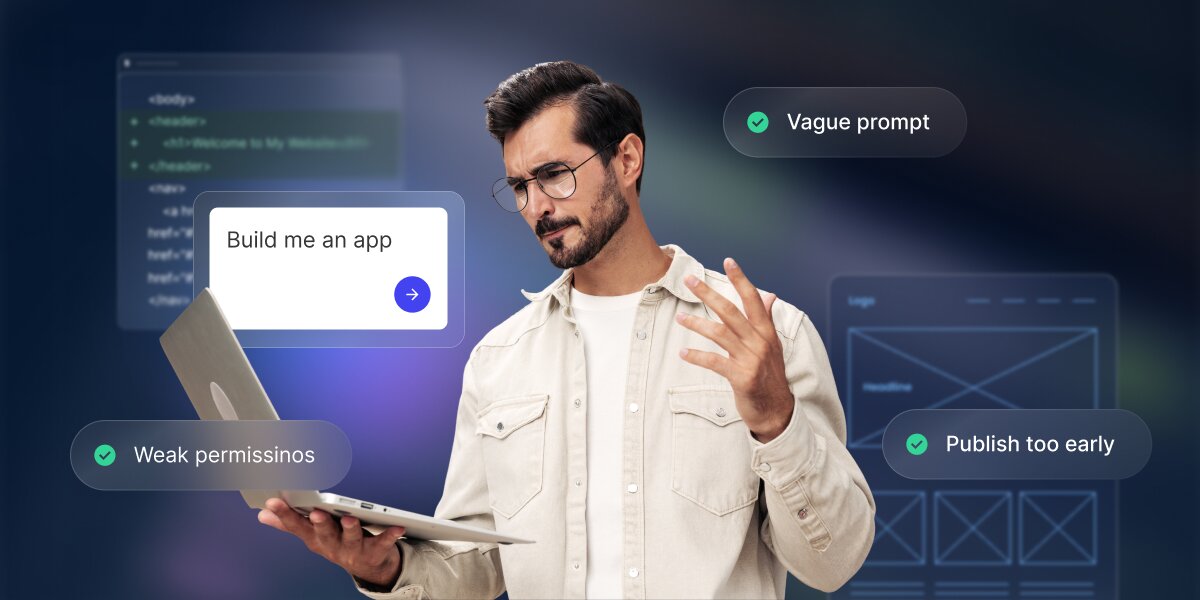
If you’re wondering whether an app you built with an AI app builder will hold up once people start using it, rest assured: most AI app builder mistakes are easily avoidable. In fact, nearly all of them happen before the app is ever generated: a vague idea or goal, unclear data or prompt, too many features at once, or no plan for testing. An AI app builder can produce a fast first version, but it only becomes useful once you define the goal, review what it built, test the key workflows, and refine in small steps.
This guide walks you through the nine most common AI app builder mistakes that trip people up most, and how to avoid each one, including how advanced AI tools like Coderick AI make those good habits easier to follow.
Key takeaways:
- Most AI app builder mistakes happen before you build. Unclear goals, vague prompts, missing data rules, weak testing, and overbuilding cause most of the trouble.
- Treat the first version as a draft. The first AI-generated app is a starting point to react to, not a finished product to ship.
- Solve one problem for one user first. A useful first version does one clear job for one main group of people.
- Check the boring stuff before real data. Users, permissions, workflows, and edge cases decide whether the app holds up.
- Strong prompts spell out five things. The app’s goal, its users, its data, the main actions, and what “working” actually means.
- All-in-one AI app builders like Coderick AI get you to a working first version fast. They handle the database, hosting, and publishing, so several common mistakes are easier to steer clear of.
Why do AI app builder projects fail?
AI app builders rarely fail because the AI isn’t good enough. They fail because of what happens around the building: fuzzy goals, a first draft mistaken for a finished product, and no testing before real users show up.
The tool builds from the context you give
An AI web app builder works best when you give it a good description of your project. Give it a vague request and it guesses the rest, filling the gaps with generic assumptions that may have nothing to do with your business. The first output is mostly a reflection of the context you provided.
A demo is not the same as a usable app
The first result from a demo usually looks impressive, which is exactly the trap. Looking right and working right are two different things. A demo works when everything goes to plan, but a really usable app keeps working even when someone skips a field, enters the wrong thing, or does steps out of order.
The first version is a draft, not a finished system
Think of the first AI-built app version like the first draft of a document written by ChatGPT. It gives you something to improve, not something ready to publish. Nobody sends a first draft to a client, and the same caution applies here.
User focus changes the outcome
An app built for “everyone” ends up serving no one well. Decide who the main user is, if there’s an admin, a team member, or a customer, and the AI app builder will keep this in mind: which screen comes first, what each person sees, and what the app actually needs to do.
Mistake 1: Starting with a vague app idea
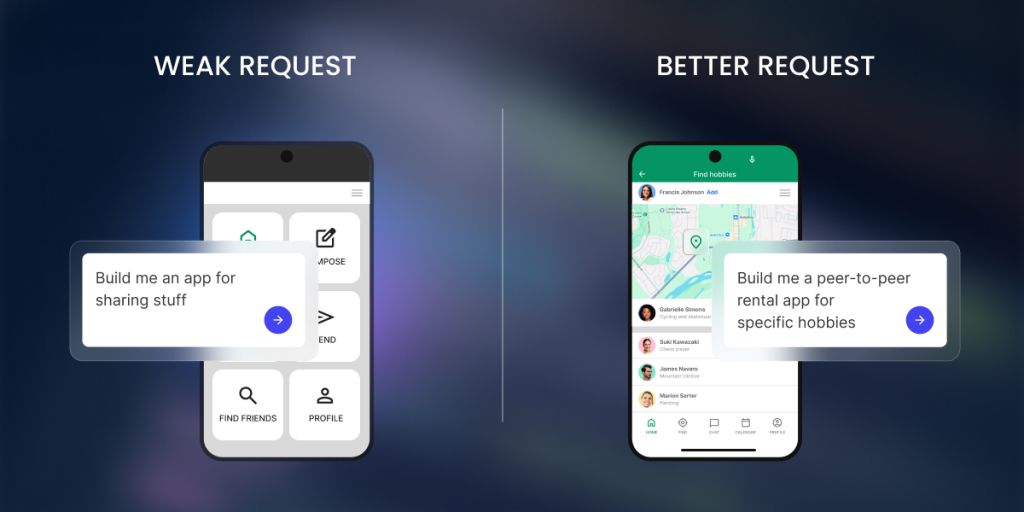
The most common AI app builder mistake is asking for an app before you can describe it. If you want a tool for tracking customers and leads, and your prompt is just “Build me a CRM”, this gives the AI almost nothing to work with. It fills in the details for you, and rarely in the way you had in mind.
What vague looks like
Vague prompts often name the type of app but none of the specifics. For example, saying “I want a booking app” doesn’t say who books, what they book, or what you need to see afterward. As mentioned, every missing detail is one the AI has to invent.
Why AI fills in the blanks
An AI app builder is designed to be helpful, so it won’t stop and say “that’s too vague.” It makes reasonable-sounding choices to keep you moving. This can seem helpful, but it can also be exactly where your app drifts away from what you needed, and you’ll waste much more time.
How to fix it
Try to pin down five things before you build: the goal, who uses it, the data it stores, the main actions, and what “working” looks like (how you’ll know the app actually did its job). You don’t need perfect wording, just enough that someone else could picture the same app you do.
| Weak prompt | Better prompt |
| “Build me a CRM” | “Build a CRM for a 3-person agency to track leads with status, owner, next follow-up date, and notes. The main thing I need is one screen that shows whose follow-ups are due today, so nothing slips through.” |
| “Make a booking app” | “Build a booking app for a physiotherapy clinic where clients pick an appointment type and an open slot, and staff review the day’s schedule. The goal is for clients to book without calling us.” |
Mistake 2: Building too much in version one
Your first prompt should capture the app idea as a whole: the goal, the main user, the data, and the one core action, as covered above. What it shouldn’t do is pile on every feature you want. It’s tempting to bolt on things like payments, reports, email, and a mobile version in a single go, and that’s exactly how a clean app idea turns into a tangled first version you can’t fix.
Why big first prompts create messy apps
The more you cram into one request, the more places something can go wrong, and the harder it is to tell which part broke. A huge first prompt also forces the AI to make more guesses, so more of your app ends up being its assumptions instead of your decisions.
What belongs in version one
Version one should do one job for one group of people: one main screen, the data behind it, and the single most important action. If your app is a booking tool, version one takes a booking and shows you the schedule. That’s it.
What to save for later
Everything that isn’t the core job waits: payments, fancy reports, notifications, extra user types, a polished design. Add them one at a time, after the main flow works, so each addition is easy to test and easy to undo if it causes trouble.
Mistake 3: Not defining users, roles, and permissions
Most apps are used by more than one kind of person, and they should not all see the same things. Skip defining this, and you risk the worst kind of bug: one customer seeing another customer’s information.
Admin, team, and customer roles
Three roles cover most small apps. An admin (you) can manage everything. A team member works in the app day to day but can’t change the settings. A customer only ever sees their own corner of it. Decide which roles your app needs before you build, not after.
Who can view what
Viewing is about what each role can see, and the rule of thumb is that people see only what belongs to them. A customer sees their own orders, a team member sees the day’s orders, an admin sees everything. Tell the AI this directly, because it won’t assume it for you (and if it does, it may be the wrong assumption).
Who can edit or delete
Seeing something and changing it are different powers. A team member might update an order’s status but not delete the order. A customer might edit their own contact details and nothing else. Spell out who can edit and who can delete, since “delete” is the one that really hurts when it’s wrong.
Permission checks before launch
Before anyone logs in, test the roles. Sign in as a customer in a separate browser and try to reach something you shouldn’t. If you can’t, the permissions work. If you can, you just found a problem while it was still cheap to fix.
Mistake 4: Treating the data model as an afterthought
The data model, which means the way your app’s information is organized, is the foundation under everything else. Get it wrong and your screens, searches, and reports all wobble. You don’t need to design a database, but you do need to think about a few basics first.
What information the app stores
Start by listing the things your app keeps track of: customers, orders, bookings, products. Each of these becomes a table, a list of one kind of thing, like a tab in a spreadsheet. If you can’t list them, the app doesn’t yet know what it’s about.
Which fields matter
For each thing, decide the details worth storing. For a booking, that might be the name, date, service, and status. Those details are called fields. Capture what you’ll actually use, and resist storing information “just in case,” since every extra field is one more thing to maintain.
How records connect
A record is a single entry: one customer, one order, one booking. Records should connect to each other instead of sitting in separate piles, so a customer connects to their orders and an order connects to its items. Without those links you retype the same details over and over, and they drift out of sync.
What happens when data changes
Think about updates and deletions early. If a customer changes their email, does it update everywhere? If you delete a customer, what happens to their past orders? Apps can break at the moment data changes, not when it’s first created, so tell the AI how you want changes handled.
Mistake 5: Skipping workflow rules
A workflow rule is the app doing something automatically, the “when this happens, do that” logic that turns a set of screens into a real tool. Leaving it out means you’ve built a tidy filing cabinet, not an app that works for you.
Statuses
A status shows the stage something is in, like “new,” “in progress,” or “done.” Statuses let you and your team see what needs attention at a glance, and they’re the backbone of almost every workflow. Decide the stages your main item moves through.
Notifications
Notifications tell the right person when something needs them, like an email when a booking comes in. Be specific about who gets told and when, so the app cuts down the messages you send by hand instead of adding noise.
Approvals
Some workflows need approval before they continue, such as a manager approving a request or a refund. If your process has a gatekeeper, build that approval step in rather than relying on someone to remember it.
Follow-ups
Follow-ups are the nudges that keep things from slipping through the cracks, like a reminder when an invoice is overdue or a lead has gone quiet. They’re easy to skip and surprisingly valuable to keep.
Calculations
If your app needs numbers worked out, like a total, a tax amount, or days remaining, let the app do the math. Manual calculations are where small errors creep in, so describe the formula you expect to see.
Mistake 6: Trusting the first version too quickly
The first AI-built app version looks finished, so it’s tempting to call it done. Spend 20 minutes trying to break it first. That’s far cheaper than letting a customer find the cracks for you.
Test the main user path
Walk through the single most important workflow your app does, start to finish, the way a normal user would. Book the appointment, save the order, submit the form. If the main path stumbles, nothing else matters yet.
Test bad inputs
Now misbehave on purpose. Enter letters where a number goes, leave the email blank, paste a phone number into the wrong box. Good apps catch this; weak ones save broken data or fall over.
Test each user role
Log in as each kind of user, not just as yourself, the admin. What a customer can see and do is usually very different from what you can, and the only way to know it’s right is to look through their eyes.
Test the data output
Check that what you entered actually saved and shows up where it should. Add a record, then find it again in the list, on the dashboard (the at-a-glance summary screen), and in any report. Data that looks saved but isn’t is a common and nasty surprise.
Test what happens when something is missing
Real people leave things out. See what the app does with a half-finished booking or a missing required field. It should guide the person to fix it, not fail or store a confusing half-record.
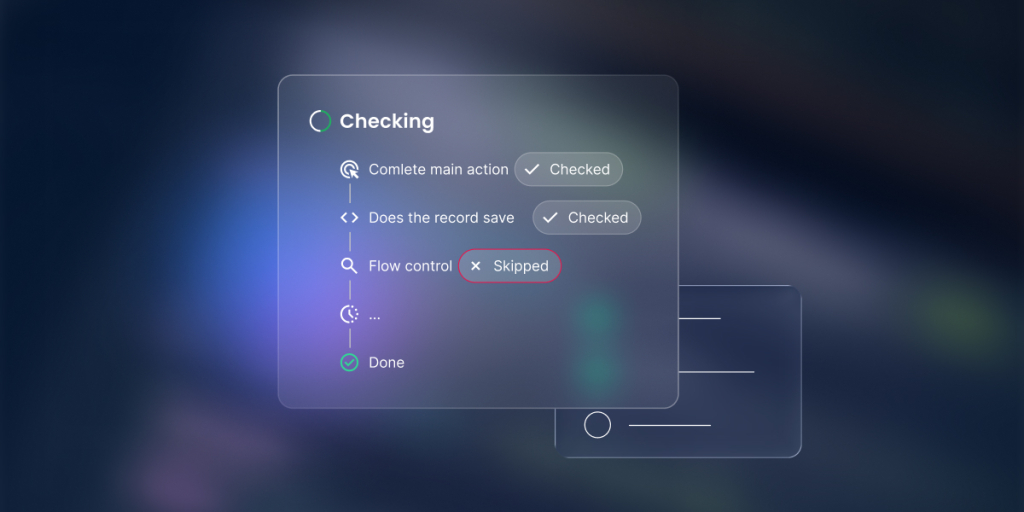
A quick five-point AI-built app testing checklist:
- Can a user complete the main action?
- Does the record save correctly?
- Does the right person see the right data?
- What happens if a required field is empty?
- What happens if a user does something out of order?
Try to break it: Test like your worst user, not your best one: the person who double-clicks every button, hits “back” halfway through, types in all caps, and tries to book the same slot twice. Your calm, careful run-through will always pass. The messy user is the one who finds the bug, so be that user for 10 minutes before anyone else has to.
Mistake 7: Ignoring edge cases
Edge cases are the unusual situations that never come up in a smooth demo but absolutely come up in real life. They’re the difference between an app that works on stage and one that works at 5 p.m. on a busy Friday.
Empty fields
What happens when someone submits a form with missing information, or skips a field you assumed they’d fill? The app should ask for what’s missing, not save a blank record or break.
Duplicate records
People submit twice, and two customers can share a name. Decide how the app should handle duplicates, or you’ll end up with two half-right versions of the same thing and no idea which one is correct.
Wrong user access
Test what happens when someone tries to open a page they shouldn’t, by guessing a link or reusing an old one. They should be turned away cleanly, never shown someone else’s data.
Cancelled requests
Bookings get cancelled and orders get withdrawn. Make sure cancelling actually frees things up, like reopening the time slot, instead of leaving a ghost record that blocks everyone else.
Failed payments
If you take money, some payments will fail. The app should handle a declined card gracefully, not leave a customer charged-but-not-confirmed, or confirmed-but-not-paid.
Overdue statuses
Things slip past their due date: an invoice goes unpaid, a task runs late. The app should be able to show what’s overdue, so problems surface on their own instead of waiting for you to notice them.
Mistake 8: Refining everything at once
Fix one issue per prompt
Keep what works
Use before-and-after feedback
Stop when the core workflow works
The reset move when prompting drifts: If every prompt seems to make the app worse, stop editing and reset. Open a fresh, short brief and restate the basics in a few lines: the goal, who uses it, the data it holds, the one workflow you care about most, and the single problem you want fixed. Starting clean from a clear summary often beats digging a tangled conversation back out of a hole.
Mistake 9: Publishing before the app is ready for real users
Going live feels like the finish line, but publishing to real customers before the app is ready is how a small bug becomes a public one. A few checks first will save you a lot of apologies later.
What to check before users see it
Run the main workflow one last time, confirm each role sees only what it should, and make sure forms save and confirmations send. If you can’t explain in one sentence what each user can see, you’re not ready yet.
What not to connect too early
Hold off on the risky parts until the basics are solid: real payment processing, your live customer list, and anything that sends messages to actual people. Try these with safe stand-ins first.
When to use test data
Until you trust the app, use test data: fake customers, sample bookings, a test card. It lets you try everything, including the failures, without touching a real person’s information or money.
When to ask for help
If something involves payments, legal terms, or sensitive personal data and you’re unsure, that’s the moment to get a second opinion from someone technical. Knowing the edge of your comfort zone is a skill, not a weakness.
A few basic rules for going live:
- Don’t use real customer data until permissions are checked.
- Don’t accept payments until the flow is tested.
- Don’t invite customers until the admin path works.
- Don’t launch if you can’t explain what each role can see.
A simple checklist to avoid AI app builder mistakes
Before you build with an AI app builder, run through these seven questions. If you can answer each one in a sentence, you’ve already avoided many of the most common AI app builder mistakes.
| Before you build | Question |
| Goal | What specific problem does the app solve? |
| User | Who is the first user group? |
| Data | What records and fields does it store? |
| Workflow | What happens after each action? |
| Permissions | Who can view, edit, or delete each record? |
| Test | What proves the core workflow works? |
| Scope | What is intentionally not included in version one? |
How Coderick AI helps you avoid common app-builder mistakes
Look at where most of AI app builder mistakes happen: in the data, the permissions, the workflow, and the messy business of getting an app safely in front of real people. Many AI tools happily generate screens and leave you to handle the rest, which is exactly why those traps are so easy to fall into.
Because all-in-one solutions like Coderick AI keep the building, the data, the hosting, and the publishing in one platform, those parts are handled together rather than left for you to bolt on at the end, and the good habits from this guide become the path of least resistance.
It builds the data and logic
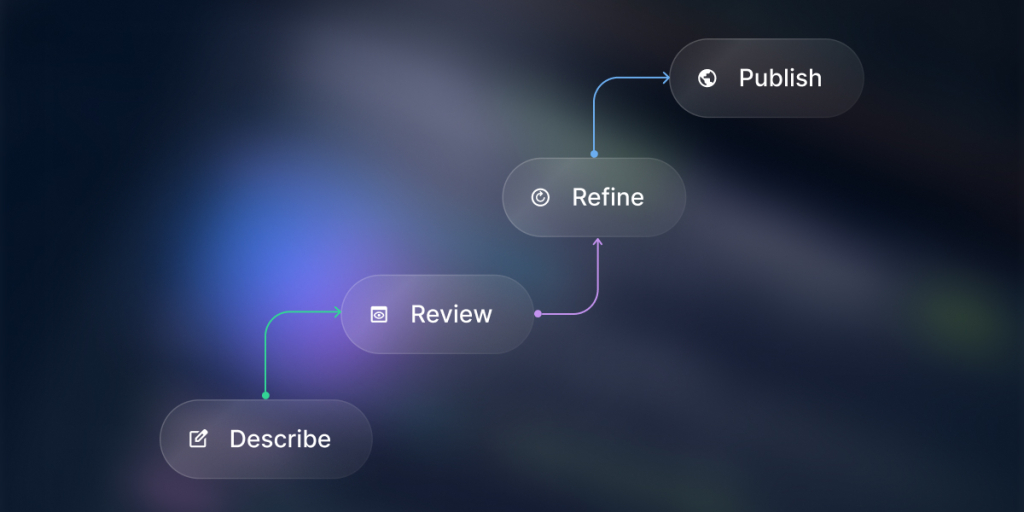
Many builders hand you good-looking screens and leave the foundation to you, which is exactly how the data-model and workflow mistakes happen. When you describe your app to Coderick AI, it generates the database, the way records connect, and the “when this happens, do that” rules along with the screens. The structure that usually gets treated as an afterthought is there from the first version, so you’re reviewing a foundation instead of scrambling to build one later.
A working draft makes the gaps obvious
The fastest cure for a vague idea is something real to react to. Coderick AI gives you a clickable, working first draft rather than a wall of settings, so the moment you open it you can see what you forgot to mention and what you don’t actually need. It turns “I think I want a CRM” into “this is close, but customers shouldn’t see each other’s notes”, which is a far easier problem to solve.
Version restore makes testing and refinement low-risk
Two of the biggest mistakes, trusting the first version and changing everything at once, come from a fear of breaking things. Coderick AI takes that fear away. You can refine one instruction at a time, make a quick visual edit, or throw a deliberately awkward edge case at it, and if a change goes wrong, version restore rolls the whole app back to an earlier point, like an undo button for the entire project. That makes it safe to test like your worst user and to fix things one at a time.
Everything lives in one place, so you publish on your terms
Publishing before you’re ready gets worse when going live means stitching together a host, a database, and security at the last minute. With Coderick AI, all of that is already part of the platform, so there are fewer seams where things break and nothing rushes you. You can work with sample data for as long as you like, and when the core workflow actually holds up, you publish to SiteGround’s battle-tested infrastructure in a click, with a custom domain on paid plans.
[96]
FAQs
The biggest AI app builder mistakes are starting with a vague idea, building too much at once, skipping user roles, ignoring the data model, trusting the first version too quickly, and publishing before testing. Most problems come from unclear inputs, not from the AI alone.
AI app builder projects often fail because the user asks for an app before defining the goal, users, data, workflow, and success checks. The builder can generate a first version, but it needs clear context and review to become useful.
Avoid vague prompts by describing the app type, user roles, main actions, data fields, business rules, and what counts as success. In Coderick AI, a request like “build a client portal for agencies with client-only project views and admin controls” gives far better context than “build me a portal.”
No. The first version should solve one problem well before you add advanced features. Start with one user group, one workflow, and the data needed to support it. Extra features can be added after the core flow works.
Test the main workflow, required fields, saved data, user roles, permissions, and edge cases. Use test data first. Check what happens when a user submits incomplete information, tries the wrong action, or logs in with a different role.
Yes. Coderick AI can help non-technical users create a first version from a plain-language description and refine it through follow-up instructions. The best results still come when the user explains the goal, users, data, and workflow clearly before building.
Usually not. An AI-built app may be useful quickly, but it should be reviewed before real users or real data are involved. Check the main workflow, permissions, forms, data storage, and edge cases before publishing or inviting customers.
Stop changing everything at once. Save what works, identify one issue, and use a focused follow-up prompt. If the conversation has drifted, restart with a shorter brief that includes the goal, users, data, and the exact problem you want fixed.